
Building a solid backup system is super important, especially when you’re thinking about keeping your data safe from all sorts of trouble, like ransomware. We’re going to talk about the whole idea of immutable backup architecture design. It’s all about making sure your backups can’t be messed with, even if something bad happens. Think of it like putting your important files in a vault that nobody can break into or alter. We’ll cover the basics, the parts that make it work, and how to set it all up securely.
Key Takeaways
- Strong security boundaries are the first step, controlling who gets in and what they can do, using things like multi-factor authentication and making sure people only have the access they absolutely need.
- Protecting your data means knowing what you have (classification), keeping it secret with encryption, and making sure it hasn’t been changed with integrity checks. It’s also vital to manage your secret keys safely.
- Designing your network with segments and using Zero Trust ideas helps stop attackers from moving around easily if they get in.
- Making sure your backups are separate from your main systems and can’t be changed (immutable) is key to recovering from attacks like ransomware. Testing them regularly is a must.
- Understanding how attackers get in, move around, and steal data helps you build defenses to block their common tricks and keep your immutable backup architecture design secure.
Foundational Principles Of Immutable Backup Architecture Design
When we talk about building backup systems that can actually stand up to modern threats, especially ransomware, we’re not just talking about copying files. It’s about designing a system from the ground up with security and resilience as the main focus. This means thinking about how data is protected at every step, who can access it, and how we can be sure it hasn’t been messed with. It’s a bit like building a fortress for your data.
Establishing Security Boundaries
First off, we need to think about where the lines are drawn. This isn’t just about firewalls anymore. We’re talking about different kinds of boundaries:
- Identity Boundaries: This is all about who is allowed to do what. Strong authentication and authorization are key here. If an attacker can’t prove who they are, they shouldn’t get anywhere near your backups.
- Network Boundaries: Even within your own network, you need to segment things. Don’t let your backup servers talk to everything. Think of it like having different security zones.
- Data Boundaries: This means controlling what kind of data can be accessed and from where. Not all data is created equal, and your backup system should reflect that.
The core idea is to eliminate any automatic trust. Every access attempt needs to be verified, no matter where it’s coming from. This approach helps limit the damage if one part of your system gets compromised. It’s about making sure that even if an attacker gets past one wall, they hit another one right away. This layered defense is critical for data residency controls.
Implementing Identity and Access Governance
This is where we get serious about who has the keys to the kingdom. Identity and Access Management (IAM) systems are the gatekeepers. They handle two main things: authentication (proving you are who you say you are) and authorization (figuring out what you’re allowed to do once you’re in). If your IAM is weak, it’s like leaving the front door wide open. We need things like multi-factor authentication (MFA) and proper session management to keep things tight. Weak identity systems are often the first place attackers look to get in.
Adhering to Least Privilege and Access Minimization
This principle is pretty straightforward: give people and systems only the access they absolutely need to do their job, and nothing more. If a user or a service account doesn’t need to delete backups, they shouldn’t have that permission. Giving out too much access, known as over-permissioning, just makes the system a bigger target and makes it easier for attackers to move around if they get in. A good practice is to use just-in-time access, where permissions are granted only when needed and for a limited time. This significantly reduces the potential attack surface.
The goal is to shrink the ‘blast radius’ of any potential security incident. By limiting what any single compromised account or system can do, we prevent a small breach from becoming a catastrophic one. This requires careful planning and regular review of access rights.
Core Components Of Data Protection
Protecting your data involves several key pieces working together. It’s not just about having backups; it’s about how you handle the data itself, how you keep it safe from prying eyes, and making sure it hasn’t been messed with. Think of it like building a secure vault – you need strong walls, a good lock, and a way to know if anyone tried to get in.
Data Classification and Control Strategies
First off, you need to know what data you have and how sensitive it is. Not all data is created equal. Some might be public information, while other data could be highly confidential. Properly classifying your data helps you apply the right level of protection. This means figuring out what needs stricter access rules, what needs to be encrypted, and what can be more openly shared. It’s a bit like sorting mail – junk mail goes in one pile, important bills in another, and sensitive documents get locked away. This process is key for effective data access management.
- Identify and categorize all data assets.
- Define access policies based on classification levels.
- Implement technical controls like access restrictions and encryption.
Understanding your data’s sensitivity is the first step in protecting it. Without this knowledge, your security efforts might be misdirected, leaving critical information vulnerable.
Encryption and Integrity Verification Systems
Once you know what data needs protecting, you need to make sure it stays private and hasn’t been tampered with. Encryption is your best friend here. It scrambles your data so only authorized parties with the right keys can read it. This applies to data both when it’s moving across networks (in transit) and when it’s stored (at rest). But encryption alone isn’t enough. You also need to verify data integrity. This means using things like checksums or hashing to create a unique digital fingerprint for your data. If that fingerprint changes, you know something has been altered. This is super important for digital forensics governance.
| Feature | Description |
|---|---|
| Encryption in Transit | Protects data as it travels over networks. |
| Encryption at Rest | Protects data stored on disks, servers, or in the cloud. |
| Integrity Verification | Ensures data has not been altered or corrupted since its last known state. |
Secure Secrets and Key Management
All that encryption is useless if the keys used to encrypt and decrypt your data fall into the wrong hands. This is where secure secrets and key management come in. Think of keys as the master keys to your vault. They need to be stored securely, rotated regularly (like changing the locks periodically), and their access must be audited. If an attacker gets hold of your encryption keys, they can unlock all your protected data. This is why having a robust system for managing these sensitive credentials, API keys, and certificates is non-negotiable for any secure backup strategy.
Network Design For Enhanced Security
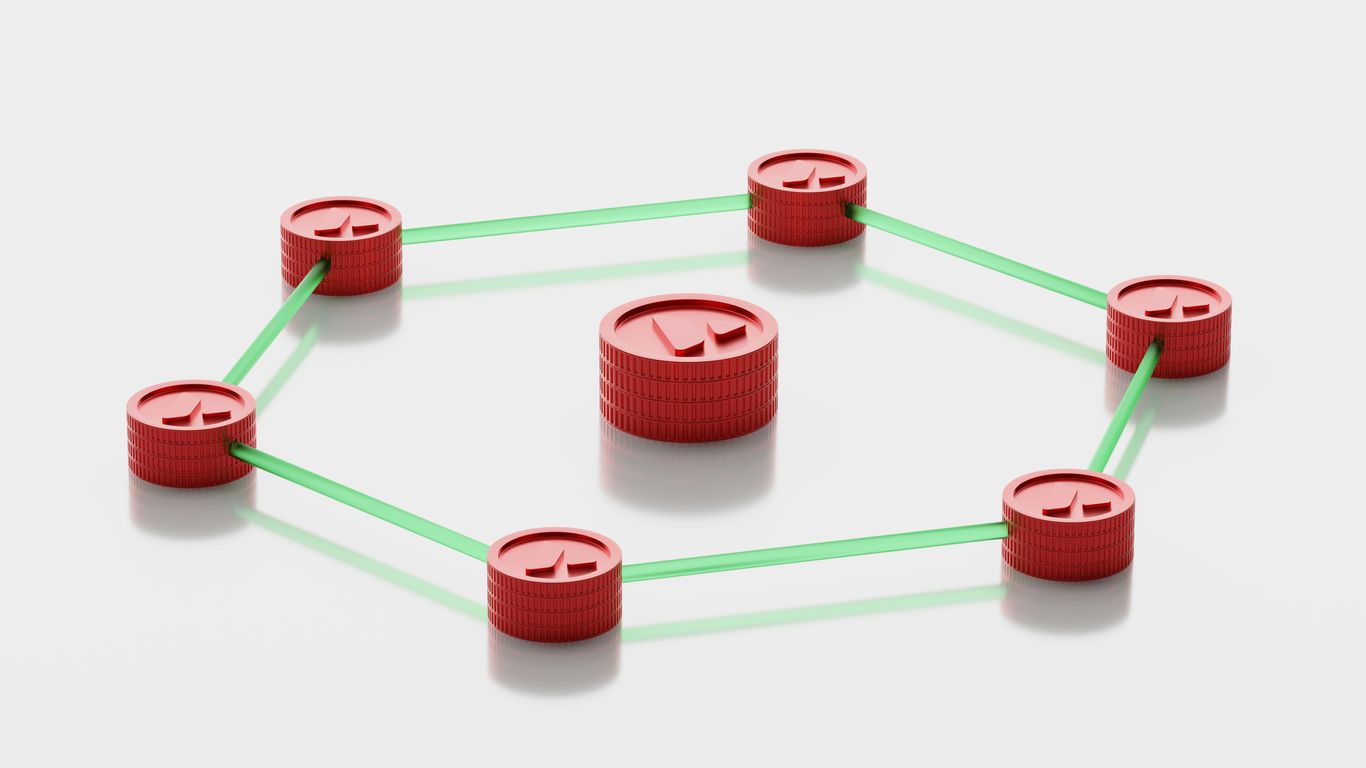
When we talk about protecting our data, especially with immutable backups, the network itself is a huge piece of the puzzle. It’s not just about the servers or the storage; it’s about how everything talks to each other, or more importantly, how we stop unauthorized things from talking at all. Think of it like building a secure facility – you need strong walls, but you also need controlled entry points and internal divisions to keep different areas safe.
Network Segmentation and Isolation Techniques
This is where we start breaking things down. Instead of one big, open network, we create smaller, isolated zones. If one zone gets compromised, the damage is contained, and it’s much harder for an attacker to jump to other parts of the network, like your backup systems. This is a core idea in building a robust network security architecture. We can segment based on function, sensitivity of data, or even by individual applications. For immutable backups, this means creating a dedicated, highly restricted segment that only authorized backup processes can access. It’s like having a vault within a vault.
Zero Trust Architecture Principles
Zero Trust is a big shift in thinking. The old way was to trust everything inside the network perimeter. Zero Trust says, ‘never trust, always verify.’ Every single access request, no matter where it comes from, needs to be authenticated and authorized. This applies to users, devices, and even services trying to talk to each other. For backups, this means that even if a server thinks it’s on the backup network, it still needs to prove its identity and authorization every time it tries to access backup data. This approach is key to modern security and helps prevent attackers from moving around freely if they manage to get a foothold somewhere.
Micro-Perimeter Implementation
Building on segmentation and Zero Trust, micro-perimeters take isolation to a more granular level. Instead of just segmenting large network zones, we create security boundaries around individual workloads or even specific applications. This means that even within a segmented zone, communication between different components is strictly controlled. For immutable backups, this could mean that the backup server itself has a micro-perimeter, and only specific, authorized connections are allowed to reach its backup storage interface. It’s about creating very small, very tight security bubbles. This is a critical part of data classification and control strategies, ensuring that only the necessary components can interact with sensitive backup data.
Designing Resilient Backup And Recovery Systems

When we talk about keeping data safe, especially from things like ransomware, the backup system itself needs to be tough. It’s not enough to just have backups; they have to be designed so that even if the main systems get hit, the backups are still good. This means thinking about how they’re set up and protected.
Backup Isolation From Primary Systems
One of the first things to consider is keeping your backups separate from your live systems. If an attacker can get to your production servers, they’ll likely try to find and mess with your backups too. Making sure backups are on different networks, or even physically separate, is a big step. Think about air-gapping, where the backup system is only connected when it’s actively backing up data, and then disconnected again. This makes it much harder for malware to spread to your backup copies. It’s about creating a digital moat around your recovery data.
Ensuring Immutability and Tamper Resistance
Beyond just isolation, the backups themselves need to be hard to change. This is where immutability comes in. Immutable backups mean that once data is written, it can’t be altered or deleted for a set period. This is a game-changer against ransomware, as attackers can’t encrypt or wipe your backup history. Technologies like write-once-read-many (WORM) storage or specific software features provide this protection. It’s a key part of making sure you can actually recover when you need to. We need to make sure that our data is protected from unauthorized changes, which is why data integrity verification systems are so important.
Regular Backup Testing and Validation
Having isolated and immutable backups is great, but what if they don’t actually work when you try to restore them? That’s why regular testing is absolutely non-negotiable. You need to periodically test restoring files, applications, or even entire systems from your backups. This isn’t just a quick check; it’s a thorough validation process. It helps you find out if your recovery procedures are sound and if the data is usable. Without testing, you’re just hoping for the best, and in a real incident, hope isn’t a strategy. It’s a good idea to have a clear plan for this, like a set of playbooks and runbooks to follow.
Here’s a quick look at what a testing schedule might involve:
- Daily: Automated checks for backup completion and basic file integrity.
- Weekly: Restore a small set of critical files or a single virtual machine.
- Monthly: Perform a more extensive restore of a non-critical application or server.
- Quarterly/Annually: Conduct a full disaster recovery simulation, testing multiple systems and dependencies.
The goal of resilient backup design isn’t just about having copies of data; it’s about guaranteeing the ability to restore operations quickly and reliably, even under duress. This requires a multi-layered approach to protection and verification.
Mitigating Common Attack Vectors
Attackers are always looking for the easiest way in, and understanding these common entry points is key to building a strong defense. It’s not just about having the latest tech; it’s about anticipating how someone might try to break in and closing those doors before they even get a chance.
Addressing Initial Access Vulnerabilities
This is where attackers first try to get a foothold. Think of it like the weak points in a castle wall. Common ways they get in include phishing emails that trick people into clicking bad links or giving up passwords, or exploiting services that are exposed to the internet and haven’t been properly secured. Sometimes, it’s as simple as using default passwords that were never changed. The goal is to make initial access as difficult as possible. We need to be smart about what we expose and train our people to spot suspicious activity. For instance, keeping software updated is a big one, as many attacks target known flaws in older versions. You can find more on this by looking into vulnerability management.
Preventing Credential and Session Exploitation
Once an attacker has some credentials, they can often pretend to be a legitimate user. This is a huge problem because it bypasses many security checks. They might steal passwords directly, grab session tokens that keep you logged in, or even hijack an active session. If credentials get compromised, it’s like handing over the keys to the kingdom. We have to protect these credentials like gold. This means using strong, unique passwords, and absolutely making sure multi-factor authentication is in place wherever possible. It’s a simple step that makes a massive difference.
Limiting Lateral Movement and Expansion
Getting into one system is often just the first step for an attacker. Their real goal is usually to move around the network, find valuable data, and gain more control. This is called lateral movement. If your network is wide open, they can hop from one machine to another pretty easily. We need to prevent this by segmenting our networks, so if one part gets compromised, it doesn’t immediately affect everything else. Also, strictly enforcing the principle of least privilege means users and systems only have the access they absolutely need, which makes it much harder for attackers to move around even if they get in. Thinking about how to isolate systems is a good start. This is where understanding the supply chain can also be important, as a compromise in one area can ripple outwards.
Securing The Execution Environment
When we talk about protecting our backup systems, we can’t forget about the actual places where the backup software runs. This is the execution environment, and it needs its own set of defenses. Think of it like securing the vault where you keep your most important documents – you wouldn’t just leave the vault door open, right?
Defending Against Exploitation and Code Execution
Attackers are always looking for ways to run their own code on systems. For backup environments, this means they might try to exploit vulnerabilities in the operating system, the backup software itself, or any other applications running there. This could be through unpatched software, misconfigurations, or even flaws in how the system handles input. If an attacker can execute code, they can potentially take control, disable security measures, or steal data. We need to make sure systems are patched regularly and that configurations are locked down tight. It’s about reducing the chances of any unexpected code getting a foothold.
Implementing Persistence Mechanisms
Once an attacker gets into a system, they want to make sure they can stay there, even if the system restarts or gets a quick fix. This is where persistence comes in. They might set up scheduled tasks, make changes to the system registry, or even try to embed themselves at a lower level, like in firmware. For backup systems, this is a huge risk because it means an attacker could maintain access over a long period, waiting for the right moment to strike or to cover their tracks. We need to monitor for unusual changes to system configurations and scheduled tasks, as these are common ways attackers try to stick around.
Controlling Data Staging and Exfiltration
Before attackers steal data, they often gather it in one place first. This ‘staging’ makes it easier to compress, encrypt, and then send it out of the network. For backup systems, this is particularly concerning because they already hold a lot of data. We need to watch for unusual data aggregation or large file transfers. Attackers might try to sneak data out through less obvious channels, like hiding it within normal web traffic (HTTPS) or even DNS requests. Monitoring network traffic for anomalies and setting up strict controls on where data can be moved are key steps here. The goal is to make it as difficult as possible for any data to leave the environment without authorization. This involves careful monitoring and setting up specific rules about data movement, which can be managed with tools that help with data classification and control strategies.
Here’s a quick look at common execution environment risks:
| Risk Category | Potential Impact |
|---|---|
| Unpatched Software | Remote code execution, system compromise |
| Misconfigurations | Unauthorized access, privilege escalation |
| Insecure Service Defaults | Easy entry points for attackers |
| Lack of Monitoring | Undetected persistence and data staging |
| Weak Access Controls | Privilege escalation, lateral movement |
| Exposed Credentials | Direct system compromise, data theft |
| Uncontrolled Data Movement | Data exfiltration, loss of sensitive information |
It’s also important to remember that managing secrets, like API keys and passwords, is part of securing the execution environment. If these secrets are exposed, attackers can easily gain access. Using a robust secrets management system is therefore vital.
Advanced Threat Evasion And Stealth Techniques
Attackers are always looking for ways to stay hidden. It’s not just about getting in; it’s about staying in without anyone noticing. This is where evasion and stealth come into play. Think of it like a burglar not just picking a lock, but also disabling the alarm system and wiping their footprints.
Understanding Evasion and Stealth Tactics
Attackers use a variety of methods to avoid detection. This can include using polymorphic malware that changes its code with each infection, making signature-based antivirus software less effective. They also frequently employ living-off-the-land techniques, which means using legitimate system tools already present on the target machine to carry out malicious activities. This makes it harder to distinguish between normal administrative tasks and attacker actions. Traffic obfuscation is another common tactic, where attackers disguise their network communications to look like normal internet traffic, often by using encrypted channels or tunneling through seemingly innocuous protocols.
Addressing Supply Chain and Infrastructure Attacks
Compromising a trusted third party, like a software vendor or a service provider, is a highly effective way for attackers to reach many targets at once. This is known as a supply chain attack. Instead of attacking each organization directly, they infect a common link in the chain. This could be through a compromised software update, a vulnerable third-party library, or even a managed service provider. The trust inherent in these relationships is what attackers exploit. Defending against this requires careful vetting of vendors and continuous monitoring of the software and services you rely on. It’s a complex problem because you’re trusting external entities with your security.
Leveraging Threat Intelligence
Knowing what threats are out there is half the battle. Threat intelligence provides information about current and emerging threats, including the tactics, techniques, and procedures (TTPs) that attackers use. This can include details on specific threat actors, their motivations, and the indicators of compromise (IOCs) they leave behind. By integrating this intelligence into your security operations, you can proactively adjust your defenses, hunt for specific threats, and improve your detection capabilities. It’s about staying one step ahead by understanding the adversary’s playbook. Organizations can benefit from sharing this information, as seen in various threat intelligence platforms.
Here’s a look at some common evasion tactics:
| Tactic | Description |
|---|---|
| Polymorphic Malware | Code changes with each infection to avoid signature detection. |
| Living-off-the-Land (LotL) | Uses legitimate system tools for malicious purposes. |
| Traffic Obfuscation | Disguises malicious network traffic as normal activity. |
| Rootkits | Stealthy tools that hide malicious activity and maintain privileged access. |
| Firmware Attacks | Targets low-level system components for persistent access. |
Attackers often combine multiple stealth techniques to maximize their dwell time and the potential impact of their operations. This layered approach makes detection significantly more challenging for security teams. It highlights the need for defense-in-depth strategies and continuous monitoring.
Regularly reviewing your security posture and staying informed about new attack methods is key. This includes keeping systems patched and configurations secure, which is a constant effort in the face of evolving threats. You can find more information on patch management and configuration to help bolster your defenses.
Incident Response And Governance
When things go wrong, and they will, having a solid plan for dealing with security incidents is absolutely key. This isn’t just about putting out fires; it’s about having a structured way to handle security events, from the moment they’re detected all the way through to learning from them. Good governance here means everyone knows their role and what to do, which cuts down on the chaos significantly. It’s about making sure that when an incident happens, the response is coordinated and effective, minimizing damage and getting things back to normal faster. This structured approach helps organizations manage security events, minimizing chaos and damage when security events occur. Incident response governance provides this much-needed framework.
Structuring The Incident Response Lifecycle
An incident response lifecycle is basically a roadmap for handling security problems. It typically breaks down into several phases. First, there’s detection, where we spot something unusual. Then comes containment, which is all about stopping the problem from spreading. After that, we move to eradication, where we remove the threat entirely. Recovery is next, getting systems back online and operational. Finally, and this is super important, there’s the review phase. This is where we look back at what happened, figure out why, and see how we can do better next time. This structured process helps organizations improve future crisis management, ultimately shortening recovery times and fostering growth. Effective incident response hinges on learning from past events.
Here’s a look at the typical phases:
- Detection: Identifying suspicious activity or alerts.
- Containment: Limiting the scope and impact of the incident.
- Eradication: Removing the threat and its root cause.
- Recovery: Restoring affected systems and data.
- Review (Lessons Learned): Analyzing the incident and response for improvements.
A well-defined incident response plan is not a static document; it requires regular updates and testing to remain effective against evolving threats.
Effective Containment and Isolation Procedures
Containment is all about damage control. The goal here is to stop the bleeding, so to speak. This means quickly isolating affected systems or network segments to prevent the threat from spreading further. Think of it like quarantining a sick patient to protect others. Actions might include disconnecting machines from the network, disabling compromised user accounts, or blocking specific network traffic. The speed at which you can contain an incident directly impacts the overall damage. It’s a critical step that requires clear procedures and the authority to act quickly.
Key containment actions often include:
- Network segmentation to isolate affected areas.
- Disabling or revoking credentials of compromised accounts.
- Blocking malicious IP addresses or domains.
- Taking affected systems offline temporarily.
Post-Incident Review and Control Improvement
Once the dust has settled and systems are back up, the work isn’t over. The post-incident review is where the real learning happens. This involves a thorough analysis of the incident: what happened, how it happened, how well the response worked, and what could have been done differently. The aim is to identify the root cause and any weaknesses in your defenses or response procedures. Based on these findings, you then implement improvements to your security controls, policies, and training. This continuous improvement cycle is what makes your security posture stronger over time and helps prevent similar incidents from occurring in the future.
Key Technologies For Secure Backups
When we talk about keeping data safe, especially in a world where bad actors are always looking for a way in, the tools we use for backups matter a lot. It’s not just about having copies of your files; it’s about making sure those copies are actually usable and haven’t been messed with. This is where specific technologies come into play, acting as the backbone of any solid, immutable backup strategy.
Secure Backup Solutions and Immutability
At its core, a secure backup solution needs to do more than just store data. It needs to protect it from deletion, modification, or encryption by unauthorized parties, including ransomware. This is where the concept of immutability becomes really important. Immutable backups are essentially write-once, read-many (WORM) storage. Once data is written, it cannot be altered or deleted for a set period, or sometimes, ever. This is a game-changer for recovery because you know that your backup copy is exactly as it was when it was created, untouched by any subsequent compromise.
Think of it like putting important documents in a safe deposit box. You can take them out, but you can’t change what’s inside without leaving a clear record, and nobody else can get in to mess with them. Technologies that enable this often involve specific storage hardware, software features that enforce retention locks, or even air-gapped or offline storage methods that physically disconnect the backup from the network.
Robust Key Management Systems
Encryption is a huge part of keeping backup data secure, but encryption is only as strong as the keys used to protect it. This is where robust Key Management Systems (KMS) come in. A KMS is responsible for the entire lifecycle of cryptographic keys: generating them securely, storing them safely, distributing them to where they’re needed, rotating them regularly to limit the impact of a potential compromise, and securely destroying them when they’re no longer required. Without a solid KMS, your encryption efforts can be undermined. For instance, if an attacker gets hold of your encryption keys, your encrypted data is no longer safe. Effective key management is non-negotiable for maintaining the confidentiality and integrity of your backups.
Here’s a quick look at what a good KMS handles:
- Key Generation: Creating strong, random keys using secure methods.
- Secure Storage: Storing keys in protected environments, often using Hardware Security Modules (HSMs) for the highest level of security.
- Access Control: Strictly limiting who and what can access the keys.
- Key Rotation: Regularly changing keys to reduce the window of opportunity for attackers.
- Auditing: Keeping detailed logs of all key usage and management activities.
Security Information and Event Management Integration
Finally, to really tie everything together and maintain visibility, integrating your backup systems with a Security Information and Event Management (SIEM) solution is key. A SIEM collects log data from all sorts of sources across your environment, including your backup infrastructure. By analyzing these logs, a SIEM can help detect suspicious activity related to your backups, such as unusual access attempts, deletion requests that don’t follow normal procedures, or signs of ransomware activity targeting your backup data. This integration provides a centralized view of security events, allowing for faster detection and response to potential threats against your data protection assets. It helps you see the bigger picture, connecting the dots between different security alerts and providing context for any incidents.
The goal is to create a layered defense where each technology supports the others. Immutable storage protects against tampering, strong key management secures the encryption, and SIEM integration provides the necessary visibility to detect and respond to threats targeting your backup environment. This holistic approach is what builds true resilience.
Future Trends In Cybersecurity Architecture
The cybersecurity landscape is always shifting, and keeping up with what’s next is key to staying ahead. We’re seeing some pretty big changes on the horizon that will definitely shape how we build and manage our digital defenses.
Zero Trust Adoption Strategies
Zero Trust isn’t exactly new, but its widespread adoption is definitely a trend. The idea is simple: don’t trust anyone or anything by default, even if they’re already inside your network. This means constant verification for every access request. Organizations are moving towards this by implementing stricter identity checks and micro-segmentation. It’s about treating every connection as if it’s coming from an untrusted source, which really forces a rethink of traditional network perimeters. This approach is becoming a cornerstone for building more resilient systems.
Identity-Centric Security Models
Following on from Zero Trust, identity is becoming the new perimeter. Instead of focusing solely on network boundaries, security efforts are increasingly centered around verifying and managing user and device identities. This involves robust multi-factor authentication, continuous monitoring of user behavior, and granular access controls. The goal is to ensure that only the right identities can access the right resources at the right time. This shift is driven by the rise of remote work and cloud services, where traditional network perimeters are less relevant. Managing credentials effectively, including regular key rotation, is a big part of this security hygiene.
Ransomware Evolution and Defense
Ransomware isn’t going away; it’s just getting smarter. Attackers are moving beyond simple encryption, employing double and even triple extortion tactics. This means they might steal your data and encrypt it, then threaten to leak the stolen data if you don’t pay. They’re also getting more targeted, often researching their victims to maximize impact. Defending against this requires a multi-layered approach, with a strong emphasis on immutable backups and rapid recovery capabilities. It’s not just about preventing the initial infection anymore; it’s about being able to bounce back quickly when the inevitable happens. The sophistication of these attacks means that organizations need to be prepared for data theft and extortion as a primary concern.
Wrapping Up: Building Trustworthy Backups
So, we’ve gone over why making backups that can’t be messed with is a pretty big deal. It’s not just about having a copy of your data; it’s about knowing that copy is safe, even if everything else goes wrong. Think of it like having a spare key hidden somewhere only you know about. Building these systems takes some thought, sure, but the peace of mind you get from knowing your important stuff is protected from ransomware or accidental deletions? That’s worth the effort. Keep these ideas in mind as you build or improve your own systems, and you’ll be in a much better spot when the unexpected happens.
Frequently Asked Questions
What does ‘immutable backup’ mean in simple terms?
Imagine you have a special notebook where once you write something down, you can’t erase it or change it. That’s like an immutable backup! It means your backup copies of data are made unchangeable, so even if hackers get into your system, they can’t mess with or delete your backups. This way, you always have a clean copy to restore your important files from.
Why is it important to keep backups separate from the main systems?
If you keep your backup copies right next to your main computer files, and a hacker attacks, they might be able to find and destroy both. Keeping backups separate, like in a different room or even a different building (or in the cloud!), makes it much harder for attackers to get to them. It’s like having a hidden safe for your most important treasures.
What is ‘least privilege’ and why does it matter for backups?
Think about only giving a tool to someone when they absolutely need it for a specific job, and only letting them use that one tool. That’s ‘least privilege.’ For backups, it means only the people or systems that truly need to access or manage the backups should have permission, and only for the specific tasks they need to do. This stops someone from accidentally or intentionally messing things up.
How does encryption help protect backup data?
Encryption is like scrambling your data into a secret code that only someone with a special key can unscramble. Even if someone steals your backup drive, they won’t be able to read your files without the key. It’s a way to keep your information private and safe, even if it falls into the wrong hands.
What’s the point of testing backups regularly?
Just because you make a backup doesn’t mean it will work when you need it. Testing your backups is like making sure your fire extinguisher actually sprays water before there’s a fire. You need to practice restoring files to make sure the backups are good and that you know how to use them quickly if something goes wrong.
How can network segmentation make backups safer?
Imagine your house has different rooms with locked doors. Network segmentation does something similar for computers. It divides your computer network into smaller, separate parts. If one part gets attacked, the locks and doors prevent the attack from spreading easily to other parts, including where your backups are stored.
What is a ‘Zero Trust’ approach for backups?
Normally, we might trust things that are already inside our network. ‘Zero Trust’ means we don’t automatically trust anything or anyone, even if they are already inside. Every time someone or something tries to access the backup system, it has to prove who it is and that it has permission, every single time. It’s like having a security guard at every single door, not just the front gate.
Why is managing secrets and keys so important for backup security?
Secrets are like passwords, special codes, or keys that unlock your encrypted data. If these secrets fall into the wrong hands, your entire backup system could be compromised. Managing them means keeping them super safe, changing them often, and knowing exactly who has used them. It’s like guarding the keys to your vault very carefully.