
Keeping your digital stuff safe is a big deal these days, right? With all the online threats out there, it’s easy to feel overwhelmed. But there are ways to actually measure if your security is working. It’s not just about having firewalls and antivirus; it’s about knowing if those things are doing their job. This is where key performance indicators, or KPIs, come in. They help us see what’s good and what needs a little more attention in our cybersecurity efforts. Think of them as a report card for your security program.
Key Takeaways
- Security operations can be measured using key performance indicators (KPIs) to gauge effectiveness.
- Incident response metrics help assess how well a team handles security breaches.
- Vulnerability management performance is evaluated by tracking identified weaknesses and their remediation.
- Proactive measures like secure development and network segmentation have their own performance indicators.
- The human element, through training and awareness, is a vital area for measuring cybersecurity resilience.
Measuring Cybersecurity Effectiveness
Effectively measuring cybersecurity isn’t just about counting how many alerts you get or how quickly you close tickets. It’s about understanding how well your security program actually protects the business. Think of it like checking the health of a car – you don’t just look at the engine; you check the tires, the brakes, the oil, and how it handles on the road. Cybersecurity is similar, requiring a look at various components to see if they’re working together to keep things safe.
Key Performance Indicators for Security Operations
Security operations (SecOps) is the engine room of your cybersecurity. It’s where the day-to-day work of monitoring, detecting, and responding to threats happens. To know if your SecOps team is doing a good job, you need to look at specific indicators. These aren’t just numbers; they tell a story about your team’s efficiency and the overall health of your defenses.
Here are some important metrics to consider:
- Mean Time to Detect (MTTD): How long does it take your team to notice a security incident after it starts? A lower MTTD means you’re spotting problems faster, which is key to limiting damage.
- Mean Time to Respond (MTTR): Once an incident is detected, how long does it take to contain and resolve it? A shorter MTTR indicates an efficient response process.
- Alert Volume and Fidelity: How many security alerts are generated, and what percentage of those are actual threats (true positives) versus false alarms (false positives)? High false positive rates can overwhelm analysts and lead to missed real threats.
- Vulnerability Patching Cadence: How quickly are identified vulnerabilities addressed? This shows how proactive you are in closing security gaps before they can be exploited.
Measuring SecOps effectiveness is about more than just speed; it’s about accuracy and the ability to adapt. A team that can quickly and correctly identify and neutralize threats is a sign of a mature security posture.
Assessing Incident Response Metrics
When a security incident does happen, how well your team handles it can make a huge difference. Incident response (IR) metrics focus on the effectiveness of your plan and execution during a crisis. It’s about minimizing the impact and getting back to normal operations as quickly as possible.
Key metrics for incident response include:
- Incident Containment Time: The duration from detection to preventing the incident from spreading further.
- Incident Eradication Time: The time it takes to remove the threat from the environment.
- Recovery Time Objective (RTO) Achievement: How quickly systems and data are restored to operational status compared to the pre-defined RTO.
- Number of Incidents by Severity: Tracking the frequency of high-severity incidents can indicate underlying issues or the effectiveness of preventative measures.
Evaluating Vulnerability Management Performance
Vulnerability management is all about finding and fixing weaknesses before attackers do. It’s a continuous cycle, and measuring its performance helps you understand how well you’re reducing your organization’s attack surface. This process is a cornerstone of proactive security and directly impacts your overall risk posture. A strong vulnerability management program is a clear indicator of an organization’s commitment to cyber risk management.
Consider these performance indicators:
- Vulnerability Discovery Rate: How many new vulnerabilities are being found over a period?
- Remediation Rate: How many identified vulnerabilities are actually fixed within a given timeframe?
- Time to Remediate Critical Vulnerabilities: Specifically tracking how quickly the most severe weaknesses are addressed.
- Vulnerability Scan Coverage: What percentage of your assets are regularly scanned for vulnerabilities?
By focusing on these metrics, organizations can move beyond simply reacting to threats and build a more robust, measurable, and effective cybersecurity program. This approach helps align security efforts with business objectives and provides clear insights into the health of your digital defenses.
Foundational Security Controls
Foundational security controls are the bedrock of any robust cybersecurity program. They aren’t the flashy, cutting-edge tools, but rather the essential building blocks that keep the bad actors out and your data safe. Think of them like the locks on your doors, the alarm system, and the sturdy walls of your house – absolutely necessary for basic protection. Without these in place, even the most advanced security measures will struggle to keep up.
Identity and Access Management Metrics
This is all about who gets to see and do what within your systems. It’s not just about passwords anymore; it’s a whole ecosystem. We’re talking about making sure the right people have access to the right things, and critically, that they only have that access for as long as they need it. Measuring this involves looking at things like how quickly we provision or deprovision accounts when people join or leave the company. We also track the use of multi-factor authentication (MFA) – a simple yet incredibly effective way to add a layer of security. Another key metric is the number of privileged accounts and how often they’re audited. Over-permissioning is a huge risk, so keeping an eye on that is vital. A good metric to watch is the percentage of accounts that have been reviewed and confirmed as still necessary.
- Account Provisioning/Deprovisioning Time: Average time to grant or revoke access.
- MFA Adoption Rate: Percentage of users and systems utilizing MFA.
- Privileged Account Audits: Frequency and completion rate of privileged access reviews.
- Access Recertification Completion: Percentage of access rights reviewed and approved by managers.
Weak identity systems are often the first door attackers walk through. It’s not just about preventing unauthorized access; it’s about making sure legitimate access doesn’t become a liability.
Data Security and Classification KPIs
Data is the new oil, and like oil, it needs to be handled carefully. This section focuses on how well we protect information throughout its entire life. It starts with knowing what data you have and how sensitive it is – that’s data classification. Metrics here might include the percentage of sensitive data that has been classified and labeled. We also look at how effectively we’re encrypting data, both when it’s stored (at rest) and when it’s moving across networks (in transit). Another important area is data loss prevention (DLP) – are our DLP tools flagging and blocking unauthorized data transfers? Measuring the number of DLP policy violations and how quickly they are resolved gives us a good idea of effectiveness. It’s about making sure sensitive information doesn’t end up where it shouldn’t be, like in an unencrypted email to the wrong person. You can find more on data classification and its importance.
| Data Type | % Classified | % Encrypted (At Rest) | % Encrypted (In Transit) | DLP Violations (Monthly) | Avg. Resolution Time (Hours) |
|---|---|---|---|---|---|
| Highly Sensitive | 95% | 98% | 99% | 5 | 2 |
| Confidential | 85% | 90% | 95% | 15 | 4 |
| Public | 100% | N/A | N/A | 0 | N/A |
Encryption and Key Management Effectiveness
Encryption is a powerful tool, but it’s only as good as the keys that protect it. If your encryption keys are lost, stolen, or poorly managed, your encrypted data is essentially unprotected. This is where key management comes in. Metrics here focus on the security of the key management system itself. We track how often keys are rotated – regularly changing encryption keys is a must. We also look at the number of keys that have been compromised or lost, which should ideally be zero. Auditing key usage is another critical aspect; knowing who accessed which keys and when is vital for detecting misuse. The effectiveness of your encryption is directly tied to the strength and security of your key management practices. A strong program will have clear policies for key generation, storage, rotation, and destruction. This is a technical area, but its impact is felt across all data security efforts. Understanding the lifecycle of your cryptographic keys is key to maintaining data confidentiality and integrity. This is a core part of technical controls in cybersecurity.
- Key Rotation Frequency: Adherence to scheduled key rotation policies.
- Key Compromise Incidents: Number of reported or detected key breaches.
- Key Usage Audits: Percentage of key access events logged and reviewed.
- Key Management System Uptime: Ensuring the system is available when needed for encryption/decryption.
Proactive Security Measures
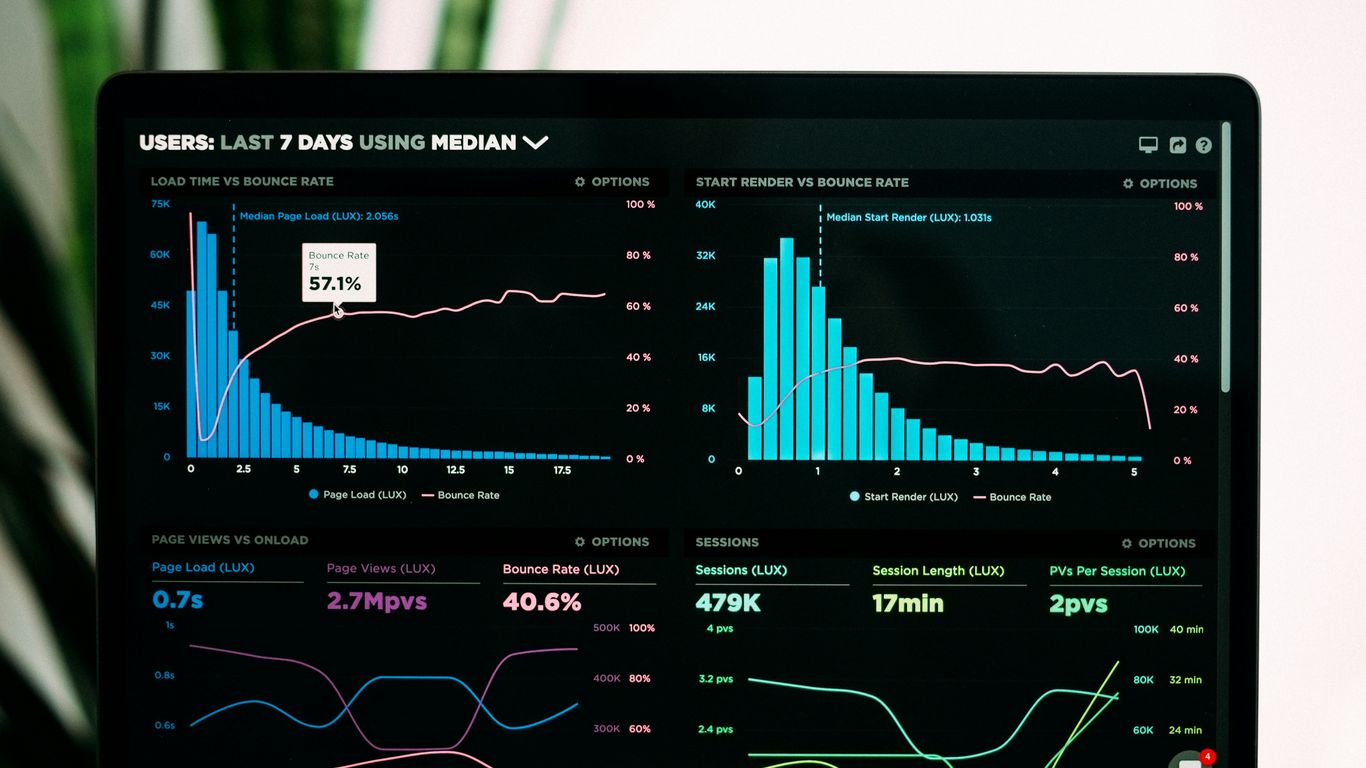
Proactive security is all about getting ahead of the bad guys. Instead of just reacting when something goes wrong, we’re talking about setting up defenses and finding weaknesses before they can be exploited. It’s like doing regular maintenance on your house to prevent a leaky roof or a broken pipe, rather than waiting for the damage to happen.
Vulnerability Management and Testing KPIs
This is where we actively look for holes in our armor. Think of it as a regular check-up for your digital systems. We want to know where the weak spots are so we can fix them. The goal is to reduce the number of exploitable vulnerabilities before attackers find them. This involves a few key activities:
- Scanning: Regularly running tools that look for known security flaws in software and systems.
- Assessment: Figuring out how serious each discovered vulnerability is, considering factors like how easy it is to exploit and what kind of damage it could cause.
- Prioritization: Deciding which vulnerabilities to fix first, usually focusing on the ones that pose the biggest risk.
- Remediation: Actually fixing the problems, whether that’s applying a patch, changing a setting, or updating a system.
We measure this by tracking things like the average time it takes to fix a critical vulnerability, or the total number of open high-risk vulnerabilities. It’s a constant process because new vulnerabilities pop up all the time. Keeping up with patch management is a big part of this.
Secure Development Lifecycle Metrics
When we build software, we need to build it securely from the ground up. This means security isn’t an afterthought; it’s part of the entire process, from the initial idea to when the software is released and maintained. Metrics here focus on how well security is integrated into development:
- Threat Modeling: How often are potential threats identified during the design phase?
- Secure Coding Practices: Are developers following guidelines to avoid common coding mistakes that lead to vulnerabilities?
- Code Reviews: How many security-focused reviews are performed on the code before it’s deployed?
- Testing: What’s the success rate of security testing, like penetration testing, on new applications?
We might look at the number of security bugs found in production versus those caught during development. The idea is to catch issues early when they are cheaper and easier to fix. It’s about making security a habit for developers.
Network Segmentation and Monitoring Performance
This is about dividing your network into smaller, isolated zones. If one part gets compromised, the damage is contained and doesn’t spread everywhere. Think of it like watertight compartments on a ship. We also need to watch what’s happening on the network very closely.
- Segmentation Effectiveness: How well are we isolating different parts of the network? Are we using principles like Zero Trust where trust is never assumed?
- Monitoring Coverage: Are we collecting logs and monitoring traffic from all critical network segments?
- Alerting Accuracy: How many of the alerts generated by our monitoring systems are actually real threats versus false alarms? Weak monitoring can let insider threats go unnoticed.
- Response Time to Network Anomalies: How quickly do we detect and respond to unusual network activity?
We measure this by looking at the number of unauthorized cross-segment access attempts blocked, or the time it takes to identify and respond to suspicious network traffic patterns. Good network segmentation and vigilant monitoring are key to limiting the impact of any security incident that does occur.
Proactive security measures are not a one-time fix but an ongoing commitment. They require continuous effort, adaptation, and a willingness to identify and address weaknesses before they become exploitable problems. This approach significantly reduces the overall risk posture of an organization.
Threat Detection and Response
Detecting threats before they cause significant damage is a huge part of keeping things secure. It’s not just about having the right tools; it’s about how you use them and what you do when they flag something. This section looks at the systems and processes that help us spot trouble.
Security Information and Event Management (SIEM) Metrics
SIEM systems are like the central nervous system for security data. They pull in logs from all over your network – servers, firewalls, applications, you name it – and try to make sense of it all. The goal is to spot patterns that indicate something bad is happening. Measuring how well your SIEM is working involves looking at a few key things:
- Alert Volume: How many alerts are you getting? Too few might mean you’re missing things, while too many can lead to alert fatigue, where your team just starts ignoring them. Finding the right balance is key.
- Mean Time to Detect (MTTD): This is a big one. How long does it take from when a bad event actually happens until your SIEM flags it? Shorter is always better. We want to reduce this time as much as possible.
- Alert Prioritization Accuracy: Does the SIEM correctly flag critical events as high priority? If it’s constantly misclassifying things, your team wastes time on low-priority issues.
- Log Source Coverage: Are you getting logs from all the important systems? If a critical server isn’t sending logs, your SIEM can’t detect threats on it. Maintaining log coverage is vital.
Effective SIEM use requires constant tuning. Rules need to be updated as threats evolve, and false positives need to be weeded out so analysts can focus on real issues. It’s an ongoing process, not a set-it-and-forget-it tool.
Intrusion Detection and Prevention System Performance
Intrusion Detection Systems (IDS) and Intrusion Prevention Systems (IPS) are like the security guards for your network traffic. IDS watches traffic and alerts you if it sees something suspicious, while IPS actively tries to block that traffic. Measuring their performance means looking at:
- Detection Rate: How many actual threats did the IDS/IPS catch? This is the primary measure of its effectiveness.
- False Positive Rate: How often did it flag legitimate traffic as malicious? A high rate here can be disruptive and lead to alert fatigue.
- Blocking Effectiveness (for IPS): When it tried to block something, how often was it successful? This is important for preventing attacks in real-time.
- Performance Impact: Does the IDS/IPS slow down your network traffic significantly? There’s often a trade-off between security and speed.
Incident Detection and Triage KPIs
Once an alert is generated, whether by a SIEM, IDS/IPS, or another tool, the next step is figuring out if it’s a real problem and how serious it is. This is incident detection and triage.
- Mean Time to Acknowledge (MTTA): How quickly does a security analyst pick up and start looking at a new alert? This is the first step in responding.
- Triage Accuracy: How often is an alert correctly identified as a true positive, false positive, or something else? Good triage means resources are focused correctly.
- Incident Classification Accuracy: When a real incident is found, is it correctly classified by type (e.g., malware, unauthorized access) and severity? This guides the response.
- Number of Uninvestigated Alerts: A backlog of alerts means potential threats are being missed. Keeping this number low is important.
These metrics help ensure that when a potential threat appears, it’s noticed quickly and handled appropriately, minimizing potential damage. It’s all about making sure the right eyes are on the right problems at the right time, which is a big part of cybersecurity compliance audits.
Human Element in Cybersecurity
When we talk about cybersecurity, it’s easy to get caught up in firewalls, encryption, and all the technical stuff. But honestly, a lot of security issues boil down to people. Think about it: how often have you seen a news report about a major breach that started with someone clicking a bad link or using a weak password? It’s a pretty common story. Attackers know this, and they often target the human side of things because it can be the easiest way in. This is where understanding and measuring the human element becomes really important for any security program.
Security Awareness Training Effectiveness
Security awareness training is supposed to make people more mindful of cyber threats. The goal is to teach everyone how to spot phishing attempts, handle sensitive data properly, and generally just be more careful online. But how do we know if it’s actually working? We need to measure it. This isn’t just about ticking a box; it’s about seeing if people’s behavior changes. Are they reporting suspicious emails more often? Are they falling for fewer phishing scams?
Here’s a look at some ways to gauge how well training is sinking in:
- Phishing Click Rates: Track the percentage of employees who click on links or open attachments in simulated phishing emails. A lower rate over time shows improvement.
- Reported Incidents: Monitor the number of suspicious emails or potential security events reported by staff. An increase in reporting can be a good sign that people are paying attention.
- Knowledge Retention Quizzes: Use short quizzes after training modules to check understanding of key concepts.
- Policy Compliance Checks: Observe adherence to security policies, like password complexity or data handling rules.
Measuring training effectiveness isn’t just about passing tests; it’s about observing real-world behavior changes that reduce risk. It’s a continuous process, not a one-off event.
Phishing Simulation and Resilience Metrics
Phishing simulations are a practical way to test how well people can identify and avoid these common attacks. They’re like a fire drill for cybersecurity. We send out fake phishing emails to our own employees and see who bites. The results give us hard data on our vulnerability. It’s not about shaming anyone; it’s about identifying areas where more focused training or different approaches might be needed. We want to build resilience, meaning our organization can withstand and recover from these kinds of attacks.
Key metrics here include:
- Click Rate: The percentage of recipients who click a malicious link or open an attachment.
- Credential Submission Rate: The percentage of recipients who enter their login details on a fake page.
- Reporting Rate: The percentage of recipients who report the suspicious email using the designated channel.
- Time to Report: How quickly users report suspicious emails after receiving them.
Measuring User Behavior and Compliance
Beyond specific training or simulations, we need to look at overall user behavior and compliance with security policies. This is a bit trickier because it involves observing day-to-day actions. Are people using strong, unique passwords? Are they locking their screens when they step away? Are they sharing credentials (which they absolutely shouldn’t be doing)? These actions, while seemingly small, can create significant security gaps. Tools like User Behavior Analytics (UBA) can help detect unusual patterns, but a strong security culture, where everyone feels responsible, is also a huge part of this. It’s about making security a normal part of how we work, not an afterthought. We need to make sure that our security controls are usable, so people don’t feel the need to bypass them. If a control is too difficult to use, people will find a way around it, which defeats the purpose. This is why human-centered design is so important in security.
Risk Management and Compliance
Managing risk and staying compliant are like two sides of the same coin in cybersecurity. You can’t really have one without the other, and frankly, ignoring either is a recipe for trouble. It’s about understanding what could go wrong and making sure you’re following the rules while you’re at it.
Key Risk Indicators for Exposure
When we talk about risk, we’re really looking at how exposed we are to potential bad stuff. This means keeping an eye on things like how many systems we have that aren’t patched, or how many user accounts have way too many permissions. It’s about spotting those weak points before someone else does. Think of it like leaving your front door unlocked – you’re just inviting trouble.
- Attack Surface: This is basically everything an attacker could potentially get to. It includes all your network connections, every application, every user account, and even the devices your employees use. The bigger this surface, the more chances there are for a breach.
- Vulnerability Density: How many known weaknesses are lurking in your systems? A high number here means you’ve got a lot of potential entry points.
- Third-Party Risk: We rely on lots of other companies for services. We need to know if their security is up to par, because their problems can easily become our problems. This is a big one for many organizations today.
We need to be really clear about who is responsible for what. Without that, things just fall through the cracks. Clear roles and responsibilities are a must.
Compliance Adherence Metrics
Compliance isn’t just about ticking boxes; it’s about meeting specific legal, regulatory, and industry standards. These rules are there for a reason, usually to protect data and ensure systems are reliable. Not following them can lead to hefty fines, legal headaches, and a serious hit to your reputation.
Here are some common areas we track:
- Audit Findings: How many issues did internal or external auditors find? More importantly, are we fixing them in a timely manner?
- Policy Exceptions: How many times have we had to make an exception to a security policy? Too many exceptions can weaken your overall security posture.
- Regulatory Reporting Timeliness: For things like data breach notifications, are we meeting the required deadlines? This is critical for avoiding penalties.
Compliance doesn’t automatically mean you’re secure, but being non-compliant definitely increases your exposure. It’s a baseline, not the finish line.
Cyber Insurance and Risk Transfer Performance
Cyber insurance is a way to transfer some of the financial risk associated with a cyber incident. It’s not a replacement for good security, but it can be a lifesaver when things go really wrong. The performance here isn’t just about whether you can make a claim, but also about how well your insurance policy aligns with your actual risks and how smoothly the claims process works.
- Policy Coverage Alignment: Does the insurance actually cover the types of risks you’re most worried about? For example, does it cover ransomware, business interruption, or data recovery costs?
- Claim Payout Speed and Efficiency: When an incident happens, how quickly can you get the support you need from your insurer?
- Premium vs. Risk: Are your insurance premiums reasonable given your security posture and the risks you face? A good insurer will often look at your security controls when setting rates. Understanding cyber risk is key to getting the right coverage.
Keeping track of these metrics helps ensure that your risk management strategy is robust and that you’re meeting your obligations, both internally and externally.
Operational Security Metrics
When we talk about operational security, we’re really looking at how well the day-to-day security tools and controls are actually doing their job. It’s not just about having the tools in place, but about measuring their performance to make sure they’re effective and efficient. Think of it like checking the oil in your car – you need to know it’s at the right level for the engine to run smoothly. The same applies to our security infrastructure.
Endpoint Security Performance Indicators
Endpoints, like laptops, desktops, and mobile devices, are often the first place attackers try to get in. So, keeping tabs on how well our endpoint security is working is pretty important. We want to know if our antivirus or endpoint detection and response (EDR) systems are catching threats before they cause trouble.
Here are some things to look at:
- Malware Detection Rate: What percentage of known malware is actually caught by our systems?
- False Positive Rate: How often do our security tools flag something as malicious when it’s actually safe? Too many false alarms can lead to alert fatigue.
- Time to Detect: Once a threat hits an endpoint, how long does it take for our security tools to notice it?
- Patching Compliance: Are all our endpoints running the latest software updates? Unpatched systems are like open doors for attackers.
Secure Web Gateway Effectiveness
Secure web gateways (SWGs) act as a gatekeeper for internet traffic, blocking access to dangerous websites and filtering out malicious content. Measuring their effectiveness means looking at how well they prevent users from encountering threats online.
Key metrics include:
- Blocked Malicious Sites: How many attempts to access known malicious websites were stopped?
- Malware Blocked from Downloads: How much malware was prevented from being downloaded onto our network?
- Policy Violations: How often are users trying to access sites or content that goes against our acceptable use policy?
- Bandwidth Usage Analysis: While not strictly a security metric, understanding traffic patterns can sometimes reveal unusual activity that might indicate a security issue.
Email Security Gateway Performance
Email is still a major way attackers try to get in, usually through phishing or malware attachments. Our email security gateways are the first line of defense here. We need to know they’re doing a good job of keeping the bad stuff out of our users’ inboxes.
Consider these performance indicators:
- Phishing Email Detection Rate: What percentage of phishing emails are identified and blocked?
- Malware Attachment Blocked: How many emails with malicious attachments were stopped before reaching users?
- Spam Filtering Accuracy: How effectively is spam being filtered without blocking legitimate emails?
- Zero-Day Threat Detection: How well does the gateway handle brand-new threats it hasn’t seen before? This is a tough one, but important.
Keeping these operational security tools running smoothly and measuring their performance isn’t just about ticking boxes. It’s about making sure our defenses are actually working as intended and adapting to the ever-changing threat landscape. Without this kind of measurement, we’re essentially flying blind, hoping our security is good enough.
Regularly reviewing these metrics helps us identify weaknesses, tune our security tools, and ultimately reduce our overall risk. It’s a continuous process, and one that’s vital for maintaining a strong security posture. For more on building effective security programs, check out security awareness program.
Incident Management Lifecycle Metrics
When a security incident happens, how fast and how well your team handles it makes a big difference. It’s not just about stopping the bad guys; it’s about getting back to normal business as quickly as possible. Measuring this whole process, from the moment something is spotted to after it’s all cleaned up, gives you a clear picture of your security operations’ real-world effectiveness. This helps you see where things are working well and where you need to put in more effort.
Incident Containment and Eradication Speed
This part focuses on how quickly you can stop an incident from spreading and then get rid of the cause. Think of it like putting out a fire – you want to contain the flames fast and then make sure all the embers are gone. Metrics here tell you if your team is reacting promptly and effectively.
- Mean Time to Contain (MTTC): The average time it takes from detecting an incident to stopping its spread. A lower MTTC means you’re limiting potential damage.
- Mean Time to Eradicate (MTTE): The average time from detection to completely removing the threat and its root cause. This shows how efficiently you can clean up the mess.
- Number of Affected Systems/Accounts: Tracking this helps understand the scope of an incident and the effectiveness of containment efforts. Fewer affected systems mean better containment.
The speed at which an incident is contained directly impacts the overall damage and cost. Quick containment prevents attackers from moving deeper into your network or exfiltrating more data.
Incident Recovery Time Objectives
Once the threat is gone, the next big step is getting everything back up and running. Recovery Time Objectives (RTOs) are targets for how long it should take to restore systems and data. Measuring your actual recovery time against these objectives shows how resilient your organization is.
- Actual Recovery Time: The real time taken to restore affected systems and data to operational status.
- RTO Achievement Rate: The percentage of incidents where the actual recovery time met or beat the defined RTO.
- System Downtime Duration: The total time critical systems were unavailable due to the incident.
This is where having solid business continuity and disaster recovery planning really pays off. If your recovery processes are well-defined and tested, you’ll hit those RTOs more often.
Post-Incident Analysis and Lessons Learned
The work isn’t over when systems are back online. A thorough review after an incident is super important. This is where you figure out what went wrong, what went right, and how to stop it from happening again. It’s all about learning and improving.
- Timeliness of Post-Incident Reviews: How quickly are reviews conducted after an incident is resolved?
- Number of Actionable Improvements Identified: The quantity of specific, implementable changes suggested based on the incident analysis.
- Implementation Rate of Lessons Learned: The percentage of identified improvements that are actually put into practice.
Analyzing incidents, especially those involving third-party vendors, helps refine policies, update procedures, and improve training. This continuous feedback loop strengthens your overall security posture and makes your incident response process better over time.
Advanced Security Technologies

As the digital landscape evolves, so do the tools and techniques used to defend it. Advanced security technologies are no longer just buzzwords; they represent critical capabilities for staying ahead of sophisticated threats. This section looks at how we measure the effectiveness of these cutting-edge solutions.
Artificial Intelligence in Threat Detection KPIs
Artificial intelligence (AI) and machine learning (ML) are transforming threat detection. These technologies can sift through massive amounts of data, identifying patterns and anomalies that human analysts might miss. Measuring their effectiveness involves looking at how quickly they spot new threats and how accurately they distinguish real attacks from false alarms. We’re talking about metrics like:
- Mean Time to Detect (MTTD) for AI-identified threats: How fast does the AI flag a novel attack?
- False Positive Rate (FPR) of AI alerts: How often does the AI incorrectly flag benign activity?
- Threat Coverage: What percentage of known and unknown threat types does the AI successfully identify?
The goal is to reduce the time attackers have within the network, minimizing potential damage. AI-powered systems can adapt to evolving attack methods, making them a vital part of a modern defense strategy. However, it’s important to remember that AI isn’t a silver bullet; it works best when combined with human oversight and threat intelligence.
Cloud Security Monitoring Metrics
Cloud environments present unique challenges for security monitoring. The dynamic nature of cloud infrastructure, shared responsibility models, and the sheer volume of data generated require specialized approaches. Key performance indicators here focus on visibility and control within these complex ecosystems:
- Configuration Drift Detection Rate: How effectively are we identifying unauthorized or insecure changes to cloud configurations?
- Cloud Workload Anomaly Detection: What’s the success rate of spotting unusual behavior in virtual machines, containers, or serverless functions?
- Identity and Access Management (IAM) Audit Frequency and Coverage: Are we regularly reviewing who has access to what in the cloud?
Monitoring cloud security is about understanding the security posture of your cloud assets, from virtual machines to serverless functions. It’s about spotting misconfigurations and unauthorized access before they can be exploited. This includes looking at cloud-native logs for signs of compromise.
Security Orchestration and Automation Performance
Security Orchestration, Automation, and Response (SOAR) platforms aim to streamline security operations by automating repetitive tasks and orchestrating complex workflows. Measuring their performance is about efficiency and speed:
- Automated Incident Response Time: How quickly can SOAR platforms resolve common security incidents without human intervention?
- Playbook Execution Success Rate: How often do automated workflows complete successfully?
- Reduction in Analyst Workload: Quantifying the time saved by automating tasks, allowing analysts to focus on more complex threats.
SOAR tools can significantly speed up incident response, which is critical for limiting damage. They connect different security tools, allowing for coordinated actions. For example, if an intrusion detection system flags a threat, a SOAR platform could automatically isolate the affected endpoint and block the malicious IP address. This kind of automation is key to handling the sheer volume of alerts modern security teams face. It’s about making sure that when an alert fires, the response is swift and consistent, reducing the window for attackers. This also helps in mapping digital territory more effectively during investigations.
Resilience and Business Continuity
When we talk about security, it’s easy to get caught up in preventing attacks. But what happens when, despite our best efforts, something goes wrong? That’s where resilience and business continuity come in. It’s all about having a solid plan to keep things running, or at least get them back up and running quickly, when disruptions hit. This isn’t just about IT systems; it’s about the whole business.
Business Continuity and Disaster Recovery Testing
Having plans is one thing, but testing them is another. You can’t just write down what to do during a crisis and assume it will work. Regular testing is key to finding out where the weak spots are before a real event happens. Think of it like a fire drill – you practice so you know what to do when the alarm sounds.
- Tabletop Exercises: These are great for walking through scenarios with your team. You sit around a table, discuss a simulated incident, and talk through the steps you’d take. It helps identify gaps in communication and decision-making.
- Simulations: Going a step further, simulations involve actually testing systems and processes. This could be a partial failover test or a full-scale recovery exercise.
- Component Testing: Sometimes, you just need to test specific parts of your plan, like restoring data from backups or activating an alternate communication channel.
The goal is to validate that your plans are practical and that your team knows how to execute them.
Secure Backup Solution Effectiveness
Backups are the bedrock of recovery. If your backups aren’t reliable, your disaster recovery plan is pretty much useless. We need to know that when we need to restore data, it’s actually there and it’s usable. This means more than just copying files; it involves making sure they’re protected from the very threats you’re trying to recover from.
Here’s what makes a backup solution effective:
- Integrity: Are the backups complete and uncorrupted? Regular integrity checks are a must.
- Availability: Can you actually access and restore the data when you need it? This means testing the restore process itself.
- Security: Are the backups themselves protected from unauthorized access or deletion? Think about encryption and access controls for your backup storage.
- Isolation: Are your backups stored separately from your primary systems, ideally offline or in an immutable format, to protect against ransomware?
Resilient Infrastructure Design Metrics
Designing infrastructure with resilience in mind means building it so it can handle failures without completely collapsing. This involves redundancy, fault tolerance, and planning for how systems will recover. Measuring this isn’t always straightforward, but we can look at a few things:
| Metric | Description | Target Example |
|---|---|---|
| Mean Time Between Failures | Average time between system failures. Higher is better. | 10,000 hours |
| Recovery Time Objective (RTO) | Maximum acceptable downtime after a disruption. Lower is better. | 4 hours |
| Recovery Point Objective (RPO) | Maximum acceptable data loss measured in time. Lower is better. | 1 hour |
| Availability Percentage | Uptime over a period, often expressed as "nines" (e.g., 99.99%). | 99.99% |
| Redundancy Level | Degree to which critical components have backups or failover mechanisms. | N+1 Redundancy |
Building resilience into your infrastructure from the start is far more cost-effective than trying to bolt it on after an incident. It requires a mindset shift, accepting that failures will happen and designing systems to gracefully manage them.
Wrapping Up: Making Security Measurable
So, we’ve looked at a bunch of ways to measure security, from how well we catch bad stuff happening to how quickly we can fix it. It’s not just about having the tools, but knowing if they’re actually working. Using these key performance indicators helps us see where we’re doing well and, more importantly, where we need to get better. It’s about making smart decisions, not just guessing. By keeping an eye on these numbers, we can build stronger defenses and keep our digital world safer, one metric at a time. It’s a continuous thing, really, always looking to improve.
Frequently Asked Questions
What are Key Performance Indicators (KPIs) in security?
KPIs are like grades for how well our security is working. They help us see if our security guards (like firewalls and antivirus) are doing a good job protecting our digital stuff. We use them to know what’s working and what needs to get better.
Why is measuring security important?
Imagine trying to get better at sports without keeping score. It’s hard to know if you’re improving! Measuring security helps us understand if our defenses are strong enough against bad guys and if we’re spending our security money wisely.
What’s the difference between a KPI and a Key Risk Indicator (KRI)?
Think of KPIs as measuring how well you’re doing something, like how fast you catch a burglar. KRIs, on the other hand, measure how likely a bad thing is to happen, like how many unlocked doors you have. Both help keep things safe.
How do we measure how good our ‘security guards’ are?
We look at things like how quickly they spot and stop an attack (like an alarm system’s speed) or how many times they successfully block a fake email trying to trick us. These numbers show how effective our security tools are.
What does ‘measuring the human element’ in security mean?
It means checking how well people understand security rules and how careful they are. For example, we might see how many people click on fake ‘phishing’ emails in training. This helps us know if people need more security lessons.
Why is ‘incident response’ important to measure?
When something bad happens, like a computer getting a virus, we need to fix it fast. Measuring how quickly we can stop the problem, fix it, and get things back to normal helps us get better at handling emergencies and reduce the damage.
What is ‘vulnerability management’ and why do we measure it?
Vulnerability management is like finding all the weak spots in our digital house, like unlocked windows or doors. We measure it to make sure we’re fixing these weaknesses before bad guys can get in. It’s about finding and fixing problems before they cause trouble.
How does measuring security help us follow rules (compliance)?
Many rules say we need to have certain security protections in place. Measuring our security helps us prove that we are following these rules. If we’re not meeting the rules, we can fix it before we get in trouble.