
When things go wrong, like a security breach or a system outage, you need a plan. That’s where incident communication protocols come in. Think of them as the rulebook for how everyone talks to each other when a crisis hits. Without clear rules, it’s easy for messages to get mixed up, important details to be missed, and for panic to set in. This article breaks down what you need to know to build solid incident communication protocols for your organization.
Key Takeaways
- Having clear incident communication protocols means everyone knows who to talk to and how when something bad happens. It avoids confusion.
- You need to figure out who does what, how to pass information up the chain, and which tools to use for talking during an incident.
- During an actual incident, keeping your own team, leaders, customers, and others informed is super important. It helps manage the situation and keeps trust.
- There are rules and laws about telling people about incidents, especially if customer data is involved. Getting legal advice is key.
- Practicing your incident communication plan with drills helps you find weak spots before a real emergency strikes.
Establishing Incident Communication Protocols
When an incident strikes, the first thing that often goes out the window is clear communication. It’s like a fire drill where everyone runs in a different direction. That’s why having solid communication protocols before anything happens is so important. It’s not just about sending emails; it’s about making sure the right people get the right information at the right time, without causing more panic.
Defining Roles and Responsibilities
Who does what? That’s the million-dollar question during a crisis. You need to know exactly who is in charge of what part of the communication. This isn’t something you figure out on the fly. It requires planning and agreement beforehand. Think of it like a play – everyone has their lines and their cues.
Here’s a basic breakdown:
- Incident Commander: The overall lead, making the big decisions.
- Technical Lead: Manages the technical response and provides updates.
- Communications Lead: Handles all external and internal messaging.
- Legal Counsel: Advises on legal and regulatory obligations.
- Executive Liaison: Keeps senior leadership informed.
Having these roles clearly defined means less confusion and faster action when things get hairy. It’s about building a structure that can handle the pressure.
Escalation Paths and Authority Delegation
Sometimes, the person who first spots a problem can’t fix it alone. They need to know who to tell next, and who has the authority to make bigger decisions. This is where escalation paths come in. It’s a clear chain of command, so information doesn’t get stuck or lost.
Imagine this:
- An alert comes in.
- The first-level analyst investigates.
- If it’s serious, they escalate to the Security Operations Center (SOC) manager.
- If the SOC manager can’t resolve it, it goes up to the Director of Security.
- For major breaches, the CEO might need to be involved.
Delegating authority is also key. Not everyone needs to approve every step. Giving specific people the power to make certain decisions speeds things up. This is a core part of incident response foundations.
Communication Channel Selection
How will you actually talk to each other? Email might be too slow, and a phone call might not reach everyone. You need a mix of tools ready to go. Think about what works best for different situations and different groups of people.
- Instant Messaging (e.g., Slack, Teams): Great for quick updates and team coordination.
- Email: Good for formal announcements and detailed reports, but can be slow.
- Conference Calls/Video Conferencing: Useful for bringing groups together for discussions and decisions.
- Dedicated Incident Management Platforms: Centralized hubs for tracking all incident-related communication and actions.
Choosing the right channel for the right message is vital. You don’t want critical information getting buried in a flood of casual chat messages. Having a plan for which tool to use for what purpose helps keep things organized and efficient during a stressful event.
Core Components of Incident Response
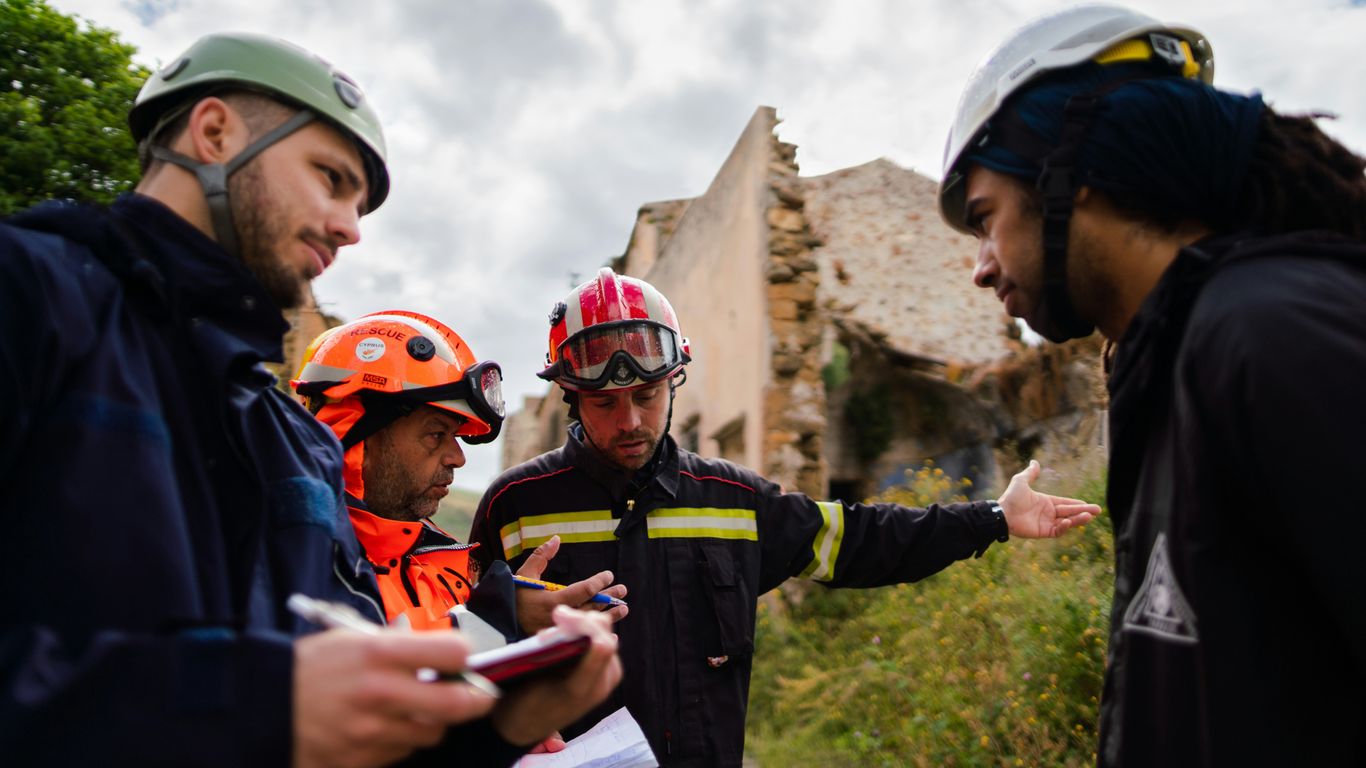
When an incident strikes, having a clear plan for how to handle it is key. This isn’t just about fixing the immediate problem; it’s about a structured approach that minimizes damage and gets things back to normal as quickly as possible. Think of it as a series of steps that guide you through the chaos.
Incident Identification and Validation
The first step is figuring out if something is actually wrong and what it is. This means looking at alerts from your systems, checking if they’re real threats, and understanding the scope of the problem. Are we talking about one machine or the whole network? What kind of incident are we dealing with? Getting this right prevents wasting time on false alarms or underreacting to a serious event. It’s about accurate identification to guide the next steps.
Containment Strategies and Execution
Once you know there’s a problem, you need to stop it from spreading. This is containment. It might involve isolating infected systems, disabling compromised accounts, or blocking certain network traffic. The goal here is to limit the damage. Short-term containment is about stabilizing things right away, while longer-term containment helps you work on fixing the root cause without the threat actively spreading. This is where quick action really matters.
Eradication of Threats
After you’ve contained the incident, you need to get rid of whatever caused it. This means removing malware, patching the vulnerabilities that were exploited, fixing misconfigurations, or resetting stolen passwords. If you don’t fully remove the threat, it can come back. It’s like cleaning out an infection; you have to get rid of all of it, not just the visible symptoms. Failure to eradicate properly means the problem isn’t truly solved.
Recovery and Restoration Processes
Finally, you need to get everything back to how it should be. This involves restoring systems from clean backups, rebuilding compromised machines, and making sure everything is working correctly. It’s not just about getting the lights back on; it’s about doing it securely and making sure the systems are stable. This phase also includes making sure your security operations center is ready to monitor for any lingering issues. The aim is to return to normal operations with confidence that the threat is gone and systems are secure.
A well-defined incident response process isn’t just a technical checklist; it’s a critical business function that protects data, maintains trust, and ensures operational continuity. Each phase builds upon the last, creating a logical flow from detection to full recovery.
Communication Management During Incidents

When an incident strikes, clear and timely communication is absolutely key. It’s not just about telling people what happened; it’s about managing the situation, keeping everyone informed, and preventing panic or misinformation. This part of incident response focuses on coordinating all the moving pieces so that the right information gets to the right people at the right time.
Internal Team Coordination
Keeping your own team on the same page is the first hurdle. During a high-stress event, different people might be working on different aspects of the problem. You need a way to make sure everyone knows what’s happening, what tasks are assigned, and what the overall status is. This prevents duplicated effort and ensures that containment and eradication efforts are aligned.
- Establish a central communication hub: This could be a dedicated chat channel, a conference bridge, or a specific tool. The goal is to have one place where all critical updates are shared.
- Define roles within the communication flow: Who is responsible for gathering information? Who is authorized to send updates? Who is tracking actions?
- Regular sync-ups: Even brief, frequent check-ins can make a huge difference in keeping everyone aligned and aware of progress or roadblocks.
Effective internal communication during an incident relies on pre-defined channels and clear roles. Without this structure, confusion can quickly derail even the best technical response efforts.
Leadership and Stakeholder Briefings
Leadership and key stakeholders need to be kept in the loop, but they don’t necessarily need every technical detail. They need to understand the impact, the response status, and any decisions that require their input. Providing concise, accurate updates helps them make informed decisions and manage their own communications.
- Prepare executive summaries: Focus on the business impact, estimated resolution time, and any immediate risks.
- Schedule regular briefings: These should be timed to provide updates without interrupting critical response activities. A good cadence might be every few hours, or as significant developments occur.
- Identify key stakeholders: This includes department heads, legal counsel, and potentially board members, depending on the severity of the incident.
External Party Engagement (Customers, Partners, Regulators)
Communicating with external parties is often the most sensitive part. Customers need to know if their data or services are affected. Partners might be involved in the incident or need to be informed if it impacts shared systems. Regulators may have specific notification requirements. Managing these communications requires careful planning and a consistent message.
| Party Type | Key Information Needs | Communication Channel Examples |
|---|---|---|
| Customers | Service impact, data exposure, remediation steps | Email, status page, in-app alerts |
| Partners | Impact on shared systems, joint response coordination | Direct email, dedicated calls |
| Regulators | Notification of breach, compliance status, investigation | Official letters, secure portals |
Media Relations and Public Statements
For significant incidents, the media will likely take notice. Having a plan for how to handle media inquiries and what public statements to make is vital for managing the organization’s reputation. A single, authorized spokesperson should handle all media interactions. This ensures consistency and prevents conflicting information from being released. Public statements should be factual, empathetic, and outline the steps being taken to address the situation. It’s important to coordinate these statements closely with legal and leadership teams to avoid missteps that could have long-term consequences. Public disclosure protocols are a critical part of crisis management.
Legal and Regulatory Considerations
When an incident happens, it’s not just about fixing the technical problem. You’ve also got to think about what the law says and what rules you need to follow. This can get complicated pretty fast, especially if your organization operates in different places or industries.
Notification Obligations and Timelines
One of the first things to figure out is if you even need to tell anyone about the incident. Many laws, like GDPR or various state data breach notification laws, require you to inform affected individuals and regulatory bodies if certain types of data are compromised. These notifications often have strict deadlines. Missing these can lead to fines and other penalties. It’s important to know these timelines beforehand so you can act quickly. For example, GDPR generally requires notification within 72 hours of becoming aware of a breach.
Here’s a quick look at common notification triggers:
- Personal Data Breach: Unauthorized access or disclosure of personally identifiable information (PII).
- System Compromise: Significant disruption or unauthorized access to critical systems.
- Regulatory Mandate: Specific industry regulations (like HIPAA for healthcare) may have unique reporting requirements.
Evidence Preservation for Legal Action
If there’s a chance legal action might follow, or if you need to prove what happened for insurance or regulatory purposes, preserving evidence is key. This is where digital forensics comes in. You need to collect and store digital evidence in a way that maintains its integrity, often referred to as maintaining the ‘chain of custody’. This means documenting exactly who handled the evidence, when, and what they did with it. Improper handling can make the evidence useless in court or for investigations. This is why having a plan for digital forensics governance before an incident is so important.
Coordination with Legal Counsel
Your legal team is going to be a critical part of your incident response. They can help you understand your notification obligations, advise on potential liabilities, and guide your communication strategy to minimize legal risks. They’ll also be involved in any interactions with regulators or law enforcement. It’s best to have them on speed dial, or even better, involved in your incident response planning from the start. They can help interpret complex regulations and ensure your actions align with legal requirements, reducing overall legal risk.
Jurisdictional and Industry-Specific Requirements
What applies to one company might not apply to another. Regulations differ wildly depending on where your business is located and what industry you’re in. For instance, a financial institution will have different rules to follow than a retail company. You need to be aware of all the applicable laws and standards. This could include things like PCI DSS for payment card data, HIPAA for health information, or specific national data protection laws. Keeping up with this ever-changing landscape is a constant challenge, but necessary for compliance.
Third-Party Incident Response Coordination
When an incident involves a third party, like a vendor or a service provider, things can get a bit complicated. It’s not just about what happens within your own network anymore. You have to think about how their systems or actions might have contributed to the problem, and how their response affects yours. Clear communication and defined responsibilities are key here.
Assessing Shared Responsibility
It’s important to figure out who is responsible for what when a third party is involved. This isn’t always straightforward. Was it a flaw in their service, or did your own configuration play a role? Understanding this helps in:
- Determining the scope of the incident.
- Assigning tasks for containment and eradication.
- Managing communication flow.
- Allocating resources for the response.
This often requires a deep dive into contracts and service level agreements (SLAs) to see what each party agreed to handle. Sometimes, shared responsibility models can help clarify these lines, especially in cloud environments.
Defining Containment Boundaries
Containment is about stopping the spread of an incident. When a third party is involved, you need to agree on where those boundaries are. This means:
- Identifying which systems or data are affected.
- Deciding which actions can be taken by each party.
- Coordinating efforts to isolate affected components without causing further disruption.
For example, if a cloud provider’s service is compromised, you might need to temporarily block traffic to that service from your network while they work on a fix. This requires quick coordination.
Reviewing Contractual Obligations
Your contracts with third parties often outline what happens during a security incident. It’s vital to review these agreements to understand:
- Notification requirements: When and how must the third party inform you of an incident?
- Response timelines: What are their agreed-upon response times?
- Information sharing: What data are they obligated to share with you?
- Liability and indemnification: Who is financially responsible for damages?
Understanding these contractual obligations helps manage expectations and legal exposure. It’s not uncommon for incidents to reveal gaps or ambiguities in these agreements, highlighting the need for careful review and updates.
Business Continuity and Disaster Recovery Integration
When a security incident strikes, it’s not just about stopping the bad guys; it’s also about keeping the lights on. This is where business continuity and disaster recovery (BC/DR) plans really shine. They’re not just for natural disasters anymore; they’re a critical part of your incident response strategy. Think of them as the backup plan for your backup plan.
Activating Continuity Plans
Once an incident is identified and validated, the first step is to figure out if your normal operations can continue or if you need to switch gears. This involves checking your business continuity plans to see what needs to be activated. It’s about making sure the most important parts of your business keep running, even if things are a bit chaotic.
Utilizing Alternate Processes
Sometimes, the usual way of doing things just won’t work during an incident. Maybe a key system is down, or access is restricted. Your continuity plans should outline alternative ways to get the job done. This could mean using manual workarounds, shifting tasks to unaffected systems, or even bringing in temporary resources. The goal is to keep critical functions moving forward without interruption. This is where having well-documented playbooks and runbooks really helps [a514].
Prioritizing Essential Services
Not all services are created equal, especially during a crisis. Your BC/DR plans should clearly define which services are absolutely vital to the business and which can wait. This prioritization helps focus your efforts and resources where they’re needed most. It prevents you from wasting time on less important tasks when the core operations are at risk.
Here’s a quick look at how you might prioritize:
| Service Category | Priority Level | Rationale |
|---|---|---|
| Customer-facing portals | High | Direct revenue and reputation impact |
| Core financial systems | High | Essential for business operations |
| Internal HR systems | Medium | Important, but can tolerate some downtime |
| Development environments | Low | Can be deferred until core services are stable |
Restoring IT Infrastructure
After the immediate threat is contained and critical services are stabilized, the focus shifts to bringing your IT infrastructure back to its normal state. This is the disaster recovery part. It involves restoring systems, data, and applications from backups or alternate sites. The speed and effectiveness of this recovery are directly tied to how well your backups are maintained and tested. Having immutable and regularly tested backups is non-negotiable for a successful recovery. This process often aligns closely with your overall cybersecurity governance, ensuring that recovery efforts don’t reintroduce vulnerabilities [dd7c].
Post-Incident Review and Continuous Improvement
After the dust settles and an incident is resolved, the real work of getting better begins. This isn’t just about closing a ticket; it’s about making sure we don’t end up in the same mess again. We need to really dig into what happened, why it happened, and how we handled it. This process helps us spot weaknesses in our defenses and our response plans.
Analyzing Root Causes
This is where we get to the bottom of things. It’s not enough to say ‘a server was misconfigured.’ We need to ask why it was misconfigured. Was it a lack of training? A rushed deployment? A flaw in our change management process? Understanding the root cause is key to preventing recurrence. We look at everything from technical flaws to human error and process breakdowns.
- Technical Factors: Were there unpatched systems, weak configurations, or exploited vulnerabilities?
- Process Factors: Did our change management, access control, or monitoring processes fail?
- Human Factors: Was there a lack of awareness, insufficient training, or policy violations?
Evaluating Response Effectiveness
How well did we actually do during the incident? This is where metrics come in handy. We look at things like how quickly we detected the problem (Mean Time to Detect or MTTD) and how fast we got it sorted (Mean Time to Respond or MTTR). We also assess if our containment and eradication efforts were timely and effective. Did our communication channels work as expected? Were the right people involved at the right times? This evaluation helps us see what worked and what didn’t, so we can adjust our playbooks. For example, we might track:
| Metric | Target | Actual | Notes |
|---|---|---|---|
| Mean Time to Detect | 1 hour | 3 hours | Delays in alert correlation |
| Mean Time to Respond | 4 hours | 6 hours | Escalation path issues |
| Containment Time | 2 hours | 1.5 hours | Effective isolation procedures |
| Recovery Time Objective | 24 hours | 18 hours | Successful restoration from backups |
Integrating Lessons Learned
This is the part where we actually do something with all the information we’ve gathered. The insights from the root cause analysis and response evaluation need to be turned into actionable improvements. This might mean updating security policies, refining our incident response playbooks, or providing additional training to the team. It’s about making sure the knowledge gained from one incident makes us stronger for the next. We need to document these lessons and assign ownership for implementing the changes. This continuous monitoring of security controls is vital for staying ahead.
The goal here isn’t to point fingers, but to build a more resilient system. Every incident, no matter how small, is an opportunity to learn and adapt. Ignoring these lessons is how we set ourselves up for bigger problems down the line.
Driving Control Enhancements
Based on what we learned, we make concrete changes. This could involve deploying new security tools, like enhancing our Security Information and Event Management (SIEM) capabilities, or improving existing ones. It might mean implementing stricter access controls, updating firewall rules, or patching systems more frequently. We also look at our detection mechanisms – are they sensitive enough? Are they generating too many false positives? The aim is to strengthen our defenses and improve our ability to detect and respond to future threats more effectively. This iterative process is what keeps our security posture sharp.
Documentation and Reporting Standards
After the dust settles from an incident, the real work of understanding what happened and making sure it doesn’t happen again begins. This is where solid documentation and reporting come into play. It’s not just about filling out forms; it’s about creating a clear, accurate record that helps everyone involved.
Capturing Incident Details and Actions
When an incident occurs, it’s vital to log everything. This means noting down when it was first noticed, who reported it, and what initial observations were made. As the response unfolds, every action taken needs to be recorded: what steps were performed, by whom, and at what time. This detailed log forms the backbone of your incident report. Think of it like a detective’s notebook – every clue, every action, every decision matters.
- Initial detection time and source
- Description of the event or alert
- Actions taken for containment
- Steps for eradication and recovery
- Personnel involved and their roles
- Timestamps for all significant events
Maintaining Accurate Records
Keeping records accurate and organized is key. This isn’t just for your own team’s reference; it’s often a requirement for compliance and audits. Accurate records support audits, compliance, and future response efforts. Imagine trying to explain an incident months later without a proper log – it would be a mess. Having a centralized system, whether it’s a dedicated incident management platform or a well-structured ticketing system, makes a huge difference. This helps prevent information from getting lost or becoming inconsistent. For organizations dealing with sensitive data, understanding third-party risk management is also part of maintaining accurate records, especially when external vendors are involved.
Supporting Audits and Compliance
Many regulations and industry standards, like PCI DSS or HIPAA, require detailed incident documentation. Auditors will want to see proof that you detected, responded to, and learned from security events. Your documentation needs to clearly show that you followed your established protocols and that your response was effective. This includes demonstrating that you preserved evidence properly, which is critical for any potential legal action or regulatory investigation. Having this information readily available can save a lot of headaches and potential penalties.
Facilitating Future Response Efforts
The information gathered during an incident isn’t just for historical record-keeping. It’s a goldmine for improving your security posture. By analyzing the root causes documented in incident reports, you can identify weaknesses in your systems, processes, or training. This analysis directly informs updates to security policies, configuration changes, and the development of new detection rules. For example, if a particular type of attack keeps recurring, your documentation will highlight this pattern, allowing you to implement more robust defenses. This continuous improvement cycle, informed by past events, is what builds long-term resilience. A well-documented incident can even inform the metrics used to measure the effectiveness of your security operations, similar to how Red Team exercises provide data for security investments.
Leveraging Technology for Incident Communication
When an incident strikes, clear and fast communication is key. Technology plays a big role in making sure everyone stays informed and coordinated. It’s not just about sending emails; it’s about having systems in place that can handle the flow of information, especially when things get hectic.
Security Information and Event Management (SIEM)
A SIEM platform is like the central nervous system for your security operations. It pulls in logs and alerts from all sorts of places – servers, firewalls, applications – and makes sense of them. During an incident, this means you can quickly see what’s happening across your network. The ability to correlate events from different sources helps pinpoint the scope and nature of an attack much faster than manual analysis ever could. This real-time visibility is invaluable for understanding the situation and deciding on the next steps. Integrating threat intelligence feeds into your SIEM can also give you context on known malicious indicators, helping to prioritize alerts and reduce noise. This proactive approach allows for indicator enrichment, informs behavioral analysis, and helps prioritize incidents based on threat actor sophistication, shifting from a reactive to a predictive and preventative security posture. Threat intelligence enhances security.
Collaboration and Alerting Tools
Beyond just seeing what’s happening, you need ways to talk about it and act on it. Collaboration tools, like secure chat platforms or dedicated incident response dashboards, allow your team to communicate in real-time, share findings, and assign tasks. Alerting tools, often integrated with SIEM or other monitoring systems, can push notifications to the right people immediately when something critical happens. This ensures that the right eyes are on the problem without delay. Think of it as a digital command center where information flows freely and actions can be coordinated efficiently. Having these tools ready means less time spent figuring out who needs to know what, and more time spent fixing the problem.
Centralized Incident Management Platforms
For more complex incidents, a dedicated incident management platform can be a game-changer. These platforms often combine the capabilities of SIEM and collaboration tools into a single interface. They provide a structured way to track incidents from detection all the way through to resolution. You can document actions, manage timelines, assign ownership, and store all relevant information in one place. This not only helps during the immediate response but also provides a solid record for post-incident reviews. Having a single source of truth for all incident-related activity is incredibly helpful for maintaining order and accountability. Effective cyber crisis management requires a robust framework with clearly defined roles, responsibilities, and communication protocols. Organizations must define the scope and objectives of a cyber crisis.
Here’s a quick look at how these technologies can help:
- Faster Detection: SIEM and alerting tools cut down the time it takes to spot a problem.
- Improved Coordination: Collaboration platforms keep teams talking and working together.
- Structured Response: Incident management platforms provide a framework for managing the entire incident lifecycle.
- Better Documentation: Centralized systems make it easier to record what happened and what was done.
Relying solely on manual processes or basic email chains during a security incident is a recipe for confusion and delay. Technology provides the structure and speed needed to manage complex situations effectively, ensuring that communication is timely, accurate, and reaches the right people.
Testing and Exercising Incident Communication Plans
So, you’ve got your incident communication plan all written out. That’s great, really. But how do you know it’ll actually work when the chips are down? You don’t, not really, until you put it through its paces. That’s where testing and exercises come in. Think of it like a fire drill for your digital emergencies. It’s not just about having a plan; it’s about making sure everyone knows their part and can execute it smoothly under pressure.
Tabletop Exercises
These are a good starting point. A tabletop exercise is basically a discussion-based session where team members walk through a simulated incident scenario. You gather the key players, lay out a situation – maybe a data breach or a major system outage – and then you talk through how the communication plan would be activated. Who gets notified first? What information is shared? Who approves public statements? It’s a low-stress way to identify gaps in understanding or procedure. We usually see a few common issues pop up here, like unclear ownership for certain communication tasks or a lack of pre-approved messaging templates for different scenarios. It’s a solid way to get a feel for your plan’s readiness without the chaos of a real event.
Simulated Incident Drills
If tabletop exercises are the practice runs, simulated incident drills are the full-on dress rehearsals. These are more hands-on. You might actually send out alerts, use your communication tools, and have teams respond as if it were a live event. For example, you could simulate a phishing attack that leads to a data compromise. The security team would go through their detection and containment steps, and the communications team would practice drafting and sending out internal and external notifications. This kind of drill really tests the speed and accuracy of your response. It helps uncover technical glitches with your communication platforms or bottlenecks in the approval process. It’s also a great way to see how well different teams can coordinate under simulated duress. We found that practicing these drills helped us shave off valuable minutes from our response times in actual incidents.
Evaluating Communication Readiness
After any test or drill, the real work begins: evaluating what you learned. This isn’t just about ticking a box. You need to look critically at how well the communication plan held up. Did everyone know who to contact? Were the messages clear and timely? Were there any delays in getting information to the right people? A good evaluation will look at metrics like the time it took to send out initial notifications, the accuracy of the information disseminated, and feedback from participants on the clarity of their roles and responsibilities. It’s also important to assess if the communication aligned with legal and regulatory requirements, especially if the simulated incident involved sensitive data. This evaluation phase is where you gather the data to make informed improvements.
Identifying Gaps and Refining Procedures
Based on the evaluation, you’ll inevitably find areas that need improvement. Maybe the escalation path for customer notifications wasn’t clear enough, or perhaps the process for getting legal approval on a public statement took too long. This is where you refine your procedures. You might update contact lists, revise notification templates, add new steps to the communication workflow, or even provide additional training to specific team members. For instance, after one drill, we realized our external communication templates didn’t adequately address potential questions from partners, so we added a section for that. The goal is to take the lessons learned from these exercises and bake them directly into your plan, making it stronger and more effective for the next real incident. It’s a continuous cycle of testing, evaluating, and improving. You can find more on security assurance testing to understand how these exercises fit into a broader testing strategy.
Moving Forward
So, we’ve gone over a lot of ground here, talking about how to handle things when something goes wrong. It’s not just about fixing the immediate problem, but also about learning from it. Every incident, big or small, gives us a chance to make our systems tougher and our responses quicker next time. Keeping good records and reviewing what happened helps us spot weak spots and update our plans. It’s a constant cycle of doing, checking, and improving. By putting these communication protocols into practice, organizations can get through tough times more smoothly and come out stronger on the other side.
Frequently Asked Questions
What are incident communication protocols?
Incident communication protocols are like a set of rules or a plan that tells everyone involved in handling a problem (like a computer security issue) how and when to talk to each other. It makes sure the right information gets to the right people at the right time, so everyone knows what’s happening and what needs to be done.
Why is it important to have clear roles during an incident?
Having clear roles is super important because when something goes wrong, you don’t want people guessing who should do what. Knowing who is in charge of what task, like who talks to the boss or who fixes the computer, makes things happen much faster and smoother. It stops confusion and makes sure everyone is working together.
What are escalation paths?
Escalation paths are like a ladder for problems. If a small issue can’t be solved by the first person who sees it, the escalation path tells them who to go to next, and then who to go to after that, until someone with the right power or knowledge can fix it. This makes sure big problems don’t get stuck.
How do you choose the best way to communicate during an emergency?
You choose the best way to communicate based on what’s happening. Sometimes a quick chat is best, other times an email or a group message is better. For really big problems, you might need a conference call. The goal is to pick a way that gets the message out clearly and quickly to everyone who needs to know.
Who needs to be informed when an incident happens?
Lots of people might need to know! Inside your company, your team, your managers, and even the bosses need updates. Sometimes, you also have to tell people outside the company, like your customers, business partners, or even government officials, depending on the problem. Keeping everyone informed helps build trust.
What happens after an incident is over?
After the problem is fixed, you don’t just forget about it. You look back at what happened, why it happened, and how well everyone handled it. This helps you learn from the mistake so it doesn’t happen again, and makes your systems stronger for the future. It’s all about getting better.
Why is documenting incidents important?
Writing down everything that happened during an incident is like keeping a diary of the problem. It includes what went wrong, what steps were taken to fix it, and what the result was. This record helps if you need to prove what happened later, helps you learn for next time, and shows that you are following rules.
How can technology help with incident communication?
Technology can be a huge help! Special computer programs can watch for problems and send alerts automatically. There are also tools that let teams chat and work together easily, even when they’re in different places. Having a central system to manage all the incident information makes everything much more organized.