
Keeping an eye on company devices might seem a bit much, but when you really think about it, it’s about making sure everything runs smoothly and stays safe. We’re talking about workplace device monitoring governance here, which is basically the set of rules and practices that guide how we monitor those devices. It’s not about spying; it’s about having a clear plan so everyone knows what’s happening and why. This helps protect the company, its data, and honestly, it helps employees too by keeping things secure.
Key Takeaways
- Setting up clear rules for workplace device monitoring governance is the first step. This means figuring out what we’re trying to achieve and why, making sure it lines up with what the business needs, and getting everyone involved who needs to be.
- We have to pay attention to the law and what’s right. This includes knowing the privacy rules, being upfront with employees about what’s being monitored, and finding a good balance between keeping things secure and respecting people’s privacy.
- Having a solid policy is a must. It needs to be easy to understand, clearly state what data is collected and for how long, and spell out what employees can and can’t do on company devices.
- Putting the right technical tools in place is important for effective monitoring. This can involve security software on devices, watching network traffic, and using systems that track user behavior to spot unusual activity.
- Finally, it’s an ongoing process. We need to keep checking if our monitoring is working well, review our rules and tools regularly, and be ready to change things as new threats pop up or technology advances.
Establishing Workplace Device Monitoring Governance
Setting up a system to monitor workplace devices isn’t just about plugging in some software and hoping for the best. It requires a solid plan, a clear understanding of why you’re doing it, and who needs to be involved. Think of it like building a house; you wouldn’t start hammering nails without blueprints and a clear idea of the final structure. This initial governance phase is all about laying that foundation.
Defining Scope and Objectives
Before you even look at specific tools, you need to nail down what you actually want to achieve with monitoring. Are you trying to prevent data leaks, ensure compliance with industry regulations, or maybe improve employee productivity? Clearly defined objectives are the compass that will guide all your subsequent decisions. Without them, you risk implementing a monitoring system that’s either ineffective or overly intrusive.
- Security: Protecting sensitive company data from unauthorized access or exfiltration.
- Compliance: Meeting legal and regulatory requirements related to data handling and privacy.
- Operational Efficiency: Identifying bottlenecks or misuse of company resources.
- Risk Management: Understanding and mitigating potential threats, both internal and external.
Aligning Monitoring with Business Goals
Your monitoring efforts should directly support what the business is trying to accomplish. If your company’s main goal is innovation, a monitoring system that stifles creativity or makes employees feel constantly watched might actually work against you. It’s about finding that sweet spot where security and operational needs don’t hinder business progress. This means involving different departments early on to make sure the monitoring strategy makes sense from all angles.
The technology you choose and how you implement it must serve the business’s strategic direction, not create roadblocks.
Identifying Key Stakeholders
Who needs to have a say in this? It’s not just the IT department. You’ll want input from legal (for privacy and compliance), HR (for employee relations and policy), and even representatives from different business units to understand their specific needs and concerns. Getting these people involved from the start helps build buy-in and ensures the monitoring plan is practical and addresses everyone’s legitimate interests. It’s about building a collaborative approach to cybersecurity governance.
Here’s a quick look at who should be at the table:
- IT Security Team: For technical implementation and threat detection.
- Legal Counsel: To ensure compliance with privacy laws and regulations.
- Human Resources: To manage employee communication and policy enforcement.
- Department Heads/Managers: To represent the operational needs of their teams.
- Executive Leadership: For strategic oversight and resource allocation.
Legal and Ethical Considerations in Monitoring
When you start monitoring devices in the workplace, it’s not just about the tech. You’ve got to think about the rules and what’s right. It’s a tricky balance, for sure. You want to keep things secure and running smoothly, but you also don’t want to make your employees feel like they’re constantly under a microscope. That’s where understanding the legal and ethical side of things really comes into play.
Understanding Privacy Regulations
Different places have different laws about what you can and can’t do when it comes to employee privacy. It’s super important to know these rules. For instance, in some areas, you might need to tell employees exactly what you’re monitoring and why. Ignoring these regulations can lead to some pretty hefty fines and a lot of bad press. It’s not just about avoiding trouble, though; it’s about respecting people’s right to privacy. Keeping up with the ever-changing regulatory landscape is a big part of this.
Ensuring Employee Transparency
Being upfront with your team is key. If you’re going to monitor devices, they should know about it. This means having clear policies that spell out what’s being tracked, how the data is used, and who has access to it. When employees understand the ‘why’ behind the monitoring, they’re more likely to accept it and even cooperate. It builds trust, which is pretty valuable in any workplace. Think about it: nobody likes feeling like they’re being spied on without knowing why.
Balancing Security and Employee Rights
This is the core of the challenge. You need to protect company assets and data, but you also need to respect your employees’ personal space and rights. It’s a constant balancing act. For example, monitoring personal communications on company devices can quickly cross a line. The goal is to implement monitoring that is necessary for security and business operations, without being overly intrusive. Finding that sweet spot means looking at things like:
- What specific risks are you trying to mitigate?
- Are there less intrusive ways to achieve the same security outcome?
- How will you handle sensitive personal data that might be incidentally collected?
The aim is to create a secure environment without eroding the trust and autonomy of your workforce. This requires careful planning and ongoing evaluation of your monitoring practices.
It’s about making sure that while you’re building a strong defense, you’re not accidentally creating a hostile work environment. This often involves looking at Zero Trust Security principles, which focus on verifying everything, but doing so in a way that respects user context and necessity.
Developing Comprehensive Monitoring Policies
Okay, so you’ve decided you need to keep an eye on things with device monitoring. That’s a big step, and it’s not something to just jump into without a plan. You absolutely need clear, written rules – a policy. Think of it as the instruction manual for your monitoring. Without it, things can get messy, and people won’t know what’s expected or what’s even allowed.
Policy Content and Clarity
First off, the policy itself needs to be super clear. No one should have to guess what it means. It should spell out exactly what you’re monitoring, why you’re doing it, and what kind of data you’ll be collecting. This isn’t just about saying "we monitor." It’s about detailing the what, why, and how. For instance, are you looking at network traffic, application usage, or file access? Be specific. The goal is to make sure everyone, from the IT team to the employees, understands the boundaries.
- What is being monitored? (e.g., network activity, application use, file transfers, website access)
- Why is it being monitored? (e.g., security, compliance, performance, intellectual property protection)
- When is monitoring active? (e.g., 24/7, during business hours, specific projects)
- Who has access to the data? (e.g., IT security, HR, legal)
A well-written policy acts as a shield, protecting both the organization and its employees by setting clear expectations and boundaries for monitoring activities. It’s the foundation for trust and accountability.
Data Collection and Retention Guidelines
This is where you get into the nitty-gritty of the data itself. How much data are you actually going to keep, and for how long? You don’t want to hoard data you don’t need; that’s just asking for trouble. Plus, different regulations might have specific rules about how long you can hold onto certain types of information. So, you need to figure out a retention schedule. Maybe you keep logs for 90 days, or perhaps certain types of sensitive data need to be deleted sooner. It’s all about being smart with what you collect and keeping it only as long as necessary. This also ties into data governance principles, making sure data is handled properly throughout its life.
| Data Type | Collection Method | Retention Period | Justification |
|---|---|---|---|
| Network Logs | Firewall, IDS/IPS | 180 days | Security incident investigation, threat hunting |
| Application Usage | Application logs, SIEM | 90 days | Performance analysis, license compliance |
| File Access | Endpoint monitoring tools | 30 days | Data loss prevention, unauthorized access |
| Email Communications | Email gateway logs | 1 year | Compliance, legal discovery |
Acceptable Use and Employee Responsibilities
Finally, the policy needs to tell employees what they need to do. This is about acceptable use – what they can and can’t do on company devices and networks. It should cover things like not installing unauthorized software, not accessing inappropriate content, and understanding that company devices are for business purposes, with monitoring in place. It’s also important to mention that employees should have a reasonable expectation of privacy, but that this is balanced against the need for security and operational integrity. Making sure employees understand their role in maintaining a secure environment is key. This is where you might also touch on identity governance and how their actions tie into overall security.
Implementing Technical Controls for Monitoring
When we talk about monitoring workplace devices, it’s not just about setting up some software and hoping for the best. You’ve got to have the right technical tools in place to actually make it work effectively and securely. This is where technical controls come into play. They’re the actual systems and software that do the heavy lifting of watching over devices and network activity.
Endpoint Security Solutions
Endpoints, like laptops and desktops, are often the first place attackers try to get in. So, protecting them is a big deal. We’re talking about things like endpoint detection and response (EDR) tools. These don’t just look for known viruses; they watch for weird behavior on the device itself. If a program suddenly starts trying to access a bunch of system files it shouldn’t, an EDR can flag that. It’s like having a security guard for each computer.
- Endpoint Detection and Response (EDR): Monitors device activity for suspicious patterns.
- Antivirus/Anti-malware: Detects and removes known threats.
- Device Hardening: Configuring devices with security best practices to reduce vulnerabilities.
- Patch Management: Regularly updating software to fix security holes.
Keeping these devices patched and secure is a constant job. It’s not a one-and-done thing.
Network Traffic Analysis
Beyond individual devices, you need to look at what’s happening on your network. Network traffic analysis tools help you see the flow of data. Are there unusual amounts of data going out to strange places? Is there a lot of internal traffic that doesn’t make sense? These tools can spot anomalies that might indicate someone is trying to move around your network undetected or send sensitive data out. Think of it like monitoring the roads and highways of your company’s data.
- Intrusion Detection/Prevention Systems (IDPS): Actively monitor network traffic for malicious activity and can block it.
- Network Traffic Analysis (NTA): Provides visibility into network flows, identifying anomalies and potential threats.
- Firewalls: Control incoming and outgoing network traffic based on predefined security rules.
Proper network segmentation is also key here. It’s like building internal walls so if one part of the network gets compromised, it doesn’t spread everywhere. Network security is a broad topic, but these tools are a big part of it.
User and Entity Behavior Analytics (UEBA)
This is where things get a bit more sophisticated. UEBA tools look at the behavior of users and devices over time. They build a baseline of what’s normal for each user or device. Then, if something deviates significantly – like a user suddenly accessing files they never touch, or a server suddenly trying to connect to hundreds of other machines – it can trigger an alert. This is super helpful for catching insider threats or compromised accounts that might not trigger traditional security alerts. It’s about spotting the unusual, not just the outright malicious.
UEBA helps detect threats that might otherwise go unnoticed by traditional signature-based security tools. It focuses on deviations from normal patterns, which can indicate compromised credentials, insider actions, or sophisticated attacks.
- Baseline Behavior Profiling: Establishes normal activity patterns for users and devices.
- Anomaly Detection: Identifies significant deviations from established baselines.
- Risk Scoring: Assigns risk scores to users and entities based on their observed behavior.
These technical controls work best when they’re integrated and managed properly. It’s not just about having the tools, but about using the information they provide to make smart security decisions.
Role-Based Access and Privilege Management
When we’re talking about monitoring workplace devices, it’s not a free-for-all. We need to be smart about who gets to see what and who can do what with the monitoring tools. This is where role-based access and privilege management come into play. It’s all about making sure the right people have the right access, and no more.
Defining Access Levels for Monitoring Tools
Think of monitoring tools like a set of keys to different rooms in a building. Not everyone needs access to every room, and some rooms have more sensitive information than others. We need to map out what each role in the organization needs to see or do with the monitoring system. For example, a security analyst might need full access to view logs and alerts, while an IT support person might only need access to specific device information to troubleshoot an issue. A manager might only need access to summary reports.
Here’s a quick breakdown of potential access levels:
- Read-Only: Allows viewing of data and reports without making any changes.
- Analyst: Can view data, configure alerts, and conduct investigations.
- Administrator: Has full control over the monitoring system, including user management and system settings.
- Auditor: Can access logs and reports for compliance checks, but cannot alter configurations.
Least Privilege Principles for Monitoring Personnel
This is a big one. The principle of least privilege means giving individuals only the permissions they absolutely need to do their job, and nothing more. If someone only needs to look at network traffic logs for a specific department, they shouldn’t have access to employee email content or personal device data. This approach significantly cuts down the risk of accidental data exposure or intentional misuse. It’s about limiting the potential damage if an account gets compromised. We want to make sure that even if someone’s credentials are stolen, the attacker can’t immediately access everything. This is a core part of effective authorization boundaries in ethical hacking.
Auditing Access to Monitoring Systems
Just because we’ve set up roles and privileges doesn’t mean we can forget about it. We need to keep an eye on who is accessing the monitoring systems and what they’re doing. This means regularly auditing access logs. We should be able to see who logged in, when they logged in, and what actions they performed. This audit trail is super important for a few reasons. First, it helps us catch any suspicious activity early on. Second, it’s vital for compliance – many regulations require us to track access to sensitive data. And third, it helps us refine our access policies over time. If we see that a certain role is constantly trying to access data they don’t need, we can adjust their permissions. It’s a continuous cycle of checking and adjusting to keep things secure.
Implementing robust access controls for monitoring tools is not just a technical task; it’s a strategic decision that directly impacts data security, employee privacy, and overall organizational risk. By carefully defining roles, adhering to the principle of least privilege, and maintaining diligent audit practices, organizations can build a more secure and trustworthy monitoring environment.
Data Governance for Monitored Information
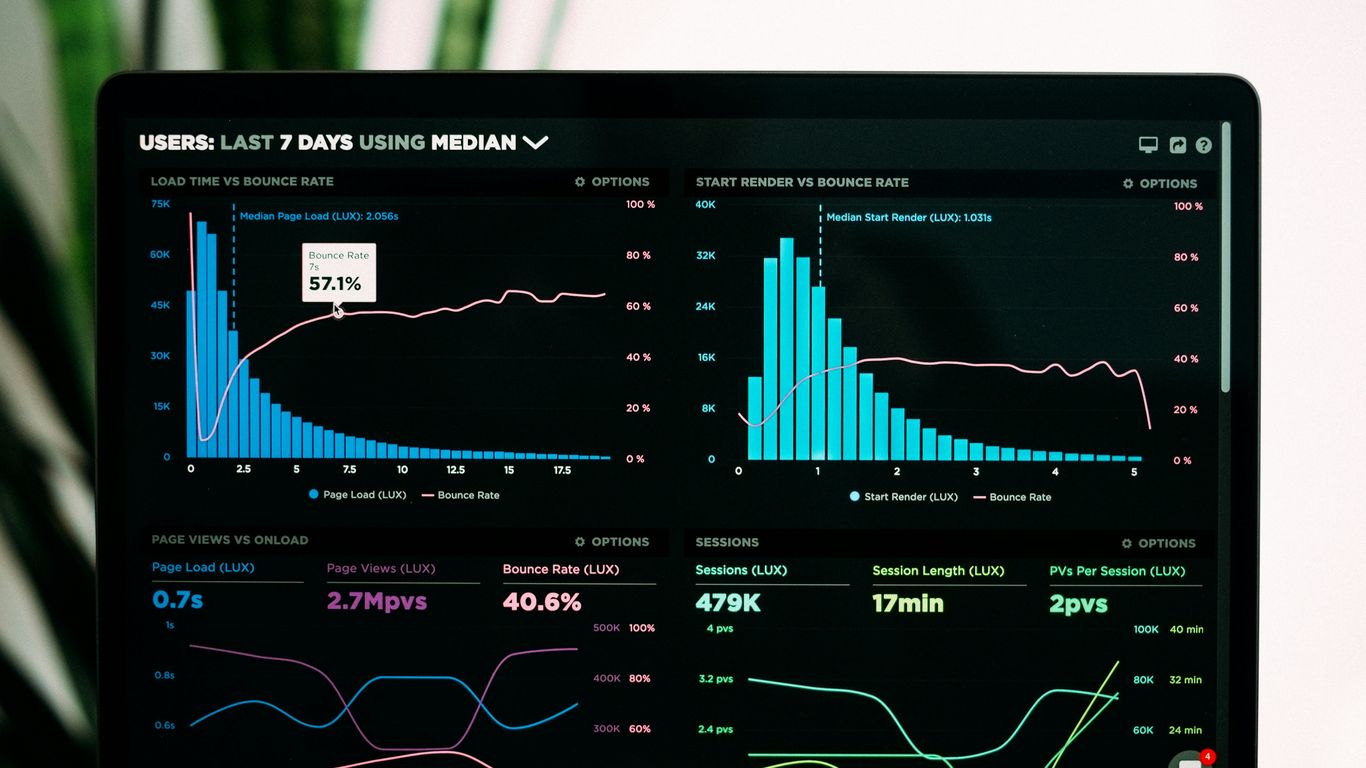
When you’re monitoring devices, you’re collecting a lot of information. It’s not just about spotting problems; it’s about managing that data responsibly. This means figuring out what data you’re collecting, why you’re collecting it, and how long you’ll keep it. Think of it like organizing a big filing cabinet – you need a system so you don’t lose important documents or keep junk forever.
Data Classification and Handling
First off, you need to know what kind of data you’re dealing with. Is it just system logs, or does it include employee communications? Classifying data helps you apply the right level of protection. For example, sensitive employee information needs stricter controls than general network traffic logs. You’ll want to set up clear rules for how each type of data is handled, who can see it, and what they can do with it. This is where having a solid data governance plan really pays off. It’s about making sure data is treated appropriately throughout its entire life, from the moment it’s collected until it’s eventually deleted. This helps with privacy governance and keeps things on the right side of regulations.
Securing Stored Monitoring Data
Once you’ve classified your data, you need to keep it safe. Where are you storing all these logs and records? Are those storage locations protected with strong access controls? Encryption is a big one here, both for data at rest (when it’s stored) and in transit (when it’s being moved). You don’t want unauthorized people getting their hands on this information. Think about who has access to the systems where this data lives. Limiting access to only those who absolutely need it is key. Regular audits of who accessed what and when can also catch any suspicious activity.
Data Minimization Strategies
This is a really important point: don’t collect more data than you actually need. It’s tempting to grab everything, just in case, but that creates a bigger risk and a bigger management headache. Focus on collecting only the data that directly supports your stated monitoring objectives. If you’re monitoring for security threats, you probably don’t need to log every single keystroke an employee makes. Stick to what’s relevant. This approach not only simplifies your data management but also reduces your exposure if a breach does occur. It’s about being smart and efficient with the information you gather. This also helps with data residency compliance by reducing the amount of sensitive information you need to manage.
Training and Awareness for Monitoring Personnel
Making sure the people who watch over workplace devices are well-trained is super important. It’s not just about knowing how to use the tools; it’s about understanding why they’re using them and what the rules are. Think of it like giving a pilot all the fancy instruments but forgetting to teach them how to fly. They need to know what they’re looking at and what to do with that information.
Understanding Monitoring Tools and Techniques
People operating monitoring systems need to get a solid grasp on the technology they’re using. This means knowing the ins and outs of the software, how it collects data, and what kind of data it can see. It’s not enough to just click buttons; they need to understand the mechanics behind the monitoring. This includes knowing how to set up alerts, interpret the information presented, and recognize when something looks off. For instance, understanding how network traffic analysis works helps them spot unusual data flows that might signal a problem. Good training covers the basics of how these systems function, so users aren’t just guessing.
- Familiarization with Endpoint Security Solutions: Knowing how agents on devices work, what they report, and how to troubleshoot common issues.
- Network Traffic Analysis Basics: Understanding protocols, common traffic patterns, and how to identify anomalies.
- User and Entity Behavior Analytics (UEBA) Interpretation: Learning to read behavioral baselines and recognize deviations that could indicate insider threats or compromised accounts.
Effective security monitoring starts with having the right tools and knowing how to use them. This involves understanding how logs are collected and managed, and how to piece together events to see what’s really happening. Without this foundational knowledge, spotting threats becomes a real challenge.
Ethical Conduct and Privacy Awareness
This is where things get a bit more sensitive. Monitoring can feel intrusive to employees, so the people doing the monitoring have to be extra careful. They need to understand the company’s policies on privacy and what’s considered acceptable to look at. It’s a balancing act. They’re there to protect the company, but they also need to respect employee privacy. This means not snooping around unnecessarily and understanding the legal lines they can’t cross. Training should cover real-world scenarios and how to handle them ethically. For example, knowing when to escalate an issue versus when to ignore a minor, non-threatening observation is key. It’s about building trust, even while monitoring.
Incident Reporting and Escalation Procedures
When monitoring personnel spot something that looks like a problem, they need to know exactly what to do next. This isn’t a free-for-all; there are specific steps to follow. They need clear guidelines on what constitutes an incident that needs reporting and who to report it to. This might involve filling out a specific form, sending an email to a security team, or even making a phone call if it’s urgent. Understanding the different levels of severity and the corresponding escalation paths is vital. A minor alert might just need logging, while a major security breach requires immediate action and notification up the chain of command. Having these procedures documented and practiced helps prevent delays and ensures that critical issues are addressed quickly. This is where having good log management practices really pays off, as it provides the necessary context for incidents.
| Alert Severity | Action Required |
|---|---|
| Low | Log observation, no immediate action |
| Medium | Report to Security Operations Center (SOC) |
| High | Immediate escalation to Incident Response Team |
| Critical | Escalate to CISO and Legal Department immediately |
Continuous Monitoring and Improvement
Keeping an eye on workplace devices isn’t a set-it-and-forget-it kind of deal. Things change, threats evolve, and your monitoring setup needs to keep pace. This is where continuous monitoring and improvement come into play. It’s about making sure your systems are always working as they should and getting better over time.
Establishing Key Performance Indicators (KPIs)
To know if your monitoring is actually doing its job, you need some way to measure it. That’s where KPIs come in. They give you concrete numbers to look at. Think about things like:
- Mean Time to Detect (MTTD): How long does it take to spot a problem once it starts?
- False Positive Rate: How often do alerts go off when there’s no actual issue?
- Monitoring Coverage: What percentage of your devices and network traffic are actually being monitored?
- Incident Response Time: Once an alert is triggered, how quickly is it addressed?
Tracking these metrics helps you see where your monitoring is strong and where it needs a boost. It’s not just about having tools; it’s about making sure those tools are effective. You can’t improve what you don’t measure, right?
Regular Policy and Control Reviews
Policies and the technical controls that support them aren’t static. They need to be looked at regularly. Think of it like a car inspection – you don’t just get one and assume it’s good forever. You need to check things periodically.
- Policy Updates: Review your monitoring policies at least annually, or whenever there’s a significant change in technology, regulations, or business operations.
- Control Effectiveness Testing: Periodically test your monitoring tools and processes to make sure they are functioning as expected. This could involve simulated incidents or checks on data collection.
- Alignment Check: Ensure your monitoring practices still align with your business goals and legal obligations. Sometimes, what made sense a year ago might not be the best approach now.
The landscape of digital threats and privacy expectations shifts constantly. What was considered robust security yesterday might be outdated today. Therefore, a proactive stance on reviewing and updating your monitoring governance is not just good practice; it’s a necessity for maintaining an effective security posture and respecting employee privacy.
Adapting to Evolving Threats and Technologies
The bad guys are always coming up with new tricks, and technology keeps changing. Your monitoring needs to be flexible enough to handle this. If you’re only looking for the threats you knew about last year, you’re going to miss the new ones. This means staying informed about the latest attack methods and also keeping an eye on new technologies that could help you detect them. For instance, advancements in user and entity behavior analytics (UEBA) can help spot unusual activity that traditional signature-based detection might miss. It’s a constant game of catch-up, but by building adaptability into your monitoring strategy, you stand a much better chance of staying ahead. Regularly assessing your security control drift is also a key part of this adaptation process.
Incident Response and Remediation
When a security event happens, having a solid plan to deal with it is super important. It’s not just about stopping the bad stuff from spreading, but also figuring out what went wrong and making sure it doesn’t happen again. This means having clear steps for when something is detected, how to contain it quickly, and then cleaning up the mess.
Integrating Monitoring Data into Incident Response
Your device monitoring tools are goldmines of information when an incident occurs. They can tell you which devices are affected, what kind of activity is happening, and even help pinpoint the initial entry point. Think of it like a detective’s notebook – it records everything. This data helps you understand the scope of the problem much faster than trying to guess. For example, if your monitoring shows unusual network traffic from a specific workstation, that’s a huge clue. It helps you move from just knowing that something is wrong to knowing what is wrong and where.
- Alert Validation: Confirming if an alert from monitoring systems is a genuine threat or a false positive.
- Scope Determination: Using logs and telemetry to understand which systems and data are impacted.
- Timeline Reconstruction: Piecing together the sequence of events leading up to and during the incident.
Defining Escalation Paths for Alerts
Not every alert needs the CEO’s attention, right? You need a system to figure out who needs to know what, and when. This means setting up clear paths for how alerts move up the chain. A low-priority alert might just go to a junior analyst, but a critical one could trigger an immediate notification to the security manager and IT director. This stops important issues from getting lost in the shuffle and makes sure the right people are involved quickly. It’s all about making sure the response is proportional to the threat.
Having well-defined escalation paths prevents confusion and delays during high-pressure situations. It ensures that critical incidents receive the attention they deserve without overwhelming the team with minor issues.
Post-Incident Analysis and Lessons Learned
Once the dust has settled and the immediate threat is gone, the real work of learning begins. This is where you look back at what happened, how your team responded, and what could have been done better. Did the monitoring tools catch it early enough? Was the containment effective? Were there any gaps in your policies or procedures? Documenting these findings is key. It’s not about pointing fingers; it’s about improving your defenses for the future. This continuous improvement cycle is what makes your security posture stronger over time. It’s how you adapt to new threats and make sure your incident response plan stays effective. Analyzing what went wrong helps you fix the root causes, not just the symptoms, which is vital for long-term security and resilience. This process is also crucial for understanding insider risks, as it can reveal patterns in behavior that might have been missed during the initial detection phase, helping to refine monitoring for insider activity in the future.
Third-Party Risk and Vendor Monitoring
When your company works with outside vendors or partners, it’s not just your own systems you need to worry about. Their security practices can directly impact yours. This is where third-party risk and vendor monitoring come into play. It’s about making sure that the companies you do business with aren’t accidentally opening the door for attackers to get into your network or access your data.
Assessing Vendor Monitoring Capabilities
Before you even sign a contract, you need to look at how potential vendors handle their own security. Do they have a plan for monitoring their systems and their employees? What kind of security tools do they use? It’s not enough for them to say they’re secure; you need to see evidence. This might involve asking for security reports, certifications, or even conducting your own assessments. Understanding a vendor’s security posture is a proactive step in protecting your own assets.
Contractual Obligations for Data Protection
Your contracts with vendors should clearly spell out what they need to do to protect your data. This includes things like how they can use your data, how they must store it, and what happens if there’s a data breach on their end. You’ll want clauses that require them to notify you immediately if something goes wrong and outline their responsibilities for remediation. It’s about setting clear expectations and making sure there are consequences if those expectations aren’t met. This is a key part of managing your overall third-party cyber governance.
Monitoring Third-Party Access to Company Devices
If a vendor needs access to your company’s devices or systems, that access needs to be tightly controlled and monitored. This means using things like multi-factor authentication, limiting their access to only what they absolutely need (the principle of least privilege), and keeping a close eye on what they’re doing. Think of it like having a security guard at the door and cameras inside whenever a visitor is present. Regular audits of their activity are also a good idea to catch any unusual behavior. This helps prevent unauthorized access and provides a trail if something does happen. Companies face significant cybersecurity risks through their reliance on third-party vendors and partners, so this oversight is critical.
Wrapping Up: A Balanced Approach to Workplace Monitoring
So, we’ve talked a lot about watching what goes on with devices at work. It’s not really about spying, but more about keeping things safe and making sure everyone’s playing by the rules. When you set up monitoring, you’ve got to be smart about it. Think about what you really need to track and why. Being clear with your team about what’s being monitored and what isn’t is a big deal. It helps build trust, which is pretty important. Plus, using the right tools and making sure they’re set up right means you’re not just collecting data for no reason. It’s a balancing act, really – protecting the company while respecting the people who work there. Getting this right means fewer headaches down the road for everyone involved.
Frequently Asked Questions
What is workplace device monitoring, and why do companies use it?
Workplace device monitoring is like keeping an eye on company computers and phones to make sure they’re being used safely and for work. Companies use it to protect their important information, prevent problems like viruses, and make sure employees are following the rules. It’s like a security guard for your work tools.
Do companies need to tell employees they are being monitored?
Yes, absolutely! It’s super important for companies to be open and honest about monitoring. They should have clear rules, called policies, that explain what’s being watched and why. Employees should know what to expect so there are no surprises.
Can companies monitor everything employees do on their work devices?
Not really. While companies can monitor work-related activities, they usually can’t or shouldn’t check into personal stuff. There’s a balance to strike between keeping the company safe and respecting an employee’s right to privacy. Think of it like this: they can watch how you use the company car, but not what you do when you’re off duty.
What kind of information might be collected during monitoring?
Companies might collect information about which websites you visit, what programs you use, and when you log in or out. They might also look at emails sent from work accounts. The goal is usually to spot risky behavior or protect company data, not to spy on personal conversations.
How long do companies keep the information they collect from monitoring?
Companies should have rules about how long they keep this information. Generally, they should only keep it for as long as they need it for a specific reason, like investigating a security issue or meeting legal requirements. Holding onto data longer than necessary can create more risks.
What happens if an employee breaks the monitoring rules?
If an employee doesn’t follow the company’s rules about using devices, there can be consequences. This could range from a warning to losing access to company systems, or even losing their job, depending on how serious the violation is. It’s all about making sure everyone plays by the same rules.
Are there special rules for monitoring employees who work from home?
Yes, working from home adds some extra things to think about. Companies still need to monitor devices they provide, but they also need to be extra careful about privacy since employees are using their own internet and possibly personal devices. Clear communication and strong security for remote access are key.
What’s the difference between monitoring for security and monitoring for productivity?
Monitoring for security is about protecting company secrets and systems from hackers or viruses. Monitoring for productivity is more about seeing if employees are getting their work done. While some tools might do both, companies should be clear about which goal they are focused on and why.