
When a system gets compromised, figuring out exactly what happened can feel like putting together a really complicated puzzle. You’ve got bits and pieces scattered everywhere, and some of them are really hard to find. That’s where memory forensics compromise analysis comes in. It’s like having a special tool that lets you look at the computer’s short-term memory, the RAM, right after an incident. This volatile data can hold clues that other methods miss, giving investigators a clearer picture of the attack.
Key Takeaways
- Memory forensics compromise analysis is vital for uncovering hidden attacker actions by examining volatile data in RAM, which often contains evidence missed by disk-based forensics.
- Understanding attack vectors, from initial access and credential exploitation to lateral movement and persistence, helps in tracing the attacker’s path and impact.
- Advanced threats like fileless malware and rootkits leave distinct traces in memory, making memory analysis essential for their detection and understanding.
- Tools like EDR and specialized forensic software are critical for extracting and analyzing memory artifacts to reconstruct event timelines and identify compromised systems.
- Insights gained from memory forensics directly inform incident response, containment, eradication, and recovery efforts, leading to more effective security posture improvements.
Understanding the Compromise Analysis Landscape
Digital Forensics Fundamentals
When we talk about figuring out what happened during a security incident, digital forensics is where we start. It’s all about collecting and examining electronic evidence. Think of it like a detective dusting for fingerprints, but on computers and networks. The main goal is to figure out how an attack went down, which systems got hit, and what information might have been taken. Getting this right is super important for fixing things later and for any legal stuff that might come up. It’s not just about finding the bad guys; it’s about understanding the whole story. A big part of this is making sure the evidence we collect is solid and hasn’t been messed with. If the chain of custody is broken, that evidence might not be usable in court, which can really mess things up for a case. So, meticulous documentation and using the right tools to make exact copies of data are key to keeping everything legit.
Root Cause Analysis for Security Incidents
After we’ve gathered the evidence, the next step is digging into why the incident even happened in the first place. This is called root cause analysis. It’s more than just fixing the immediate problem; it’s about finding the underlying issues that let the attack succeed. For example, maybe a system was left unpatched, or a user had too many permissions. Finding these weak spots helps us make real improvements so the same thing doesn’t happen again. It’s about fixing the system, not just the symptom. We need to look at things like:
- Unpatched software or outdated systems.
- Misconfigured security settings.
- Weak access controls or too many user privileges.
- Lack of proper employee training.
Getting to the root cause helps us build stronger defenses for the future.
Proactive Threat Hunting Strategies
Instead of just waiting for alerts to tell us something is wrong, proactive threat hunting means actively searching for threats that might have slipped past our automated defenses. It’s like a security guard patrolling the premises instead of just watching cameras. Hunters use educated guesses, look for unusual activity, and use information about current threats to find hidden dangers. This approach is great for catching things that automated tools might miss, like attackers who are trying to be really quiet. Some common things hunters look for include:
- Unusual network traffic patterns.
- Suspicious processes running on endpoints.
- Signs of attackers trying to move around the network after getting in.
- Evidence of attackers using legitimate system tools for malicious purposes.
This kind of hunting helps us find and stop threats before they can do serious damage. It’s a way to stay ahead of the game. The goal is to find those subtle signs of compromise that might otherwise go unnoticed for a long time. This helps us reduce the time an attacker might have in our systems, often called dwell time. Finding hidden threats is a key part of staying secure.
Memory Forensics: A Deep Dive
The Role of Memory Analysis in Investigations
When a system shows signs of compromise, looking at what’s currently running in its memory can tell you a lot. Unlike disk-based forensics, which captures what’s stored, memory forensics captures what’s active. This volatile data can reveal processes that aren’t written to disk, network connections that are currently open, and even fragments of malicious code that might otherwise go unnoticed. It’s like looking at the ‘thought process’ of a computer during an incident.
- Live Memory Acquisition: Capturing RAM while the system is running is key. This needs to be done carefully to avoid altering the very evidence you’re trying to collect.
- Identifying Malicious Processes: Tools can help sort through the memory dump to find processes that are unusual, have suspicious parent-child relationships, or are trying to hide themselves.
- Network Artifacts: Open network sockets, active connections, and even DNS lookups can be found in memory, showing how an attacker might be communicating with their command and control servers.
Memory analysis provides a snapshot of the system’s state at a specific moment, offering insights that are often lost once the system is powered down or rebooted. This makes it an indispensable part of any thorough investigation.
Identifying Malicious Code in Memory
Finding actual malicious code within a memory dump can be tricky. Attackers often use techniques to hide their presence. This could involve injecting code into legitimate processes, using fileless malware that never touches the disk, or employing rootkits to mask their activities. Analyzing memory helps uncover these hidden threats.
- Code Injection Detection: Looking for unusual code segments within the memory space of trusted processes. This often involves comparing known good code signatures against what’s found in memory.
- Fileless Malware: These threats operate entirely in RAM. Memory forensics is often the only way to detect and analyze them. Tools can scan memory for known malicious patterns or behaviors associated with fileless attacks.
- String Analysis: Extracting readable strings from memory dumps can sometimes reveal configuration data, commands, or other indicators of compromise that weren’t properly obfuscated.
Reconstructing Attacker Actions from Memory Artifacts
Once you’ve identified suspicious elements in memory, the next step is to piece together what the attacker was doing. Memory artifacts can provide a timeline of actions, reveal the tools they used, and show how they moved through the system. This reconstruction is vital for understanding the full scope of the compromise.
- Process Trees: Reconstructing the parent-child relationships between processes can show how an attacker launched malicious applications or gained initial access.
- Command History: In some cases, command-line arguments or shell history might be present in memory, detailing the commands an attacker executed.
- Loaded Modules and DLLs: Identifying which libraries or modules were loaded by suspicious processes can indicate the type of tools or exploits being used. This can be a good starting point for malware reverse engineering.
| Artifact Type | Information Revealed |
|---|---|
| Process List | Running applications, their PIDs, and parent processes |
| Network Sockets | Active connections, listening ports, and remote IP addresses |
| Loaded DLLs | Libraries used by processes, potentially indicating malware components |
| Registry Keys | Volatile registry keys accessed or modified during the incident |
| Command Line | Arguments passed to processes, showing executed commands |
Attack Vectors and Execution Pathways
Understanding how attackers get into a system and move around is key to stopping them. It’s not always about fancy zero-day exploits; often, attackers use well-known methods that haven’t been fixed. They follow a general lifecycle, starting with getting in, then trying to gain more control, and finally, achieving their objective.
Initial Access and Credential Exploitation
This is the first step for most attackers. They need a way in. Common methods include phishing emails that trick users into clicking links or giving up login details. Sometimes, they find credentials that have been leaked online or are just weak and easy to guess. Once they have valid credentials, they can often bypass many security checks because they look like a legitimate user. This is why protecting accounts and educating users about suspicious emails is so important. Other ways attackers get in involve exploiting unpatched software or misconfigured services that are exposed to the internet. Think of it like finding an unlocked back door instead of picking the front lock.
Lateral Movement and Privilege Escalation
After an attacker gets into one system, they don’t usually stop there. They want to move around the network to find more valuable data or gain higher levels of control. This is called lateral movement. They might use stolen credentials from the first system to log into others, or exploit trust relationships between machines. Privilege escalation is closely related; it’s about gaining more rights than they initially had, often moving from a standard user account to an administrator. This allows them to do more damage or access more sensitive areas. Imagine an intruder getting into a house and then finding the master key to unlock all the rooms.
| Technique | Description |
|---|---|
| Credential Dumping | Extracting stored passwords or hashes from memory or files. |
| Pass-the-Hash | Using stolen password hashes to authenticate to other systems. |
| Exploiting Service Trusts | Abusing trust relationships between services or domains for access. |
| Unpatched Vulnerabilities | Exploiting known software flaws to gain access or elevate privileges. |
Persistence Mechanisms and Evasion Techniques
Attackers want to stay in a system for as long as possible, even if the initial entry point is discovered or fixed. This is where persistence comes in. They might set up scheduled tasks to run their code regularly, modify system settings like the registry, or even try to install themselves at a deeper level, like in the system’s firmware. Alongside persistence, attackers use evasion techniques to avoid detection. This can involve using legitimate system tools for malicious purposes (living off the land), disguising their malicious code so it looks like normal traffic, or using polymorphic malware that changes its signature. The goal is to blend in and remain undetected for as long as possible, increasing the potential damage.
Attackers often combine multiple techniques. For instance, they might use a phishing email for initial access, then exploit a weak service to move laterally, escalate privileges to gain administrative rights, and finally install a scheduled task to ensure they can get back in later if needed. Understanding these pathways helps defenders place multiple layers of security to disrupt the attack chain at various points.
Advanced Threat Techniques and Memory Artifacts
Attackers are always looking for ways to stay hidden and operate undetected. This often means using techniques that are harder to spot with traditional security tools. We’re talking about things like fileless malware, which doesn’t write itself to disk, or memory injection, where malicious code is loaded directly into the memory of a legitimate process. These methods make it tough to find evidence after the fact.
Fileless Malware and Memory Injection
Fileless malware is a real headache because it lives entirely in memory. Instead of dropping a malicious executable file onto the system, it uses existing tools or scripts, like PowerShell or WMI, to run its code. This means there’s no file to scan for. Memory injection takes this a step further. Attackers might take a legitimate process, like svchost.exe, and inject their own malicious code into it. From the outside, it looks like a normal process, but it’s actually doing bad things. Analyzing memory dumps is key here to see what’s really going on inside those processes. It’s like looking at a snapshot of the computer’s brain.
Rootkits and Firmware-Level Attacks
Then there are rootkits. These are designed to hide malicious activity, often at a very low level in the system. Some rootkits can hide files, processes, and network connections, making them almost invisible to standard security software. Even more concerning are firmware-level attacks. These target the low-level code that controls hardware, like the BIOS or UEFI. Because firmware runs before the operating system even loads, an attack here can be incredibly persistent and can survive an OS reinstallation. Detecting these requires specialized hardware checks and secure boot mechanisms.
Living-Off-The-Land Tactics in Memory
Attackers also love to use what’s already on the system – this is often called ‘Living Off The Land’ (LOTL). Instead of bringing their own tools, they abuse legitimate system utilities like regsvr32.exe, certutil.exe, or even PowerShell itself. These tools are used for all sorts of administrative tasks, so seeing them run isn’t automatically suspicious. The challenge for forensics is distinguishing normal administrative use from malicious abuse. When these LOTL tools are used in conjunction with memory injection or fileless techniques, the trail can become very faint. Memory analysis can sometimes reveal the commands or scripts that were executed, even if they left no disk artifacts. This is where understanding the normal behavior of system processes becomes really important.
| Technique | Description |
|---|---|
| Fileless Malware | Executes entirely in memory, leaving no disk footprint. |
| Memory Injection | Malicious code inserted into a legitimate process’s memory space. |
| Rootkits | Hides malicious processes, files, or network activity from the OS. |
| Firmware Attacks | Targets low-level system firmware (BIOS/UEFI) for extreme persistence. |
| Living Off The Land (LOTL) | Abuses legitimate system tools for malicious purposes. |
The persistence and stealth offered by these advanced techniques mean that traditional signature-based detection often fails. Memory forensics provides a critical window into the system’s state, allowing analysts to uncover activities that leave minimal or no traces on the disk. This requires a deep understanding of operating system internals and how attackers manipulate them.
Leveraging Memory Forensics for Compromise Analysis
Memory forensics is a powerful technique that lets us look at what a computer was doing right before or during a security incident. It’s like getting a snapshot of the system’s active state, capturing processes, network connections, and even code that might not leave a trace on the hard drive. This volatile data is often overlooked by attackers, making it a goldmine for investigators.
Extracting Volatile Data for Analysis
When a system is compromised, attackers often try to cover their tracks. They might use fileless malware or techniques that don’t write much to disk. This is where memory forensics shines. By capturing a memory image, we can find evidence that would otherwise disappear when the system is powered off. This includes:
- Running processes and their command lines
- Loaded DLLs and their memory locations
- Network connections and open ports
- Registry keys that were accessed or modified
- Injected code or shellcode fragments
Getting a good memory dump is the first step. Tools like Volatility or Rekall can help with this, and it’s important to do it carefully to avoid altering the memory itself. The goal is to get as complete a picture as possible of the system’s state at the time of the incident.
Timeline Reconstruction with Memory Evidence
One of the biggest challenges in compromise analysis is figuring out when things happened. Memory artifacts can be incredibly useful for building a timeline. For example, process start times, network connection timestamps, and even the order in which certain code was loaded can help piece together the sequence of events. This helps us understand the attacker’s path, from initial entry to their final actions. It’s not always straightforward, as timestamps can be manipulated, but often there are enough clues to build a reliable sequence.
Attackers often focus on techniques that bypass traditional disk-based detection. Memory analysis provides a unique window into these stealthy operations, revealing malicious code and attacker actions that would otherwise remain hidden. This makes it an indispensable part of modern incident response.
Identifying Compromised Processes and Network Connections
Memory analysis allows us to directly see which processes were running and what network connections they established. This is key to identifying malicious activity. We can look for processes that shouldn’t be running, processes that are behaving suspiciously (like making unusual network connections), or processes that have had code injected into them. For instance, seeing a legitimate system process like svchost.exe making an outbound connection to an unknown IP address is a major red flag. Similarly, finding unexpected DLLs loaded into a process can indicate malware infection or persistence mechanisms. This detailed view helps us understand the scope of the compromise and identify the specific systems and accounts that were affected. It’s also a great way to spot lateral movement, as we can see how attackers moved from one system to another using compromised credentials or exploiting network services [d842].
Tools and Technologies for Memory Forensics
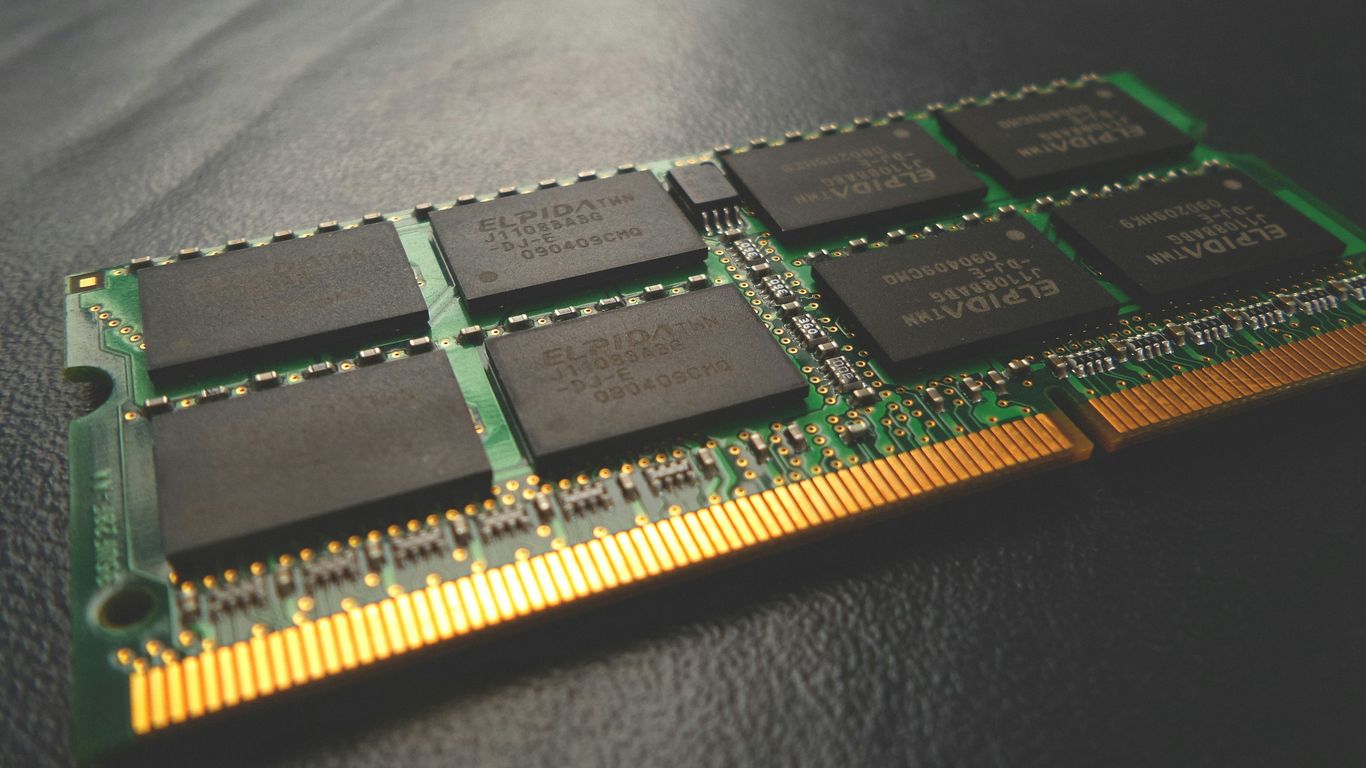
When you’re trying to figure out what happened during a security incident, having the right tools makes a huge difference. Memory forensics, in particular, relies on a specific set of technologies to pull out and analyze volatile data that disappears when a system is shut down. It’s not just about having software; it’s about how you use it and what you’re looking for.
Endpoint Detection and Response (EDR) Capabilities
Modern security solutions, especially Endpoint Detection and Response (EDR) platforms, are becoming really important for memory forensics. These tools are designed to watch what’s happening on endpoints in real-time. They collect a lot of data, including process activity, network connections, and even some memory-related events. This continuous monitoring means you often have a head start when an incident occurs, potentially capturing memory snapshots before they’re lost. EDRs can help identify suspicious processes or behaviors that might indicate malicious code running in memory. They also provide a baseline of normal activity, making it easier to spot anomalies. Some EDRs can even be configured to automatically capture memory dumps under certain conditions, which is a lifesaver for investigators.
Specialized Memory Analysis Tools
Beyond EDRs, there are dedicated tools built specifically for memory analysis. These are the workhorses for deep dives into memory dumps. Tools like Volatility Framework, Rekall, or Redline are designed to parse memory images and extract a wide range of artifacts. They can identify running processes, network connections, loaded modules, registry keys, and even reconstruct deleted files or fragments of data. Think of them as sophisticated microscopes for memory. They help analysts piece together the attacker’s actions by looking at things like:
- Running processes and their parent-child relationships.
- Network connections established by processes.
- Loaded DLLs and kernel modules.
- Command history and user activity.
- Evidence of code injection or process hollowing.
These tools often require a good understanding of operating system internals to use effectively. The output can be overwhelming, so knowing what to look for is key.
Integration with SIEM and Threat Intelligence
Memory forensics doesn’t happen in a vacuum. The data you collect from memory dumps needs to be correlated with other security information. This is where Security Information and Event Management (SIEM) systems and threat intelligence feeds come into play. A SIEM can aggregate logs from various sources, including EDRs, firewalls, and servers. By feeding memory forensic findings into a SIEM, you can build a more complete picture of an incident. For example, a suspicious IP address identified in a memory dump can be cross-referenced with SIEM logs to see if it communicated with other systems or if there were related alerts. Threat intelligence provides context about known malicious IPs, domains, and malware families. Matching indicators found in memory against threat intelligence can quickly confirm malicious activity and help prioritize response efforts. This integration helps move from just finding evidence to understanding the broader attack campaign.
The effectiveness of memory forensics is heavily reliant on the quality of the data captured and the analytical capabilities of the tools used. Without proper tools and techniques, volatile data that could reveal critical attack details might be lost forever.
Incident Response and Recovery with Memory Insights
When a compromise is detected, memory forensics plays a key role in figuring out what happened and how to fix it. It’s not just about finding the bad stuff; it’s about understanding the whole story so you can actually get things back to normal and stop it from happening again. This is where the incident response and recovery phases really kick in, and memory analysis gives you a unique look into the live system at the time of the incident.
Containment and Eradication Based on Memory Findings
Once you’ve got a handle on what’s going on from memory dumps, the next step is to stop the bleeding. Memory forensics can show you exactly which processes are acting suspiciously, what network connections they’re making, and if they’ve injected themselves into legitimate programs. This kind of detail is gold for containment. You can isolate those specific processes or even the entire compromised system to prevent the attacker from moving further or causing more damage. Eradication then involves removing the malicious code and any persistence mechanisms identified in memory. This might mean killing processes, removing injected code, or cleaning up registry entries that were set up to keep the attacker in.
- Isolate compromised systems or processes identified through memory analysis.
- Remove malicious code and artifacts found in memory.
- Block identified malicious network connections.
- Revoke any compromised credentials discovered during the analysis.
Memory analysis provides a snapshot of the system’s state, revealing active threats that might evade traditional file-based scanning. This direct insight into running processes and their behavior is critical for immediate containment actions.
Restoration Planning Informed by Forensic Data
After you’ve contained and eradicated the threat, you need to get things back online. Memory forensics helps here too. By understanding how the attacker got in and what they did, you can plan your restoration more effectively. For example, if memory analysis shows that a specific vulnerability was exploited, you’ll know to patch that vulnerability before bringing systems back online. If you found evidence of data staging or exfiltration, you’ll need to focus on data integrity and potentially notify affected parties. The goal is to restore operations while making sure the same attack can’t happen again right away. This is where having a good incident response plan comes in handy.
| Finding from Memory Analysis | Impact on Restoration Planning |
|---|---|
| Malicious process running | Prioritize patching or rebuilding the affected system. |
| Injected code in legitimate process | Requires thorough cleaning or re-imaging of the system. |
| Suspicious network connections | Block attacker IPs and monitor for re-attempts. |
| Evidence of credential theft | Force password resets for affected accounts. |
Post-Incident Review and Lessons Learned
This is arguably the most important part for long-term security. You’ve dealt with the incident, but now you need to learn from it. Memory forensics reports provide a detailed account of the attacker’s actions, the tools they used, and how they moved around. This information is invaluable for a post-incident review. You can identify gaps in your defenses, weaknesses in your detection capabilities, and areas where your response could have been faster or more effective. The insights gained from memory analysis can lead to concrete improvements in security policies, configurations, and even employee training. It’s all about making sure you’re better prepared for the next time, because let’s be honest, there’s always a next time. Continuous monitoring, like that provided by EDR tools, can help catch subtle changes that might indicate a new attempt.
Legal and Regulatory Considerations
When you’re digging through memory dumps after a security incident, it’s not just about finding the bad guys. You’ve also got to think about the rules. This is where things can get a bit tricky, honestly. You’re dealing with evidence, and evidence has to be handled just right if you ever want it to hold up in court or satisfy a regulator.
Evidence Handling and Chain of Custody
First off, that memory image you took? It’s evidence. You can’t just mess with it willy-nilly. The whole idea of a chain of custody is super important here. It’s basically a documented trail showing who had access to the evidence, when, and what they did with it, from the moment you collected it until it’s presented. If that chain is broken, the evidence might become useless. Think of it like trying to use a ripped-up document in a legal case – it loses its credibility. So, you need strict procedures for collecting, storing, and accessing forensic images. This means using write-blockers, hashing the data to prove it hasn’t changed, and keeping detailed logs of every action taken.
- Collection: Document the exact process, tools used, and environmental conditions.
- Storage: Secure, access-controlled storage with tamper-evident measures.
- Access: Log all access, modifications, and analysis performed on the evidence.
- Transfer: Maintain chain of custody during any transfer between individuals or labs.
The integrity of digital evidence is paramount. Any deviation from established forensic procedures can render findings inadmissible, undermining the entire investigation and any subsequent legal or remediation actions.
Compliance Requirements for Data Breaches
Depending on where your organization operates and what kind of data you handle, there are specific laws you need to follow. For instance, if you’re dealing with personal information, laws like GDPR in Europe or CCPA in California might apply. These laws often have strict rules about how quickly you have to notify affected individuals and relevant authorities after a data breach. Missing these deadlines or not providing the right information can lead to some hefty fines. Memory forensics can help you figure out exactly what data was accessed or stolen, which is critical for meeting these notification requirements. It’s not just about the technical details; it’s about understanding the scope of the compromise in terms of sensitive information.
Legal Ramifications of Compromise Analysis
Beyond just regulatory fines, there are other legal headaches. If a breach causes significant harm to customers or partners, you could face civil lawsuits. Your ability to conduct a thorough compromise analysis, including memory forensics, can directly impact your defense in such cases. It helps demonstrate due diligence and can pinpoint the root cause, potentially limiting liability. On the flip side, if your analysis is flawed or evidence is mishandled, it can weaken your legal standing. International investigations also add another layer of complexity, as different countries have varying laws regarding data privacy and cybercrime, making cross-border cooperation challenging [d876]. Understanding these legal landscapes is just as important as understanding the attacker’s techniques.
Proactive Defense and Prevention Strategies
Thinking about defense, it’s easy to just focus on what happens after a breach. But honestly, the real win is stopping it before it even starts. This means building security into things from the ground up, not just slapping it on later. It’s about making smart choices early on that pay off down the road.
Secure Development and Application Architecture
When we build software, we often think about features first. But security needs to be right there from the beginning. This involves things like threat modeling – basically, trying to think like an attacker and figure out where the weak spots might be before anyone else does. We also need to follow secure coding standards. This isn’t just about avoiding obvious mistakes; it’s about writing code that’s inherently harder to exploit. Think of it like building a house with strong foundations and reinforced walls, rather than just hoping no one tries to break in.
- Threat Modeling: Identifying potential threats and vulnerabilities during the design phase.
- Secure Coding Practices: Writing code that minimizes common security flaws.
- Input Validation: Properly checking and sanitizing all data that comes into an application.
- Principle of Least Privilege: Ensuring applications and users only have the permissions they absolutely need.
Vulnerability Management and Patching
This is a big one. Systems and software are always going to have flaws. The trick is to find them and fix them before attackers do. Vulnerability management is this ongoing process of scanning for weaknesses, figuring out which ones are the most dangerous, and then actually applying the fixes. Patching is a huge part of this. It sounds simple, but keeping track of all the software and making sure it’s updated can be a real headache. Regular, timely patching is one of the most effective ways to reduce your risk.
| Vulnerability Type | Common Attack Vectors | Prevention Strategy |
|---|---|---|
| Unpatched Software | Exploitation of known flaws | Automated patching, regular scanning |
| Misconfigurations | Default settings, open ports | Configuration hardening, automated audits |
| Weak Credentials | Credential stuffing, password spraying | Multi-factor authentication, strong password policies |
Identity and Access Governance
Who gets access to what? That’s the core question here. Identity and Access Governance (IAG) is all about making sure the right people have access to the right things, at the right time, and for the right reasons. This means strong authentication, like multi-factor authentication (MFA), so just having a password isn’t enough. It also means enforcing the principle of least privilege, so people only have the permissions they need to do their jobs. If someone doesn’t need access to sensitive data, they shouldn’t have it. It’s about building strong digital boundaries. Identity management is key to this whole process.
Managing identities and access isn’t just an IT task; it’s a business imperative. When access controls are weak, attackers can often move laterally through a network with relative ease, using compromised credentials to impersonate legitimate users. This highlights the need for robust authentication mechanisms and continuous monitoring of access patterns to detect anomalies.
The Evolving Threat Landscape
The world of cyber threats isn’t static; it’s constantly shifting, presenting new challenges for security professionals. We’re seeing attackers get smarter, more organized, and frankly, more creative. It’s not just about random script kiddies anymore. We’re dealing with sophisticated groups, sometimes backed by nations, who have serious resources and a lot of time on their hands.
One big trend is the rise of AI-driven social engineering tactics. Think about it: AI can now craft incredibly convincing phishing emails, tailor-made for individuals based on publicly available information. It can even generate deepfake audio or video, making impersonation much harder to spot. This means human error, always a weak link, becomes an even bigger target. The human element remains a primary attack vector, and AI just makes it more potent.
Then there are supply chain and dependency attacks. Instead of breaking down your front door, attackers go after a vendor you trust, like a software provider or a managed service partner. They inject malicious code into an update or a service, and suddenly, it’s inside your network without you even knowing. It’s like poisoning the well; everyone who drinks from it gets sick. This approach can affect a huge number of organizations all at once, making it incredibly efficient for attackers.
Here’s a quick look at some common attack vectors in this evolving landscape:
- Phishing & Social Engineering: Still a major player, now supercharged by AI for personalization.
- Credential Stuffing & Reuse: Attackers use leaked passwords from one breach to try and access accounts elsewhere.
- Software Supply Chain Compromise: Injecting malware through trusted software updates or third-party tools.
- Exploiting Exposed Services: Weakly configured or unpatched internet-facing systems remain easy targets.
Finally, cloud and virtualization security challenges are growing. As more organizations move to the cloud, misconfigurations become a huge problem. It’s easy to set up a cloud environment incorrectly, leaving sensitive data exposed. Virtualization adds another layer, where compromising one virtual machine could potentially impact others sharing the same hardware. It’s a complex environment, and keeping it secure requires constant vigilance and specialized knowledge. Understanding these shifts is key to staying ahead of the curve and protecting your organization effectively. It’s a continuous game of adaptation, and staying informed about the latest threat actor models is part of that.
Looking Ahead
So, we’ve gone over how memory forensics can really help us figure out what happened when something bad goes down. It’s not just about finding the bad guys; it’s about understanding how they got in, what they did, and how to stop it from happening again. Think of it like being a detective, but for computers. By digging into memory, we get a clearer picture, which helps us fix the real problems, not just the symptoms. This kind of detailed look is super important for keeping our digital stuff safe and sound. It’s a tough job, but knowing how to do it right makes a big difference.
Frequently Asked Questions
What is compromise analysis?
Compromise analysis is like being a detective for computer systems. It’s all about figuring out if a system has been hacked, how it happened, what bad guys did, and what information they might have taken. It helps us understand the whole story of a security problem.
Why is memory forensics important?
Memory forensics is super important because when a computer is running, a lot of secret information is stored in its temporary memory (RAM). Hackers often leave clues there. By looking at this memory, we can find hidden programs or actions they took, even if they tried to cover their tracks.
What are ‘attack vectors’?
Think of attack vectors as the different ways bad guys can get into a computer system. This could be through tricky emails (phishing), weak passwords, or by exploiting weak spots in software. Knowing these paths helps us build better defenses.
What does ‘living off the land’ mean in cybersecurity?
This means hackers use normal tools that are already on a computer system to do their dirty work. Instead of bringing their own special hacking tools, they borrow the system’s own tools. This makes it harder to spot them because they look like regular computer activity.
How does memory forensics help rebuild what happened?
By examining the computer’s memory, investigators can piece together a timeline of events. They can see which programs were running, what connections were made, and what actions were taken, like a puzzle that shows the attacker’s journey.
What are some common tools used for memory forensics?
There are special tools that help investigators look at computer memory. Some systems that watch for threats (like EDR) can help, and there are also specific programs designed just for digging through memory to find evidence.
What happens after a compromise is found?
Once we know a system is compromised, the next steps are to stop the bad guys from doing more harm (containment), get rid of their presence (eradication), and then fix things up so the system is safe again (recovery). We also learn from what happened to prevent it in the future.
Why is keeping track of evidence important?
When we collect evidence from a hacked computer, we need to be very careful about how we handle it. This is called the ‘chain of custody.’ It’s like making sure a piece of evidence in a real-life crime isn’t tampered with, so it can be trusted in court or for fixing the problem.