
You know, those sneaky bits of code called computer worms? They’re not exactly new, but they’ve gotten pretty sophisticated over the years. Think of them like a digital cold – they spread easily and can really make your system feel sick. We’re going to break down how these worm malware threats get around and, more importantly, what you can do to keep them out of your digital life. It’s not as complicated as it sounds, really.
Key Takeaways
- Computer worms are a type of malware that can copy themselves and spread across networks without needing any help from you.
- Unlike viruses, worms don’t need to attach to another file to spread, making them really good at moving around on their own.
- Worms can spread through things like email attachments, bad links, shared files, and even unsecured networks.
- These digital pests can cause a lot of trouble, from slowing down your computer to stealing your data or letting other nasty malware in.
- The best defense against worm malware is keeping your software updated, using security tools like antivirus and firewalls, and being careful about what you click and download.
Understanding Worm Malware
What Is a Computer Worm?
A computer worm is a type of malicious software that’s designed to replicate itself and spread from one computer to another, usually over a network. Unlike viruses, worms don’t typically need to attach themselves to an existing program to spread. They can operate independently, making them quite stealthy and efficient at infecting multiple systems. The primary goal of a worm is self-propagation. Think of it like a biological worm burrowing through the ground; a computer worm burrows through networks.
Worms Versus Other Malware Types
It’s easy to get malware types mixed up, but worms have distinct characteristics. Viruses, for instance, need a host program to spread and often cause damage by altering files. Trojans, on the other hand, disguise themselves as legitimate software to trick users into installing them. Worms, however, are all about spreading. They exploit vulnerabilities in operating systems or network protocols to move around. While some worms carry a "payload" that can cause damage, their defining feature is their ability to spread rapidly on their own. This self-replicating nature makes them particularly concerning. For example, ransomware is a different beast entirely; it locks your files and demands payment, but it doesn’t necessarily spread itself across networks like a worm does.
The Evolution of Worm Malware
Worms aren’t new. The earliest examples date back to the early days of networking. The Morris Worm in 1988, for instance, exploited vulnerabilities to spread rapidly, causing significant disruption. Back then, the internet was a much smaller place, so infecting thousands of computers was a big deal. Fast forward to today, and worms have become much more sophisticated. We’ve seen worms designed to target specific industrial systems, like Stuxnet, which aimed to sabotage nuclear centrifuges. More recently, there’s concern about AI-powered worms, like the proof-of-concept Morris II, which could potentially use AI assistants to spread and exfiltrate data. This evolution shows how malware adapts to new technologies and threats.
Here’s a quick look at how worms have changed:
- Early Worms (e.g., Morris Worm): Focused on exploiting basic network vulnerabilities and spreading widely.
- Targeted Worms (e.g., Stuxnet): Designed for specific, high-value targets like industrial control systems.
- Modern/AI Worms (e.g., Morris II concept): Utilize advanced techniques like AI to spread and operate with less human intervention.
The ability of worms to spread autonomously is their most dangerous trait. They can move through networks like wildfire, infecting systems before users even realize there’s a problem. This rapid spread is often the first sign of an infection, leading to system slowdowns or unexpected behavior.
How Worm Malware Spreads
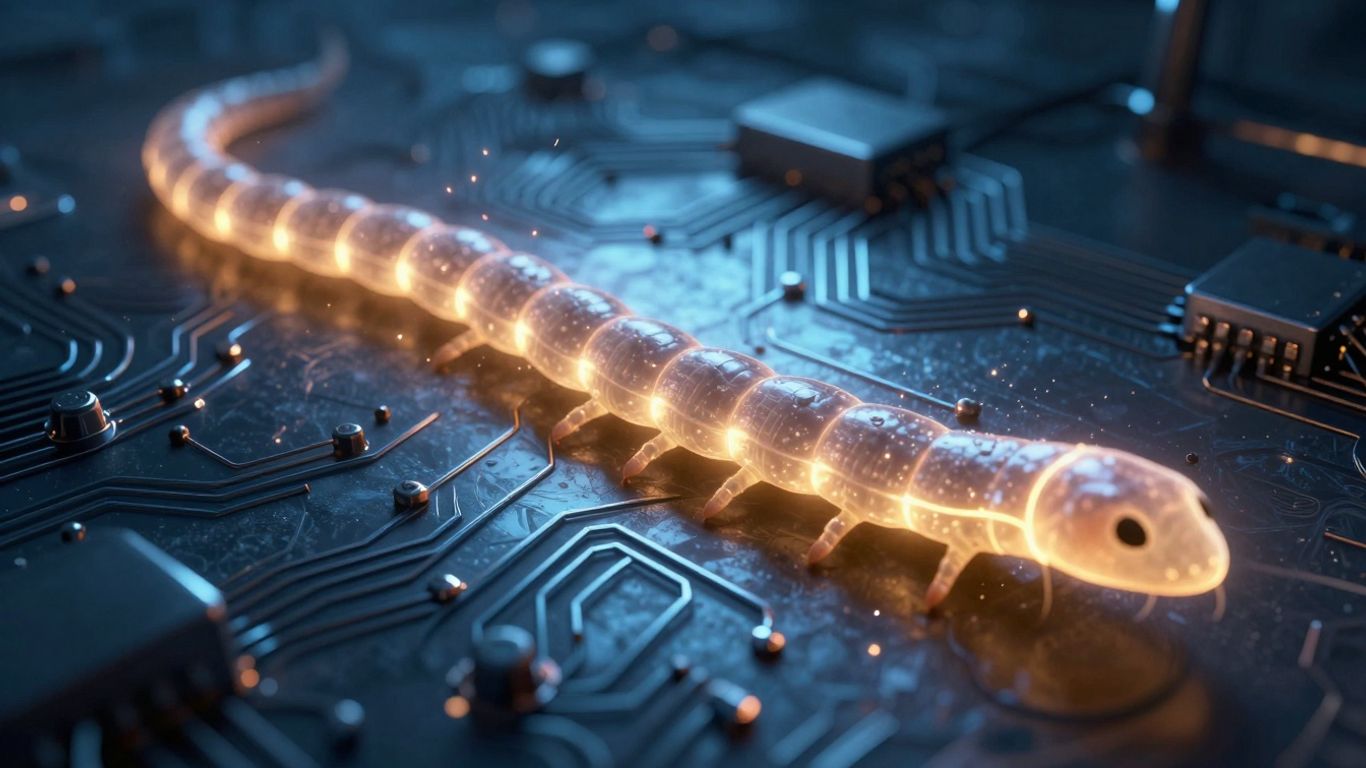
Worms are sneaky little things, aren’t they? They don’t need you to click on anything suspicious or download a dodgy file to get onto your computer. Nope, they’re built to spread on their own, like a digital wildfire. Think of them as self-sufficient travelers, always looking for the next place to crash.
Network Vulnerabilities and Exploits
This is probably the most common way worms get around. Imagine your computer network is like a city. Worms are like burglars who know all the back doors and unlocked windows. They scan for systems that haven’t been updated with the latest security patches. These patches are like fixing those broken locks or boarding up those windows. If a system has a known weakness, a worm can just waltz right in and set up shop. Once inside one machine, it can then use that machine to find other vulnerable ones on the same network, spreading rapidly without any human interaction.
Email Attachments and Malicious Links
Okay, so worms can use the old-school methods too. You might get an email that looks totally normal, maybe from a friend or a company you do business with. But inside, there’s a link that, if clicked, downloads the worm, or an attachment that, when opened, unleashes it. Sometimes, worms are even clever enough to use your own email program to send copies of themselves to everyone in your address book. So, even if you’re careful, your friends might accidentally spread it to you.
Removable Media and File Sharing
Remember those USB drives you used to plug into everything? Worms love them. If a worm gets onto a USB stick from an infected computer, it can spread to any other computer that USB stick is plugged into. It’s like a digital cold being passed around. The same goes for file-sharing services, whether it’s peer-to-peer networks or even cloud storage if it’s not properly secured. You might think you’re just downloading a song or a document, but you could be bringing a worm home.
Instant Messaging and IoT Devices
These days, worms are getting even more creative. They can spread through instant messaging apps, disguised as links or files. And then there are the "Internet of Things" (IoT) devices – your smart fridge, your thermostat, your smart speaker. These devices are often connected to your network and sometimes have weaker security. A worm could potentially infect one of these devices and then use it as a jumping-off point to spread to your computers and other devices on your home network. It’s a bit unsettling to think your toaster could be part of the problem!
Worms are designed to replicate and spread autonomously. They don’t need a user to execute them directly after the initial infection. This self-propagating nature is what makes them so dangerous and difficult to contain once they gain a foothold in a network.
The Impact of Worm Malware Infections

When a computer worm gets loose on your network, it’s not just a minor annoyance. These things can really mess things up, causing a cascade of problems that can bring your systems to a grinding halt. It’s like a domino effect, but with digital chaos.
Resource Consumption and System Crashes
One of the most immediate effects of a worm is how it hogs your computer’s resources. Worms are designed to replicate themselves, and each copy needs processing power and memory. Imagine a bunch of tiny digital freeloaders constantly making more copies of themselves – your CPU and RAM get completely swamped. This intense activity can slow your computer down to a crawl, making it almost impossible to get any work done. Eventually, if left unchecked, this resource drain can lead to unexpected shutdowns and system crashes. It’s not uncommon for entire networks to become unresponsive because of a worm running wild.
Data Corruption and Theft
Beyond just slowing things down, worms can actively damage your data. Some worms are programmed to corrupt or delete files they encounter. This could mean losing important documents, personal photos, or critical business records. The real kicker is when a worm’s payload includes stealing your information. They can act like digital spies, sniffing out sensitive data like login credentials, financial details, or personal identification and sending it back to the attacker. This can lead to identity theft, financial fraud, and a whole lot of headaches.
Enabling Further Malware Infections
Often, a worm isn’t the end of the story; it’s just the beginning. Worms are excellent at creating openings for other types of malware. Once a worm has spread and weakened your system’s defenses, it can create a backdoor. This backdoor is like an unlocked door that other malicious software, like ransomware or spyware, can use to get in. So, a worm might not directly steal your data, but it can pave the way for another piece of malware that does. It’s a bit like a scout paving the way for an invading army.
Worms are particularly nasty because their self-replicating nature means they can spread incredibly fast. What starts as one infected machine can quickly become dozens or even hundreds, overwhelming your defenses before you even realize what’s happening. This rapid spread is what makes them so disruptive.
Here’s a quick look at what can happen:
- System Performance Degradation: Computers become sluggish, applications freeze, and tasks take ages to complete.
- Data Loss or Corruption: Important files can be deleted, altered, or rendered unusable.
- Network Congestion: Bandwidth gets eaten up by worm traffic, slowing down internet access for everyone.
- Security Breaches: Sensitive information can be stolen, leading to identity theft or financial loss.
- Secondary Infections: Worms can open doors for other, more destructive malware.
Defending Against Worm Malware
Alright, so we’ve talked about how these sneaky worms can get into your systems. Now, let’s get down to business on how to actually stop them. It’s not rocket science, but it does take a bit of consistent effort. Think of it like locking your doors and windows – you do it every day, right? Cybersecurity is kind of the same.
Maintaining Software Updates and Patches
This is probably the most important thing you can do. Worms, and a lot of other malware for that matter, love to exploit weaknesses in software. Developers find these weaknesses, which we call vulnerabilities, and then they release updates, or patches, to fix them. If you’re not updating your operating system, your web browser, your office suite, or any other software you use, you’re basically leaving the door wide open for these worms.
- Operating Systems: Windows, macOS, Linux – keep them updated. They often have automatic update features, so turn those on.
- Applications: Browsers like Chrome or Firefox, PDF readers, media players – all of them need patching.
- Firmware: Don’t forget your router and other network devices. Their software needs updating too.
It might seem like a hassle, with all those restart prompts, but it’s way less of a hassle than dealing with a worm infestation.
Utilizing Antivirus and Firewall Protection
These are your digital security guards. A good antivirus program is designed to spot and remove known malware, including worms. It scans files, checks downloads, and monitors your system for suspicious activity. But don’t just install it and forget about it; make sure it’s always running and updated with the latest threat definitions.
Your firewall is like the gatekeeper. It controls the traffic coming in and going out of your network. A properly configured firewall can block unauthorized access attempts and prevent worms from spreading to or from your computer. Most operating systems come with a built-in firewall, but you can also get more advanced ones, especially if you’re running a business network.
Practicing Safe Email and Browsing Habits
Honestly, a lot of worm infections start with something you click on. Worms often hide in email attachments or links that look legitimate. So, here’s the deal:
- Be Skeptical of Emails: If an email looks weird, comes from someone you don’t know, or asks you to click a link or download something unexpected, don’t do it. Even if it looks like it’s from a company you know, double-check the sender’s address. Phishing attempts are super common.
- Think Before You Click: Those pop-up ads promising you a free iPhone or telling you your computer is infected? Ignore them. They’re often designed to trick you into downloading malware.
- Download Wisely: Only download software or files from trusted websites. Avoid sketchy download sites or peer-to-peer networks if you can.
Worms are designed to spread, and often, they rely on us making a small mistake. By being more aware and cautious about what we click on and download, we can shut down a major pathway for these threats.
It’s a layered approach. Updates patch the holes, antivirus and firewalls act as guards, and safe habits are your personal vigilance. Together, they make a pretty strong defense against those wriggly little worms.
Advanced Worm Malware Threats
Things are getting pretty wild out there in the world of computer worms. It’s not just about simple self-replication anymore. We’re seeing some seriously sophisticated stuff that makes the old-school worms look like kids’ toys.
AI-Powered Worms
This is where things get really interesting, and honestly, a little scary. We’re talking about worms that can actually learn and adapt on the fly. These AI-powered worms use machine learning to figure out how to get around security measures in real-time. Instead of just following a set of instructions, they can change their tactics if they hit a roadblock. Think of it like a hacker who’s constantly tweaking their plan based on what’s happening. Researchers have even developed proof-of-concept worms, like Morris II, that can use generative AI to spread through email systems, read your messages, and even send out new malicious emails, all without a person lifting a finger. It’s a whole new level of automation for cybercrime.
Targeted Industrial System Worms
Remember Stuxnet? That was a wake-up call. This wasn’t just about stealing data or crashing a computer; it was designed to cause physical damage. These kinds of worms are built with specific targets in mind, like the control systems for power plants or manufacturing facilities. They might spread through USB drives or network connections, but they only do their dirty work when they find the exact hardware they’re programmed to mess with. It shows that cyberattacks can now have real-world consequences, impacting critical infrastructure and even national security.
Worm Hybrids and Their Capabilities
Sometimes, worms don’t just stick to being worms. They can team up with other types of malware, creating hybrid threats. For example, a worm might spread itself rapidly and then drop a ransomware payload onto infected systems. Or it could install a backdoor, allowing other malicious software to gain access later. This combination approach makes them incredibly versatile and dangerous. They can exploit vulnerabilities to spread, steal data, disrupt systems, and even enable further, more complex attacks. It’s like a Swiss Army knife for cybercriminals, but instead of tools, it’s just different ways to cause trouble.
The evolution of worm malware shows a clear trend towards greater autonomy and sophistication. What was once a simple self-replicating program has become a complex tool capable of learning, adapting, and causing physical disruption. Staying ahead of these threats requires constant vigilance and advanced security measures.
Here’s a quick look at how these advanced threats differ:
- AI-Powered Worms: Adaptable, learn from environment, use machine learning for evasion.
- Industrial System Worms: Highly targeted, designed for physical sabotage, often state-sponsored.
- Hybrid Worms: Combine worm capabilities with other malware types (e.g., ransomware, backdoors).
It’s a challenging landscape, and staying informed about these evolving threats is key to protecting yourself and your organization. Keeping your software updated is still one of the best defenses against many of these worms, as they often exploit known weaknesses. You can find more information on worm vulnerabilities and how they operate.
Responding to a Worm Malware Outbreak
Okay, so your system’s been hit by a worm. It’s not the end of the world, but you’ve got to act fast. Worms spread like wildfire, so every second counts. The first thing you need to do is stop it from infecting anything else.
Immediate Containment Steps
When you first realize a worm is loose, your main goal is to slow it down and figure out what’s going on. Think of it like putting out a small fire before it engulfs the whole building.
- Isolate infected machines: Get any computers you suspect are infected off the network immediately. Unplug the network cable, disable Wi-Fi – whatever it takes. This stops the worm from jumping to other devices.
- Identify the worm: Try to figure out what kind of worm you’re dealing with. Knowing its specific behavior helps you figure out the best way to fight it.
- Block suspicious traffic: If you can identify the network traffic the worm is using to spread, block it at your firewall. This is like building a temporary dam.
- Check for unpatched systems: While you’re isolating, also check which of your systems might have been vulnerable in the first place. Worms love unpatched holes.
Worms are designed to spread, so the quicker you can cut off their escape routes, the less damage they’ll do. Don’t wait around hoping it will go away on its own; it won’t.
Detection and Removal Procedures
Once you’ve stopped the immediate spread, it’s time to find and get rid of the worm. This is where you roll up your sleeves and do some serious cleaning.
- Scan thoroughly: Use your antivirus software, and maybe even a second opinion scanner, to find all instances of the worm. Make sure your security software is up-to-date before you start.
- Remove or clean: Follow the instructions from your security tools to remove the malware. Sometimes, it’s a simple deletion; other times, it might require more involved cleaning.
- Patch vulnerabilities: This is super important. If the worm got in through a specific software flaw, you absolutely must patch that flaw on all your systems. Otherwise, it’s like cleaning up a mess but leaving the door wide open for the next one.
- Consider reinstallation: For heavily infected or critical systems, sometimes the safest bet is to wipe them clean and reinstall the operating system and applications from scratch. It’s a pain, but it guarantees the worm is gone.
System Restoration and Recovery
After you’ve dealt with the worm itself, you need to get things back to normal and make sure this doesn’t happen again.
- Restore from backups: If any data was lost or corrupted, now’s the time to restore it from your clean backups. Make sure your backups themselves weren’t infected.
- Review security logs: Look back at your network and system logs to see exactly how the worm got in and how it moved around. This information is gold for preventing future attacks.
- Update your incident response plan: What went wrong? What went right? Document everything so your team is even better prepared next time a worm shows up. It’s a learning process, for sure.
Wrapping It Up
So, we’ve talked about how these sneaky computer worms can spread through emails, dodgy links, or even just by connecting a USB drive. They’re pretty good at making copies of themselves and jumping from one machine to another, sometimes without us even noticing until things start going wrong. It’s a bit like a chain reaction, and before you know it, a lot of computers can get infected. The good news is, we’re not totally defenseless. Keeping your software updated, using a solid antivirus program, and just being a bit careful about what you click on can make a huge difference. Think of it like locking your doors and windows – it’s a simple step that keeps a lot of trouble out. Staying aware and taking these basic precautions is really the best way to keep those digital worms from burrowing into your devices.
Frequently Asked Questions
What exactly is a computer worm?
Think of a computer worm like a tiny, digital bug that can make copies of itself and spread from one computer to another all by itself. It doesn’t need to attach itself to another program like a virus does. It’s a standalone piece of bad software that can sneak into your computer and cause trouble.
How are worms different from viruses?
The main difference is how they spread. A worm is like a self-driving car; it can travel and copy itself to new places all on its own, often through networks. A virus is more like a hitchhiker; it needs to attach itself to a file or program and usually needs you to open that file to spread. Worms tend to spread much faster.
What are the main ways worms spread?
Worms are sneaky! They often spread through the internet by finding weak spots in computer systems. They can also travel through email attachments or links that look harmless, infected USB drives, instant messages, and even unsecured Wi-Fi networks. Sometimes they can even spread through smart devices in your home.
What kind of damage can a worm do?
Worms can slow down your computer or even make it crash by using up all its resources. They can also mess with your files, delete important information, or steal your personal data. Sometimes, a worm’s main job is to open a door for other, even nastier, malware to get onto your computer.
How can I protect my computer from worms?
The best defense is to keep your software and security programs updated. Think of updates like patching holes in a fence to keep unwanted visitors out. Also, be super careful about clicking on links or opening attachments in emails, especially if you don’t know who sent them. Using good antivirus software and a firewall is also really important.
What should I do if I think my computer has a worm?
If you suspect a worm infection, act fast! The first thing to do is disconnect your computer from the internet and any other networks to stop it from spreading. Then, run a full scan with your antivirus software to try and find and remove the worm. If you’re unsure, it’s best to get help from a tech expert.