
Getting your systems back up and running after something goes wrong is a big deal. It’s not just about flipping a switch; there’s a whole process involved. This article looks at how to make sure that when you need to restore your systems, you can do it right. We’ll cover what you need to have in place beforehand, the actual steps involved, and how to check that everything is working as it should. Getting this right means less downtime and less stress when the unexpected happens.
Key Takeaways
- Before any disaster strikes, make sure you’re ready. This means knowing what you need to recover, checking that your backups are actually good, and practicing how you’ll restore everything.
- When you restore systems, you need a plan. This includes how to rebuild what’s broken, getting your data back from backups, and then carefully bringing things back online.
- After you’ve restored, you’ve got to test. Make sure the systems work like they should, check if they’re running fast enough, and confirm that all your security is still in place.
- Focus on what’s most important. Figure out which systems are critical to your operations and map out how they all connect so you can bring them back in the right order.
- Don’t forget to check for lingering problems. You need to be sure the bad stuff is gone and that your systems are clean before you start using them again, and keep an eye on things afterward.
Establishing Restoration Readiness
Getting ready for system restoration isn’t just about having backups; it’s a whole process. You need to know what you’re aiming for and make sure your tools are actually going to work when you need them. It’s like preparing for a big trip – you don’t just pack a bag and hope for the best, right? You plan your route, check your car, and make sure you have all your travel documents.
Defining Recovery Objectives
Before anything goes wrong, you have to figure out what "back to normal" actually means for your systems. This involves setting clear goals for how quickly you need things back online and how much data you can afford to lose. These are often called Recovery Time Objectives (RTO) and Recovery Point Objectives (RPO). For example, a customer-facing website might need a very low RTO and RPO, meaning it has to be up and running almost immediately with very little data loss. On the other hand, an internal reporting system might have more flexibility.
- RTO (Recovery Time Objective): The maximum acceptable downtime for a system or service after an incident.
- RPO (Recovery Point Objective): The maximum acceptable amount of data loss, measured in time, before an incident.
Setting these objectives helps prioritize which systems get restored first and guides the entire recovery strategy. It’s about making smart choices based on business needs, not just technical capabilities.
Assessing Backup Integrity
Having backups is one thing, but knowing they’re good is another. You can’t just assume your backups are fine. They need to be checked regularly to make sure they’re complete, uncorrupted, and actually restorable. Think about it: if your house is on fire and you grab your important documents, but the folder is full of blank pages, you’re in trouble. The same applies here. Regular checks and tests are key to trusting your backup data.
Here’s a quick look at what to check:
| Backup Component | Status Check | Frequency | Notes |
|---|---|---|---|
| Backup Files | Completeness, Corruption | Daily/Weekly | Verify file sizes and check for errors. |
| Restoration Process | Successful Restore | Monthly | Perform test restores to a non-production environment. |
| Backup Media | Integrity, Accessibility | Quarterly | Ensure storage media is healthy and accessible. |
Validating Restoration Procedures
This is where you actually practice. You can’t wait for a real disaster to figure out how to restore your systems. You need documented procedures, often called playbooks or runbooks, that walk your team through the restoration process step-by-step. Then, you need to test these procedures. Tabletop exercises, where you talk through a scenario, are a good start. But actual test restores are even better. This helps identify gaps in your documentation, training, or technical setup before a real emergency hits. It’s about building muscle memory for your IT team so they can act quickly and correctly under pressure. A well-tested procedure is your best bet for a smooth recovery. For more on testing, consider looking into boot-level persistence as part of your overall security readiness, though restoration procedures are distinct.
The goal of validation is not just to prove that a restore can happen, but to confirm it can happen within the defined RTO and RPO, with minimal disruption and maximum data integrity. This requires a proactive and disciplined approach to testing and documentation.
Core Components of System Restoration
Getting your systems back online after an incident isn’t just about flipping a switch. It involves a structured approach, focusing on rebuilding, restoring data, and getting things running smoothly again. This process is all about minimizing downtime and making sure your business can keep going.
System Rebuilding Strategies
When a system goes down, you can’t just magically fix it. You need a plan. This might mean rebuilding servers from scratch, using pre-configured images, or even deploying cloud-based resources. The goal is to get the necessary infrastructure back in place quickly and reliably. Think of it like rebuilding a house after a storm – you need the right materials and a solid blueprint.
- Bare-metal restore: Rebuilding hardware from the ground up.
- Image-based restore: Deploying a pre-made system image.
- Cloud migration: Shifting operations to cloud infrastructure.
Data Restoration from Backups
This is where your backups really earn their keep. Restoring data means pulling it from your backup storage and putting it back where it belongs. It’s not just about getting the files back; it’s about making sure they’re the right files and that they haven’t been corrupted. This step is critical for getting operations back to normal, especially if data was lost or encrypted. Having a solid backup strategy, including isolated backup storage, is key here.
| Backup Type | Recovery Point Objective (RPO) | Recovery Time Objective (RTO) |
|---|---|---|
| Full | Up to 24 hours | 4-8 hours |
| Incremental | Up to 1 hour | 1-2 hours |
| Differential | Up to 12 hours | 2-4 hours |
Controlled Return to Production
Once the systems are rebuilt and data is restored, you can’t just open the floodgates. A controlled return to production means bringing systems back online gradually. This might involve bringing back one service at a time, testing it thoroughly, and then moving on to the next. It’s about making sure everything works as expected before your users are fully back online. This phased approach helps catch any lingering issues before they cause bigger problems.
This careful, step-by-step process helps prevent a cascade of new issues and ensures that the restored environment is stable and functional before full operational capacity is resumed.
Validation Testing Methodologies
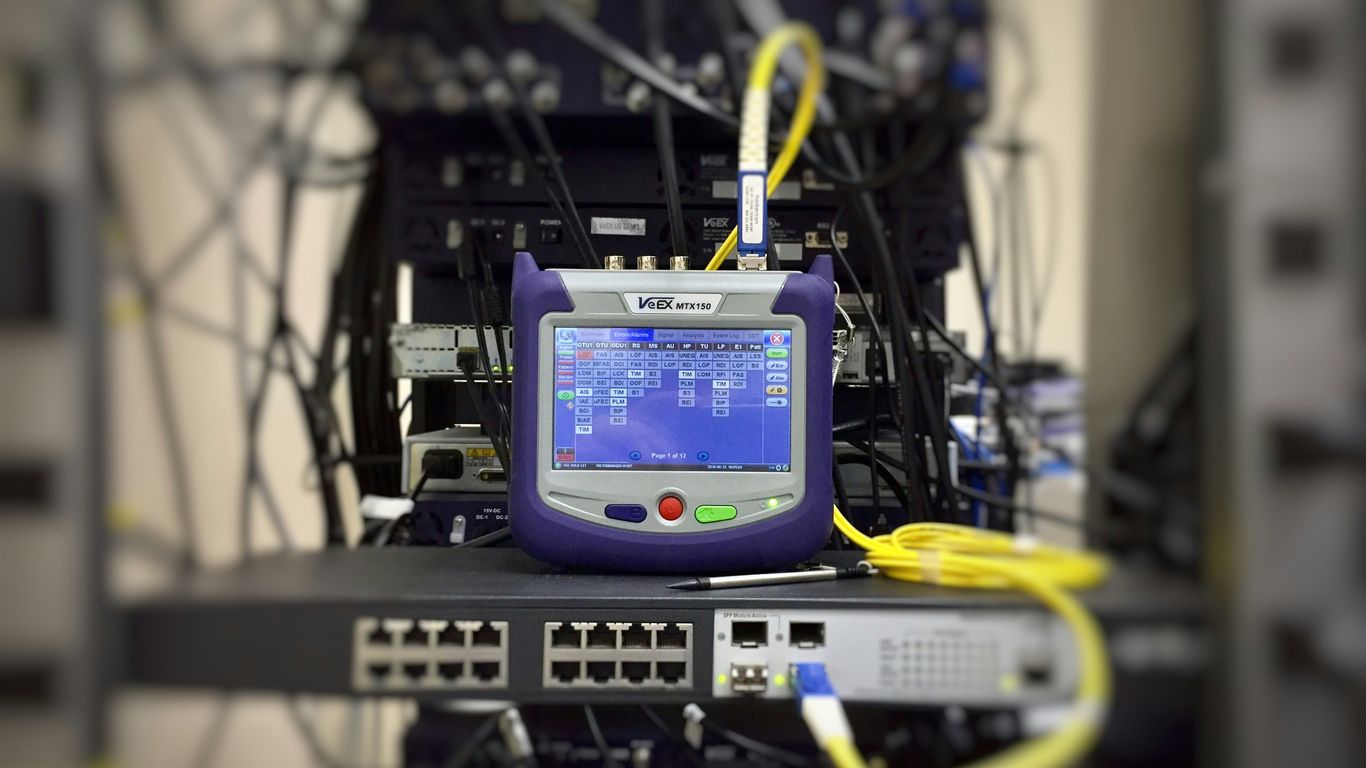
After you’ve gone through the process of restoring your systems, you can’t just assume everything is back to normal. That’s where validation testing comes in. It’s all about making sure the systems you brought back online are actually working as they should and haven’t picked up any new problems along the way. Think of it as a final check-up before letting everyone back into the building.
Functional Testing Post-Restoration
This is pretty straightforward: does the system do what it’s supposed to do? You’ll want to run through the core functions of your applications and services. This means checking if users can log in, if data is being processed correctly, and if key features are operational. It’s not about finding every single bug, but about confirming that the main operations are sound. A good way to approach this is to have a checklist of critical functions that must be verified.
- Verify user authentication and authorization.
- Test core business processes and transactions.
- Confirm data integrity and accessibility for key datasets.
- Check integrations with other systems.
Performance Benchmarking
Restoring a system is one thing, but restoring it to its expected performance level is another. Attackers can sometimes leave behind subtle issues that impact speed or resource usage. You need to see if the restored system can handle the load it’s expected to. This involves comparing current performance metrics against pre-incident benchmarks or established service level agreements (SLAs). You might look at:
| Metric | Pre-Incident Baseline | Post-Restoration | Pass/Fail |
|---|---|---|---|
| Response Time (ms) | 150 | 180 | Fail |
| Throughput (TPS) | 1000 | 950 | Fail |
| CPU Utilization (%) | 60 | 75 | Fail |
If performance has degraded, it’s a sign that something isn’t quite right and needs further investigation. This could point to lingering malware, inefficient configurations, or resource contention. Assessing backup integrity is also a key part of this, as corrupted backups can lead to performance issues post-restoration.
Security Control Verification
This is perhaps the most critical part of validation. You need to be absolutely sure that the threat has been eradicated and that your security controls are back in place and functioning correctly. This isn’t just about checking if firewalls are up; it’s about verifying that the specific vulnerabilities exploited in the incident are now mitigated. You’d want to confirm:
- That all known backdoors or persistence mechanisms have been removed.
- Access controls are correctly configured and enforcing least privilege.
- Security monitoring and logging are active and collecting data.
- Any exploited vulnerabilities are patched or otherwise remediated.
It’s easy to get caught up in just getting the systems running again. However, skipping thorough security control verification after a restoration is like leaving the door unlocked after a break-in. You’re inviting the same problem to happen again. Validating that security measures are robust is paramount to preventing reinfection and maintaining trust.
This phase often involves re-running vulnerability scans and penetration tests, or at least performing targeted checks based on the nature of the original incident. You also need to validate that the incident response process itself was effective in triaging security events and that lessons learned are being applied.
Prioritizing Critical Services
When systems go down, not everything is equally important. You can’t just flip a switch and expect everything to be back online instantly. That’s where figuring out what’s really critical comes in. It’s about knowing which services absolutely have to be up and running first to keep the business from grinding to a halt.
Identifying Essential Operations
First off, you need to nail down what keeps the lights on. This isn’t just about IT systems; it’s about the actual business functions they support. Think about what would cause the most damage if it stopped working. This usually involves talking to different departments – sales, finance, operations – to get their take on what they can’t live without.
- Customer-facing services: Things like order processing, payment gateways, or core product delivery.
- Internal operations: Payroll, essential HR functions, or critical manufacturing controls.
- Regulatory compliance: Systems needed to meet legal or industry mandates.
Dependency Mapping for Restoration
Once you know what’s critical, you have to understand how it all connects. A critical application might rely on a specific database, which in turn needs a particular network service. If you try to bring up the application without its database, it won’t work. Mapping these dependencies helps you create a logical order for restoration. It’s like building a house – you can’t put the roof on before the walls are up.
Here’s a simplified look at how dependencies might stack up:
| Critical Service | Primary Dependency | Secondary Dependency | Restoration Order |
|---|---|---|---|
| Online Store | Database Server | Web Server | 1 |
| Payment Processing | Database Server | Application Server | 2 |
| Inventory Management | Database Server | API Gateway | 3 |
| Internal CRM | Database Server | Application Server | 4 |
| Email Notification System | Mail Server | Application Server | 5 |
Understanding these links prevents you from getting stuck in a loop, trying to restore something that can’t function because its underlying components aren’t ready yet. It’s a methodical approach to avoid chaos.
Service Level Agreement Alignment
Your Service Level Agreements (SLAs) often dictate how quickly certain services need to be restored. If an SLA promises a customer that a service will be back online within 4 hours, that service needs to be high on your restoration priority list. Aligning your restoration plan with these commitments is key to maintaining customer trust and avoiding contractual penalties. It means your technical priorities must match your business promises. You can’t promise a 4-hour recovery if your plan doesn’t support it. This alignment is a core part of business continuity planning.
Mitigating Reinfection Risks
After a system has been restored, the job isn’t quite done. We need to make sure the bad actors can’t just waltz back in. This means being really thorough about cleaning up any lingering threats and making sure the systems we put back online are actually clean. It’s like after you’ve had a nasty cold; you still need to rest and avoid getting re-exposed to prevent it from coming back.
Eradicating Persistent Threats
Attackers often try to leave behind little backdoors or hidden ways to get back into your systems, even after you think you’ve cleaned up. These are called persistent threats. They might be hidden in scheduled tasks, registry entries, or even deeper in the system’s firmware. Finding and removing these requires a deep dive into system configurations and looking for anything that seems out of place or was added around the time of the incident. It’s not just about deleting malware files; it’s about undoing the changes the attacker made to maintain access.
Validating Clean System States
How do you know for sure that a system is clean? This is where validation comes in. It’s not enough to just run an antivirus scan. We need to compare the restored system against known good configurations or baseline images. This could involve checking file integrity, verifying that no unauthorized processes are running, and looking for any signs of tampering. Think of it like checking all the rooms in your house after a break-in to make sure nothing was left behind or altered.
Here’s a quick checklist for validating a clean state:
- Review system logs: Look for any unusual activity or errors that occurred during or after the restoration.
- Verify installed software: Ensure only authorized applications are present and that no new, suspicious programs have appeared.
- Check user accounts: Confirm that no new or unauthorized user accounts have been created.
- Scan for rootkits and bootkits: These are particularly stealthy types of malware that can be hard to detect with standard tools.
Implementing Post-Restoration Monitoring
Once you’re confident the systems are clean, you can’t just go back to your old monitoring habits. You need to ramp things up for a while. This means watching the restored systems very closely for any signs of unusual behavior that might indicate a reinfection attempt. This could involve increased logging, more frequent security scans, and paying extra attention to network traffic patterns. It’s a temporary, heightened state of vigilance to make sure the threat is truly gone.
The goal here is to be absolutely certain that the systems brought back online are free from any remnants of the original attack. This requires a methodical approach, combining technical checks with a keen eye for anything that doesn’t look right. A single overlooked backdoor can undo all the hard work of recovery.
Leveraging Backup and Recovery Architecture
When it comes to getting systems back online after a problem, your backup and recovery setup is a really big deal. It’s not just about having copies of your data; it’s about how those copies are stored, protected, and how quickly you can actually use them. Think of it as your emergency toolkit – if it’s not organized or the tools are broken, you’re in trouble when you need them most.
Isolated Backup Storage
Keeping your backups separate from your main systems is super important. If a cyberattack, like ransomware, hits your live environment, you don’t want it to spread to your backups too. This means storing backups on different networks, in separate physical locations, or even using cloud services that are completely disconnected from your production environment. This isolation acts as a critical barrier, preventing a single incident from wiping out both your live data and your recovery options. It’s a core part of making sure you can actually recover.
Immutable Backup Solutions
Immutable backups are like a digital vault where once data is written, it can’t be changed or deleted for a set period. This is a game-changer, especially against ransomware. Even if attackers gain access to your backup system, they can’t alter or destroy your backups. This tamper-resistance gives you a clean, reliable copy to restore from, significantly reducing the risk of reinfection. It’s a key feature for any serious recovery plan.
Regular Backup Testing Schedules
Having backups is one thing, but knowing they work is another. You absolutely need to test your backups regularly. This isn’t just a quick check; it involves actually restoring data or even entire systems to a test environment. This process helps you find out if your backups are complete, uncorrupted, and if the restoration process itself is efficient. Without regular testing, you might discover your backups are useless only when you’re in the middle of a crisis. A good testing schedule might look something like this:
| Test Frequency | Scope of Test |
|---|---|
| Weekly | File-level restore validation |
| Monthly | Application-level restore test |
| Quarterly | Full system recovery simulation |
It’s easy to think that just because you’re backing up data, you’re safe. But the reality is, a backup is only as good as its last successful test. If you haven’t verified that you can actually get your data back in a usable state, you’re operating on hope, not on a solid plan. This is where many organizations stumble, only to realize their recovery options were compromised when it mattered most. Making backup testing a non-negotiable part of your IT operations is vital for true resilience.
Incident Response Integration
When there’s an incident, restoring systems isn’t just about getting things running again—it’s about how recovery fits into the bigger response plan. Every restoration should match up with containment boundaries, phase restoration jobs wisely, and keep everyone in the loop. Effective integration means restoration efforts don’t accidentally open the door for new threats or disrupt evidence handling.
Phased Restoration within Incident Response
Breaking restoration down into phases helps manage risk and complexity.
- Tackle the least critical, least affected systems first, so you don’t jeopardize important operations.
- Wait for a green light from the incident response team before restoring major business systems.
- Check that each restored segment is free of issues before moving to the next.
Here’s how phased restoration often lines up with incident response:
| Restoration Phase | Incident Response Step |
|---|---|
| Isolate systems | Containment |
| Rebuild & restore non-critical | Eradication |
| Restore critical systems | Recovery |
| Resume business as usual | Post-Incident Review |
By synchronizing these actions, teams limit further damage and stay organized.
Containment Boundaries for Restoration
During recovery, it’s vital to respect containment boundaries so issues don’t resurface or spread. These boundaries define exactly what systems are safe to bring back online:
- Only restore systems that are fully cleared by containment teams
- Segment networks to keep restored systems from interacting with unvetted or compromised parts
- Follow clear authorization processes for each reconnected asset
Not sticking to boundaries can undo all your hard work and make a bad situation even worse. A strong incident response plan sets out who decides what and when, reducing confusion.
Communication During Restoration
Communication during restoration is all about clarity and avoiding assumptions. Everyone—from technical teams to execs—needs up-to-date info on restoration progress and next steps:
- Give regular internal updates so all teams know system status and priorities
- Maintain logs and a timeline of recovery actions for later review (and proof, if needed)
- Be ready with customer or regulatory updates, especially if there’s risk of a recurring issue
Even well-practiced response teams can run into hiccups if the left hand doesn’t know what the right is doing. Keeping everyone aligned—especially as systems flicker back online—keeps setbacks and surprises to a minimum.
Proper integration of system restoration into incident response brings structure, limits surprises, and helps organizations move from chaos back to control with less downtime and confusion.
Post-Restoration Analysis and Improvement
So, you’ve managed to get everything back online after a major incident. That’s a huge relief, right? But honestly, the work isn’t quite done yet. This is where we really dig into what happened and how we can stop it from happening again, or at least make our response way better next time. It’s all about learning from the experience.
Root Cause Analysis of Failures
First things first, we need to figure out why the incident even happened. This isn’t about pointing fingers; it’s about understanding the chain of events. Was it a software bug that wasn’t patched? A misconfiguration that went unnoticed? Maybe a phishing email that actually worked? We need to get to the bottom of the actual cause, not just the symptoms. This often involves looking at logs, system changes, and even user actions. Sometimes, you might need to do some deep dives into system states, which can be a bit like digital forensics, carefully preserving any data that might help explain things capturing volatile memory.
Lessons Learned from Restoration Events
Once we know the root cause, we can start pulling out the key takeaways. What went well during the restoration? What could have been smoother? Maybe your backup system worked like a charm, but the communication plan was a bit shaky. Or perhaps the technical recovery was fast, but validating the cleanliness of the restored systems took longer than expected. We should list these out. It’s helpful to categorize them, like:
- Technical Wins: What tools or procedures performed exceptionally well?
- Process Gaps: Where did our workflows falter or cause delays?
- Communication Breakdowns: Were there issues with how information flowed internally or externally?
- Training Needs: Did staff require more knowledge or practice in certain areas?
Updating Restoration Playbooks
This is where the rubber meets the road. All those lessons learned? They need to go back into our plans. If a step in your restoration playbook caused confusion or took too long, it needs to be revised. Maybe you discovered a new dependency you hadn’t mapped out before. Or perhaps a particular tool you relied on wasn’t as effective as you thought. The goal is to make sure our playbooks are living documents, constantly getting better with each incident. Think of it like this:
| Original Step | Observed Issue | Proposed Change | Reason for Change |
|---|---|---|---|
| Restore DB from Backup | Took 8 hours, exceeded RTO | Implement parallel restore for multiple databases | Reduce overall restore time |
| Verify user access | Manual checks were slow | Automate access validation script | Speed up verification and reduce human error |
| Notify stakeholders | Delayed updates caused confusion | Establish pre-defined communication triggers | Ensure timely and consistent information flow |
The real value of an incident response isn’t just in fixing the immediate problem, but in the structured learning that follows. Without this analysis and adaptation phase, you’re likely to repeat the same mistakes, making your organization less resilient over time.
Ensuring Data Integrity Post-Restoration
Making sure your data is still trustworthy after a system restoration isn’t something you want to rush or overlook. When you flip the switch and bring systems back, even minor data issues can slip through unnoticed—so a structured verification process is non-negotiable. Let’s break down the main checks that help catch problems early and keep operations clean.
Data Validation Checks
Before you officially sign off on restoration, you need to compare current files and databases to pre-incident versions. Hash comparisons and checksums let you spot unexpected changes quickly.
Some practical data validation steps include:
- Generate file checksums (e.g., MD5 or SHA256) for restored data and compare them to archived or offline reference values.
- Look for missing, truncated, or obviously corrupted files—run scripts to automate this where possible.
- Use application-level integrity checks, like built-in database verification, for structured data.
| Restoration Step | Purpose | Tools/Methods |
|---|---|---|
| File integrity check | Spot altered/missing files | Checksums, hash |
| Database validation | Confirm record completeness | DB tools, queries |
| Application test run | Detect app-level data issues | App diagnostics |
Restoring systems is only half the job—verifying every byte takes patience, but skipping this step leads to bigger headaches later.
Reconciliation with Pre-Incident States
After you confirm data isn’t outright corrupted, you have to ask: does it match the expected state before the incident? Get your before-and-after records together and look for gaps or anomalies.
Key reconciliation methods:
- Review backup logs and restoration reports alongside asset inventories.
- Compare most recent backup snapshots against current restored versions to spot transactions or configurations that didn’t make it back in.
- Check critical change records (like account creations or software installs) and make sure they align with what should be there.
Verifying Encryption and Access Controls
Freshly restored data might seem fine, but if your security settings didn’t come along for the ride, you have a new risk. Make sure encryption is intact and that access boundaries still match policies.
Here’s a checklist for this part:
- Confirm encryption at rest and in transit using your organization’s standard methods.
- Reapply or double-check access control lists, ensuring users and admins can only see what they’re supposed to.
- Review permission settings, especially on sensitive folders or databases, for misconfigurations left by restoration mistakes.
- Make sure any secrets or keys haven’t been exposed in storage or logs—rotate if there’s any doubt.
Incident response teams often rely on digital forensic processes, like those described in forensic imaging procedures, to be sure restored data hasn’t been tampered with along the way.
Getting restoration right is more than restoring files; it’s about proving your data is unaltered, secure, and working just like it did before trouble started. When you take these extra steps, you’re not just fixing today’s problem—you’re preventing surprise failures or breaches down the road.
Regulatory and Compliance Considerations

When systems go down and you’re scrambling to get them back up, it’s easy to forget about the outside world. But here’s the thing: there are rules. Depending on where you operate and what kind of data you handle, you’ve got specific obligations. Ignoring these can lead to some pretty hefty fines and a whole lot of legal headaches.
Meeting Notification Obligations
First off, if a breach or significant incident happens that affects sensitive data, you often have to tell people. This isn’t just a courtesy; it’s a legal requirement in many places. Think about data breach notification laws. These laws usually specify who you need to notify (individuals, regulators), how quickly you need to do it, and what information must be included. Getting this wrong can really mess things up.
- Identify applicable laws: Understand which regulations (like GDPR, CCPA, HIPAA, etc.) apply to your organization based on your location and the data you process.
- Define notification triggers: Clearly outline what constitutes a notifiable event.
- Establish timelines: Know the exact timeframes for notifying individuals and regulatory bodies.
- Prepare notification content: Draft templates for breach notifications that include all legally required information.
- Coordinate with legal counsel: Always involve your legal team to ensure compliance.
Preserving Evidence for Audits
During and after a restoration, especially if it’s due to a security incident, you need to think about evidence. Investigators, auditors, and potentially legal teams will want to know what happened. This means preserving logs, system states, and any other digital artifacts that can help reconstruct the timeline of events. If you mess up the chain of custody or delete critical data, it can seriously undermine any investigation or audit. It’s like trying to solve a mystery without the clues.
Digital forensics plays a big role here. It’s all about collecting and analyzing electronic evidence carefully. If the evidence isn’t handled right, it can’t be used in court or for regulatory reviews. This means having strict procedures for how data is collected, stored, and accessed.
Aligning Restoration with Compliance Frameworks
Many organizations follow specific security frameworks, like NIST, ISO 27001, or industry-specific ones. These frameworks often have requirements related to business continuity, disaster recovery, and incident response. Your restoration procedures need to fit within these broader compliance goals. It’s not just about getting the lights back on; it’s about doing it in a way that meets your documented security posture and satisfies auditors. This often means having detailed documentation for your restoration plans and proving that you test them regularly. For example, access controls are a key part of many frameworks, and you need to make sure they’re correctly re-established after a restoration.
Wrapping Up System Restoration
So, we’ve talked a lot about getting systems back online after something goes wrong. It’s not just about flipping a switch; it’s a whole process. You need good backups, sure, but you also need to test them and know how to use them. Then there’s figuring out what actually happened so you don’t just get hit by the same problem again. It takes planning, practice, and sometimes, a bit of luck. The main thing is to have a plan ready before you need it, because when disaster strikes, you won’t have time to figure things out then. Getting back to normal is the goal, but doing it right means you’re stronger for the next time.
Frequently Asked Questions
What does ‘system restoration’ mean?
System restoration is like fixing a broken toy. It’s the process of getting your computer systems and data back to normal after something bad happens, like a computer virus or a system crash. This involves rebuilding things, getting your files back from backups, and making sure everything works correctly again.
Why is it important to test system restoration before a real problem happens?
Testing is super important! Imagine having a fire drill – you practice so you know what to do when there’s a real fire. Testing restoration means you can check if your backup copies are good and if the steps you have planned actually work. This way, when a real problem strikes, you won’t be fumbling around and can fix things much faster.
What are ‘recovery objectives’?
Recovery objectives are like goals for fixing things. They tell you how quickly you need to get your systems back up and running (that’s the ‘recovery time’) and how much data you can afford to lose (that’s the ‘recovery point’). For example, a store might need its cash registers working again within an hour, but a personal photo album might be okay if it takes a day to recover.
How do backups help with system restoration?
Backups are like saving your game in a video game. They are copies of your important files and system settings. If your main game file gets corrupted or lost, you can use the saved game to start again from where you left off. Backups let you restore your systems and data after problems like ransomware attacks or accidental deletions.
What is ‘immutable backup storage’?
Immutable backup storage is like putting your backup copies in a special safe that nobody can change or delete, not even you, for a set amount of time. This is a great defense against ransomware because even if hackers get into your main systems, they can’t touch or destroy your backup copies.
Why is it important to know which services are most critical?
Think about a school. Some things are more important than others. The main entrance doors and the library might be more critical than the art room. In a business, knowing which services are most important helps you focus on fixing those first when something goes wrong. This way, the most essential parts of the business keep running.
What does ‘mitigating reinfection risks’ mean?
Mitigating reinfection risks means making sure that whatever caused the problem in the first place doesn’t come back and mess things up again after you’ve fixed them. It’s like cleaning up a messy room and then making sure you don’t make the same mess again by putting things away properly.
What is ‘post-restoration analysis’?
Post-restoration analysis is like looking back at what happened after you fixed a problem. You try to figure out exactly why the problem occurred, what went well during the fix, and what could have been done better. This helps you learn from the experience and make your restoration plans even stronger for the future.