
You might have heard the term ‘Trojan virus’ thrown around, and it’s a good thing you’re looking into it. These sneaky bits of code can really mess with your computer, acting like a digital wolf in sheep’s clothing. They pretend to be something useful or fun, but once they’re in, they can cause all sorts of trouble. Let’s break down what a Trojan is, how it gets onto your system, and what kind of damage it can do.
Key Takeaways
- A Trojan is malware that disguises itself as legitimate software to get onto your computer.
- Unlike viruses, Trojans don’t spread on their own; they trick you into downloading and running them.
- Trojans can perform many harmful actions, like stealing data, installing more malware, or disrupting your system.
- Common ways Trojans get in include fake email attachments, malicious websites, and bundled software.
- Signs of a Trojan infection include strange system behavior, disabled security software, and unexpected changes to your computer.
Understanding The Trojan Virus
What Is A Trojan Virus?
So, what exactly is a Trojan virus? Think of it like a wolf in sheep’s clothing, but for your computer. It’s a type of malicious software, often called malware, that pretends to be something useful or harmless. It might look like a free game, a helpful utility, or even an important document. But here’s the catch: hidden inside that innocent-looking package is nasty code designed to cause trouble.
The main trick is deception; it fools you into letting it into your system. Once it’s in, it can do all sorts of bad things without you even knowing. It’s not like a traditional virus that spreads everywhere on its own. A Trojan needs you to invite it in, usually by clicking on something or downloading a file.
The Trojan Horse Metaphor Explained
This whole "Trojan" thing comes from an old story, right? Remember the tale of the Trojan War? The Greeks built this giant wooden horse, left it outside the city of Troy, and pretended to sail away. The Trojans, thinking it was a gift or a peace offering, dragged this massive horse inside their city walls. Surprise! Greek soldiers were hiding inside. When night fell, they popped out, opened the city gates, and the rest of the Greek army came in. Troy fell.
Computer Trojans work in a very similar way. The malware is the wooden horse. It looks appealing or harmless, and you bring it into your computer system. Once inside, the "soldiers" – the malicious code – come out and start causing damage, stealing information, or letting other bad stuff in.
Are Trojans Computer Viruses?
This is a common question, and the answer is a bit nuanced. While people often use the term "Trojan virus," technically, a Trojan isn’t a virus. Both are types of malware, but they behave differently.
Here’s the key difference:
- Viruses: These are like biological viruses; they can replicate themselves and spread to other files and programs on your computer, and then to other computers, all on their own. They actively infect other clean code.
- Trojans: These guys can’t replicate themselves. They don’t infect other files. They just sit there, disguised, waiting for you to execute them. They rely on tricking you into running them, and they don’t spread unless you manually move them or they use other methods to get onto new systems.
So, while they’re both bad news for your computer, a virus is a self-spreading infection, while a Trojan is a deceptive intruder that needs an invitation (even if it’s an unwanted one).
Trojans are a significant part of the malware landscape because they are so good at hiding in plain sight. Their success hinges on tricking users, making them a persistent threat that security software constantly has to adapt to.
| Malware Type | Self-Replication | Spreading Method |
|---|---|---|
| Virus | Yes | Infects other files/programs |
| Trojan | No | User execution, social engineering |
How Trojan Viruses Infiltrate Systems
Delivery Methods For Trojan Malware
Trojans are sneaky. They don’t just pop up out of nowhere. Instead, they rely on tricking you into letting them in. Think of it like a con artist who pretends to be a repairman to get inside your house. Attackers use a few common ways to get these malicious programs onto your computer.
- Phishing Emails: You get an email that looks like it’s from a company you know, maybe your bank or a popular online store. It might have an attachment that looks like an important document, like an invoice or a shipping notice, or a link that promises a great deal. Clicking that link or opening that attachment is often all it takes.
- Fake Software and Updates: Ever see an ad for a free game or a "must-have" utility? Or maybe a pop-up telling you your software is out of date and needs an immediate update? These can be traps. The "free" software or the "update" is actually the Trojan, waiting to be installed.
- Bundled with Other Software: Sometimes, Trojans hitch a ride with legitimate-looking software, especially if you download programs from unofficial or less reputable websites. It’s like buying a new gadget and finding a surprise, unwanted item packed inside the box.
The Deception Behind Trojan Attacks
The core of a Trojan’s success is its ability to fool you. It masquerades as something helpful or harmless. This could be anything from a free antivirus scanner that actually installs malware, to a seemingly innocent game, or even a critical system update. The goal is to get you to willingly execute the malicious code. This reliance on social engineering and deception makes Trojans particularly effective because they exploit human trust rather than just technical vulnerabilities. They play on our desire for convenience, entertainment, or security.
Trojans are masters of disguise. They don’t force their way in; they convince you to open the door yourself. This makes them incredibly hard to spot before it’s too late, as the initial interaction often feels completely normal.
Gaining Administrator-Level Control
Once a Trojan is running on your system, its next big move is often to try and get the highest level of access possible. This is known as administrator-level control, or sometimes "root" access. Think of it like a burglar not just getting into your house, but getting the master key to every single room, including the safe.
Why do they want this? With administrator privileges, the Trojan can:
- Make deep changes to your system settings.
- Install other malicious programs without you knowing.
- Disable security software like antivirus programs.
- Hide its own presence more effectively.
- Access and steal sensitive files that are normally protected.
This elevated access is what allows Trojans to cause so much damage, turning your own computer against you.
The Malicious Payload Of A Trojan

So, the Trojan has snuck its way onto your computer, disguised as that free game or important-looking software update. What happens next? This is where the real trouble starts. The "payload" is the actual harmful code that the Trojan carries. It’s the part that does the damage, and it can be pretty nasty.
How Trojans Work Behind The Scenes
Once a Trojan is running, it doesn’t just sit there. It gets to work, often without you noticing. Its first job is to activate that malicious payload. This could mean a few different things, depending on what the attacker wants.
- Data Theft: It might start looking for sensitive information like passwords, credit card numbers, or personal files. Think of it like a digital pickpocket.
- System Control: Some Trojans aim to give attackers a way to control your computer remotely. This is often called a "backdoor."
- Further Infections: It can also act as a delivery service for other types of malware, like ransomware that locks up your files or spyware that watches everything you do.
To do its job effectively, the Trojan often tries to get administrator privileges. This is like getting the master key to your system, allowing it to make deeper changes and hide better.
Trojans are sneaky because they don’t spread on their own like some other viruses. You have to run them, usually by being tricked into thinking they’re something good. That initial click is the critical moment.
Establishing Persistence And Permanence
Just getting onto your system isn’t enough for a determined Trojan. It wants to stick around, even if you restart your computer. To achieve this, it uses a few tricks:
- Startup Modifications: It might add itself to the list of programs that launch automatically when your computer starts up. This can involve changing system registry entries or creating new scheduled tasks.
- Hiding in Plain Sight: Some Trojans try to embed their code within legitimate system processes. This makes them look like a normal part of your computer’s operation, making them harder to spot.
- Disabling Defenses: A common tactic is to try and turn off your antivirus software or firewall. If your security is down, the Trojan has a much easier time operating and downloading more malicious components.
Stealth Techniques Used By Trojans
Being detected is the worst-case scenario for a Trojan. Attackers use various methods to keep their malware hidden:
- Rootkits: These are particularly nasty. A rootkit can hide the presence of the Trojan and other malicious files or processes from the operating system and security software. It’s like a digital invisibility cloak.
- Process Injection: This involves inserting the Trojan’s malicious code into the memory space of a legitimate running program. The operating system sees the legitimate program running, not the malicious code hidden inside it.
- Obfuscation: The code itself might be deliberately made confusing and difficult to analyze, making it harder for security researchers to understand what it does.
- Encrypted Communication: When the Trojan needs to "phone home" to its command-and-control server to get instructions or send stolen data, it often encrypts this communication. This makes it look like random network traffic, not a malicious connection.
Common Types Of Trojan Malware
Trojans aren’t just one-size-fits-all bad guys. They come in a bunch of different flavors, each designed to do something specific and nasty. Understanding these types can help you spot them and know what you’re up against.
Backdoor Trojans
These are like the digital equivalent of leaving your back door unlocked. A backdoor Trojan sneaks onto your system and creates a secret entry point. This allows attackers to remotely access and control your computer without you even knowing. They can then do whatever they want, from stealing files to installing more malware.
Banker Trojans
If you do any online banking or shopping, these are the ones you really need to watch out for. Banker Trojans are specifically built to steal your financial information. They might log your keystrokes when you type in your passwords or credit card numbers, or they might trick you into entering your details on fake login pages. It’s all about getting your banking credentials and emptying your accounts.
Downloader Trojans
Think of these as the scouts for other malware. Once a downloader Trojan gets onto your system, its main job is to fetch and install other malicious programs. It might download spyware, adware, or even more dangerous Trojans. It’s like opening the door for a whole gang of digital troublemakers.
Ransomware Trojans
These guys are the extortionists of the malware world. A ransomware Trojan will encrypt your important files, making them completely unreadable. Then, they’ll demand a ransom payment, usually in cryptocurrency, to give you the key to unlock your data. It’s a nasty way to hold your digital life hostage.
Rootkit Trojans
Rootkits are the ninjas of the Trojan world. Their main goal is to hide their presence and the presence of other malware on your system. They operate at a very low level within your operating system, making them incredibly difficult to detect and remove. By hiding, they can operate undetected for long periods, causing damage without you realizing it.
Here’s a quick rundown of what each type aims to do:
- Backdoor: Grants remote access to attackers.
- Banker: Steals financial and banking credentials.
- Downloader: Fetches and installs additional malware.
- Ransomware: Encrypts files and demands a ransom.
- Rootkit: Hides malware and its activities.
It’s important to remember that these categories aren’t always mutually exclusive. A single Trojan might combine features from several types, making it even more dangerous.
Recognizing A Trojan Virus Infection
So, how do you know if one of these sneaky programs has made its way onto your computer? It’s not always obvious, but there are definitely some signs to watch out for. Think of it like noticing your house keys are missing – you might not see the thief, but you know something’s wrong.
Unusual System Behavior
Your computer might start acting up in ways it never did before. This could mean:
- Sudden crashes or freezes that happen out of the blue.
- Programs that take forever to open, or just don’t open at all.
- Your computer suddenly slowing down to a crawl, even when you’re not doing much.
- Unexpected restarts or shutdowns without any warning.
Compromised Network Traffic
If your computer is sending or receiving a lot of data when you’re not actively using the internet, that’s a red flag. This could be the Trojan communicating with its controller or downloading more bad stuff. You might notice:
- Your internet connection seems slower than usual, even when you’re not downloading anything big.
- Your computer is busy transferring data even when it’s supposed to be idle.
Disabled Security Software
This is a big one. Trojans often try to disable your antivirus or firewall software so they can operate without being detected. If you notice:
- Your antivirus program suddenly stops working or shows errors.
- You can’t update your security software.
- Your firewall settings have changed without your input.
Unexpected System Changes
Beyond just acting weird, Trojans can make actual changes to your system. Keep an eye out for:
- New programs appearing on your computer that you don’t remember installing.
- Your web browser acting strangely, like redirecting you to weird websites or changing your homepage.
- Files going missing, being moved around, or suddenly becoming unreadable.
Sometimes, the most telling sign is simply that your computer isn’t behaving like itself. It’s like a friend who’s usually cheerful suddenly becoming quiet and withdrawn; you just know something’s off. Paying attention to these subtle shifts can be your first line of defense.
The Damage Caused By Trojan Viruses
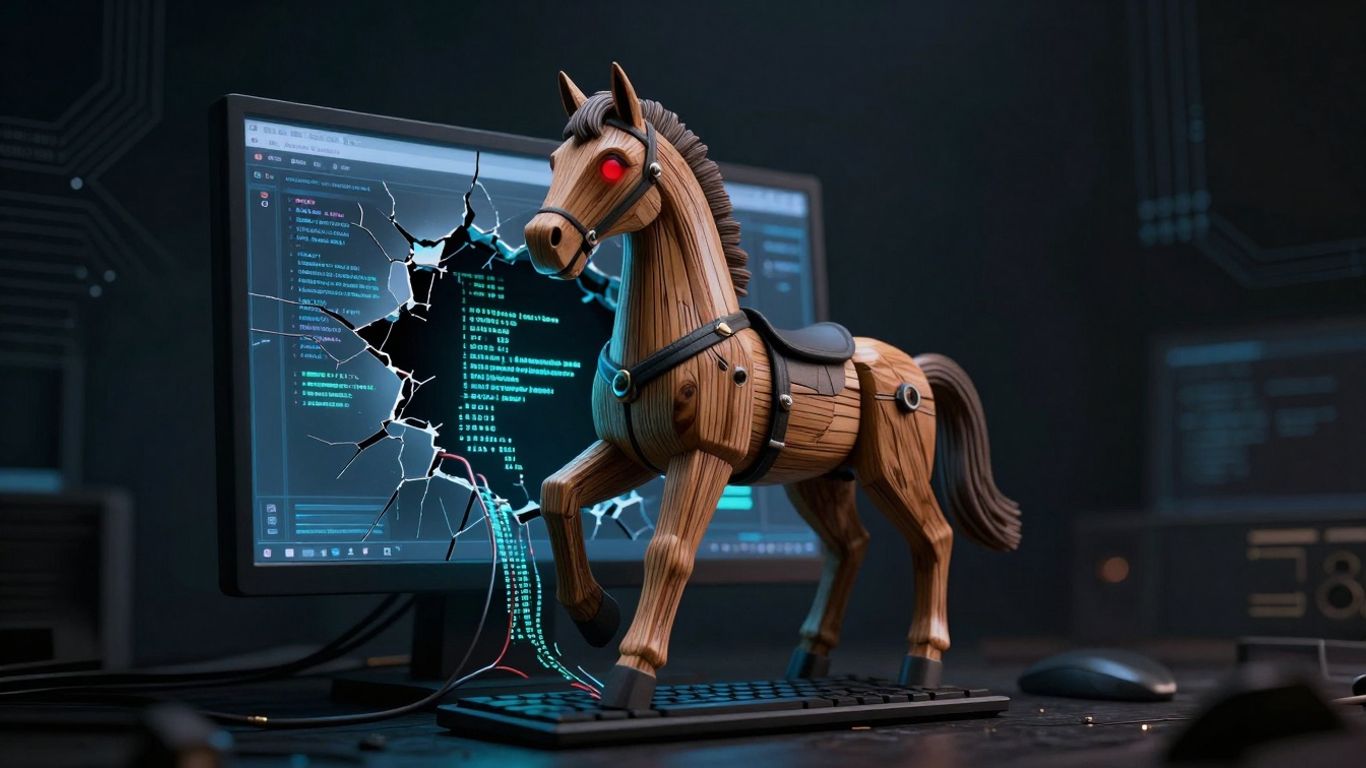
So, you’ve clicked on that suspicious link or downloaded that "free" software, and now a Trojan is lurking on your system. What happens next? Well, it’s not pretty. Trojans are designed to cause harm, and the extent of that damage can range from annoying to absolutely devastating. They’re like a digital Trojan horse, hiding something nasty inside what looks like a harmless package.
Data Theft And Financial Loss
One of the most common and damaging outcomes of a Trojan infection is the theft of your personal and financial information. These sneaky programs can act like digital spies, recording your keystrokes to capture login credentials for your bank accounts, credit cards, and online shopping sites. They can also directly search your hard drive for sensitive files, like scanned documents or saved passwords, and send them back to the attacker. This can lead to direct financial loss through unauthorized transactions or fraudulent purchases made with your stolen details.
System Disruption And Performance Issues
Trojans aren’t just about stealing; they can also mess with your computer’s ability to function properly. Some Trojans might delete or corrupt your files, making them inaccessible or unusable. Others can hog your system’s resources, slowing down your computer to a crawl, causing random shutdowns, or making applications crash unexpectedly. It’s like having a gremlin in your machine, constantly causing trouble and making everything difficult.
Installation Of Additional Malware
Often, a Trojan’s primary job is to open the door for other, even more dangerous malware. Once a Trojan has a foothold on your system, it can download and install other malicious programs without your knowledge. This could include spyware to keep an even closer eye on you, adware to bombard you with unwanted ads, or even ransomware that locks up all your files until you pay a hefty sum.
Risk Of Identity Theft
When a Trojan successfully steals enough personal information – like your name, address, social security number, and financial details – it can pave the way for full-blown identity theft. Criminals can use this stolen data to open new credit cards in your name, take out loans, or even commit crimes while pretending to be you. Recovering from identity theft is a long, stressful, and complicated process that can take years to sort out.
Trojans are particularly insidious because they rely on deception. You invite them in, thinking they’re something else entirely. This makes vigilance and good security practices incredibly important. Always be skeptical of unexpected attachments and downloads, even if they seem to come from a familiar source.
Here’s a quick look at what can happen:
- Data Exfiltration: Sensitive files and personal information are sent to attackers.
- Credential Harvesting: Login details for online accounts are stolen.
- System Sabotage: Files are deleted, corrupted, or encrypted.
- Resource Hijacking: Your computer’s performance is severely degraded.
- Secondary Infections: Other types of malware are installed.
- Financial Fraud: Unauthorized transactions and purchases occur.
- Identity Theft: Your personal information is used for criminal activities.
Wrapping Up: Staying Safe from Trojans
So, Trojans are pretty sneaky. They pretend to be something useful, but once you let them in, they can cause all sorts of trouble, from stealing your info to messing with your files. Remember, they don’t spread on their own like some other malware, so it’s really up to us to avoid downloading them in the first place. Keeping your antivirus software updated and being careful about what you click on or download are your best defenses. It’s not foolproof, but being aware and cautious goes a long way in keeping those digital tricksters out of your system.
Frequently Asked Questions
What exactly is a Trojan virus?
A Trojan is a type of harmful software, often called malware, that pretends to be something useful or harmless. Think of it like a wolf in sheep’s clothing for your computer. It tricks you into letting it into your system, and once it’s inside, it can do all sorts of bad things without you knowing.
Are Trojans the same as computer viruses?
Not quite! While both are nasty types of malware, they work a bit differently. Computer viruses are like tiny invaders that can copy themselves and spread to other files or computers all on their own. Trojans, on the other hand, can’t reproduce by themselves. They need you to download or run them, thinking they’re something else entirely.
How do Trojans get onto my computer?
Trojans are masters of disguise. They often show up in fake email attachments, disguised as important documents or pictures. They can also hide in free software downloads from untrustworthy websites, or even appear as tempting ads that lead you to a malicious site. The main idea is to trick you into clicking or downloading them.
What kind of damage can a Trojan do?
The damage can vary a lot! Some Trojans are designed to spy on you, stealing your passwords, bank details, or personal information. Others might lock up your files and demand money to get them back (that’s ransomware). Some just make your computer run really slowly or install even more malware, opening the door for bigger problems.
How can I tell if my computer has a Trojan?
Keep an eye out for strange behavior. Your computer might suddenly start acting weird, like crashing or freezing for no reason. You might see unusual pop-up ads, your internet might be slow even when you’re not doing much, or your security software might suddenly be turned off. Sometimes, files might disappear or change unexpectedly.
What’s the best way to protect myself from Trojans?
The best defense is a good offense! Always keep your antivirus software up-to-date and run regular scans. Be super careful about what you click on in emails or download from the internet. Only get software from official sources, and think twice before opening attachments, especially if you weren’t expecting them. A strong firewall also helps block unwanted access.