
These days, it feels like everyone’s talking about cyber security. And for good reason! With all the online scams and data breaches happening, it’s easy to feel overwhelmed. But here’s the thing: you don’t need to be a tech wizard to keep your business safe. A lot of the protection comes down to using the right cyber security tools. Think of them as your digital security guards, watching out for trouble so you don’t have to. We’ve put together a list of some of the most important cyber security tools that can really make a difference for businesses, big or small.
Key Takeaways
- Businesses of all sizes are targets for cyberattacks, not just big corporations.
- Using the right cyber security tools is key to protecting sensitive data and systems.
- Many cyber security tools can help detect and prevent threats before they cause damage.
- Investing in cyber security tools can save businesses money and protect their reputation.
- Consider consolidated platforms for password management, PAM, and remote access to simplify security and reduce costs.
1. Antivirus Software
Okay, let’s talk about antivirus software. It’s probably one of the first things that comes to mind when you think about computer security, right? And for good reason. This software is your digital immune system, constantly scanning for and neutralizing threats.
Think of it like this: your computer is your house, and viruses, malware, and other nasty stuff are like burglars trying to get in. Antivirus software acts as your security guard, checking everyone who tries to enter and making sure they aren’t up to no good. It does this by comparing files and programs against a database of known threats. If something looks suspicious, it flags it and usually quarantines or removes it before it can cause any real damage.
Modern antivirus goes beyond just catching old-school viruses. It’s pretty good at spotting a whole range of malicious software, like ransomware that locks up your files or spyware that tries to steal your information. It’s a foundational layer of defense that every business, no matter how small, really needs.
Here’s a quick rundown of what good antivirus software typically does:
- Real-time Scanning: Checks files as they are accessed or downloaded.
- Scheduled Scans: Performs thorough checks of your system at set times.
- Malware Removal: Identifies and deletes or isolates detected threats.
- Heuristic Analysis: Looks for suspicious behavior, not just known virus signatures.
While antivirus is a must-have, it’s not a silver bullet. It’s one piece of a larger security puzzle. You still need to be careful about what you click and download. Think of it as a strong first line of defense, but not the only one.
When picking an antivirus for your business, you’ll want something that offers robust protection without slowing down your computers too much. There are many options out there, some specifically designed for business use, offering features like centralized management for IT teams. Checking out reviews for business antivirus solutions can give you a good starting point.
2. Firewalls
Okay, so firewalls. Remember when these were the main thing you needed for security? Things have changed a bit, but they’re still super important. Think of a firewall as the bouncer at your business’s digital door. It checks who or what is trying to get in and out of your network.
Basically, it looks at the data traffic flowing in and out and decides if it’s allowed based on a set of rules you (or your IT person) put in place. If something looks suspicious or doesn’t follow the rules, the firewall blocks it. This simple act stops a lot of junk from even getting close to your systems.
Here’s a quick rundown of what they do:
- Traffic Filtering: This is the core job. It inspects data packets and decides whether to allow or deny them based on predefined security rules.
- Network Segmentation: Firewalls can divide your network into smaller, isolated zones. If one part gets hit, the damage is contained.
- VPN Support: Many firewalls can create secure, encrypted tunnels (VPNs) for remote workers or between different office locations.
While traditional firewalls are good at blocking known bad stuff based on port and protocol, they often miss more sophisticated attacks. Modern threats can hide inside legitimate-looking traffic, making it tough for older firewalls to catch them. That’s why just having a basic firewall isn’t always enough anymore.
There are different types, like the older, simpler ones and then the newer, smarter ‘Next-Generation Firewalls’ (NGFWs) that do a lot more. But even the basic ones are a must-have. They’re like the first line of defense, and you really don’t want to skip that.
3. Intrusion Detection/Prevention Systems (IDS/IPS)

Think of Intrusion Detection and Prevention Systems (IDS/IPS) as your network’s vigilant security guards. Unlike a basic firewall that just checks the addresses on data packets, IDS/IPS actually looks inside the packets. It’s like having someone who not only checks IDs at the door but also inspects the contents of everyone’s bags for anything suspicious.
These systems are designed to spot and stop malicious activity before it can cause real damage. They work by analyzing network traffic for patterns that indicate an attack. This could be anything from unusual data flows to known malicious code signatures. When they find something fishy, they can either alert you (detection) or actively block the traffic (prevention).
Here’s a quick rundown of what they do:
- Monitor network traffic: They constantly watch data moving in and out of your network.
- Identify threats: They use signature-based detection (looking for known attack patterns) and anomaly-based detection (spotting unusual behavior).
- Respond to threats: Depending on the system, they can log the event, send alerts, or block the malicious traffic entirely.
The real power of an IDS/IPS lies in its ability to catch threats that might slip past a standard firewall. This is especially important with the increasing sophistication of cyberattacks. Having a solid IDS/IPS solution is a smart move for any business serious about its digital defenses.
While firewalls act as gatekeepers, IDS/IPS systems are the internal security detail, actively patrolling and intervening when something seems off. They provide a deeper level of inspection, looking for the subtle signs of trouble that could indicate a breach in progress.
4. Vulnerability Scanners
Think of vulnerability scanners as your digital building inspectors. They’re designed to poke around your systems, networks, and applications, looking for weak spots that someone with bad intentions could exploit. These tools automate the process of finding security flaws before attackers do.
Why bother with these? Well, attackers are constantly looking for an easy way in. If you have outdated software, misconfigured settings, or weak passwords, that’s an open invitation. Vulnerability scanners help you find these entry points so you can fix them.
Here’s a look at what they typically do:
- Scan Networks: They check devices connected to your network for known vulnerabilities.
- Analyze Applications: They can look for flaws in your web applications or other software.
- Identify Misconfigurations: They spot settings that aren’t as secure as they should be.
- Check for Outdated Software: They flag programs that haven’t been updated, which often have known security holes.
It’s not just about finding problems, though. The real value comes from what you do with the information. A good scanner will give you a report detailing the issues, often with a severity rating, so you know what to tackle first.
You can’t fix what you don’t know is broken. Vulnerability scanners provide that critical visibility, turning a guessing game into a targeted defense strategy. Ignoring these findings is like leaving your front door unlocked and hoping for the best.
Some scanners focus on external-facing assets, while others can dig deep into your internal systems. Many businesses use a combination to get a full picture. It’s a proactive step that can save a lot of headaches down the road.
5. Endpoint Detection and Response (EDR)
Think of your business’s laptops, phones, and workstations as the front lines. Cybercriminals know this, and they often go after these devices first. A single compromised laptop can be the entry point for attackers to get into your entire network, and once they’re in, things like ransomware can spread incredibly fast. That’s where Endpoint Detection and Response, or EDR, comes in.
EDR tools go way beyond basic antivirus by actively looking for suspicious activity on your devices and responding to threats in real time. They don’t just wait for a known virus signature; they analyze behavior to spot unusual actions that might signal an attack. If a threat is found, EDR can often isolate the infected device automatically, stopping the problem before it spreads further.
Here’s what EDR typically helps with:
- Real-time Threat Detection: Constantly monitors devices for signs of malicious activity, not just known malware.
- Incident Response: Provides tools to investigate security incidents, understand how they happened, and take action to stop them.
- Forensic Data Collection: Gathers detailed logs and information about device activity, which is super helpful for figuring out the scope of a breach after the fact.
- Device Isolation: Can quickly quarantine a compromised device to prevent the spread of malware to other systems on your network.
When you’re dealing with modern cyber threats, relying only on older security methods is like bringing a butter knife to a sword fight. EDR gives you a much more active defense, watching your endpoints closely and reacting when something looks off. It’s about being proactive rather than just cleaning up a mess later.
6. Network Monitoring Tools
Keeping an eye on your network is pretty important, right? It’s like having a security guard for your digital space. Network monitoring tools help you see what’s happening, who’s connecting, and if anything looks out of the ordinary. They give you visibility into your network traffic and device performance. Without them, you’re basically flying blind, hoping for the best.
These tools can track a lot of different things. Think about:
- Bandwidth Usage: See which applications or users are hogging all your internet speed. This helps you manage resources better and spot unusual spikes that might signal a problem.
- Device Health: Monitor servers, routers, switches, and other hardware to make sure they’re running smoothly. Getting alerts before a device fails can save you a lot of headaches.
- Traffic Patterns: Understand how data is flowing through your network. This can help you identify bottlenecks or potential security risks.
- Uptime/Downtime: Know immediately if a critical service goes offline, so you can fix it fast.
It’s not just about spotting problems after they happen, though. Good network monitoring can help you prevent issues before they even start. For example, if you notice a device suddenly sending out a ton of data, it might be infected with malware. Catching that early is way better than dealing with a full-blown breach. Tools like Progress WhatsUp Gold can make this process much simpler for businesses.
You might think your network is pretty secure, but without constant observation, hidden threats can creep in. It’s the unseen activity that often causes the most damage. Regular checks and alerts are your best defense against unexpected issues.
Basically, network monitoring tools are your eyes and ears on the network. They help you keep things running smoothly, identify potential problems early, and generally make your digital environment a safer place to be.
7. Encryption Tools
When it comes to protecting your business data, encryption is like putting your sensitive files in a locked safe. Even if someone manages to get their hands on the "safe" (your data), they still can’t open it without the key. This is super important for both data at rest, like files stored on your servers or in the cloud, and data in transit, meaning information zipping across networks or through emails. It transforms a potential disaster into a manageable hiccup.
Think about it: if a laptop gets stolen or a server is breached, encrypted data remains unreadable to unauthorized eyes. This is your last line of defense when other security measures fail. It’s not just about preventing breaches; it’s about minimizing the damage when they happen. You can encrypt various types of information:
- Data at rest: This includes files stored on hard drives, databases, and cloud storage. Tools like VeraCrypt or BitLocker can help here.
- Data in transit: This covers information sent over networks, like website traffic (HTTPS) or internal communications. Secure protocols handle this automatically.
- End-to-end communications: For things like chat apps or voice calls, end-to-end encryption ensures only the sender and receiver can access the content.
Choosing the right encryption tools depends on what you need to protect. For everyday file protection, there are many options available, some even free. For more robust protection, especially for entire drives or sensitive communications, you might look into specialized software. Making sure your communications are secure is a big part of keeping your business safe online. It’s a smart move to look into popular free encryption software to see what fits your needs.
Encryption is a fundamental layer of security. It doesn’t stop attackers from getting in, but it stops them from getting what they want if they do. It’s about making sure that even in the worst-case scenario, your sensitive information stays private and protected.
8. Password Manager
Okay, let’s talk about password managers. If you’re running a business, even a small one, you probably have a bunch of online accounts. Think email, cloud storage, banking, software subscriptions – the list goes on. Trying to remember a unique, strong password for every single one? It’s basically impossible, and honestly, a huge security risk. People end up using the same password everywhere, or something super simple like ‘password123’. That’s like leaving your front door wide open for cybercriminals.
A good password manager is your digital vault, keeping all those complex, unique passwords safe and sound. It generates them for you, so you don’t have to rack your brain trying to come up with something that’s both secure and memorable. Then, it stores them securely, usually protected by one strong master password that you do need to remember. When you need to log into a site, the manager can often fill in the details for you. It’s a game-changer for security and sanity.
Here’s why it’s so important for businesses:
- Stops Password Reuse: This is the big one. Cybercriminals love it when you reuse passwords because if they crack one account, they can get into many others. A password manager ensures each account has its own strong, unique password.
- Simplifies Onboarding/Offboarding: When a new employee joins, you need to give them access to certain tools. When someone leaves, you need to revoke that access immediately. A password manager makes this process much smoother and more secure, reducing the chance of lingering access.
- Secure Sharing: Need to share access to a specific account with a colleague? Many password managers allow you to do this securely without actually revealing the password itself. This keeps things controlled and auditable.
When you’re looking for one, make sure it has features like:
- Zero-Knowledge Encryption: This means the password manager provider can’t see your passwords, even if they wanted to. Everything is encrypted on your device before it even gets to their servers.
- Multi-Factor Authentication (MFA): This adds an extra layer of security to your password vault itself. So, even if someone somehow got your master password, they’d still need a second factor (like a code from your phone) to get in.
- Role-Based Access Controls (RBAC): This lets you set up permissions so different people in your company only have access to the passwords they actually need for their job. No one gets a master key to everything.
Honestly, if you’re not using a password manager for your business, you’re taking a massive gamble. It’s one of the simplest, most effective steps you can take to seriously boost your security posture. It’s not just about convenience; it’s about protecting your company’s data and reputation.
9. Privileged Access Management (PAM)
Okay, so let’s talk about Privileged Access Management, or PAM for short. You might think this is just for the big corporations with massive IT departments, but honestly, small and medium businesses need it too. It’s all about controlling who gets access to your most important systems and sensitive data. Think of it like having a super-secure vault for your company’s crown jewels.
PAM solutions give you a much tighter grip on who can access what, and when, without making things a headache for your team.
Why is this so important? Well, attackers love to go after accounts with high-level access because they can do so much damage. But it’s not just external threats; sometimes, mistakes happen internally, or someone might misuse their access. PAM helps prevent both.
Here are some key things a good PAM system does:
- Just-in-Time (JIT) Access: Instead of accounts having permanent high-level access, JIT grants it only when needed and for a limited time. This seriously cuts down on the risk of standing access being exploited.
- Credential Injection: This is pretty neat. Users can access systems without actually seeing or typing the passwords. It means sensitive credentials aren’t floating around where they could be exposed.
- Session Recording and Auditing: Everything that happens when someone is using privileged access gets recorded. This is super helpful for compliance and if you ever need to figure out what went wrong.
Many businesses are finding that consolidated platforms, like those offering enterprise password management/Privileged Access Management (PAM), can bundle PAM with other security functions. This approach can be more affordable and simpler to manage than juggling multiple separate tools. It really helps keep your critical systems safe and your data protected, even if you don’t have a huge IT team.
Managing privileged access is more than just setting passwords. It’s about creating a controlled environment where elevated permissions are granted thoughtfully and monitored closely. This layered approach is key to defending against sophisticated threats and internal risks.
10. Next-Generation Firewalls (NGFWs)
Okay, so we’ve talked about basic firewalls, but honestly, they’re kind of like using a screen door to stop a determined burglar. They do a job, but they’re not exactly cutting-edge. That’s where Next-Generation Firewalls, or NGFWs, come in. These things are way smarter.
Think of it this way: a regular firewall just looks at where traffic is coming from and going to, like checking the address on an envelope. An NGFW, on the other hand, actually opens that envelope and reads the letter inside. It can tell what kind of application is sending the data, even if it’s trying to sneak through on an unusual port. This application awareness is a big deal because so many threats hide inside legitimate-looking apps these days.
NGFWs also pack in features like Intrusion Prevention Systems (IPS). This means they don’t just see something suspicious; they actively block it before it can do any harm. They use deep packet inspection (DPI) to really dig into the data itself, looking for malware or other nasty stuff. This ability to inspect traffic content and identify specific applications is what sets NGFWs apart from their older cousins.
Here’s a quick rundown of what makes them so much better:
- Application Control: Block or allow specific apps, not just ports.
- Intrusion Prevention: Actively stop threats, not just flag them.
- Deep Packet Inspection (DPI): Examine the actual data content for threats.
- Threat Intelligence Integration: Use up-to-date info on new threats.
You might think this sounds complicated, but the goal is actually to simplify your security. Instead of managing multiple separate tools, an NGFW consolidates many security functions into one device. This makes it easier to manage and often more cost-effective in the long run.
So, if you’re still relying on just a basic firewall, it’s probably time to look into an NGFW solution. It’s a significant step up in protecting your business from the modern cyber threat landscape.
11. Security Information and Event Management (SIEM)
Okay, so let’s talk about SIEM, or Security Information and Event Management. Think of it as your business’s central nervous system for security. It pulls in all sorts of data from different parts of your IT setup – like your servers, network devices, and even individual computers – and puts it all in one place.
Why bother? Because trying to keep an eye on everything individually is basically impossible these days. Attacks happen fast, and you need to see the big picture to spot trouble. SIEM tools are designed to do just that. They look for weird patterns, suspicious activity, and potential threats that might otherwise slip by unnoticed.
Here’s a quick rundown of what SIEM helps you do:
- Aggregate logs: Gathers security-related data from all your systems.
- Detect threats: Identifies suspicious activities and potential security breaches in real-time.
- Correlate events: Connects seemingly unrelated events to uncover larger attack patterns.
- Generate alerts: Notifies your security team when something serious is detected.
- Aid investigations: Provides a historical record for analyzing incidents after they occur.
The main goal is to give you a clear view of what’s happening across your entire digital environment so you can react quickly. It’s not just for giant corporations anymore; even smaller businesses can benefit from this kind of advanced security intelligence. If you’re looking into options, there are many SIEM solutions available that can help you get started.
SIEM systems are really about making sense of the noise. They take mountains of data and boil it down to what actually matters for your security. Without it, you’re essentially flying blind, hoping for the best while attackers are actively looking for weaknesses.
It helps you move from just reacting to problems to being more proactive. By spotting potential issues early, you can often stop them before they turn into major headaches. It’s a big step up in how you manage your company’s digital safety.
12. Cloud Access Security Brokers (CASB)
So, you’ve moved a bunch of your business stuff to the cloud, right? That’s pretty common these days. But just because it’s ‘in the cloud’ doesn’t mean it’s automatically safe. That’s where Cloud Access Security Brokers, or CASBs, come into play. Think of a CASB as a security guard standing between your employees and the cloud services they use, like Office 365, Google Workspace, or Salesforce.
CASBs help make sure that when your team uses cloud apps, they’re doing it securely and in line with your company’s rules. They can do a few key things:
- Visibility: They show you exactly which cloud apps are being used, by whom, and what data is going in and out. You might be surprised what pops up.
- Data Security: CASBs can help prevent sensitive information from being accidentally shared or downloaded to unapproved devices. They can even encrypt or mask data if needed.
- Threat Protection: They can spot malware or suspicious activity coming from cloud apps and block it before it causes problems.
- Compliance: If you have rules you need to follow (like HIPAA or GDPR), CASBs help make sure your cloud usage doesn’t break them.
Basically, they give you a way to manage and secure cloud apps without having to block them entirely. It’s about finding that balance between letting your team be productive and keeping your company’s data out of the wrong hands.
Without a CASB, you’re essentially letting people use cloud services without knowing what they’re doing or if it’s safe. It’s like leaving the front door unlocked and hoping for the best. For businesses that rely on cloud tools, this is a big risk that CASBs are designed to address.
13. Identity & Access Management (IAM)
Okay, so let’s talk about Identity and Access Management, or IAM for short. Think of it as the digital bouncer for your business. It’s all about making sure the right people have access to the right stuff, and importantly, that the wrong people absolutely do not. This isn’t just about passwords; it’s a whole system for managing who you are and what you can do within your company’s digital world.
Proper IAM is the bedrock of a secure operation, preventing unauthorized access before it even becomes a problem. It’s like having a really strict but fair security guard at every door, checking IDs and making sure everyone is where they’re supposed to be.
Here’s why it’s so important:
- Controls Access: It defines who can see and do what. This means sensitive customer data is only visible to those who need it for their job, not the entire company.
- Streamlines Operations: When someone new joins, you can grant them access quickly. When someone leaves, you can revoke their access just as fast, which is super important for security.
- Boosts Compliance: Many regulations require you to track who accessed what. IAM systems create audit trails that make this much easier.
- Reduces Risk: By limiting access and monitoring activity, you significantly cut down the chances of data breaches or misuse of company resources.
When you’re looking into IAM solutions, you’ll find they often include features like:
- Single Sign-On (SSO): Lets users log in once to access multiple applications. Saves time and reduces password fatigue.
- Multi-Factor Authentication (MFA): Requires more than just a password to log in, like a code from your phone. Adds a big layer of security.
- Role-Based Access Control (RBAC): Assigns permissions based on a person’s job role, not just their individual identity. This makes managing access much simpler as your team grows.
Setting up a solid IAM system might seem like a lot of work upfront, but honestly, it saves so much hassle down the line. It’s one of those things that just makes everything else run smoother and safer. Think of it as an investment in peace of mind, really. It helps you manage identities and access permissions across your critical systems.
14. Patch Management Tools
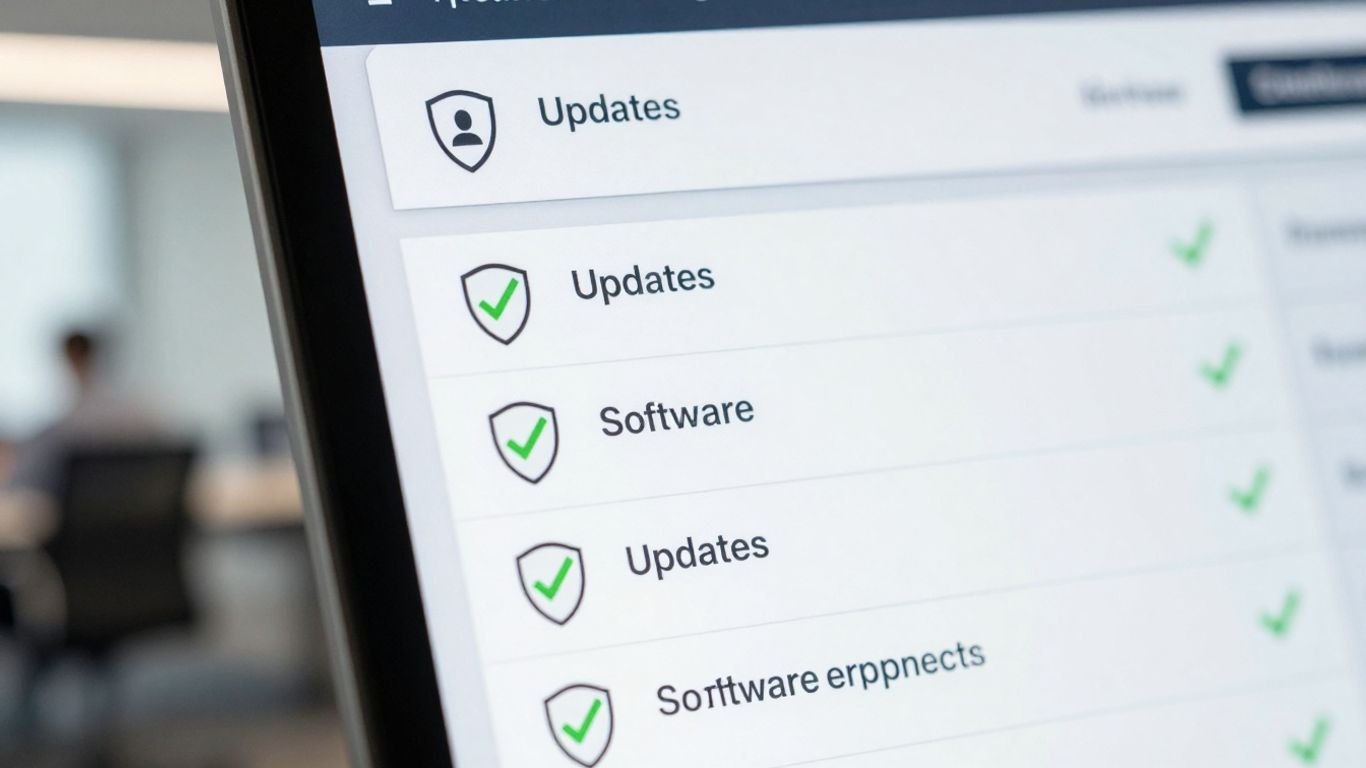
You know, it’s kind of wild how many security problems come down to something as simple as not updating software. It’s like leaving your front door unlocked and then being surprised when someone walks in. Attackers absolutely love unpatched software; it’s like an open invitation for them. Think about it – a vulnerability is found, the software maker releases a fix (a patch), but businesses delay applying it. That delay is exactly when hackers strike, exploiting that known weakness before you even get around to closing the door.
Patch management tools are basically your automated system for making sure all your software, from operating systems to applications, gets updated regularly and quickly. They help you keep track of what needs patching, test the patches, and then deploy them across your network. This isn’t just about convenience; it’s about closing those security gaps before they can be exploited.
Here’s why they’re so important:
- Reduces Attack Surface: By applying patches, you fix known security holes that attackers could otherwise use to get into your systems.
- Maintains Compliance: Many industry regulations require you to keep your software up-to-date. Patch management helps you meet these requirements.
- Prevents Data Breaches: A significant number of major breaches, like the infamous Equifax incident, happened because of unpatched vulnerabilities. Keeping things updated is a primary defense.
- Improves System Stability: Patches often include bug fixes that can make your software run more smoothly and reliably.
Applying patches isn’t just an IT task; it’s a business necessity. The cost of a data breach due to a missed patch far outweighs the effort required to implement a solid patch management strategy. It’s a proactive step that saves a lot of headaches down the line.
These tools can automate the whole process, from scanning your network for outdated software to deploying the necessary updates. Some even offer features like scheduling updates during off-peak hours to minimize disruption or providing detailed reports on your patching status.
15. Email Security Solutions
Email is still a major way attackers try to get into businesses. Think about it: how many times a day do you get an email that looks a little off? Phishing scams and Business Email Compromise (BEC) attacks are super common, and they often target smaller businesses because they might not have the most robust defenses. A good email security solution acts like a gatekeeper, catching a lot of these bad emails before they even land in your employees’ inboxes.
These tools do more than just block obvious spam. They look for signs of spoofing, where an email pretends to be from someone you know, and try to spot malicious intent. They also help stop people from accidentally clicking on dodgy links or opening infected attachments. It’s like having an extra pair of eyes watching out for trouble.
Here are some key things these solutions do:
- Threat Intelligence and Impersonation Detection: They can identify suspicious senders and block messages that try to pretend to be your boss, a trusted vendor, or someone else important.
- Attachment Sandboxing: This is pretty neat. Suspicious attachments are opened in a safe, virtual space to see if they’re hiding malware. If they are, the email gets stopped.
- Safe Link Rewriting: Links in emails can be dangerous. These tools replace them with secure versions that get scanned in real-time when someone clicks them. This way, you can see if a link is actually going somewhere bad before you get there.
Even with the best email security, a determined attacker might slip something through. That’s why it’s important to also train your employees to spot suspicious emails and to have other security measures in place, like strong passwords and multi-factor authentication.
Ultimately, a solid email security solution significantly lowers the risk of credential theft and malware infections, which are two of the most common ways businesses get compromised.
16. Managed Detection and Response (MDR)
Look, keeping up with cyber threats is a full-time job, and honestly, most businesses don’t have the resources to hire a dedicated security team that’s always on the ball. That’s where Managed Detection and Response, or MDR, comes in. It’s basically like having a 24/7 security operations center without the massive overhead.
MDR services provide continuous monitoring of your systems. They’re constantly watching for suspicious activity, hunting for threats that might be hiding, and ready to jump into action if something bad happens. Think of it as having expert eyes on your network around the clock.
Here’s what you can generally expect from an MDR provider:
- 24/7 Monitoring: Your network and endpoints are watched constantly, day and night.
- Threat Hunting: Proactive searching for threats that might have slipped past initial defenses.
- Incident Response: When a threat is found, the MDR team helps contain and resolve it quickly.
- Reporting and Analysis: You get insights into what’s happening and how your security is performing.
With the speed and sophistication of today’s attacks, especially ransomware, relying solely on your internal team or basic security software just isn’t enough anymore. MDR fills that gap, offering a level of protection that’s usually reserved for much larger organizations.
It’s a smart way to get advanced security capabilities without the headache of managing it all yourself. They handle the detection, the hunting, and the response, so you can focus on running your business.
17. Secrets Manager
Okay, so you’ve got your passwords sorted with a password manager, which is great. But what about all those other sensitive bits of information your applications and systems need to talk to each other? Think API keys, database credentials, encryption keys – the stuff that makes your digital world tick. Hardcoding these directly into your code or scripts is a massive security no-no. If one of those files gets out, your whole system could be compromised. That’s where a secrets manager comes in.
A secrets manager acts like a secure vault for all these sensitive credentials. Instead of scattering them around or embedding them where they can be easily found, you store them all in one protected place. This makes managing them way easier and a lot safer. When an application or a user needs access to a secret, they request it from the manager, which then grants access based on predefined rules. This way, you’re not exposing the actual secret itself unnecessarily.
Here’s why you really need one:
- Centralized Control: All your sensitive keys and credentials live in one spot. No more hunting through code or configuration files.
- Controlled Access: You can set exactly who or what can access which secret. This follows the principle of least privilege, meaning only necessary access is granted.
- Automated Rotation: Many secrets managers can automatically change your credentials on a schedule. This is a huge win because it limits the window of opportunity for attackers if a secret were ever compromised.
- Audit Trails: You get a record of who accessed what and when. This is super helpful for compliance and figuring out what happened if something goes wrong.
Think about integrating your applications with cloud services or using automated deployment pipelines. These are prime areas where secrets are used constantly. Without a proper secrets manager, you’re leaving the door wide open. Tools like AWS Secrets Manager can help streamline this process, making sure your applications can get what they need without you having to worry about exposing critical information.
Managing secrets isn’t just an IT problem; it’s a business survival issue. When credentials are leaked, it can lead to data breaches, financial loss, and serious damage to your reputation. A dedicated secrets management solution is a proactive step to prevent these kinds of disasters before they happen.
Basically, if your business uses any kind of automation, cloud services, or has multiple developers working on projects, a secrets manager should be high on your list. It’s a foundational piece of modern security that stops simple mistakes from turning into major security incidents.
18. Secure Remote Access Solution
These days, lots of folks are working from home or on the go, which means they’re accessing company stuff from outside the usual office network. That’s where a secure remote access solution comes in. Think of it as a super-secure tunnel for your employees to get to the company’s digital resources, no matter where they are.
It’s all about making sure that only the right people can get to the right information, and that the connection itself is protected. Old-school methods like basic VPNs and just a username/password combo just don’t cut it anymore against today’s threats.
Here’s what you should be looking for:
- Zero-Trust Tunnels: Instead of trusting anyone who’s "inside" the network, this approach verifies every single access request. It creates temporary, secure connections that only let users access exactly what they need, based on who they are and the context of their request.
- Agentless Access: Sometimes, you need to access a system without installing extra software on every device. Solutions that offer secure, browser-based access for things like remote desktops or SSH connections are really handy for this.
- Identity Verification: Strong authentication is key. This means more than just a password; it often involves multi-factor authentication (MFA) to confirm it’s really the employee trying to connect.
The goal is to prevent unauthorized access and stop attackers from moving around your network easily if they do manage to compromise an account. It’s a big step up from just locking the front door of your office building; it’s like having a security guard for every single room inside.
These tools help keep your sensitive data safe, even when your team is spread out. They’re a must-have for any business that allows remote or flexible work arrangements.
19. Authentication and Authorization Solutions
When we talk about keeping your business safe online, it’s not just about stopping hackers from getting in. It’s also about making sure the right people have access to the right things, and that’s where authentication and authorization solutions come into play. Think of it like a bouncer at a club – they check your ID (authentication) and then decide if you can go to the VIP section (authorization).
These tools are the gatekeepers of your digital assets, verifying who users are and what they’re allowed to do. Without them, you’re basically leaving your digital doors wide open, even if you have a strong lock on the front door. It’s about managing identities and permissions effectively, which is super important whether you’re a small shop or a growing enterprise.
Here’s a quick breakdown of what these solutions help with:
- Verifying Identity: This is the authentication part. It’s about proving you are who you say you are. This can be as simple as a password, but ideally, it involves more layers like multi-factor authentication (MFA), where you might need a code from your phone or a fingerprint scan.
- Controlling Access: This is the authorization piece. Once we know who you are, we need to figure out what you can access. Can you see customer data? Can you change system settings? These solutions set those rules, often based on a person’s job role.
- Managing Permissions: Over time, people’s roles change, and so should their access. These tools help manage that, making sure people only have the permissions they need to do their job, and nothing more. This is often called the principle of least privilege.
- Streamlining Onboarding/Offboarding: When a new employee joins, you need to give them access. When someone leaves, you need to take it away. These solutions can automate a lot of that, making the process faster and less prone to mistakes.
It’s easy to think of security as just the perimeter – the firewall, the antivirus. But a huge part of it is internal. Who has the keys to the kingdom? And are they using them responsibly? Authentication and authorization solutions address this by creating clear lines of who can do what, reducing the chances of accidental or intentional misuse of sensitive information.
Some advanced solutions even offer features like:
- Just-in-Time (JIT) Access: This means users only get temporary access to sensitive systems when they actually need it, and it’s revoked automatically afterward. No more standing access that could be exploited.
- Credential Injection: This allows users to access systems without ever seeing or handling passwords directly, which really cuts down on the risk of credentials being exposed.
- Session Recording and Auditing: For compliance and accountability, these tools can record user sessions, creating detailed logs of who did what and when. It’s like having a security camera inside your digital systems.
20. AI-Powered Cybersecurity
Okay, so let’s talk about AI in cybersecurity. It’s not just a buzzword anymore; it’s actually becoming a pretty big deal for keeping businesses safe. Think of it like having a super-smart assistant that can spot trouble way faster than a human ever could. AI can sift through mountains of data, looking for weird patterns that might mean a hacker is trying to get in. This ability to detect threats in real-time is a game-changer.
What does this actually look like? Well, AI tools can do a few key things:
- Predicting Attacks: By analyzing past incidents and current trends, AI can sometimes guess where the next attack might come from.
- Automating Responses: When a threat is found, AI can often kick off a response automatically, like isolating a device or blocking a suspicious IP address, before anyone even has to lift a finger.
- Finding Hidden Threats: AI is good at spotting unusual activity that might slip past traditional security rules.
It’s not perfect, of course. AI systems need to be trained and updated, and sometimes they can flag things that aren’t actually threats, leading to what’s called a ‘false positive’. But the speed and scale at which AI can operate are pretty impressive.
The complexity of cyber threats is growing daily. Relying solely on human analysis and older security methods just isn’t enough anymore. AI offers a way to keep pace, acting at machine speed to identify and neutralize dangers that could otherwise cripple a business.
Companies are using AI in various ways. Some tools focus on spotting malware, others on analyzing network traffic for odd behavior, and some even help manage user access by flagging unusual login attempts. It’s all about using smart technology to stay one step ahead of the bad guys.
21. Penetration Testing Tools
Think of penetration testing tools as your digital detectives. They’re designed to find weaknesses in your security before the bad guys do. These tools simulate real-world attacks, helping you see where your defenses might be a bit shaky. It’s like hiring someone to try and break into your house to show you where you left a window unlocked.
Using these tools is a smart move for any business that takes its online safety seriously. They help you get a clear picture of your security posture and where you need to beef things up. It’s not just about finding problems; it’s about fixing them before they become major headaches.
Here’s a look at what these tools can do:
- Identify vulnerabilities: They scan your systems, networks, and applications for known weaknesses.
- Simulate attacks: They mimic the tactics, techniques, and procedures (TTPs) that real attackers use.
- Test defenses: They check if your existing security measures, like firewalls and intrusion detection systems, are working as they should.
- Provide actionable insights: They give you detailed reports on what they found and how to fix it.
The goal is to proactively strengthen your security by understanding how an attacker might get in.
Some common types of penetration testing tools include:
- Network Scanners: Tools like Nmap help discover devices and open ports on a network.
- Vulnerability Scanners: Software that automatically checks for known security flaws.
- Exploitation Frameworks: Platforms like Metasploit that help in testing the exploitability of vulnerabilities.
- Password Cracking Tools: Utilities designed to test the strength of passwords.
Regularly using penetration testing tools can significantly reduce the risk of a successful cyberattack. It’s a proactive approach that helps businesses stay one step ahead of potential threats and protect their valuable data and operations.
22. Data Security Tools
When we talk about protecting what’s most important, data security tools are the heavy lifters. Think of them as the digital vault keepers for your business’s sensitive information. They’re not just about locking things down; they’re about making sure the right people can access the right data, at the right time, and that nobody else can even peek.
These tools do a lot of different jobs. Some focus on keeping data safe while it’s just sitting there, like in a database or on a hard drive. Others make sure that when data is zipping around, like in an email or over your network, it’s scrambled so only the intended recipient can read it. It’s all about preventing unauthorized eyes from seeing things they shouldn’t.
Here’s a quick rundown of what these tools often do:
- Encryption: This is the big one. It scrambles your data so it looks like gibberish to anyone without the key. You’ll see this for data at rest (stored files) and data in transit (moving across networks).
- Data Loss Prevention (DLP): These systems watch for sensitive data trying to leave your network without permission. Think of them as security guards for your information.
- Access Controls: Making sure only authorized users can get to specific files or databases. This is super important for keeping internal risks low.
- Data Masking/Redaction: Hiding or removing sensitive parts of data, often used in testing or development environments so you don’t expose real customer info.
It’s easy to think that just having a firewall or antivirus is enough, but data security is a whole different ballgame. You’ve got regulations to think about, like GDPR or HIPAA, and the penalties for getting it wrong are steep. Plus, a data breach can seriously damage your company’s reputation, which is hard to fix.
Choosing the right tools depends on what kind of data you have and where it lives. For instance, if you’re heavily using cloud services, you’ll want tools that specifically address cloud data protection. Exploring options like advanced data protection can give you a clearer picture of the landscape. Ultimately, it’s about building layers of defense so your most valuable information stays yours.
23. Application Security Tools
When we talk about keeping our digital stuff safe, we often think about protecting our computers or networks. But what about the software we use every day? That’s where application security tools come in. These are super important because they help find and fix weaknesses in the programs and apps that businesses rely on, before bad actors can exploit them.
These tools are designed to protect your applications from threats throughout their entire life, from when they’re being built to when they’re up and running. Think of it like building a house – you want to make sure the foundation is strong and there are no holes in the walls before anyone moves in, and then keep checking to make sure everything stays secure.
There are a few main ways these tools work:
- Static Application Security Testing (SAST): This checks your application’s code while it’s not running. It’s like proofreading a document for errors before you send it out. SAST tools can find common coding mistakes that might lead to security problems.
- Dynamic Application Security Testing (DAST): This tests your application while it’s actually running. It’s like trying to break into the house you just built to see if your security measures work. DAST tools simulate attacks to find vulnerabilities.
- Interactive Application Security Testing (IAST): This is a bit of a hybrid, combining aspects of SAST and DAST. It works from inside the running application to identify issues.
- Software Composition Analysis (SCA): Modern applications often use lots of pre-built components and libraries. SCA tools scan these to make sure they don’t have any known security flaws.
Using these tools helps catch problems early, which is way cheaper and easier than fixing them after an application has been released and potentially attacked. It’s a smart way to build more secure software from the start. You can find more information on application security tools to help safeguard your software.
Keeping applications secure isn’t just about preventing data breaches; it’s also about maintaining the trust of your users and customers. A compromised application can lead to significant financial losses and damage a company’s reputation, sometimes beyond repair. Proactive security measures are key.
Ultimately, integrating application security tools into your development process means fewer surprises down the road and a more robust defense against the ever-changing landscape of cyber threats.
24. Cloud Security Tools
So, you’ve moved a good chunk of your business operations to the cloud. That’s pretty standard these days, right? But here’s the thing: just being in the cloud doesn’t automatically make you safe. Think of it like moving into a new house; you wouldn’t just leave the doors unlocked, would you? Cloud security tools are your digital locks and alarms for your online assets.
These tools are designed to keep your data, applications, and the whole cloud infrastructure protected from all sorts of online nasties. We’re talking about things like misconfigurations, unauthorized access, and data leaks that can happen surprisingly easily if you’re not careful. Without proper cloud security, you’re basically leaving the door wide open for attackers.
Here are some key areas these tools help with:
- Visibility and Control: Knowing exactly what’s running in your cloud environment and who has access to what. This includes tracking all your cloud assets and understanding their security status.
- Compliance: Making sure your cloud setup meets industry regulations (like GDPR or HIPAA). Tools can automatically check for compliance issues and flag them.
- Threat Detection: Spotting suspicious activity or potential breaches in real-time. This is about catching problems before they become major disasters.
- Access Management: Controlling who can access what data and services. This is super important for preventing insider threats or accidental data exposure.
Relying solely on your cloud provider’s built-in security features is often not enough. You need specialized tools to add extra layers of protection tailored to your specific business needs and risks. It’s about being proactive, not just reactive.
Some common types of cloud security tools you’ll encounter include:
- Cloud Access Security Brokers (CASB): These act as a gatekeeper between your users and cloud services, enforcing security policies.
- Cloud Security Posture Management (CSPM): Tools that continuously monitor your cloud environment for misconfigurations and compliance risks.
- Cloud Workload Protection Platforms (CWPP): These focus on securing the actual applications and workloads running in your cloud.
- Identity and Access Management (IAM): While also a standalone category, IAM is absolutely critical for cloud security, managing user identities and their permissions.
25. Network Security Monitoring Tools and more
Keeping an eye on your network is pretty important, right? It’s like having a security guard for your digital space. Network security monitoring tools are basically your eyes and ears, constantly checking for anything fishy. They watch the traffic flowing in and out, looking for weird patterns or unauthorized access attempts. Without this constant vigilance, you’re basically leaving the door wide open for trouble.
These tools do more than just spot problems; they help you understand what’s happening on your network. Think of it like this:
- Traffic Analysis: They break down who’s sending what, where it’s going, and how much data is being used. This helps you spot unusual spikes or connections you didn’t expect.
- Threat Detection: They look for known malicious signatures or behaviors that indicate an attack is underway.
- Performance Monitoring: While not strictly security, a slow network can sometimes be a sign of a problem, so keeping an eye on speed and uptime is useful.
- Log Management: They collect and store logs from various devices, which is super helpful if you ever need to go back and figure out how something bad happened.
It’s not just about stopping attacks in progress. These tools are also great for figuring out where your network might be weak. By seeing how data moves and who’s accessing what, you can identify blind spots or areas that are more exposed than they should be. This kind of insight is what helps you build a stronger defense before anything actually goes wrong. For a robust solution that offers comprehensive capabilities, consider looking into platforms like SolarWinds Observability.
You can’t protect what you can’t see. Network monitoring gives you the visibility needed to identify and address security risks before they escalate into major incidents. It’s about proactive defense, not just reactive cleanup.
Beyond just monitoring, there are other related tools that work hand-in-hand. Things like Intrusion Detection and Prevention Systems (IDS/IPS) are often part of a larger monitoring strategy, actively blocking suspicious traffic. And don’t forget about logging and log monitoring; having detailed records is key for any investigation. It’s a whole ecosystem designed to keep your network safe and sound.
Wrapping It Up
Look, staying safe online isn’t just for big companies anymore. Cyber threats are everywhere, and they’re getting smarter. Using the right tools, like the ones we talked about, is like putting up good locks on your doors and windows. It’s not about being paranoid, it’s just about being smart. Think of it as an investment in keeping your business running smoothly and your customers trusting you. So, get these tools in place, keep an eye on what’s new, and you’ll be in a much better spot to handle whatever comes your way.
Frequently Asked Questions
Why is cybersecurity so important for businesses today?
Think of cybersecurity like locking the doors to your house. It’s super important because bad guys online, called cybercriminals, are always trying to steal important information or mess with computer systems. This can cost businesses a lot of money, ruin their good name, and even shut them down. Using the right tools helps keep all that valuable stuff safe from these online thieves.
What exactly are cybersecurity tools?
Cybersecurity tools are like the security guards and alarm systems for your business’s digital world. They are special programs or software that work to find, stop, and fix online threats. These tools can be anything from programs that catch computer viruses to systems that watch for suspicious activity on your network.
Can’t I just use one or two tools to be safe?
It’s great to start with a few key tools, but the online world is tricky! Cybercriminals are always coming up with new ways to attack. Using a variety of tools, like antivirus, firewalls, and things that check for weaknesses, creates a much stronger shield. It’s like having different locks on your doors and windows – the more layers of protection, the better.
Are there cybersecurity tools that are good for smaller businesses?
Absolutely! Lots of small and medium-sized businesses (SMBs) worry they’re too small to be targets, but that’s not true. Cybercriminals often go after them because they might have fewer security tools. There are tools like password managers and special programs for managing who can access what, which are very helpful and often more affordable for growing businesses.
How do I pick the best cybersecurity tools for my company?
First, think about what’s most important to protect in your business and what kind of information you handle. Then, look for tools that have the features you need, are easy for your team to use, and can grow with your business. It’s also smart to check if they use newer technology like AI to help spot threats faster.
Do I still need a cybersecurity team if I have all these tools?
Having good cybersecurity tools is a huge help, like having a great security system. But for many businesses, especially larger ones, having a dedicated team to watch over everything 24/7 is still really important. These teams can react quickly to problems and make sure the tools are working their best, acting as the ultimate line of defense.