
We’ve all heard about cyberattacks, but have you ever stopped to think about *how* they actually work on a deeper level? It’s not just about fancy code. A lot of it comes down to understanding how people think and making them do things they shouldn’t. This is where attention hijacking psychological systems come into play. Attackers are really good at using our own brains against us, making us click, share, or give away information without even realizing it. Let’s break down some of the ways this happens.
Key Takeaways
- Social engineering works by playing on human psychology, like trust, fear, and curiosity, rather than just technical flaws.
- Cognitive biases, such as overconfidence or feeling rushed, make people more likely to fall for scams.
- AI is making attacks more sophisticated, from creating fake messages to impersonating people at scale.
- Human factors like fatigue and lack of training can create openings for attackers, even with good security tech.
- Building resilience means focusing on people, improving training, and creating a strong security-aware culture.
Understanding Attention Hijacking Psychological Systems
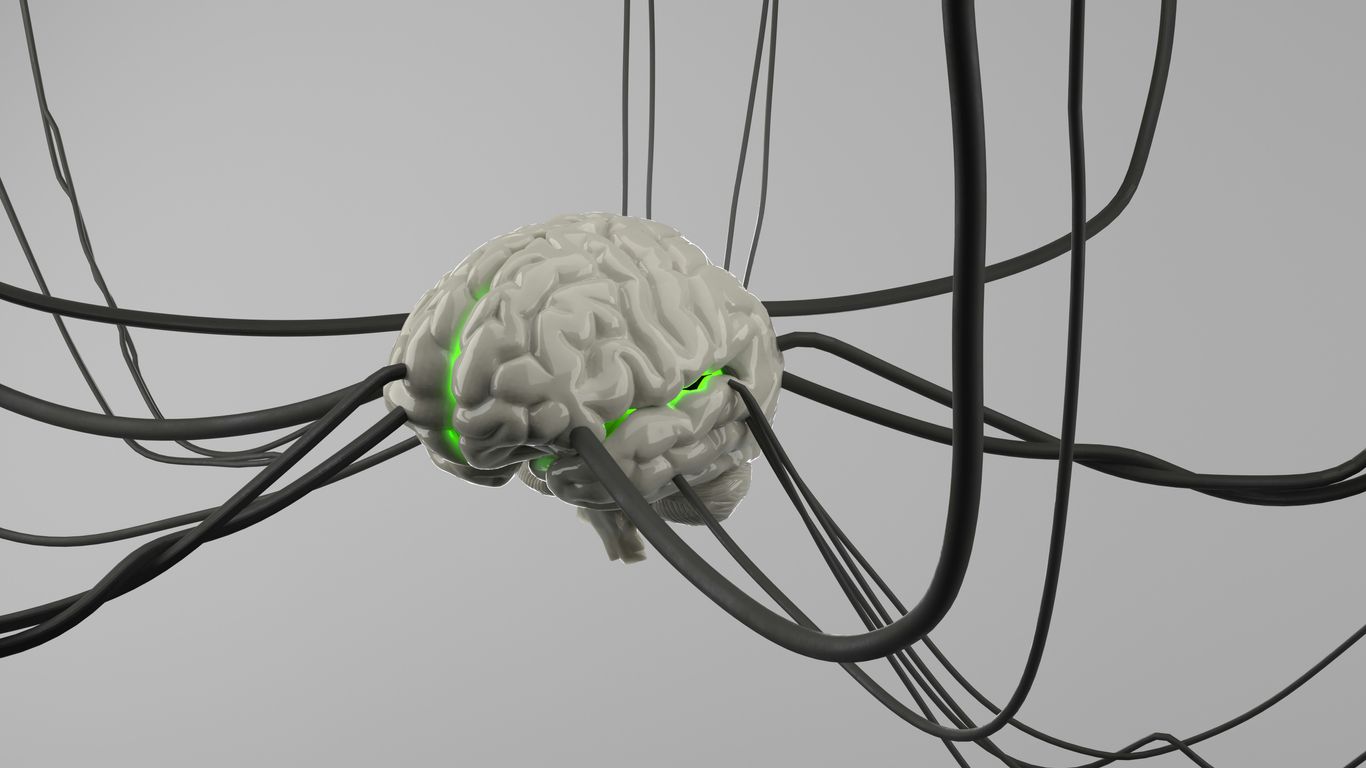
When we talk about attention hijacking, we’re really looking at how attackers mess with our heads to get us to do things we shouldn’t. It’s not about breaking into a computer system with fancy code, but more about tricking the person using it. Think of it like a magician distracting you with one hand while doing something else with the other. They play on our natural tendencies and how we tend to think.
The Nature of Social Engineering
Social engineering is basically manipulation. Attackers don’t usually go after the tech itself; they go after the people. They might pretend to be someone you trust, like your boss or the IT department, to get you to spill sensitive information or click on a bad link. It works because it taps into our desire to be helpful, our fear of getting in trouble, or even just our curiosity. It’s a way to bypass all those technical defenses we have in place by exploiting the human element. This is why understanding how these attacks work is so important for staying safe online.
Exploiting Human Psychology for Compromise
Attackers are pretty good at figuring out what makes people tick. They know we’re more likely to act if we feel rushed, scared, or if someone in authority tells us to. They also know that if something seems too good to be true, we might still check it out just in case. By understanding these psychological triggers, they can craft messages or situations that are hard to ignore. It’s all about making us react without thinking too much about it. This is why security awareness training is so vital; it helps us recognize these tactics before we fall for them.
The Role of Trust and Authority in Attacks
Trust is a big one. We tend to believe people or organizations we recognize. Attackers will often impersonate well-known brands or individuals to gain our confidence. Similarly, authority plays a huge role. If an email comes from what looks like a CEO or a government agency, we’re more likely to comply with the request, even if it seems a bit odd. This reliance on trust and authority is a weak spot that attackers constantly exploit. They know that if they can convince you they’re legitimate, you’re halfway to doing what they want.
Cognitive Biases and Their Exploitation
Attackers are really good at playing on how our brains work. They know we don’t always think things through logically, especially when we’re stressed or excited. This is where cognitive biases come in. They’re like mental shortcuts that can sometimes lead us astray, and attackers use them to their advantage.
Overconfidence and Risk Perception
Ever felt like you’re too good to fall for a scam? That’s overconfidence. It makes us underestimate risks. When people think they’re knowledgeable or experienced, they might skip security steps or ignore warnings because they believe they can handle any situation. This can lead to risky behaviors, like reusing passwords or clicking on suspicious links because they’re sure they can spot a fake. It’s a tricky one because a little confidence is good, but too much can be a real problem for security.
Urgency and Fear as Manipulation Tools
Think about those emails that say "Your account will be closed in 24 hours unless you act now!" That’s playing on urgency and fear. Attackers create a sense of panic, making us react quickly without thinking. They might threaten account suspension, financial penalties, or even legal trouble. This pressure makes it hard to pause and question the request. It’s a classic tactic because it bypasses our rational thought process. We just want the problem to go away, so we do what the attacker says.
Curiosity and Its Role in Deception
We’re naturally curious creatures, right? Attackers know this. They might send an email with a subject line like "You won’t believe what we found!" or "See who viewed your profile." This piques our interest, making us want to click and find out more. That little bit of curiosity can be enough to get us to open a malicious attachment or visit a fake website. It’s a subtle but effective way to get us to take the bait. Sometimes, just a hint of something interesting is all it takes to get us to click on a link, even if it seems a bit off. This manipulative consent is a growing concern online.
Attackers often create scenarios that trigger strong emotional responses, like fear or excitement, to bypass a person’s critical thinking. By making a situation seem urgent or highly desirable, they can push individuals to act impulsively, overlooking potential security risks. This emotional manipulation is a cornerstone of many social engineering tactics.
Social Engineering Attack Vectors
Social engineering is all about playing the human element, and attackers have gotten pretty good at it. Instead of trying to break through firewalls or exploit software bugs, they trick people into giving up sensitive information or granting access. It’s like a digital con artist, but with potentially much bigger consequences.
Phishing and Its Evolving Tactics
Phishing is probably the most common type of social engineering attack. You get an email, text, or message that looks like it’s from a legitimate source – maybe your bank, a popular online store, or even your boss. The goal is to get you to click a link, open an attachment, or reply with personal details like passwords or credit card numbers. These attacks used to be pretty easy to spot, full of bad grammar and weird sender addresses. But now? They’re way more sophisticated. Attackers use stolen logos, spoofed email addresses that look almost identical to the real ones, and craft messages that create a sense of urgency or fear. They know that a little pressure can make people forget to be cautious. It’s a constant game of cat and mouse, with attackers always trying to find new ways to make their fake messages seem real.
Tailgating and Physical Access Exploitation
While many attacks happen online, sometimes the simplest methods are the most effective. Tailgating, for instance, is when someone follows an authorized person through a secure door without swiping their own badge. It’s surprisingly common. Think about it: if someone is holding the door for you, or you’re in a rush and someone just walks in behind you, most people don’t stop to question it. This can give attackers direct access to buildings, sensitive areas, or even unattended workstations. It bypasses all the fancy network security because the breach happens at the physical level. It really highlights how important basic security awareness is, even for things that seem obvious.
USB-Based and QR Code Threats
Attackers are also getting creative with physical media. You might find a USB drive left in a parking lot, seemingly lost. Curiosity might get the better of someone, and they plug it into their work computer, unknowingly installing malware. Similarly, QR codes are everywhere now, from restaurant menus to advertisements. Attackers can create malicious QR codes that, when scanned, redirect users to fake login pages or download malware. It’s a quick way to get someone to a compromised site without them even realizing it until it’s too late. These methods exploit our natural curiosity and desire for convenience.
AI-Driven Psychological Manipulation
Artificial intelligence is changing the game when it comes to how attackers mess with our heads. It’s not just about faster computers anymore; AI is getting really good at understanding what makes us tick, and then using that knowledge against us. Think of it as having a super-smart, always-learning adversary who knows your habits and weaknesses.
AI in Reconnaissance and Phishing
Before an attack even happens, AI tools can sift through massive amounts of public data – social media, company websites, news articles – to build detailed profiles of targets. This isn’t just finding names and job titles; it’s about understanding relationships, interests, and even emotional triggers. With this intel, attackers can craft phishing emails that are incredibly personalized. Instead of a generic "Your account is locked" message, you might get an email that references a recent project you worked on or a colleague’s name, making it seem much more legitimate. This level of detail makes it harder for people to spot the fake. It’s like getting a letter from a friend, but it’s actually a trap.
Deepfakes and Impersonation at Scale
This is where things get really sci-fi, but it’s happening now. AI can create deepfakes – realistic fake videos and audio recordings. Imagine getting a video call from your CEO asking for an urgent wire transfer, and it actually looks and sounds like them. Or a voice message from a loved one in distress asking for money. These aren’t just clumsy fakes anymore; they’re getting good enough to fool most people, especially when delivered under pressure. AI allows attackers to do this not just once, but potentially to many people at once, scaling up impersonation attacks significantly. This technology really blurs the lines between what’s real and what’s fabricated, making trust a much more fragile commodity.
Automated Content Generation for Deception
Beyond just impersonation, AI is being used to generate all sorts of deceptive content. This includes fake news articles designed to spread misinformation, fraudulent product reviews, or even entire fake websites that look like legitimate businesses. AI can churn out this content much faster and in greater volume than humans ever could. It can also adapt its writing style to match specific brands or individuals, making the deception even more convincing. This flood of AI-generated fake content can overwhelm our ability to discern truth from fiction, making us more susceptible to manipulation.
The increasing sophistication of AI in generating realistic and personalized deceptive content presents a significant challenge. It moves beyond simple technical exploits to directly target human cognitive processes, making traditional security awareness training alone insufficient. Defenses must evolve to recognize and counter AI-driven psychological manipulation, focusing on verification processes and critical thinking skills.
Human Factors in Cybersecurity Defense
When we talk about cybersecurity, it’s easy to get caught up in firewalls, encryption, and all the technical stuff. But honestly, a lot of security issues boil down to us, the people using the systems. Think about it: how many times have you clicked a link without really thinking, or reused a password because it was easier? Human behavior is a massive part of the security puzzle.
Security Awareness and Training Effectiveness
This is where security awareness and training come in. It’s not just about ticking a box; it’s about making sure people actually understand the risks and know what to do. We’re talking about recognizing phishing attempts, handling sensitive data properly, and knowing when to report something suspicious. The best training isn’t a one-off session; it’s ongoing and tailored to what people actually do in their jobs. It’s about building a human firewall that can spot trouble before it causes a major headache. We need to move beyond just telling people what not to do and start showing them how to be proactive defenders.
- Recognize Social Engineering: Understand common tactics like urgency, authority, and curiosity used to trick people. Always verify requests, especially those involving sensitive information or financial transactions.
- Secure Credential Management: Avoid password reuse, use strong, unique passwords, and never share login details. Consider using a password manager.
- Data Handling Best Practices: Know how to classify and protect sensitive information, whether it’s customer data or internal company secrets.
- Incident Reporting: Understand the process for reporting suspicious emails, activities, or potential security breaches without fear of reprisal.
The goal of effective training is to integrate security awareness into daily routines, making it a natural part of how people work, rather than an afterthought.
Usability of Security Controls
Sometimes, security tools are so clunky or complicated that people find ways around them. If a security control makes it incredibly difficult to do your job, people will find workarounds, which often creates new security holes. We need security that’s not just strong, but also easy to use. Think about multi-factor authentication (MFA). If it’s a nightmare to log in every time, people get frustrated. But if it’s relatively smooth, like a quick code from an app, adoption rates go way up. It’s a balancing act, for sure.
The Impact of Fatigue and Cognitive Load
We’re all human, and we get tired. When you’re overworked, stressed, or just plain exhausted, your ability to pay attention and make good decisions suffers. This is exactly when people are more likely to fall for phishing scams or make simple mistakes. Security systems and processes need to account for this. For example, having too many alerts can lead to ‘alert fatigue,’ where people start ignoring them. We need to design systems that don’t overload people and that provide clear, simple guidance, especially when they’re already under pressure. It’s about making security work with human limitations, not against them. Understanding human limitations is key to designing better defenses.
Insider Threats and Behavioral Patterns
When we talk about people messing up security, we often jump straight to external hackers. But a big chunk of the problem comes from the inside. These aren’t always bad actors trying to cause chaos; sometimes, it’s just folks making mistakes or not paying enough attention. Understanding these internal risks is key to building a solid defense.
Motivations Behind Insider Sabotage
It’s easy to think of sabotage as something only a disgruntled employee would do, and sure, that happens. Someone might feel wronged, or maybe they’re looking for a quick payday by selling company secrets. These intentional acts can be pretty damaging, like deleting important files or shutting down systems on purpose. But it’s not always about revenge or money. Sometimes, people might be pressured by external groups or even just want to make a point.
- Retaliation: Feeling unfairly treated or passed over for a promotion.
- Financial Gain: Selling sensitive data or intellectual property.
- Ideology/Protest: Acting out against company policies or practices.
- Coercion: Being forced by an external party.
Unintentional Errors and Negligence
Honestly, this is where most insider issues come from. People get busy, they’re tired, or they just don’t know any better. They might click on a bad link, use a weak password, or accidentally share sensitive information because they didn’t realize it was sensitive. These aren’t malicious acts, but they can open the door wide open for attackers. Think about someone leaving a laptop unlocked in a public place or sending an email to the wrong person. It happens more often than you’d think.
The sheer volume of daily tasks and the pressure to perform can lead individuals to cut corners or overlook security protocols, even when they know better. This human element is a constant challenge.
Monitoring and Cultural Mitigation Strategies
So, how do you deal with all this? You can’t just watch everyone all the time, and frankly, that’s not a great way to run a company. It’s about building a culture where security is just part of the job, not an afterthought. This means good training that actually sticks, clear policies, and making it easy for people to report mistakes without fear of getting in huge trouble. Monitoring systems can help spot unusual activity, but they work best when they’re part of a bigger picture that includes employee trust and awareness. Insider anomaly monitoring systems are designed to flag deviations from normal behavior, which can be a sign of trouble, whether intentional or not.
- Regular, engaging training: Focus on real-world scenarios.
- Clear reporting channels: Make it safe to admit mistakes.
- Access controls: Limit what people can see and do to only what’s needed for their job.
- Background checks and exit procedures: Standard practices for managing risk.
Brand Impersonation and Trust Exploitation
It’s pretty wild how often attackers try to trick us by pretending to be someone or something we already trust. This section is all about how they mess with brands and our faith in them to get what they want. Think about it: you see a logo you recognize, maybe from your bank or a software company you use, and you just assume it’s legit. That’s exactly what they’re counting on.
Misusing Trusted Brands for Deception
Attackers are really good at copying the look and feel of well-known brands. They’ll use similar logos, colors, and even the same kind of language you’d expect from that company. This is super common in phishing emails and fake websites. They might send you an email that looks like it’s from your favorite online store, telling you there’s a problem with your order or that you’ve won a prize. The goal is to get you to click a link or give up personal info. It’s a classic bait-and-switch, but with digital identities.
Fake Software Updates and Vendor Trust
We all know how important it is to keep our software updated, right? Attackers know this too, and they use it against us. They’ll create fake software update notifications that look just like the real thing. You get a pop-up saying your operating system or a popular application needs an update, and if you click it, you might end up downloading malware instead of a patch. This plays directly into our trust of software vendors and the need to stay secure. It’s a sneaky way to get malicious code onto your system without you even realizing it until it’s too late. This is a big reason why verifying update sources is so important.
Dependency Confusion in Supply Chains
This one’s a bit more technical but still relies on trust. In software development, teams often use pre-built code libraries, called dependencies, from various sources. Attackers can exploit this by uploading their own malicious code library with the same name as a legitimate one that a company uses internally. When the company’s systems go to download that dependency, they might accidentally pull down the attacker’s version. It’s like ordering a specific brand of coffee, but the supplier accidentally sends you a bag of dirt with the same label. This can lead to compromised code running within a company’s systems, all because of a trusted name being misused. It really highlights the need for careful supply chain security practices.
Credential and Identity Compromise
When we talk about how attackers get into systems, a lot of it comes down to messing with who you are and what you’re allowed to do. It’s not always about fancy hacking tools; sometimes, it’s just about getting your username and password. This is where credential and identity compromise comes into play.
Weak Credential Management Behaviors
This is probably the most common way things go wrong. Think about it: how many times have you reused a password across different sites? Or maybe you use something super simple like ‘password123’ or your pet’s name. It feels easier, right? But for attackers, it’s like finding a master key. If they get one password, they can try it everywhere. This is why password reuse is such a big deal. It’s not just about weak passwords; it’s about how we manage them. Using a password manager can really help keep things separate and strong. It’s a small step that makes a huge difference in protecting your accounts.
Credential Dumping and Token Replay
Sometimes, attackers don’t even need to guess your password. They might find ways to ‘dump’ credentials directly from a system, often by exploiting vulnerabilities or using malware. This means they get a whole list of usernames and passwords, sometimes even session tokens. A session token is like a temporary pass that keeps you logged into a website without having to re-enter your password every time. If an attacker gets hold of one of these tokens, they can essentially ‘replay’ it to impersonate you and gain access to your account without ever needing your actual password. It’s a sneaky way to bypass a lot of security measures.
Identity Federation and Access Governance
As organizations get bigger and use more cloud services, managing who has access to what becomes really complicated. Identity federation is a way to let users log in once and access multiple systems. It sounds convenient, and it can be, but it also creates a bigger target. If the central identity system is compromised, attackers can potentially get access to everything. This is where access governance comes in. It’s all about making sure that people only have the access they really need to do their jobs, and that this access is reviewed regularly. It’s about having clear rules and checks in place to manage identities effectively, especially when using systems like Bring-Your-Own-Device (BYOD) policies.
Managing digital identities is no longer just a technical problem; it’s a fundamental part of an organization’s security posture. When identities are compromised, the trust that underpins digital interactions breaks down, leading to potential data breaches, financial fraud, and significant operational disruption. Strong identity and access governance, coupled with user education on secure credential practices, forms a critical defense layer against many common cyber threats.
Building Resilience Against Attention Hijacking

So, how do we actually get better at not falling for these tricks? It’s not just about knowing they exist; it’s about building up our defenses, both as individuals and as organizations. Think of it like training for a marathon – you don’t just show up on race day. You train, you prepare, and you build endurance.
Human-Centered Security Design Principles
First off, security needs to be easier to use. If a security control is a pain to deal with, people will find ways around it. It’s that simple. When systems are designed with the user in mind, security becomes less of a hurdle and more of a natural part of how we work. This means making things like multi-factor authentication less intrusive or ensuring that reporting suspicious activity is straightforward. We need to design security that works with people, not against them. It’s about making the right thing to do the easy thing to do.
Measuring Training Effectiveness
Just doing security awareness training isn’t enough. We have to know if it’s actually working. Are people still clicking on those fake links? Are they reporting suspicious emails? We need to measure this stuff. Using things like simulated phishing tests and tracking how often people report actual incidents gives us real data. This data helps us see where the training is falling short and where we need to adjust our approach. It’s about making sure our training leads to actual behavioral change, not just checking a box. We need to see a real drop in successful phishing attempts over time.
Fostering a Strong Security Culture
Finally, it all comes down to culture. When security is seen as everyone’s responsibility, from the top down, people are more likely to be vigilant. This means leaders need to talk about security, support security initiatives, and lead by example. It’s about creating an environment where people feel comfortable reporting mistakes or suspicious activity without fear of blame. A strong security culture means that people are thinking about security not just when they’re told to, but because they understand its importance. It’s about making security a shared value, not just a set of rules. When people are tired or stressed, their guard can drop, making them more susceptible to manipulation. Recognizing and managing security fatigue is a key part of this cultural shift.
Advanced Attack Methodologies
Beyond the initial compromise, attackers employ sophisticated techniques to deepen their foothold and achieve their objectives. These advanced methodologies are designed to be stealthy, persistent, and highly effective, often bypassing standard security measures.
Lateral Movement and System Expansion
Once an attacker gains initial access, the next logical step is to move across the network to find valuable targets. This isn’t just about spreading; it’s about finding systems with higher privileges or more sensitive data. Think of it like a burglar not just entering a house, but systematically checking every room for the safe. They might use stolen credentials, exploit internal vulnerabilities, or abuse trust relationships between systems. Effective network segmentation is key to limiting this movement, acting as internal firewalls that prevent attackers from easily hopping from one part of the network to another. Without it, a single compromised machine can become the gateway to the entire organization.
Exploitation Techniques and Vulnerabilities
Attackers are always looking for weaknesses, or vulnerabilities, in software, hardware, or configurations. They use specialized tools called exploits to take advantage of these flaws. This could be anything from a buffer overflow in a web server to a misconfiguration in cloud storage. The goal is to execute code, gain elevated privileges, or access data they shouldn’t. It’s a constant cat-and-mouse game where defenders patch holes as attackers find new ones. Sometimes, attackers chain multiple exploits together, making a series of small weaknesses into a significant breach.
Persistence Mechanisms for Long-Term Access
Getting in is one thing, but staying in is another. Attackers need ways to maintain access even if the initial entry point is discovered or a system is rebooted. This is where persistence mechanisms come in. They might set up scheduled tasks that run malicious code, create new user accounts, modify system startup settings, or even implant rootkits that hide their presence deep within the operating system. Some advanced attacks even target firmware, making them incredibly difficult to remove and allowing attackers to maintain access for extended periods, sometimes years, without detection. This long-term presence allows them to conduct espionage, prepare for future attacks, or wait for the opportune moment to strike.
Here’s a look at common persistence methods:
- Scheduled Tasks: Creating hidden tasks that run at specific times or intervals.
- Registry Modifications: Altering Windows registry keys to launch malicious code on startup.
- Service Creation: Installing new services that run in the background, often disguised as legitimate system processes.
- WMI Event Subscriptions: Using Windows Management Instrumentation to trigger malicious actions.
Attackers often combine multiple persistence techniques to create a robust presence that is difficult to eradicate. They aim to blend in with normal system operations, making detection a significant challenge for security teams. The goal is to ensure that even if one method is found, others will keep the door open.
Conclusion
Wrapping things up, it’s clear that attention hijacking isn’t just about flashy pop-ups or clickbait headlines. It’s a mix of psychology, technology, and human habits. Attackers know how to use trust, urgency, and even our own curiosity against us. They use everything from phishing emails to fake QR codes and even AI-driven scams to grab our focus and trick us into making mistakes. On the other side, defenders have to think about more than just firewalls and passwords—they need to understand how people actually use systems, where they get distracted, and why they sometimes ignore warnings. Training, clear policies, and a strong security culture all help, but there’s no perfect fix. In the end, staying alert and making security part of everyday routines is the best way to keep attention hijackers at bay. It’s an ongoing challenge, but with a bit of awareness and the right habits, people and organizations can make it a lot harder for attackers to succeed.
Frequently Asked Questions
What exactly is ‘attention hijacking’ in online security?
Imagine someone tricking you into looking at something else while they do something sneaky. In online security, ‘attention hijacking’ is when bad guys use clever tricks to grab your focus, making you ignore what you should be paying attention to, like security warnings or safe practices. They want you to click a bad link or give them info without thinking.
How do hackers use our own minds against us?
Hackers are like mind readers, but for bad things! They know we humans have certain ways of thinking, like wanting things fast (urgency) or being too sure of ourselves (overconfidence). They use these natural tendencies, called cognitive biases, to make us act without thinking, like clicking a link that seems super important right now.
What’s the difference between phishing and other social engineering attacks?
Phishing is like a fake email or message trying to get your passwords or personal stuff. Social engineering is the bigger picture – it’s any trick that uses psychology to fool people. Phishing is just one type of social engineering, like a specific tool in a hacker’s toolbox. Other tricks include pretending to be someone important or making you curious about something juicy.
Can AI really make hacking attacks smarter?
Yes, AI can make attacks scarier. Think of it like a super-smart assistant for hackers. AI can help them find people to target more easily, write really convincing fake messages that sound just like your friends or boss, and even create fake videos or voices to trick you. It makes attacks faster and harder to spot.
Why is ‘human error’ such a big deal in cybersecurity?
It’s a big deal because computers follow instructions perfectly, but people don’t always. We get tired, distracted, or just make mistakes. Hackers know this and often target people because it’s easier than breaking super-strong computer code. If we’re not careful, we can accidentally open the door for them.
What does ‘insider threat’ mean, and how is it different from an outside hacker?
An insider threat is when someone who already has permission to be in a system (like an employee) does something bad, either on purpose (sabotage) or by accident (mistakes). It’s different from an outside hacker who has to break in first. Insiders already have keys to the kingdom, which can make their actions very damaging.
How do companies trick us by using the names of well-known brands?
Hackers pretend to be companies you already trust, like your bank or a popular software maker. They might send fake emails saying your account has a problem or that you need to update your software. Because you know and trust the brand, you’re more likely to believe them and fall for the trick, like clicking a fake link or downloading bad software.
What’s the best way to protect myself from these kinds of attacks?
The best defense is to be aware and cautious! Think before you click. Double-check emails and messages, especially if they ask for sensitive info or seem urgent. Use strong, unique passwords and turn on extra security steps like two-factor authentication whenever possible. Also, pay attention during security training – it really helps!