
Phishing attacks are a big problem these days. You see them everywhere, trying to trick you into giving up your personal info or clicking on something you shouldn’t. It’s like a constant game of cat and mouse, with attackers always trying new ways to get ahead. This article breaks down how these attacks work, what to watch out for, and how folks are trying to fight back. It’s not just about tech; it’s about people too, and how we can all be a bit smarter online.
Key Takeaways
- Phishing attacks trick people into giving up sensitive information by pretending to be trustworthy sources.
- These attacks use various methods like email, texts, and phone calls, and they often exploit human emotions like urgency or curiosity.
- Common goals of phishing include stealing login details, spreading malware, and conducting financial fraud, with Business Email Compromise being a significant threat.
- Defending against phishing involves a mix of technical tools like email filters and, importantly, educating users to recognize and report suspicious activity.
- As phishing tactics get more advanced, using AI and other new methods, staying informed and practicing good security habits are vital for protection.
Understanding Phishing Attacks
The Nature of Phishing Attacks
Phishing is a type of cyberattack that tricks people into giving up sensitive information or clicking on malicious links. It’s not usually about breaking into systems with fancy code; instead, it plays on how people think and react. Attackers send messages that look like they’re from a trusted source, like your bank, a popular online store, or even your boss. These messages often create a sense of urgency or fear, pushing you to act fast without thinking. The goal is to get you to reveal things like passwords, credit card numbers, or personal details, or to get you to download something harmful. It’s a really common way for bad actors to get what they want, and it works because it targets human behavior.
Exploiting Human Behavior
Why is phishing so effective? Because it’s all about psychology. Attackers know that people respond to certain triggers. They might use:
- Urgency: "Your account will be closed in 24 hours if you don’t verify your details!"
- Fear: "Suspicious activity detected on your account. Click here to secure it immediately."
- Curiosity: "You’ve received a new package. Track its delivery here."
- Authority: Impersonating a CEO or a government agency to make demands.
These tactics, often combined, make it hard for people to pause and think critically. It’s easy to get caught up in the moment and make a mistake. This is why even people who are good with technology can fall victim to these kinds of attacks. Understanding these psychological hooks is key to recognizing and avoiding them. It’s a constant game of cat and mouse, where attackers refine their methods to seem more believable.
Common Phishing Tactics
Phishing campaigns come in many forms, but some tactics are seen more often than others. Here are a few common ones:
- Credential Harvesting: This is the most basic form. You get an email or message asking you to log in to a fake website that looks just like the real one (e.g., a fake bank login page). Once you enter your username and password, the attacker has them. This is a primary method for stealing account access.
- Malware Delivery: Instead of asking for information directly, the message might contain a link to download a file or an attachment that, when opened, installs malware on your device. This malware could be anything from spyware that watches your activity to ransomware that locks up your files.
- Business Email Compromise (BEC): This is a more targeted attack where criminals impersonate executives or vendors. They might send an email to the finance department asking for an urgent wire transfer or to change payment details. These scams can be very convincing and lead to significant financial losses.
Phishing attacks often bypass technical security measures by exploiting the trust and natural reactions of individuals. The messages are crafted to appear legitimate, making them difficult to distinguish from genuine communications. This reliance on social engineering makes them a persistent threat in the cybersecurity landscape.
These tactics are constantly evolving, with attackers finding new ways to make their messages look more convincing. Staying aware of these common methods is the first step in protecting yourself and your organization.
Phishing Attack Vectors and Delivery Methods
Phishing attacks don’t just show up in your inbox anymore. While email remains a primary channel, attackers have gotten creative, using a variety of methods to reach their targets. Understanding these different routes is key to spotting them.
Email Phishing Campaigns
This is the classic phishing method. You get an email that looks like it’s from a legitimate source – maybe your bank, a popular online store, or even your workplace IT department. The message usually tries to create a sense of urgency or fear, pushing you to click a link or download an attachment. For example, it might say your account has been compromised and you need to log in immediately to fix it, or that you’ve won a prize you need to claim. The goal is to get you to reveal sensitive information or install malware. These campaigns can be broad, sending the same message to thousands, or more targeted. It’s important to be aware of these common email scams [b6a9].
SMS Phishing (Smishing)
Smishing takes phishing to your mobile phone via text messages. You might get a text about a missed delivery, a package that needs customs fees, or a problem with your mobile account. Like email phishing, these messages often contain a link that, when clicked, leads to a fake website designed to steal your login details or personal data. Sometimes, they might even ask you to reply with specific information.
Voice Phishing (Vishing)
Vishing involves phone calls. Attackers will call you, pretending to be from a reputable organization like a bank, a government agency, or a tech support company. They might claim there’s a problem with your computer, your bank account, or that you owe money. They’ll try to pressure you into providing personal information, credit card numbers, or even granting remote access to your computer. The impersonation can be quite convincing, making it hard to tell if the call is legitimate.
Social Media and Web-Based Attacks
Phishing isn’t limited to email and phone calls. Attackers also use social media platforms and websites. This can include direct messages on platforms like Facebook or LinkedIn, fake advertisements, or even compromised legitimate websites. They might create fake profiles or pages that mimic trusted brands or individuals. Sometimes, they’ll use QR codes that, when scanned, redirect you to malicious sites. These attacks often rely on social engineering tactics to build trust or exploit curiosity before asking for information or prompting an action.
Here’s a quick look at how these vectors are used:
- Email: Broad campaigns, impersonating services, urgent alerts.
- SMS (Smishing): Package delivery issues, account alerts, fake promotions.
- Voice (Vishing): Tech support scams, bank fraud alerts, fake debt collection.
- Social Media/Web: Fake profiles, malicious ads, QR code links, compromised sites.
Attackers are constantly adapting their methods. What might seem like a minor inconvenience or a simple request could be the first step in a sophisticated phishing attempt. Always pause and think before clicking, replying, or sharing information.
Common Phishing Threats and Scams
Phishing attacks are a persistent problem because they often play on human psychology rather than just technical weaknesses. Attackers craft messages that make you feel like you need to act fast, or that something bad will happen if you don’t. It’s all about getting you to let your guard down.
Credential Harvesting
This is probably the most common goal of a phishing attempt. The attacker sends a message that looks like it’s from a service you use – maybe your bank, your email provider, or a social media site. It’ll usually ask you to log in to verify something, update your account, or check a notification. The link in the message doesn’t go to the real website, though. It leads to a fake page designed to look identical, where it captures whatever username and password you type in. Once they have your login details, they can access your accounts, steal personal information, or even impersonate you. It’s a pretty straightforward way to get access to a lot of sensitive data.
Business Email Compromise Scams
These scams are a bit more targeted and can be really damaging to businesses. An attacker will impersonate someone important, like a CEO or a vendor the company works with. They might send an email asking for an urgent wire transfer, a change in payment details, or access to sensitive company information. Because these emails often come from what looks like a legitimate business account, and they create a sense of urgency, employees can be tricked into making costly mistakes. The losses from these types of attacks can be huge, often because they rely on social engineering and don’t necessarily involve malware, making them harder to detect with typical security tools. It’s a good idea to have clear procedures for verifying financial transactions, especially when they’re requested unexpectedly. Learn about BEC scams.
Malware Delivery Through Phishing
Sometimes, the goal isn’t just to steal your login information, but to get you to install malicious software on your device. Phishing messages might contain an attachment that, when opened, installs malware like viruses, ransomware, or spyware. These attachments can be disguised as invoices, shipping notifications, or important documents. Even clicking a link can sometimes trigger a malware download. Once malware is on your system, it can do all sorts of damage, from stealing your data to locking up your files and demanding a ransom. It’s why being cautious about unexpected attachments and links is so important.
Account Takeover Attempts
This is what happens after credential harvesting or through other means like password stuffing. Attackers gain unauthorized access to user accounts. This could be your personal email, your work account, or even an online shopping profile. Once they’re in, they can do a lot of damage. They might steal your personal data, make fraudulent purchases, send spam or phishing messages from your account to your contacts, or use your account as a stepping stone to access other systems you’re connected to. It really highlights how important it is to use strong, unique passwords and enable multi-factor authentication wherever possible. Protecting your digital identity is key.
Phishing attacks are effective because they exploit human trust and emotions like urgency or fear. While technical defenses are important, educating users about these common threats is a vital part of any security strategy. Understanding how these scams work is the first step in avoiding them.
Sophisticated Phishing Techniques
Phishing isn’t always about a mass email blast hoping someone bites. Sometimes, attackers get way more specific, making their attempts much harder to spot. These aren’t your average "Nigerian prince" scams; they’re crafted to look incredibly legitimate, often targeting specific people or organizations.
Spear Phishing and Whaling
Spear phishing is like a sniper rifle in the phishing world. Instead of a wide net, attackers do their homework. They gather information about a specific target – maybe their job title, colleagues, or recent projects – and use that to create a highly personalized message. This could be an email that looks like it’s from a trusted colleague asking for a quick favor, or a fake invoice related to a project you’re actually working on. It feels real because it’s built on real information.
Whaling takes this a step further, specifically targeting high-profile individuals within an organization, like CEOs, CFOs, or other executives. The goal is usually to gain access to high-level information or authorize large financial transfers. Because these individuals are busy and often have broad access, a successful whaling attack can be devastating.
Brand Impersonation Attacks
These attacks are all about deception through association. Attackers will mimic the look and feel of well-known brands – think your bank, a popular online retailer, or even a government agency. They’ll use official-looking logos, similar color schemes, and language that matches the brand’s typical communication style. The aim is to trick you into believing you’re interacting with the real company, making you more likely to click a malicious link or hand over sensitive details. It’s a classic bait-and-switch, but with a trusted facade.
Fake Software Updates
We all know software needs updating, and most of us do it without much thought. Attackers exploit this routine. They’ll send messages or display pop-ups that look like legitimate software update notifications from companies like Microsoft, Apple, or Adobe. When you click to "update," you’re not getting a security patch; you’re downloading malware. This could be anything from ransomware to spyware designed to steal your information.
Typosquatting and Domain Hijacking
Typosquatting involves registering domain names that are slight misspellings of popular, legitimate websites. For example, if example.com is a real site, an attacker might register examp1e.com or example-co.com. When users accidentally type the wrong address, they land on a site controlled by the attacker, which could be a phishing page or host malware. Domain hijacking is more direct: attackers gain unauthorized control of a legitimate domain’s registration or DNS settings, allowing them to redirect traffic or intercept communications intended for the real site. It’s a way to hijack trust by controlling the address itself.
The Impact of Phishing Attacks on Organizations
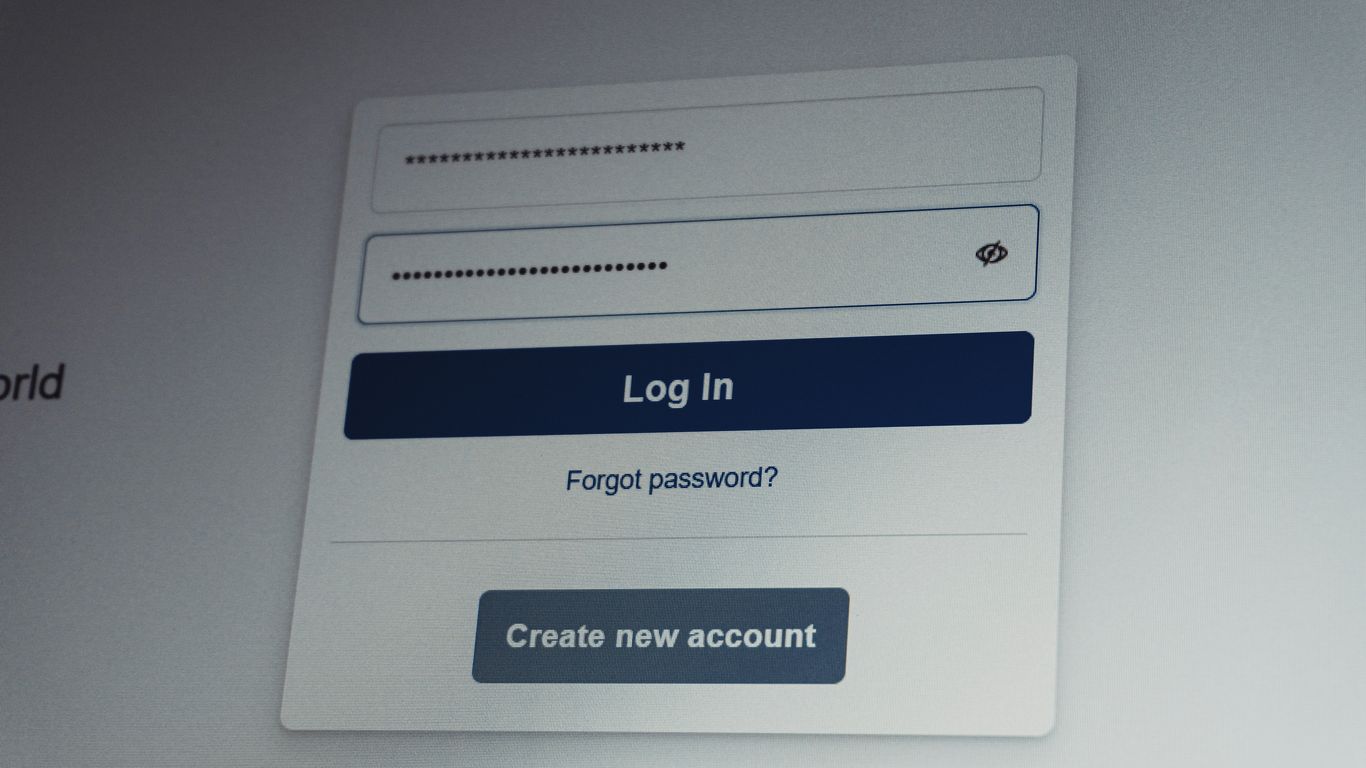
Phishing attacks aren’t just a nuisance; they can really mess things up for a business. When these attacks succeed, they often open the door to much bigger problems. It’s not just about losing a few bucks; the fallout can be pretty extensive.
Financial Losses and Fraudulent Transactions
One of the most immediate impacts is financial. Phishing scams frequently trick employees into making unauthorized wire transfers or paying fake invoices. This can lead to significant direct monetary loss. Beyond that, if an attacker gains access to financial systems, they can initiate fraudulent transactions or steal sensitive payment information, leading to further financial drain and potential regulatory fines. The losses from Business Email Compromise (BEC) scams, for instance, often dwarf those from ransomware because they involve large, direct financial transfers that can be hard to recover.
Data Breaches and Information Loss
Beyond money, phishing is a primary way attackers steal sensitive data. This includes customer information, employee records, intellectual property, and login credentials. Once attackers have this data, they can sell it on the dark web, use it for identity theft, or launch further attacks. A data breach can have long-lasting consequences, including legal liabilities and damage to the company’s reputation. Protecting data is a core part of cybersecurity, and phishing attacks directly threaten this confidentiality.
Operational Disruption and Reputational Damage
When systems are compromised through phishing, operations can grind to a halt. This could be due to malware infections, ransomware locking up files, or attackers actively disrupting services. Recovering from such disruptions takes time and resources, pulling focus away from core business activities. Furthermore, news of a successful phishing attack and subsequent data breach can severely damage a company’s reputation. Customers and partners may lose trust, leading to lost business and difficulty attracting new clients. The ripple effect of a single successful phishing campaign can be far-reaching and costly.
Here’s a look at some common impacts:
- Credential Theft: Attackers gain usernames and passwords, which can be used for account takeover.
- Malware Installation: Malicious software can be installed, leading to data theft, system damage, or ransomware.
- Financial Fraud: Direct monetary loss through fake invoices, wire transfer scams, or payroll diversion.
- Reputational Harm: Loss of customer trust and negative publicity following a breach.
- Operational Downtime: Systems become unavailable, halting business processes.
The human element is often the weakest link. Phishing attacks exploit this by using social engineering tactics that prey on trust, urgency, or fear. Even with strong technical defenses, a single click by an unaware employee can compromise the entire organization. This highlights the need for continuous security awareness training as a foundational defense.
Defending Against Phishing Attacks
Phishing attacks are a persistent threat, and while they often target individuals, organizations bear the brunt of the fallout. The good news is that a multi-layered approach can significantly reduce the risk. It’s not just about technology; people are a key part of the defense.
User Security Awareness Training
This is probably the most talked-about defense, and for good reason. People are often the weakest link, but they can also be the strongest. Training helps individuals recognize the signs of a phishing attempt. Think of it like teaching someone to spot a counterfeit bill – it takes practice and knowing what to look for.
- Recognizing Deceptive Emails: Training should cover common red flags like poor grammar, urgent requests, suspicious sender addresses, and generic greetings.
- Understanding Social Engineering: Users need to know how attackers manipulate emotions like fear, urgency, or curiosity to get them to act without thinking.
- Safe Browsing Habits: This includes verifying website URLs, being cautious about clicking links in unsolicited messages, and understanding the risks of downloading attachments.
- Reporting Suspicious Activity: Establishing a clear and easy process for employees to report potential phishing attempts is vital. This allows security teams to act quickly.
The human element is both the biggest vulnerability and the most powerful defense against phishing. Investing in consistent, practical training empowers your team to be the first line of defense.
Simulated Phishing Exercises
Training is one thing, but seeing how people react in a real (but controlled) situation is another. Simulated phishing exercises, often called phishing tests, send fake phishing emails to employees. This helps gauge the effectiveness of training and identify individuals or departments that might need more attention. It’s a practical way to reinforce learning and measure progress. We’ve seen great results from these tests, helping us pinpoint areas where our cybersecurity threats awareness needs a boost.
| Exercise Type | Frequency | Success Rate (Clickers) | Reporting Rate | Notes |
|---|---|---|---|---|
| Generic Phishing | Monthly | 5-10% | 70-85% | Tests general awareness |
| Targeted Phishing | Quarterly | 2-5% | 80-90% | Simulates spear phishing |
| Credential Harvest | Bi-Annual | 1-3% | 85-95% | Tests for credential submission |
Technical Defenses and Email Filtering
While user training is key, technology plays a massive role. Robust email filtering systems are designed to catch many phishing attempts before they even reach an inbox. These systems use various techniques to identify malicious emails.
- Spam and Malware Filters: These are the first line of defense, blocking known spam and malicious content.
- URL and Link Analysis: Advanced filters scan links in emails to check if they lead to known malicious websites.
- Sender Authentication: Technologies like SPF, DKIM, and DMARC help verify that emails are genuinely from the claimed sender, making it harder for attackers to spoof domains.
- Attachment Sandboxing: Suspicious attachments can be opened in a safe, isolated environment (a sandbox) to see if they contain malware before they are delivered to the user.
Advanced Defense Strategies
Beyond basic training and filtering, organizations need to implement more robust measures to counter sophisticated phishing attempts. These advanced strategies act as critical layers of defense, making it significantly harder for attackers to succeed.
Multi-Factor Authentication Implementation
Multi-factor authentication (MFA) is a powerful tool against credential theft. It requires users to provide two or more verification factors to gain access to a resource. This means even if an attacker gets hold of a user’s password through a phishing scam, they still can’t access the account without the second factor, like a code from a mobile app or a physical security key. Implementing MFA across all critical systems and applications should be a top priority. It directly addresses the common outcome of phishing: compromised accounts.
Threat Intelligence Integration
Staying ahead of attackers means understanding their methods. Integrating threat intelligence feeds into your security infrastructure provides real-time information about emerging threats, attacker tactics, and indicators of compromise. This allows security systems to proactively block malicious IPs, domains, and known phishing URLs. It’s like having a constantly updated map of the danger zones, helping your defenses avoid them before users even encounter a suspicious message. This proactive approach is key to staying ahead of evolving cyber threats.
Vulnerability Management and Patching
While phishing often targets human error, attackers can also exploit technical weaknesses. A strong vulnerability management program identifies, assesses, and prioritizes security flaws in your systems and software. Regular and timely patching of these vulnerabilities closes the doors that attackers might otherwise use to gain a foothold, even after a successful phishing attempt. This reduces the overall attack surface and makes it harder for follow-on attacks to succeed.
Incident Response and Recovery from Phishing
When a phishing attack successfully bypasses defenses and impacts your organization, having a solid plan for incident response and recovery is key. It’s not just about cleaning up the mess; it’s about getting back to normal operations quickly and learning from the experience to prevent it from happening again. This process involves several distinct phases, each with its own set of actions and considerations.
Identifying and Containing Phishing Incidents
The first step after a suspected phishing incident is to figure out what happened and stop it from spreading. This means quickly identifying which users or systems might be affected. Look for signs like unusual login activity, unauthorized access attempts, or reports from users about suspicious emails or links they clicked. Once identified, containment is critical. This might involve:
- Isolating affected systems from the rest of the network to prevent lateral movement by the attacker.
- Disabling compromised user accounts temporarily until their security can be verified.
- Blocking malicious domains or IP addresses identified in the phishing campaign.
- Removing malicious emails from other users’ inboxes if possible.
Swift action during the identification and containment phases can significantly limit the damage caused by a phishing attack.
Credential Reset and System Remediation
If credentials have been compromised, a priority is to reset them immediately. This involves guiding affected users through a secure password reset process and, if applicable, enforcing multi-factor authentication (MFA) for added security. Beyond just passwords, system remediation might be necessary. This could include:
- Scanning systems for malware that may have been installed.
- Restoring systems from clean backups if they were compromised or encrypted.
- Reviewing and correcting any misconfigurations that the attacker might have exploited.
- Verifying the integrity of critical data and applications.
Post-Incident Analysis and Improvement
After the immediate threat is handled, a thorough analysis of the incident is vital. This isn’t about blame; it’s about understanding the root cause and identifying weaknesses. Key areas to examine include:
- How did the phishing attempt succeed? Was it a new tactic, or did it exploit a known vulnerability?
- Were existing security controls effective? Where did they fail?
- How effective was the incident response process itself? What could be done better next time?
- What lessons can be learned to improve user training and technical defenses?
This analysis should lead to actionable improvements. This might mean updating security awareness training modules, refining email filtering rules, or implementing new security technologies. For instance, if the attack exploited a lack of MFA, prioritizing its rollout becomes a clear next step. Understanding the full scope of the incident, including potential data breaches, is also crucial for regulatory compliance and rebuilding trust.
Future Trends in Phishing Attacks
Phishing isn’t standing still, and neither can our defenses. As technology marches forward, so do the methods attackers use to try and trick us. It’s a constant game of cat and mouse, and staying ahead means understanding what’s coming next.
Artificial Intelligence in Phishing
We’re already seeing AI pop up in all sorts of places, and unfortunately, that includes cybercrime. AI can be used to create incredibly convincing phishing messages. Think about it: AI can analyze vast amounts of data to craft emails or texts that sound exactly like someone you know, or a company you do business with. It can even adapt its language based on your previous interactions. This makes spotting a fake message much harder than before. The sophistication of AI-generated phishing content is a significant concern for the future.
Deepfake Technology and Phishing
Deepfakes, those AI-generated videos or audio clips that make someone appear to say or do something they didn’t, are another growing threat. Imagine getting a video call from your CEO asking for an urgent wire transfer, but it’s actually a deepfake. Or a voice message from a loved one in distress asking for money. These attacks play on our trust and our emotional responses, making them particularly dangerous. It’s getting harder to tell what’s real and what’s not, which is a big problem for security awareness training.
Exploitation of Collaboration Platforms
Tools like Slack, Microsoft Teams, and other collaboration platforms have become central to how many businesses operate. Attackers know this. They’re increasingly looking for ways to exploit these platforms. This could involve sending malicious links or files through direct messages, impersonating colleagues, or even compromising legitimate accounts within these platforms to spread their attacks. Because these tools are used for day-to-day communication, people tend to be less cautious, making them prime targets for social engineering tactics.
Regulatory and Compliance Considerations
When we talk about phishing, it’s not just about the technical side of things or tricking people. There are actual rules and laws that organizations have to follow to protect themselves and their customers. These regulations are put in place to make sure companies are taking security seriously and have plans for when things go wrong.
Phishing and Data Privacy Regulations
Lots of data privacy laws, like GDPR in Europe or CCPA in California, have requirements that indirectly affect how organizations must handle phishing. For instance, if a phishing attack leads to a data breach, these laws often mandate specific notification procedures. Failure to comply can result in significant fines and legal trouble. It’s not just about preventing the attack; it’s also about what you do afterward and how you protect personal information in the first place. This means having strong controls to stop phishing attempts from succeeding and clear processes for reporting any incidents that do occur. Keeping up with these rules is a big part of staying secure.
Compliance Frameworks for Incident Response
Many organizations use established frameworks to build their security programs, and these often include specific guidance on incident response. Frameworks like NIST (National Institute of Standards and Technology) or ISO 27001 provide a structured way to think about security. They outline steps for preparing for, detecting, analyzing, containing, and recovering from security incidents, including phishing attacks. Following these frameworks helps ensure that an organization has a repeatable and effective process for dealing with breaches. It’s about having a plan before an incident happens, so you’re not scrambling when you’re under pressure. This structured approach is key to minimizing damage and getting back to normal operations quickly. You can find more information on cybersecurity best practices at [f5af].
Reporting Requirements for Breaches
When a phishing attack results in a data breach, there are often strict reporting requirements. Depending on the industry and the type of data compromised, organizations might need to notify regulatory bodies, affected individuals, and sometimes even the public. For example, HIPAA has specific rules for healthcare data breaches, while PCI DSS applies to payment card information. Understanding these reporting obligations is critical. It’s not just about fixing the problem; it’s about transparency and fulfilling legal duties. The timeline for reporting can be very short, often just a few days, making a well-rehearsed incident response plan absolutely vital. Missing these deadlines can lead to additional penalties on top of the damage from the breach itself.
Wrapping Up: Staying Ahead of Phishing
So, we’ve gone over how phishing attacks work, the different ways they show up, and the real trouble they can cause. It’s pretty clear that these scams aren’t going away anytime soon. They keep changing, getting smarter, and finding new ways to trick us. The best we can do is stay aware, keep our defenses up, and remember that a little bit of caution goes a long way. Training people, using the right tools, and just generally being a bit more skeptical about unexpected messages are our best bets for staying safe out there.
Frequently Asked Questions
What exactly is a phishing attack?
Imagine someone pretending to be a trusted friend or company, like your bank or a popular online store. They send you a message, often an email or text, that looks real. This message tries to trick you into clicking a bad link, opening a harmful file, or giving them your private information like passwords or credit card numbers. It’s all about fooling you into doing something you shouldn’t.
How do phishers get my information?
Phishers use clever tricks! They might send emails that look like they’re from your bank asking you to ‘verify’ your account by clicking a link that leads to a fake login page. Or they might send a text message about a delivery problem that asks you to click a link to fix it. Sometimes, they attach files that secretly install harmful software on your computer when you open them.
Are phishing attacks only through email?
Nope! While email is super common, phishers use other ways too. They can send fake text messages (that’s called ‘smishing’), make fake phone calls pretending to be someone important (that’s ‘vishing’), or even send messages through social media. They’re always looking for new ways to reach you.
What’s the difference between regular phishing and ‘spear phishing’?
Think of regular phishing like casting a wide net, sending the same message to tons of people hoping someone bites. Spear phishing is like using a spear to target one specific fish. Attackers do lots of research to make these messages super personal and convincing for a particular person or a high-up boss, making them much harder to spot.
What happens if a phishing attack is successful?
If a phishing attack works, bad things can happen. Your accounts could be taken over, your money could be stolen, or your personal information could be leaked. For businesses, this can mean losing a lot of money, having important data stolen, and damaging their reputation with customers.
How can I protect myself from phishing?
The best defense is to be aware! Always look closely at messages. If something seems a bit off, like a strange request or a link that doesn’t look right, don’t click it. Never share passwords or sensitive info through email or text. Using strong, unique passwords and enabling two-factor authentication (like a code sent to your phone) adds extra layers of security.
What should I do if I think I received a phishing message?
Don’t click any links or open any attachments! If it’s an email, you can often report it as spam or phishing through your email service. If you’re unsure, it’s best to delete it. If you accidentally clicked something or gave away information, tell your IT department (if at work) or change your passwords immediately and monitor your accounts closely.
Will phishing attacks ever stop?
It’s unlikely that phishing will completely disappear. As we get better at stopping them, attackers invent new, sneakier ways to trick people. They’re using smarter technology, like AI, to make their fake messages seem even more real. So, staying educated and cautious is key, now and in the future.