
Phishing attacks are getting smarter, and it’s not just people sending them anymore. We’re seeing more and more machine generated phishing systems pop up. These systems use computers to create and send out fake emails, texts, and even social media messages, all designed to trick you into giving up personal info or clicking on something bad. It’s a big problem for everyone, from individuals to large companies, and it’s important to know how these systems work and how to spot them.
Key Takeaways
- Machine generated phishing systems use automation to create and send deceptive messages, making attacks more widespread and harder to detect.
- These systems exploit human psychology by mimicking trusted sources and creating a sense of urgency or curiosity.
- Attackers use various methods like email, SMS, social media, and fake websites to deliver malicious content and harvest credentials.
- Sophisticated techniques like AI-powered personalization and deepfakes are making machine-generated phishing more convincing and harder to defend against.
- Effective defense relies on a combination of user education, strong security tools, and prompt incident response to counter the evolving threat of machine generated phishing systems.
Understanding Machine-Generated Phishing Systems
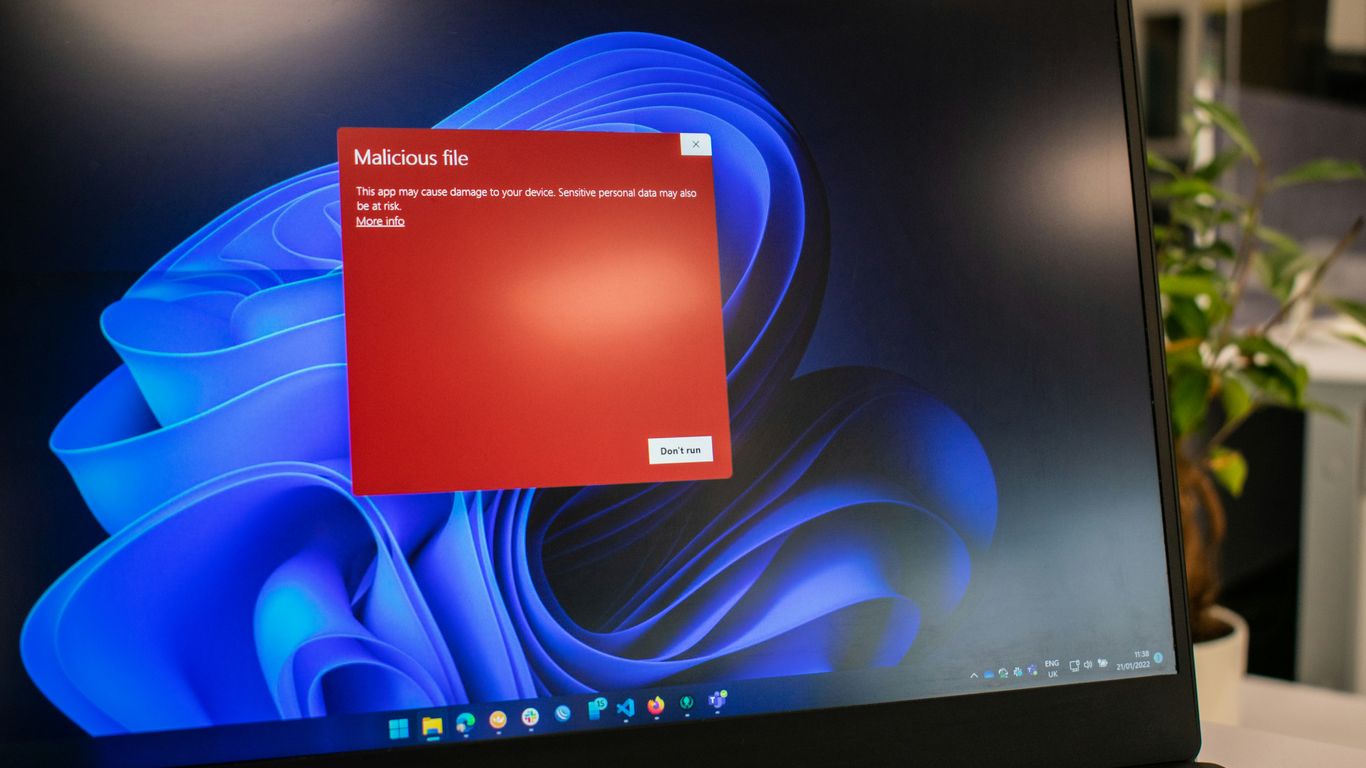
Phishing isn’t exactly new, but the way it’s done is changing fast. We used to think of it as just a bunch of generic emails sent out hoping someone would bite. Now, though, machines are getting involved, and that’s a whole different ballgame. These systems can churn out messages that look and sound incredibly convincing, making it harder than ever for people to spot a fake.
The Evolving Landscape of Phishing
Phishing has moved beyond simple, mass-produced emails. Attackers are now using automated tools to create more personalized and targeted messages. This means that what might have worked to catch someone a few years ago might not be enough today. The sheer volume and sophistication of these attacks are increasing, making it a constant challenge for security professionals.
- Volume: Automated systems can send out millions of messages quickly.
- Personalization: Messages can be tailored to individuals using stolen data.
- Adaptability: Tactics change rapidly to bypass new defenses.
Exploiting Human Psychology in Cyberattacks
At its core, phishing is about tricking people. Attackers play on our natural tendencies, like our desire to be helpful, our fear of missing out, or our tendency to trust authority figures. They create a sense of urgency or curiosity, pushing us to act without thinking. Understanding these psychological triggers is key to defending against these attacks. It’s not just about technical defenses; it’s about recognizing when our own minds are being manipulated. This is why recognizing manipulation techniques is crucial for defense.
The Role of Automation in Phishing Campaigns
Automation is the engine driving modern phishing. Instead of manually crafting each message, attackers use software to:
- Gather Target Information: Automating the collection of data about potential victims.
- Generate Deceptive Content: Creating realistic-sounding emails, texts, or social media posts.
- Distribute Messages: Sending out vast numbers of messages efficiently.
- Manage Responses: Automating follow-up actions or data collection from successful phishes.
This shift means that even small groups can run large-scale operations. The speed and scale that automation provides are what make these systems so dangerous. It’s a constant race to keep up with the evolving tactics, and understanding susceptibility to manipulation is a vital part of the defense.
Core Components of Machine-Generated Phishing
Machine-generated phishing systems, while sophisticated, rely on a few key building blocks to achieve their goals. These systems aren’t just about sending out random emails; they’re carefully constructed to trick people into making mistakes. Understanding these core parts helps us see how these attacks work and how to defend against them.
Deceptive Message Crafting
This is where the magic, or rather the deception, happens. Automated systems are getting really good at creating messages that look and sound like they’re from a trusted source. They use templates, but also increasingly use AI to personalize them, making them harder to spot. The goal is to create a sense of urgency, fear, or curiosity that makes someone act without thinking too much.
- Subject Line: Designed to grab attention and prompt an immediate reaction.
- Body Content: Mimics legitimate communication styles, often with a specific call to action.
- Sender Information: Spoofed to appear as a known contact or organization.
These messages are the bait. They’re crafted to exploit human psychology, making us more likely to click a link or open an attachment. It’s a delicate art of manipulation, even when done by a machine. The effectiveness of these messages is key to the success of any phishing campaign.
Malicious Link and Attachment Delivery
Once a deceptive message is crafted, the next step is to get the victim to interact with something harmful. This usually involves a link or an attachment. Automated systems can generate thousands of these, often using techniques to hide the true destination or nature of the file.
- Malicious URLs: Links that might look normal but lead to fake login pages or sites that download malware. Sometimes these are shortened or disguised to hide their true nature.
- Infected Attachments: Files that, when opened, install malware on the user’s device. These can be disguised as invoices, important documents, or software updates.
These delivery mechanisms are the payload carriers. They’re the direct pathway to compromise, whether it’s stealing credentials or infecting a system. The sophistication here lies in bypassing security filters and tricking users into executing the malicious code themselves.
Credential Harvesting Mechanisms
This is often the ultimate goal of a phishing attack: stealing usernames and passwords. Automated systems are built to collect this information efficiently.
- Fake Login Pages: Websites that look identical to legitimate ones (like your bank or email provider) where users unknowingly enter their credentials.
- Data Entry Forms: Embedded within emails or fake websites, designed to trick users into typing sensitive information.
- Direct Email/Message Responses: In some cases, the message might directly ask for information, playing on trust or authority.
Once credentials are harvested, attackers can use them for various malicious purposes, from accessing personal accounts to launching further attacks within an organization. This is a critical step in the attack vectors employed by automated systems, as it directly leads to account takeover and potential data breaches.
Attack Vectors Employed by Automated Systems

Automated systems have really changed how phishing attacks are carried out. It’s not just random emails anymore; these systems are pretty sophisticated in how they reach out and try to trick people. They use a bunch of different ways to get to you, and understanding these is key to staying safe.
Email and SMS Phishing Automation
Phishing through email is probably the most common, but automated systems have made it way more widespread and, frankly, more convincing. These systems can churn out thousands of emails that look like they’re from your bank, your boss, or some online service you use. They often use templates and can even pull in personal details if they have them, making each message feel a bit more real. SMS phishing, often called ‘smishing,’ works similarly. Automated tools send out text messages with urgent warnings or tempting offers, usually with a link to click. The sheer volume these systems can generate makes it hard for traditional filters to catch everything.
Voice and Social Media Phishing
Beyond text-based messages, automation is creeping into voice phishing, or ‘vishing.’ Think automated calls that sound like they’re from a government agency or a tech support company, trying to get you to reveal information or install something. On social media, bots can send direct messages or post comments that look like legitimate interactions but are designed to lead you to a malicious site. They might impersonate friends or popular brands to gain your trust. It’s all about finding you where you are and using familiar platforms against you.
Fake Websites and Malicious Advertisements
Automated systems don’t just send the messages; they also create the traps. This includes setting up fake websites that look identical to real ones, ready to steal your login details when you try to ‘verify’ your account. They can also use malicious advertisements, often called ‘malvertising.’ These ads might appear on legitimate websites but, when clicked, either lead to a phishing page or directly download malware onto your device. Sometimes, these ads exploit common misspellings of popular websites, a technique known as typosquatting.
The goal of these automated attack vectors is to overwhelm defenses through sheer volume and by exploiting human psychology. They aim to make the malicious message or website appear as legitimate as possible, often by mimicking trusted brands or using urgent language to bypass critical thinking.
Sophistication in Machine-Generated Phishing
Phishing attacks aren’t just simple, mass-sent emails anymore. The systems creating these messages are getting seriously smart, making them harder to spot. They’re not just copying old tricks; they’re actively learning and adapting.
AI-Powered Personalization
One of the biggest leaps is how these systems use artificial intelligence. Instead of generic messages, AI can now craft emails that feel like they’re specifically for you. It looks at publicly available data, like your job title or recent company news, and weaves it into the message. This makes the phishing attempt feel much more legitimate. Imagine getting an email that references a project you’re actually working on – it’s designed to bypass your usual skepticism.
- Reconnaissance: AI tools can quickly gather information about targets.
- Content Generation: AI writes personalized text, mimicking specific writing styles.
- Delivery Optimization: AI can determine the best time and method to send messages for maximum impact.
Deepfake Technology in Phishing
This is where things get really sci-fi, but it’s happening now. Deepfake technology uses AI to create realistic fake audio or video. Think about a voice message that sounds exactly like your boss asking you to urgently transfer funds, or a video call where a trusted colleague appears to be giving instructions. These aren’t just simple text tricks; they’re multi-sensory attacks that are incredibly convincing. The goal is to exploit trust and create a sense of immediate, personal interaction that bypasses normal checks.
Deepfakes can make impersonation incredibly believable, blurring the lines between real and fake communications. This technology is rapidly evolving, making it a growing concern for cybersecurity professionals.
Bypassing Traditional Security Filters
Because these machine-generated attacks are so sophisticated, they’re getting better at slipping past the usual security software. Standard filters look for known malicious links or common phishing phrases. But AI-generated content can be unique, using novel phrasing and legitimate-looking URLs that haven’t been flagged yet. They can also adapt their methods quickly, making it a constant game of catch-up for security systems. This means that even with good technical defenses, human awareness remains a critical layer of protection against these advanced threats. Understanding these evolving tactics is key to staying ahead of adversaries.
Impact of Machine-Generated Phishing on Businesses
Automated phishing systems, while efficient for attackers, can cause significant damage to businesses. These systems don’t just aim for individual employees; they target the organization as a whole, leading to a cascade of negative outcomes. The financial implications alone can be staggering, ranging from direct monetary loss through fraudulent transactions to the indirect costs associated with incident response and recovery efforts.
Financial Losses and Fraudulent Transactions
Machine-generated phishing often aims to trick employees into making unauthorized wire transfers or divulging sensitive financial information. Business Email Compromise (BEC) scams, frequently powered by automation, impersonate executives or trusted vendors to redirect payments. This can result in immediate and substantial financial drain. Furthermore, compromised credentials can lead to unauthorized access to financial accounts, enabling further fraudulent activities that are difficult to trace and reverse. The speed and scale at which automated systems can operate mean that multiple fraudulent transactions could occur before detection, compounding the financial damage.
Data Breaches and Identity Theft
Beyond financial fraud, these automated attacks are a primary vector for data breaches. By tricking users into clicking malicious links or downloading infected attachments, attackers can deploy malware designed to steal sensitive company data, customer information, or intellectual property. Once inside, automated systems can facilitate rapid data exfiltration. The stolen data can then be used for identity theft, sold on the dark web, or used to launch further, more targeted attacks against the compromised organization or its customers. This loss of sensitive information can have long-lasting repercussions, including regulatory fines and legal liabilities.
Reputational Damage and Loss of Trust
Perhaps one of the most insidious impacts of a successful phishing attack is the erosion of trust. When customers, partners, or employees believe their data is not secure or that the organization cannot protect itself from basic threats, their confidence wavers. A significant data breach or a widely publicized phishing incident can severely damage a company’s reputation, making it harder to attract new business and retain existing clients. Rebuilding that trust is a long and arduous process, often involving significant investment in public relations and demonstrable improvements to security posture. The perception of a company as vulnerable can have a lasting negative effect on its market standing and overall brand value. It’s a stark reminder that even sophisticated technical defenses can be undermined by exploiting human trust, making continuous user education and awareness training a critical component of any defense strategy [0ff9].
| Impact Area | Potential Consequences |
|---|---|
| Financial | Direct loss from fraud, recovery costs, regulatory fines, legal fees |
| Operational | System downtime, disruption of services, loss of productivity |
| Data Security | Sensitive data exposure, intellectual property theft, compliance violations |
| Reputational | Loss of customer trust, damage to brand image, decreased market share |
| Legal & Regulatory | Fines for non-compliance (e.g., GDPR, HIPAA), lawsuits from affected parties |
The interconnected nature of modern business means that a single successful phishing attack can ripple outwards, affecting not just immediate financial health but also long-term viability through damaged relationships and diminished market confidence. Addressing these threats requires a multi-layered approach that combines technical controls with robust human-centric defenses.
Detection Strategies for Automated Phishing
Spotting automated phishing attacks requires a multi-layered approach, as these systems are designed to be sneaky. It’s not just about looking for obvious typos anymore; these bots are getting pretty good. We need to look at a few key areas to catch them before they cause real damage.
Analyzing Email Headers and URLs
When an email lands in your inbox, the headers might seem like a jumbled mess of technical data, but they can tell a story. Things like the originating IP address, the path the email took, and the authentication results (like SPF, DKIM, and DMARC) can all point to a fake. Automated systems often struggle to perfectly spoof these headers, leaving behind clues. Similarly, URLs in phishing emails are a big giveaway. While they might look like they go to a legitimate site, a closer look at the domain name, subdomains, and any unusual characters can reveal the deception. Tools can help automate this analysis, flagging suspicious links before anyone clicks them. It’s a good idea to be familiar with how to check these things, especially for important communications.
Behavioral Analytics and Anomaly Detection
Beyond just looking at the message itself, we can also watch what happens after the message is sent. Behavioral analytics looks at user activity and system behavior to spot things that are out of the ordinary. For example, if an account suddenly starts logging in from a strange location at an odd hour, or if a user suddenly tries to access a lot of sensitive files they don’t normally touch, that’s an anomaly. User and Entity Behavior Analytics (UEBA) platforms are designed to pick up on these deviations from normal patterns. Automated phishing might trigger unusual login attempts or attempts to access resources that are outside a user’s typical workflow, making behavioral analysis a powerful detection method.
User-Reported Alerts and Threat Intelligence
Your employees are often the first line of defense. Encouraging them to report suspicious emails or messages is incredibly important. When a user flags something as potentially phishing, it can be a huge help. These reports can then be fed into security systems. Threat intelligence feeds, which are collections of known malicious indicators like IP addresses, domains, and file hashes, can also be integrated. This helps security tools automatically block known threats. Combining user reports with up-to-date threat intelligence creates a dynamic defense that can adapt to new automated phishing tactics. It’s a collaborative effort, really, where everyone plays a part in keeping the organization safe.
Response and Recovery from Phishing Incidents
When a phishing attack hits, acting fast is key. It’s not just about stopping the immediate damage, but also about getting things back to normal and making sure it doesn’t happen again. Think of it like putting out a fire – you need to contain it, put it out, and then figure out how it started to prevent future blazes.
Identifying and Isolating Affected Users
The first step is figuring out who might have been impacted. This often involves looking at logs for unusual activity, checking systems for signs of compromise, and, importantly, listening to users who report suspicious emails or strange account behavior. Once you have an idea of who might be affected, you need to isolate them. This means temporarily limiting their access to systems or networks. It’s a bit like quarantining someone who might have a contagious illness to stop it from spreading. This containment is vital for limiting damage and preventing further spread of the attack.
Credential Reset and Malicious Domain Blocking
If an account is suspected of being compromised, resetting the password immediately is a must. This is a standard procedure, but it needs to be done quickly. Alongside this, blocking any malicious websites or domains that were used in the phishing attempt is critical. This stops other users from accidentally visiting them and prevents the attackers from continuing to use those specific resources. It’s a two-pronged approach: secure the compromised accounts and shut down the attack infrastructure.
Investigating and Updating Security Controls
After the immediate crisis is managed, a thorough investigation is necessary. This isn’t just about finding out if an attack happened, but how it succeeded. Was it a new technique? Did a specific training gap contribute? Understanding the root cause helps you fix the underlying issues. This might mean updating email filters, refining user training modules, or even adjusting access policies. The goal is to learn from the incident and strengthen your defenses, making your systems more resilient for the future. This process is a core part of the incident response lifecycle.
Defensive Best Practices Against Machine-Generated Threats
Even with the most advanced technical defenses, human awareness remains a critical line of defense against automated phishing. Because these systems often exploit human psychology, continuous education and fostering a security-conscious culture are paramount. It’s not just about knowing what phishing looks like; it’s about developing a healthy skepticism and understanding the motivations behind these attacks.
Continuous User Education and Awareness Training
Regular training sessions are no longer a one-and-done affair. They need to be ongoing, adapting to the latest tactics machine-generated phishing systems employ. Think of it like staying up-to-date with current events; you wouldn’t rely on news from five years ago to understand today’s world, and the same applies to cybersecurity. Training should cover not just identifying suspicious emails but also understanding the why behind them – how attackers use urgency, authority, or curiosity to their advantage. This deeper understanding helps individuals make better decisions when faced with a potential threat.
- Focus on real-world examples: Use recent, relevant examples of phishing attempts, including those generated by AI, to make the training relatable.
- Interactive modules: Incorporate quizzes, short videos, and scenario-based exercises to keep users engaged.
- Regular refreshers: Schedule brief, frequent updates rather than long, infrequent sessions.
- Clear reporting channels: Ensure employees know exactly how and to whom they should report suspicious activity without fear of reprisal.
Simulated Phishing Exercises
Talking about phishing is one thing; experiencing a simulated attack is another. Running regular phishing simulations allows organizations to test the effectiveness of their training programs in a controlled environment. These exercises help identify individuals or departments that might need additional support and provide valuable data on how well employees are applying what they’ve learned. The goal isn’t to catch people out, but to identify weaknesses before real attackers do. It’s a practical way to gauge the organization’s resilience against social engineering tactics, including those amplified by automation.
Simulated exercises should mimic the sophistication of real-world attacks, including personalized messages and varied attack vectors. This helps prepare users for the diverse threats they might encounter. The results should be used constructively to improve training and security protocols, not punitively.
Implementing Strong Authentication Controls
While user education is vital, it’s not foolproof. Implementing robust authentication controls acts as a crucial secondary layer of defense. Even if an attacker manages to trick a user into revealing their credentials, strong authentication can prevent them from accessing accounts. Multi-factor authentication (MFA) is a prime example, requiring more than just a password to log in. This significantly raises the bar for attackers, making credential harvesting less effective. Other measures include enforcing strong password policies and regularly reviewing access privileges to adhere to the principle of least privilege. This layered approach is key to defending against automated threats that aim to bypass single points of failure.
| Control Type | Description |
|---|---|
| Multi-Factor Authentication | Requires multiple forms of verification (e.g., password + code from phone) to access an account. |
| Strong Password Policies | Mandates complex passwords and regular changes to reduce the effectiveness of brute-force or password spray attacks. |
| Access Review and Minimization | Regularly audits user permissions and grants only necessary access for their roles, limiting potential damage. |
By combining ongoing education with technical safeguards, organizations can build a more resilient defense against the ever-evolving landscape of machine-generated phishing attacks. Strong authentication controls are a non-negotiable part of this strategy.
Tools and Technologies for Phishing Defense
When it comes to fending off those pesky automated phishing attempts, having the right tools in your arsenal is pretty important. It’s not just about having one thing; it’s more about a layered approach, kind of like building a strong defense system. You wouldn’t just rely on a single lock for your house, right? Same idea here.
Secure Email Gateways and Anti-Phishing Software
These are often your first line of defense, especially for email-based phishing. Think of them as the bouncers at the club, checking everyone who tries to get in. They scan incoming emails for known malicious patterns, suspicious links, and dodgy attachments. Some advanced ones even use AI to spot new, never-before-seen threats. They can block a huge chunk of the junk before it even hits an employee’s inbox. It’s a pretty solid way to cut down on the noise and the danger.
Multi-Factor Authentication Solutions
Okay, so maybe a phishing email slips through, and someone accidentally clicks a bad link or even gives up their password. This is where multi-factor authentication (MFA) really shines. It adds an extra layer of security beyond just a password. Even if an attacker gets hold of a username and password, they still need a second factor – like a code from a phone app, a fingerprint, or a physical security key – to actually log in. This makes credential harvesting a lot less useful for them. It’s one of the most effective ways to stop account takeovers.
User Behavior Analytics Platforms
These tools are a bit more sophisticated. They watch how users and systems normally behave. If something looks out of the ordinary – like a user suddenly downloading a massive amount of data at 3 AM, or logging in from a completely different country – the system flags it. This can help detect not just phishing, but also other malicious activities that might have started with a phishing attack. It’s about spotting the anomaly in the sea of normal activity.
Relying solely on technical controls is like building a castle with a moat but leaving the drawbridge down. Human awareness and robust verification processes are just as vital. When employees are trained to question suspicious requests and verify information through separate channels, the effectiveness of phishing attacks plummets.
Here’s a quick look at how these tools help:
- Prevention: Blocking known threats, filtering malicious content.
- Detection: Identifying suspicious activity and anomalies.
- Mitigation: Limiting the impact of successful attacks through extra verification.
- Reporting: Providing insights into threats and user interactions.
Implementing these technologies, alongside continuous user education, creates a much stronger defense against the ever-evolving landscape of machine-generated phishing. It’s about building resilience at every level. For more on building a robust defense, understanding attacker methodologies is key [9550].
Regulatory Compliance and Phishing Prevention
When we talk about machine-generated phishing, it’s not just about the tech; it’s also about the rules. Different laws and guidelines are in place to help protect us, and they often touch on how companies should handle phishing threats. For instance, regulations like GDPR and HIPAA have specific requirements for protecting personal and health data, which can be compromised through phishing attacks. Failing to meet these standards can lead to some pretty hefty fines and a lot of bad press.
Adherence to GDPR and HIPAA
The General Data Protection Regulation (GDPR) and the Health Insurance Portability and Accountability Act (HIPAA) are two major pieces of legislation that organizations must pay attention to. GDPR, for example, requires companies to implement appropriate technical and organizational measures to protect personal data. This means having solid defenses against phishing, as a successful attack can lead to unauthorized access and disclosure of sensitive information. Similarly, HIPAA mandates strict safeguards for protected health information (PHI). A phishing attack that compromises patient data could result in significant penalties under HIPAA. Organizations must proactively train their staff and implement robust security controls to prevent breaches that violate these regulations.
NIST Guidelines for Incident Response
The National Institute of Standards and Technology (NIST) provides a framework for cybersecurity, including detailed guidance on incident response. Their guidelines offer a structured approach to managing security events, from detection and containment to eradication and recovery. For phishing incidents, NIST’s recommendations emphasize the importance of having a well-defined incident response plan. This plan should outline steps for identifying affected systems and users, isolating compromised accounts, and restoring normal operations. Following these guidelines helps organizations respond more effectively and minimize the damage caused by phishing attacks. It’s all about being prepared so you can act fast when something goes wrong.
PCI DSS Requirements for Data Protection
The Payment Card Industry Data Security Standard (PCI DSS) is critical for any business that handles credit card information. While not solely focused on phishing, PCI DSS has requirements that directly address the risks posed by these attacks. For example, it mandates strong access control measures, regular security testing, and maintaining an information security policy. A successful phishing attack could lead to the compromise of cardholder data, putting a business in direct violation of PCI DSS. This could result in significant fines, loss of the ability to process card payments, and severe damage to customer trust. Keeping up with these requirements is a constant effort, but it’s necessary to protect sensitive financial data.
Preventing phishing is not just a technical challenge; it’s a compliance imperative. Regulatory frameworks often mandate specific security practices that directly counter phishing tactics, such as user training, access controls, and incident response planning. Non-compliance can lead to substantial financial penalties and reputational damage, making adherence a critical aspect of any cybersecurity strategy.
Future Trends in Machine-Generated Phishing
Looking ahead, the landscape of phishing is set to become even more complex, largely driven by advancements in artificial intelligence and the increasing interconnectedness of our digital lives. Attackers are constantly refining their methods, and the future holds some significant shifts we need to be aware of.
Increased Use of Artificial Intelligence
AI is already playing a big role, but its influence is only going to grow. We’re seeing AI used to craft incredibly convincing phishing messages that are harder to spot. Think personalized emails that reference specific details about your life or work, making them seem much more legitimate. This isn’t just about text anymore; AI is also powering more sophisticated voice and video impersonations, making vishing and deepfake phishing attacks a growing concern. The speed and scale at which AI can generate these tailored attacks are truly alarming.
Exploitation of Collaboration Platforms
As more work happens on platforms like Slack, Microsoft Teams, and Google Workspace, these tools are becoming prime targets. Attackers are finding ways to inject malicious links or messages directly into these communication channels. Because these platforms are often seen as trusted internal environments, users might be less cautious. This means we could see more phishing attempts that look like they’re coming from a colleague or a legitimate internal notification, bypassing traditional email security filters.
Highly Targeted Attacks Using Stolen Data
Data breaches continue to be a major problem, and attackers are getting better at using the information they steal. Instead of broad, untargeted campaigns, future phishing efforts will likely be hyper-personalized, using data from past breaches to craft attacks that are almost impossible to distinguish from real communications. This could involve impersonating specific services you use or even individuals you know, based on leaked personal details. The goal is to exploit trust and familiarity to an unprecedented degree.
Here’s a quick look at what to expect:
- AI-driven message generation: More realistic and personalized content.
- Deepfake integration: Voice and video phishing becoming more common.
- Collaboration tool abuse: Attacks moving into internal communication channels.
- Data-informed targeting: Leveraging breach data for highly specific attacks.
It’s clear that staying ahead of these evolving threats requires continuous vigilance and adaptation. Understanding these future trends is the first step in building more robust defenses against what’s coming next in the world of phishing. Staying informed about the latest indicators of compromise can help organizations prepare.
Looking Ahead
So, we’ve talked about how machines are making phishing attacks smarter and harder to spot. It’s not just about emails anymore; these systems can whip up fake messages for texts, calls, and social media that look pretty convincing. Even folks who know their way around a computer can get fooled. The best we can do right now is keep learning about these tricks and use things like multi-factor authentication whenever possible. It’s a constant game of catch-up, but staying aware is our best defense against these evolving threats.
Frequently Asked Questions
What exactly is machine-generated phishing?
Imagine someone sending out a ton of fake emails or texts trying to trick you into giving up your passwords or clicking on bad links. Machine-generated phishing is when computers, using smart programs, help create and send out these tricky messages really fast and in huge numbers. It’s like a robot spammer, but way more convincing.
How do these computer-generated tricks work?
These systems are designed to make fake messages look super real. They might copy a famous company’s logo or write in a way that sounds just like your bank. They also figure out the best times and ways to send these messages, like through email, text, or even social media, to get you to fall for their trap.
Can these computer tricks be really dangerous?
Yes, they can be very dangerous. Because they can send out so many messages so quickly and make them look so believable, more people can get tricked. This can lead to people losing money, having their personal information stolen, or even businesses having their private data exposed.
How do computers make phishing messages seem so real?
Computers use clever tricks, sometimes even using artificial intelligence (AI). They can study real messages to learn how to write like them. They can also make fake websites that look exactly like the real ones you use every day, just to steal your login details.
What are some common ways these computer attacks happen?
You’ll often see them in emails asking you to update your account or check a package delivery. They also show up as text messages (called ‘smishing’) or even fake phone calls (‘vishing’). Sometimes they use fake ads online or pop-up messages that look important.
How can I protect myself from these computer-generated scams?
The best defense is to be super careful and not trust everything you see. Always double-check who a message is really from before clicking any links or giving out info. Using strong, unique passwords and turning on extra security steps like two-factor authentication (where you need more than just a password) helps a lot.
What should a business do to stop these attacks?
Businesses need to train their employees to spot these fake messages and practice what to do if they see one. They also need good security software, like email filters, and strong ways to check who is logging in. Regularly testing employees with fake phishing attacks can also make them more prepared.
Is phishing something that’s going away?
Sadly, no. As technology gets better, so do the ways scammers try to trick people. They’re always finding new tricks, like using AI to make their messages even more convincing. So, staying aware and being cautious is more important than ever.