
It feels like every day there’s a new story about someone’s personal info getting swiped. It’s kind of scary, right? With so much of our lives online now, keeping our data safe is a big deal. This article is all about identity theft protection, and we’ll go over some straightforward ways to keep your information out of the wrong hands. Think of it as giving your digital life a good security upgrade.
Key Takeaways
- Make your passwords tough and different for each site. A password manager can really help with this.
- Turn on two-step verification whenever you can. It’s like a double lock for your accounts.
- Keep an eye on your bank and credit card statements. Catching odd things early makes a big difference.
- Be super careful about clicking links or giving out info from unexpected emails or calls.
- Shredding old documents with personal details stops them from being used by bad actors.
Strengthening Your Digital Defenses
Keeping your personal information safe online is a big deal these days. It feels like there’s always a new way someone might try to get their hands on your data. But don’t worry, it’s not all doom and gloom. There are some pretty straightforward things you can do to make it way harder for the bad guys.
Create Strong, Unique Passwords
This is like the front door to your online life. If your password is easy to guess, anyone could just walk right in. Think about it: using "password123" or your birthday is basically leaving your door unlocked.
- Mix it up: Use a combination of uppercase and lowercase letters, numbers, and symbols. The longer and more random, the better.
- One for each: Never reuse the same password across different websites. If one site gets hacked, they all get hacked.
- Password managers are your friend: These tools can create and store super strong, unique passwords for all your accounts. You only need to remember one master password.
Enable Multi-Factor Authentication
Okay, so you’ve got a strong password. That’s great! But what if someone somehow gets it? Multi-factor authentication, or MFA, is like adding a second lock to your door. It means even if someone has your password, they still need something else to get in – usually a code sent to your phone or an app.
Most important accounts, like your email, bank, and social media, offer MFA. Seriously, turn it on wherever you can. It makes a huge difference.
Secure Your Online Accounts
This is a bit of a catch-all for other good habits. Think about where you’re logging in from and what information you’re putting out there.
- Watch out for public Wi-Fi: Free Wi-Fi at coffee shops or airports might seem convenient, but it’s often not secure. Avoid logging into sensitive accounts or doing any banking when you’re on public networks. If you absolutely have to, use a VPN (Virtual Private Network) to encrypt your connection.
- Keep software updated: Those update notifications for your phone, computer, and apps? They’re not just annoying. They often include security patches that fix vulnerabilities. Don’t ignore them.
- Be careful what you click: Phishing emails and texts are still a major problem. If an email looks suspicious, or a link seems a little off, don’t click it. It’s better to be safe than sorry. If you’re unsure, go directly to the company’s website instead of clicking a link in an email.
Protecting your digital life isn’t about being a tech wizard. It’s about adopting a few smart habits that make you a much harder target for identity thieves. Think of it as locking your car doors – a simple step that prevents a lot of trouble.
Here’s a quick rundown of what to aim for:
| Security Measure | Why It Matters |
|---|---|
| Strong, Unique Passwords | Prevents unauthorized access if one account is breached. |
| Multi-Factor Authentication | Adds an extra layer of security beyond just a password. |
| Software Updates | Fixes security flaws that hackers could exploit. |
| Public Wi-Fi Caution | Protects your data from being intercepted on open networks. |
Safeguarding Physical and Digital Documents
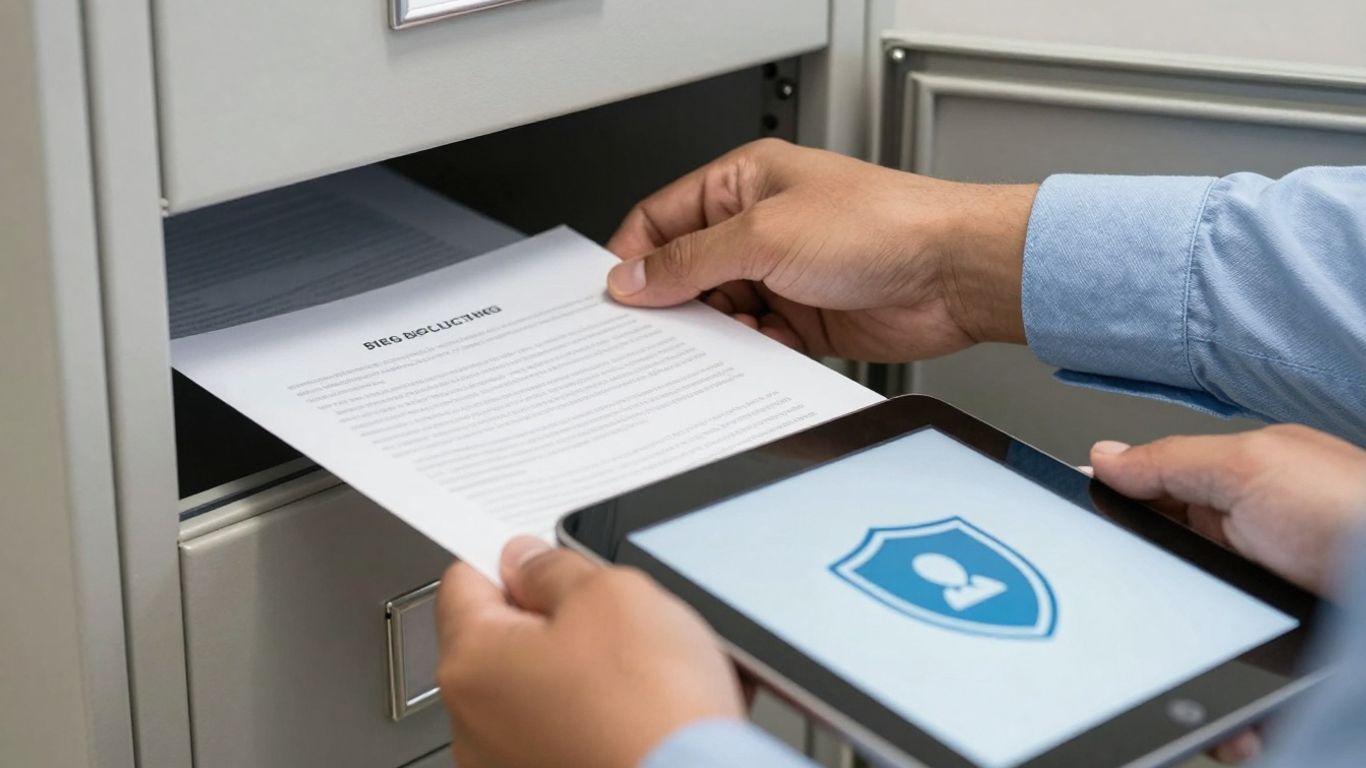
Think about all the paper and digital files you have lying around. Bank statements, old bills, medical records, even junk mail can contain enough personal info for someone to cause trouble. It’s not just about online stuff; your physical documents are a big deal too.
Secure Important Personal Documents
Your really sensitive papers, like your Social Security card, birth certificate, or passport, need a safe spot. Don’t just leave them in a desk drawer. A locked filing cabinet or even a safe deposit box at the bank is a much better idea. Keeping these core documents out of sight and locked up is a primary defense. It’s a hassle to replace them if they get lost or stolen, and the damage from identity theft can be even worse.
Shred Sensitive Information
So, what about all those other papers with your name, address, account numbers, or other personal details? Just tossing them in the trash is a huge risk. Identity thieves often go through people’s garbage looking for this kind of stuff. You really need to shred anything that has sensitive information on it. A simple cross-cut shredder is way better than just tearing things up. It makes the paper pieces small enough that they can’t be put back together easily.
Here’s a quick rundown of what to shred:
- Old bank and credit card statements
- Expired IDs or insurance cards
- Pre-approved credit offers
- Medical bills or records
- Anything with your Social Security number
Protect Your Digital Devices
Your computer, phone, and tablet are basically treasure chests of personal data. If someone gets their hands on them, or hacks into them, they can access a lot. Make sure you have good security software installed and that it’s updated regularly. This helps block viruses and other nasty programs that could steal your information. Also, think about locking your devices with a PIN, password, or fingerprint. It’s a simple step, but it stops someone from just picking up your phone and looking through everything.
Keeping your physical and digital documents secure isn’t a one-time task. It requires ongoing attention to make sure you’re not leaving open doors for identity thieves. Regularly going through your papers and digital files to see what you still need and what can be safely disposed of is a good habit to get into.
Vigilance in Financial Monitoring
Keeping a close eye on your money is one of the most direct ways to catch identity theft early. It’s not just about checking your balance; it’s about spotting anything that looks out of place. Think of it as being your own first line of defense.
Regularly Review Financial Statements
This means looking at your bank statements, credit card bills, and any other financial accounts you have. Don’t just glance at the total. Go through each transaction. Did you buy that? Does that merchant name look familiar? Sometimes, thieves make small purchases first to test the waters before going for bigger amounts. Catching these small, unauthorized charges is key to stopping a larger problem before it starts. It’s a good idea to set aside a specific time each week or month to do this. You can also set up alerts through your bank or credit card company. Many services can notify you via text or email for transactions over a certain amount, or for international purchases. This way, you don’t have to remember to check all the time. For more robust protection, consider services that go beyond standard banking security, like those offered by LifeLock.
Monitor Credit Reports for Suspicious Activity
Your credit report is a detailed history of your borrowing and repayment activity. Identity thieves can open new accounts in your name, and these will show up on your credit report. You’re entitled to a free credit report from each of the three major credit bureaus (Equifax, Experian, and TransUnion) every year. You can get them all at once or stagger them throughout the year to have more frequent checks. Look for:
- Accounts you didn’t open.
- Inquiries from companies you didn’t apply for credit with.
- Any changes to your personal information (like address or employer) that you didn’t make.
- Collections or late payments on accounts you don’t recognize.
Checking these reports regularly helps you spot fraudulent activity that might not appear on your monthly statements right away.
Set Up Transaction Alerts
Most financial institutions offer alert systems, and you should absolutely take advantage of them. These alerts can be customized to notify you about specific types of activity. Here are some common and useful alerts to consider:
- Large Purchase Alerts: Get notified when a transaction exceeds a dollar amount you set.
- Online Transaction Alerts: Be informed every time a purchase is made online, as these can sometimes be harder to track.
- International Transaction Alerts: If you don’t travel often, any foreign transaction is a red flag.
- Low Balance Alerts: While not directly for theft, this can help you manage your funds and notice if money is disappearing unexpectedly.
These alerts act like an early warning system, giving you a chance to react quickly if something suspicious happens. It’s a simple step that adds a significant layer of security to your financial life.
Being proactive with your financial monitoring means you’re not just waiting for something bad to happen. You’re actively looking for signs of trouble and are prepared to act. This vigilance can save you a lot of headaches and financial loss down the road.
Responding to Identity Theft Incidents
Okay, so you think your identity might have been stolen. It’s a scary thought, I know. But don’t panic. The most important thing is to act fast. The quicker you get on this, the less damage the thieves can do. Think of it like putting out a small fire before it becomes a huge blaze.
Contact Financial Institutions Immediately
Your first call should be to your banks, credit card companies, and any other place where you have financial accounts. You need to let them know what’s going on. They can help you freeze or close any accounts that have been messed with. It’s also a good idea to change your passwords and PINs for these accounts right away. Seriously, don’t wait on this. Even if you only suspect something is wrong, it’s better to be safe than sorry.
Place Fraud Alerts and Credit Freezes
Next up, you’ll want to talk to one of the big three credit bureaus: Equifax, Experian, or TransUnion. Tell them you suspect identity theft. They can put a fraud alert on your credit report. This means that anyone trying to open new credit in your name will have to jump through extra hoops to verify it’s really you. If you want to be extra sure, you can ask for a credit freeze. This basically locks down your credit report, making it impossible for anyone to open new accounts until you lift the freeze. It’s a bit more work to manage, but it’s a really strong move.
File an Identity Theft Report with the FTC
This step is super important. You need to file a report with the Federal Trade Commission (FTC) at IdentityTheft.gov. This official report is your proof that you’ve been a victim. It’s going to be really helpful when you’re trying to dispute any fraudulent charges or accounts that pop up. Think of it as your official documentation for fighting back.
Dealing with identity theft is a hassle, no doubt about it. But by following these steps, you’re taking control of the situation and starting the process of cleaning up the mess. Stay organized, keep records of everything, and don’t be afraid to ask for help from the institutions involved.
Understanding and Avoiding Scams
Scammers are getting pretty good at making things look real these days. It feels like every week there’s a new trick to watch out for. The best defense is knowing what to look for and not letting them rush you.
Be Wary of Phishing Attempts
Phishing is when someone pretends to be a legitimate company or person to trick you into giving up your personal information. Think of those emails that look like they’re from your bank, asking you to click a link to "verify your account." Or maybe a text message claiming you’ve won a prize, but you need to pay a small fee to claim it. These are designed to make you act fast without thinking.
- Check the sender: Look closely at the email address or phone number. Scammers often use slightly altered versions of real addresses.
- Don’t click links: If you’re unsure, don’t click any links or download attachments. Go directly to the company’s website by typing the address yourself.
- Look for urgency and threats: Scammers often try to scare you into acting, saying your account will be closed or you’ll face legal trouble.
Scammers want you to feel pressured. They create a sense of emergency to stop you from thinking clearly. Take a breath and question anything that feels off.
Recognize Social Engineering Tactics
This is a bit broader than phishing. Social engineering is all about manipulating people to give up confidential information. It’s not always about emails; it can happen over the phone, through text, or even in person. They might impersonate someone from a government agency, like the IRS, claiming you owe money and need to pay immediately with gift cards. Or they might call pretending to be from a tech company, saying your computer is infected and they need remote access to fix it.
Common tactics include:
- Impersonation: Pretending to be from a trusted source (government, bank, well-known company).
- Urgency/Fear: Creating a situation that requires immediate action to avoid negative consequences.
- Authority: Claiming to be in a position of power to demand compliance.
- Appealing to Greed: Offering a prize or opportunity that seems too good to be true.
Limit Personal Information Shared Online
Every piece of information you put out there can potentially be used against you. Think about social media profiles, online forms, or even just casual conversations. The less you share, the less ammunition scammers have.
- Review privacy settings: Make sure your social media accounts are set to private. Limit who can see your posts, photos, and personal details.
- Be selective with online forms: Only fill out forms from trusted websites. If a site asks for more information than seems necessary, be suspicious.
- Think before you post: Avoid sharing details like your full birthdate, home address, or vacation plans publicly. Scammers can piece this information together.
Proactive Identity Theft Protection Strategies
Staying ahead of identity thieves means being smart and prepared. It’s not just about reacting when something goes wrong; it’s about building strong habits that make it harder for them to get your information in the first place. Think of it like locking your doors and windows – you do it before a break-in, not after.
Educate Yourself on Emerging Threats
The world of scams and digital dangers changes constantly. What worked to protect you last year might not be enough today. It’s important to keep up with the latest tricks identity thieves are using. This means paying attention to news about new types of phishing emails, fake websites, or social media scams. You can find good information from places like the Federal Trade Commission (FTC) or cybersecurity blogs. Knowing what to look for is your first line of defense. Staying informed helps you spot suspicious activity before it becomes a problem.
Implement Robust Security Practices
This is where you put your knowledge into action. It involves a few key things:
- Password Management: Don’t reuse passwords across different sites. Use a mix of upper and lowercase letters, numbers, and symbols. A password manager can help you create and store these complex passwords securely. You can find password managers that sync across your devices.
- Multi-Factor Authentication (MFA): Turn this on everywhere you can. It means even if someone gets your password, they still need a second piece of information, like a code from your phone, to get in. It’s a big hurdle for thieves.
- Software Updates: Keep your operating systems, browsers, and apps updated. These updates often include security patches that fix vulnerabilities. Don’t ignore those update notifications!
- Secure Document Handling: When you no longer need sensitive papers, make sure to shred them. Don’t just toss them in the trash. This applies to old bills, bank statements, or anything with your personal details.
Being proactive means consistently applying good security habits. It’s about making security a routine part of your digital life, not a one-time fix. Small, regular actions add up to significant protection over time.
Share Knowledge About Protection Measures
You’re not alone in this fight. Talk to your friends, family, and even colleagues about what you’ve learned. Share tips on spotting scams or the importance of strong passwords. When more people are aware, we all become safer. You might be surprised how many people are still unaware of the risks or don’t know how to protect themselves. Helping others protect their information also indirectly helps protect your own data by reducing the overall number of potential victims and successful attacks.
Here are some common scams to watch out for:
- Phishing: Emails or messages pretending to be from legitimate companies asking for personal information.
- Smishing: Phishing via text messages.
- Vishing: Phishing via phone calls.
- Fake Tech Support: Scammers claiming your computer has a virus and asking for remote access or payment.
By staying vigilant and sharing what you know, you contribute to a safer online environment for everyone. Remember to check out resources on identity theft prevention for more detailed advice.
Staying Vigilant in the Digital Age
Look, protecting your personal information isn’t a one-time thing. It’s more like keeping your house locked up – you gotta do it all the time. We’ve talked about a bunch of ways to keep your data safe, from strong passwords and watching your bank statements to being careful about what you share online. The main thing is to just stay aware. Cybercriminals are always trying new tricks, so staying informed and using the tools we’ve discussed, like two-factor authentication, really makes a difference. It might seem like a lot at first, but building these habits will help keep your information out of the wrong hands and give you some peace of mind.
Frequently Asked Questions
What exactly is identity theft?
Identity theft is when someone steals your personal information, like your name or Social Security number, and uses it to pretend they are you. They might do this to open fake accounts, buy things, or even commit crimes in your name. It can cause a lot of problems for you, like ruining your credit score or getting you into legal trouble.
How can I make my online accounts safer?
To keep your online accounts safe, you should use really strong passwords that are hard to guess. Think about using a mix of letters, numbers, and symbols. It’s also super important to use different passwords for each account. If a hacker gets into one, they can’t get into all of them. Also, turn on two-step verification whenever you can – it’s like an extra lock on your account.
What should I do if I think my identity has been stolen?
If you suspect your identity has been stolen, act fast! First, tell your bank and credit card companies right away. Then, contact one of the main credit bureaus to put a fraud alert on your credit report. This makes it harder for someone to open new accounts in your name. Finally, report it to the Federal Trade Commission (FTC) at IdentityTheft.gov. They can help you figure out the next steps.
Is it really that important to shred documents?
Yes, it’s very important! Documents like old bank statements, credit card bills, or medical papers have personal information on them. If you just throw them in the trash, someone could find them and use that info to steal your identity. Shredding them makes sure that information can’t be easily read or used by bad guys.
What are phishing scams and how do I avoid them?
Phishing is when scammers try to trick you into giving them your personal information. They might send fake emails or texts that look like they’re from a real company, like your bank. They’ll ask you to click a link or reply with your passwords or account numbers. Always be suspicious of these messages. Never click on links or give out info unless you’re absolutely sure it’s legit. It’s better to go directly to the company’s website or call them using a number you know is real.
How often should I check my bank accounts and credit reports?
You should check your bank and credit card statements at least once a month, or even more often if you can. Look for any charges or activity you don’t recognize. You can also get a free copy of your credit report from each of the three major credit bureaus once a year. Checking these regularly helps you catch any suspicious activity early, before it causes too much damage.