
Working from home has become pretty normal for a lot of us. It’s great, right? No commute, comfy clothes. But it also means our company’s data is spread out more than ever. Keeping everything secure when people are logging in from all sorts of places is a big deal. That’s where remote workforce security governance comes in. It’s basically the set of rules and practices to make sure our work stays safe, even when we’re not all in the same office.
Key Takeaways
- Setting up clear goals and knowing who’s in charge is the first step for good remote workforce security governance. You need to know what you’re trying to achieve and make sure everyone involved understands their part.
- You can’t just assume everyone knows how to stay safe online. Regular training on things like strong passwords and spotting fake emails is super important for remote workers.
- Think about how people actually work. Making security rules that aren’t too hard to follow means people are more likely to stick with them. It’s about making security work for people, not against them.
- Keeping track of company data is vital. Knowing what information is sensitive and putting controls in place to stop it from getting out is a big part of remote workforce security governance.
- Security isn’t a one-time thing. You need to keep checking that your rules are working, learn from any problems, and adjust your approach as new threats pop up.
Establishing Remote Workforce Security Governance
Setting up good governance for remote work security is like building the foundation for a house. You can’t just start putting up walls; you need a solid base first. This means figuring out what you’re trying to achieve and why it matters to the business.
Defining Scope and Objectives for Remote Workforce Security Governance
When we talk about remote work security, we’re not just talking about laptops and Wi-Fi. It’s a whole ecosystem. We need to be clear about what’s included. Does it cover company-issued devices only, or personal ones too (BYOD)? What about cloud services people access from home? Defining this scope helps us focus our efforts. Our main goals should align with keeping company data safe, making sure employees can work without interruption, and meeting any legal or industry rules we have to follow. Without clear objectives, our security efforts can become scattered and less effective.
Aligning Governance with Business Strategy
Security shouldn’t be an afterthought; it needs to be woven into the fabric of how the business operates. If the company’s strategy is to expand into new markets quickly, our security governance needs to support that agility without becoming a roadblock. This means understanding the business’s priorities and risks. For example, if a new product launch is critical, security needs to be involved early in the development process to avoid delays later. It’s about making security an enabler, not a blocker. This alignment helps justify security investments and makes sure everyone sees its importance.
Identifying Key Stakeholders and Responsibilities
Who’s actually in charge of what? That’s a big question. We need to map out everyone involved. This includes IT, security teams, legal, HR, and even department managers who oversee remote teams. Each group has a role to play. For instance, IT might manage the technical controls, while HR handles policy communication and training. Legal ensures we’re compliant with regulations. Clearly defining these roles and responsibilities prevents confusion and makes sure tasks don’t fall through the cracks. It’s a team effort, and everyone needs to know their part.
Here’s a quick look at some typical roles:
| Role/Team | Key Responsibilities |
|---|---|
| Executive Leadership | Setting the security vision, approving resources, and championing security culture. |
| Security Team | Developing policies, implementing controls, monitoring threats, and incident response. |
| IT Operations | Managing infrastructure, deploying security tools, and providing technical support. |
| Legal & Compliance | Advising on regulatory requirements and ensuring policy adherence. |
| Human Resources | Communicating policies, managing onboarding/offboarding security, and facilitating training. |
| Department Managers | Overseeing team compliance with security policies and reporting concerns. |
Effective governance requires a clear understanding of who is accountable for each aspect of remote workforce security. This avoids gaps in oversight and ensures that security responsibilities are actively managed, not just assigned on paper. It’s about making sure that security is a shared responsibility, from the top down and across all departments.
Implementing Foundational Security Controls
Setting up the basics for remote security is super important. It’s like building a house – you need a solid foundation before you start worrying about the fancy stuff. For remote work, this means getting the core security measures right. We’re talking about the controls that stop most common problems before they even start.
Enforcing Strong Credential Management Practices
This is all about how people log in. If passwords are weak or shared, it’s like leaving the front door unlocked. We need to make sure everyone uses strong, unique passwords and doesn’t share them. Multi-factor authentication (MFA) is a big part of this. It adds an extra layer, like needing a key and a code to get in. This makes it much harder for attackers to use stolen passwords. Think of it as a second lock on the door.
- Require strong, unique passwords for all accounts.
- Implement multi-factor authentication (MFA) wherever possible.
- Educate users on password security and phishing risks.
- Regularly review and revoke unnecessary access.
Weak credential management is a leading cause of data breaches. Attackers actively seek and exploit compromised credentials to gain unauthorized access to systems and sensitive information. Implementing robust password policies and MFA significantly reduces this risk.
Implementing Least Privilege Access Controls
This principle means people only get access to what they absolutely need to do their job, and nothing more. If someone doesn’t need to see certain files or use specific software, they shouldn’t have permission to. This limits the damage if an account gets compromised. It’s about giving people just enough access, not too much. This is especially important for accounts with elevated permissions, often called privileged accounts. Managing these accounts carefully is key to preventing misuse. Privileged access governance is a whole area dedicated to this.
Securing Endpoints and Devices
Remote workers use laptops, phones, and tablets to do their jobs. These devices are the "endpoints" of your network. If a device gets infected with malware or is lost or stolen, it can be a major security risk. We need to make sure these devices are protected. This includes things like keeping software updated, installing antivirus software, and encrypting the data on the device. Mobile device management (MDM) tools can help enforce these security settings across all devices. It’s about making sure every device connecting to your company’s resources is as secure as possible. This also ties into how we manage identities, as compromised devices can lead to compromised accounts. Identity governance is critical here.
| Control Category | Example Measures |
|---|---|
| Endpoint Protection | Antivirus, Endpoint Detection and Response (EDR) |
| Device Hardening | Secure configurations, disabling unnecessary services |
| Data Protection | Full disk encryption, data loss prevention (DLP) |
| Patch Management | Regular OS and application updates |
| Mobile Device Management | Policy enforcement, remote wipe capabilities |
Addressing Human Factors in Remote Security
When we talk about securing a remote workforce, it’s easy to get caught up in the tech – the firewalls, the VPNs, the encryption. But honestly, a huge part of security comes down to the people using that tech. It’s about how they behave, what they know, and the environment they work in. Ignoring the human element is like building a fortress with a gaping hole in the main gate.
Cultivating a Robust Security Culture
A strong security culture isn’t something that just happens. It’s built over time, with consistent effort from everyone. It means people feel comfortable speaking up if they see something odd, without fear of getting in trouble. It’s about making security a shared responsibility, not just an IT department problem. When everyone understands why security matters and feels like they’re part of the solution, you’re already miles ahead.
- Leadership sets the tone: When leaders prioritize security and talk about it openly, it signals its importance to the whole team.
- Open communication channels: Make it easy for employees to report concerns or ask questions about security.
- Recognition and reinforcement: Acknowledge good security practices and provide constructive feedback when mistakes happen.
Building a security-conscious mindset requires more than just policies; it demands a shift in how we think about our daily tasks and responsibilities. It’s about making security a natural part of how we work, not an afterthought.
Enhancing Security Awareness and Training
Let’s be real, nobody wants to click on a malicious link, but it happens. That’s where good training comes in. It’s not just about a one-off session; it needs to be ongoing and relevant. Think about common threats like phishing. Training should cover how to spot those tricky emails, what to do if you receive one, and why it’s so important to report them. We need to make sure our teams are equipped to recognize and avoid common pitfalls, like using weak passwords or sharing credentials. This is where understanding social engineering tactics becomes really important for everyone.
Here’s a quick look at what effective training might cover:
- Phishing and social engineering: Recognizing deceptive emails, messages, and calls.
- Credential management: Best practices for passwords, multi-factor authentication, and avoiding reuse.
- Data handling: Understanding what data is sensitive and how to protect it, especially when working remotely.
- Device security: Keeping laptops, phones, and home networks secure.
Managing Insider Threats and Privilege Misuse
When we talk about insider threats, it’s not always about malicious intent. Sometimes, it’s just a mistake, like accidentally sharing sensitive information or using an account that has more access than it needs. This is where the principle of least privilege really shines. Giving people only the access they absolutely need for their job significantly limits the damage if an account is compromised or misused. It’s also about having clear processes for managing access, especially for those with elevated permissions. Monitoring for unusual activity can help detect potential issues early, but it needs to be done carefully to respect employee privacy. Effective insider threat monitoring balances security needs with individual rights.
Leveraging Frameworks and Standards
When we talk about managing security for a remote workforce, it’s easy to get lost in the weeds. There’s so much to consider, from individual devices to company-wide policies. That’s where established frameworks and standards really come into play. They offer a structured way to approach security, giving us a roadmap so we don’t have to reinvent the wheel every time.
Adopting Industry Security Frameworks
Think of frameworks like NIST, ISO 27001, or CIS Controls as blueprints. They’ve been developed by experts who’ve seen a lot and know what works. Instead of guessing, we can use these guides to build a solid security program. For remote work, this means looking at controls related to endpoint security, access management, and data protection, which are all covered in these frameworks. Choosing a framework that aligns with your business needs is the first step to building a consistent security posture. It helps ensure we’re not missing any major areas. For instance, the NIST Cybersecurity Framework provides a great structure for identifying, protecting, detecting, responding to, and recovering from cyber threats, which is super relevant for remote setups.
Mapping Controls to Compliance Requirements
Once you’ve picked a framework, the next step is to see how it fits with what you have to do. Regulations like GDPR or HIPAA have specific requirements, and industry standards might dictate certain security practices. Mapping your chosen framework’s controls to these compliance needs shows you where you’re covered and, more importantly, where you have gaps. This isn’t just about avoiding fines; it’s about making sure your security practices actually meet the legal and regulatory expectations for handling sensitive data, especially when employees are working from various locations. It’s a practical way to ensure you’re not just doing security, but doing the right security.
Utilizing Maturity Models for Assessment
How do you know if your security program is any good? That’s where maturity models come in. They help you assess your current security capabilities and figure out how to get better. You can think of it like a grading system, moving from basic (Level 1) to advanced (Level 5) security practices. For remote work, this could mean evaluating how mature your endpoint management is, or how well your access controls are implemented. Regularly using these models helps identify areas needing improvement and track progress over time. It provides a clear picture of your security’s health and guides future investments.
Governing Data and Privacy in Remote Operations
When your team works from different locations, keeping track of company data and making sure you’re following privacy rules gets a bit more complicated. It’s not just about locking down servers anymore; it’s about how information moves and who sees it, no matter where people are working. We need clear rules for how sensitive information is handled to prevent leaks and meet legal requirements.
Implementing Data Classification and Handling Policies
First off, you’ve got to know what data you have and how important it is. This means sorting your data into categories, like public, internal, confidential, or highly sensitive. Once you know what’s what, you can set specific rules for each type. For example, highly sensitive data might need extra encryption or require access only from specific, secured networks. This isn’t just a good idea; it’s often a legal necessity, especially with regulations like GDPR. You can’t protect what you don’t understand.
Here’s a basic breakdown of data classification:
- Public: Information meant for general consumption, like marketing materials.
- Internal: Data for employees only, like company policies or internal memos.
- Confidential: Sensitive business information that, if disclosed, could harm the company, such as financial reports or customer lists.
- Highly Sensitive: Critical data that, if compromised, could cause severe damage, like intellectual property, personal health information, or trade secrets.
Ensuring Privacy Compliance Across Geographies
Working remotely often means your team is spread across different states or even countries. Each location has its own set of privacy laws. For instance, data transfer rules can be quite different depending on where the data originates and where it’s being processed. You need to make sure your practices align with all applicable regulations, whether it’s GDPR in Europe, CCPA in California, or other local laws. This involves understanding consent requirements, data subject rights, and how data moves across borders. It’s a complex area, and getting it wrong can lead to significant fines and reputational damage. Keeping up with these rules is an ongoing task, and it’s wise to consult with legal experts who specialize in data privacy across different regions. Understanding these cross-border data transfer controls is key.
Controlling Data Exfiltration Risks
Data exfiltration, or the unauthorized transfer of data out of the organization, is a major concern with remote work. When employees use personal networks and devices, the risk of data falling into the wrong hands increases. Implementing Data Loss Prevention (DLP) tools can help. These systems monitor data movement and can block suspicious transfers. It’s also about educating your team on the dangers of sharing sensitive information inappropriately, whether it’s through unsecured email, cloud storage, or even messaging apps. Setting clear policies on what can and cannot be shared, and through which channels, is vital. Regularly reviewing access logs and monitoring for unusual data access patterns can also help detect and prevent exfiltration attempts.
Managing data and privacy in a remote setup requires a proactive approach. It’s about building systems and processes that account for the distributed nature of your workforce and the inherent risks that come with it. This isn’t a one-time fix but an ongoing commitment to security and compliance.
Managing Third-Party and Vendor Risks
When your team works remotely, you’re not just dealing with your own company’s security. You’re also connected to a whole network of other companies – your vendors and partners. If one of them has weak security, it can create a big problem for you. It’s like having a chain where one weak link can break the whole thing. So, you really need to pay attention to who you’re working with and how secure they are.
Assessing Vendor Security Posture
Before you even start working with a vendor, you’ve got to do your homework. This means looking into their security practices. Are they following good security habits? Do they have policies in place to protect your data? It’s not just about asking them; you need to see some proof. This could involve questionnaires, reviewing their security certifications, or even asking for audit reports. Understanding their security setup is the first step to managing the risk they might bring.
Establishing Contractual Security Requirements
Once you’ve picked a vendor, you need to make sure your contract spells out exactly what they need to do to keep your information safe. This isn’t just boilerplate stuff; it needs to be specific. Think about things like how they’ll handle your data, what security measures they must have in place, and what happens if there’s a security incident. Having clear rules in the contract helps everyone know what’s expected and gives you a basis for action if something goes wrong. It’s about setting clear expectations for third-party cyber governance.
Monitoring Third-Party Access and Activity
Just because you have a contract doesn’t mean you can forget about it. You need to keep an eye on what your vendors are doing, especially if they have access to your systems or data. This could involve checking their access logs, making sure they’re not overstepping their bounds, and watching for any unusual activity. It’s an ongoing process, not a one-time check. Regular reviews and audits are key to making sure they’re sticking to the agreement and keeping your information secure. This is a big part of managing vendor security.
- Due Diligence: Thoroughly vet potential vendors before engagement.
- Contractual Clauses: Include specific security and data protection requirements.
- Ongoing Monitoring: Regularly assess vendor compliance and activity.
- Incident Response: Define procedures for handling security incidents involving vendors.
The interconnected nature of modern business means that a vendor’s security posture directly impacts your own. Ignoring this connection is a significant oversight.
Integrating Security into the Development Lifecycle
When we talk about building software, especially for a remote workforce, security can’t just be an afterthought. It needs to be baked in from the very start. This means thinking about security at every stage, from the initial idea to when the code is actually running. It’s about making security a normal part of how we build things, not something we tack on later when it’s harder and more expensive to fix.
Securing Application Architecture and Development
This is where the rubber meets the road. We need to design our applications with security in mind from the ground up. This involves things like threat modeling, which is basically trying to figure out where attackers might try to get in before they even try. We also need to make sure our developers are following secure coding standards. Think of it like building a house – you wouldn’t skip the foundation, right? The same applies here. We want to build applications that are inherently more resistant to attacks. This also means carefully managing any third-party code or libraries we use, because a vulnerability in one of those can open the door to our whole system. It’s all about reducing the potential attack surface right from the beginning. For more on this, looking into a Secure Software Development Lifecycle can be really helpful.
Implementing Secure Coding Standards
Okay, so we’ve got the architecture planned. Now, how do we actually write the code securely? This is where secure coding standards come in. These are basically a set of rules and best practices that developers follow to avoid common security mistakes. Things like properly validating user input to prevent injection attacks, or making sure we’re handling sensitive data correctly. It’s not just about writing code that works, but code that works safely. This requires ongoing training and making sure these standards are part of the everyday workflow. It’s a bit like having a checklist to make sure you haven’t missed anything important.
Managing Secrets and Cryptographic Keys
This is a really important, but often overlooked, part of development. Secrets are things like API keys, passwords, and certificates that give access to sensitive systems or data. If these get into the wrong hands, it’s game over. So, we need really solid ways to store them securely, rotate them regularly (meaning changing them often), and keep an eye on who’s using them. Cryptographic keys, which are used to encrypt and decrypt data, are just as critical. Losing control of these keys means your encrypted data is no longer safe. We need to treat these like the highly sensitive items they are.
Managing secrets and keys properly is a continuous process, not a one-time setup. It requires robust tools and vigilant oversight throughout the application’s life.
Here’s a quick look at some key practices:
- Secure Storage: Use dedicated secret management tools, not plain text files.
- Rotation: Implement automated processes for regularly changing keys and secrets.
- Access Control: Strictly limit who and what can access secrets and keys.
- Auditing: Log all access and usage of secrets and keys for review.
Getting this right is a big step towards building more resilient applications for your remote teams. It’s a core part of building secure software in today’s environment.
Enhancing Detection and Response Capabilities

When it comes to keeping our remote workforce secure, just putting up defenses isn’t enough. We also need to be really good at spotting trouble when it happens and dealing with it fast. This means having solid plans and tools in place to detect suspicious activity and respond effectively.
Deploying User Behavior Analytics
One way to get ahead of threats is by watching what users are actually doing. User Behavior Analytics (UBA) tools look for patterns that seem out of the ordinary. Think about someone suddenly accessing files they never touch, or logging in at weird hours from a new location. These systems help flag potential insider issues or compromised accounts before they cause major problems. It’s like having a security guard who notices when someone’s acting a bit off in a crowd. This proactive approach is key to catching threats that might slip past traditional defenses.
Establishing Incident Response Governance
When an incident does occur, having a clear plan is vital. Incident response governance means we have defined roles, communication channels, and decision-making authority set up beforehand. This isn’t just about having a document; it’s about making sure everyone knows their part and can act quickly without confusion. This structure helps us contain threats, figure out what happened, and get back to normal operations with minimal disruption. It’s about preparedness, so when the unexpected happens, we’re not scrambling.
Here’s a look at the typical phases:
- Detection: Identifying that an incident is happening.
- Containment: Limiting the spread and impact of the incident.
- Eradication: Removing the threat and its root cause.
- Recovery: Restoring systems and data to normal operation.
- Review: Analyzing what happened and how to improve.
Conducting Red Team Exercises for Assurance
To really test how well our detection and response systems work, we can bring in a ‘red team’. These are skilled professionals who act like real attackers, trying to find weaknesses in our defenses. They simulate attacks to see if our security tools and teams can spot them and react appropriately. It’s a way to get an honest assessment of our readiness. The goal isn’t just to find flaws, but to use those findings to make our defenses stronger. This kind of testing helps us understand where we might have blind spots or slow response times, allowing us to fix them before a real attacker exploits them. It’s a practical way to validate our security posture and improve our overall resilience.
Effective detection and response capabilities are not just about technology; they require well-defined processes, clear governance, and regular testing to ensure readiness against evolving threats in a remote work environment.
Measuring and Reporting on Security Posture
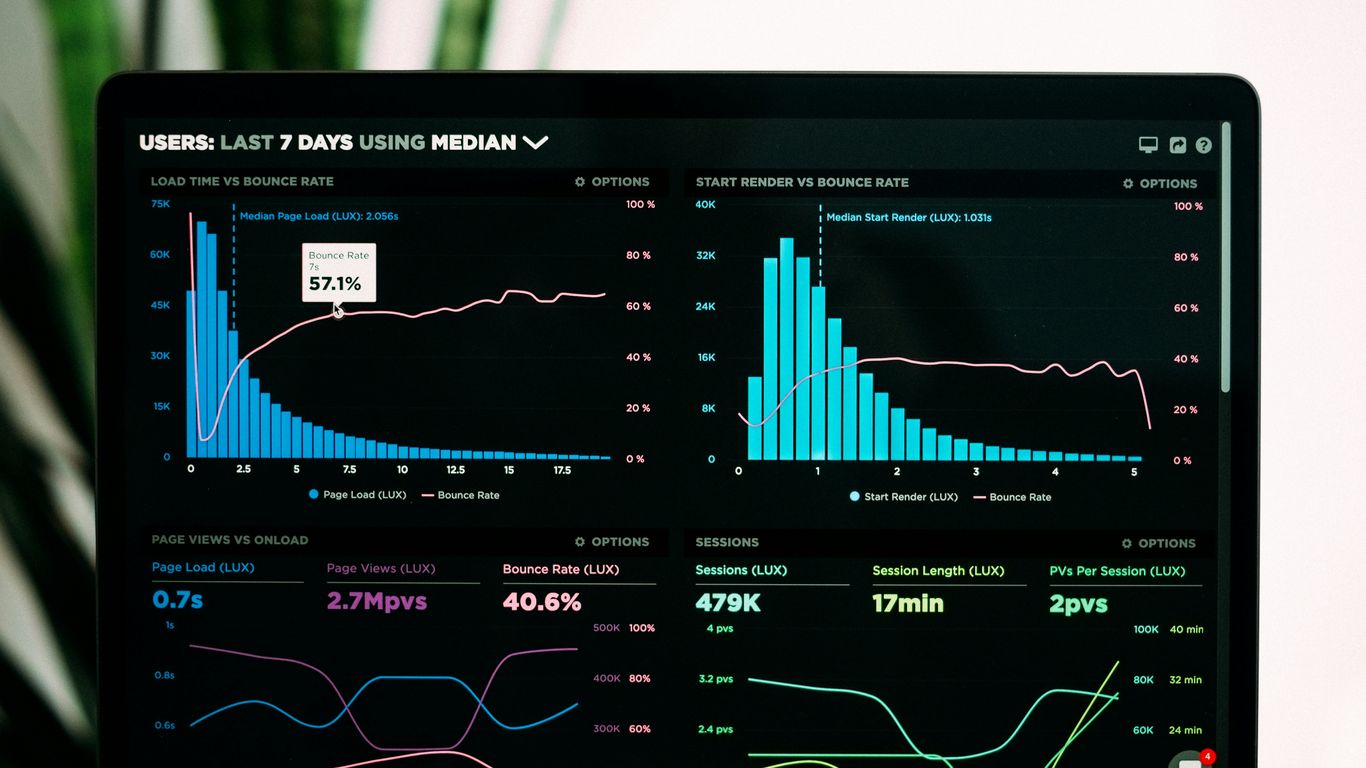
Keeping tabs on how secure your remote setup actually is requires a solid plan for measuring and reporting. It’s not enough to just put security controls in place; you need to know if they’re working and what the overall risk picture looks like. This is where metrics and reporting come in. They turn raw data into actionable insights that leadership can use to make smart decisions.
Defining Key Security Metrics and KPIs
First off, you need to figure out what you’re actually going to measure. Generic metrics won’t cut it. Think about what matters most to your organization’s security and business goals. Are you worried about how quickly you can spot a problem? Or maybe how many employees are actually completing their security training? Key Performance Indicators (KPIs) should directly reflect the effectiveness of your security program. Some common areas to consider include:
- Incident Frequency: How often are security incidents happening? Tracking this can show if your preventative measures are paying off.
- Mean Time to Detect (MTTD): How long does it take your systems to flag a security event? A lower MTTD means you’re spotting issues faster.
- Mean Time to Respond (MTTR): Once an incident is detected, how long does it take to resolve it? Shorter times mean less potential damage.
- Vulnerability Patching Rate: How quickly are identified vulnerabilities being fixed? This shows how proactive you are in closing security gaps.
- Security Training Completion: What percentage of employees have finished their required security awareness training?
Implementing Continuous Monitoring and Auditing
Putting metrics in place is just the start. You need systems that constantly watch what’s going on and regular checks to make sure everything is as it should be. Continuous monitoring uses tools to collect data on system activity, network traffic, and user behavior. This helps spot anomalies that might indicate a threat in real-time. Audits, on the other hand, provide a more formal review. They can be internal or external, and they check if your controls are designed correctly and actually working as intended. This is where you can really see if your security policies are being followed. For instance, an audit might look at access logs to confirm that only authorized personnel are accessing sensitive data, aligning with least-privilege access principles.
Reporting Security Performance to Leadership
All this measurement and monitoring is pointless if the information doesn’t get to the people who can act on it. Reports need to be clear, concise, and focused on what matters to executives. Avoid getting bogged down in technical details. Instead, focus on the business impact of security risks and the effectiveness of your security program. A good report might include:
- A summary of key metrics and trends.
- An overview of significant security incidents and their resolution.
- An assessment of current risks and potential impacts.
- Recommendations for improvements or necessary investments.
Presenting security performance effectively means translating technical findings into business language. Leadership needs to understand the ‘so what?’ of security data to make informed decisions about resource allocation and risk acceptance. This communication bridge is vital for a strong security posture.
Regular reporting, perhaps quarterly, helps maintain visibility and accountability. It also provides a basis for discussing security strategy and budget. Remember, the goal is to provide a clear picture of the organization’s security health, allowing for informed decision-making and continuous improvement.
Driving Continuous Improvement in Governance
Security governance isn’t a set-it-and-forget-it kind of thing. It’s more like tending a garden; you have to keep at it for it to stay healthy and productive. Things change – new threats pop up, your business grows, people move around. So, you’ve got to be ready to adjust your security rules and how you manage them.
Conducting Post-Incident Reviews and Root Cause Analysis
When something bad happens, like a security incident, it’s easy to just fix the immediate problem and move on. But that’s not really a long-term solution. We need to dig deeper. What actually caused the incident in the first place? Was it a technical glitch, a process that wasn’t followed, or maybe someone didn’t know any better? Figuring out the root cause is key. This involves looking at all the details, talking to the people involved, and really understanding the sequence of events. It’s not about pointing fingers; it’s about learning so it doesn’t happen again. A good way to do this is to have a structured process for reviewing incidents. This helps make sure we don’t miss anything important.
- Identify the trigger event: What was the first sign of trouble?
- Map the timeline: What happened, and when?
- Analyze contributing factors: What conditions allowed it to happen?
- Determine the root cause(s): Why did those factors exist?
- Document lessons learned: What did we discover?
After an incident, a thorough review helps us understand not just what went wrong, but why. This knowledge is gold for preventing future problems. It’s about turning a negative event into a positive step forward for our security.
Adapting Policies to Evolving Threats
The bad guys are always coming up with new tricks. What was secure yesterday might not be secure enough today. This means our security policies can’t just sit on a shelf. They need to be reviewed regularly and updated to match the current threat landscape. This might mean changing how we handle data, updating our rules for remote access, or adding new requirements for employee training. It’s a constant cycle of checking what’s out there and making sure our defenses are still up to par. Think about how quickly new types of malware appear; our policies need to keep pace. This is where staying informed about cybersecurity trends becomes really important.
Fostering a Culture of Learning and Adaptation
Ultimately, making security better is a team effort. It’s not just about the security team; everyone plays a part. We need to create an environment where people feel comfortable reporting issues, asking questions, and suggesting improvements. This means encouraging continuous learning, both for individuals and for the organization as a whole. When we learn from our mistakes, adapt to new challenges, and share that knowledge, our security governance gets stronger. It’s about building a resilient system that can handle whatever comes its way. This kind of adaptive approach is vital for maintaining effective privacy governance as well.
Looking Ahead: Sustaining Remote Workforce Security
So, we’ve talked a lot about keeping things secure when folks are working from home. It’s not just about the tech, right? It’s really about people, how they act, and making sure they have the right tools and know-how. Building a strong security culture, where everyone plays a part, is key. This means clear rules, good training, and making it easy for people to do the right thing. As work continues to shift, staying on top of these human elements, alongside the technical stuff like access controls and device management, is how we’ll keep our digital doors locked tight. It’s an ongoing effort, for sure, but a necessary one for any organization today.
Frequently Asked Questions
What is remote workforce security governance?
It’s like setting up the rules and plans to keep our company’s information safe when people work from home or other places outside the office. This includes making sure everyone knows how to protect company stuff and that we have the right tools to do so.
Why is it important to have good security rules for remote workers?
When people work from home, they might use networks or devices that aren’t as secure as the office. This can make it easier for bad guys to get into our company’s systems. Good rules help prevent this.
What are ‘least privilege access controls’?
This means giving people access to only the files and tools they absolutely need to do their job, and nothing more. It’s like giving a key that only opens the doors they need, not the whole building.
How can we make sure remote workers understand security best practices?
We can teach them through regular training sessions and fun activities that show them how to spot dangers like fake emails (phishing) and how to protect their passwords. Making security a regular part of how we talk about work helps a lot.
What is ‘data exfiltration’?
This is when sensitive company information is secretly taken out of our systems without permission. It’s like someone sneaking important documents out of the office.
Why should we worry about third-party risks?
Sometimes we work with other companies or use their services. If their security isn’t good, it can create a weak spot that attackers can use to get to our information. We need to make sure they are safe too.
What does ‘security culture’ mean for remote teams?
It means everyone, no matter where they are working, feels responsible for security. It’s about making smart security choices a normal habit and encouraging people to speak up if they see something risky.
How do we know if our remote security is actually working?
We check things regularly, like making sure everyone is following the rules and seeing if our security tools are catching problems. We also look at reports to see how well we are doing and where we can get better.