
Running an online store is awesome, but let’s be real, keeping it safe from all the bad guys out there can feel like a full-time job. People trust you with their info, and one slip-up can cause a ton of problems, from losing money to customers just not trusting you anymore. This guide is all about making your online shop more secure, covering the big stuff to help you avoid headaches and keep your business running smoothly. We’ll go over some basic ecommerce security steps that actually make a difference.
Key Takeaways
- Always use strong, unique passwords and change them regularly. Think long and complex, not just ‘password123’.
- Turn on multi-factor authentication (MFA) wherever you can. It’s like having a second lock on your digital door.
- Make sure your website uses an SSL certificate. Look for that padlock and ‘https’ in the address bar – it means your site is encrypted.
- Use trusted payment gateways that handle transactions safely. They’re built to protect sensitive financial data.
- Keep your ecommerce platform, themes, and plugins updated. Outdated software is an open invitation for trouble.
1. Secure Your Passwords
When it comes to running an online store, passwords are like the keys to your kingdom. If they’re weak, anyone can just walk in and cause trouble. We’re talking about protecting customer data, financial information, and your business’s reputation. It’s not just about your admin login either; every account connected to your store needs strong protection.
Think about it: a simple password like ‘password123’ or ‘yourstorename’ is practically an open invitation for hackers. They use automated tools to try millions of combinations, and weak passwords get cracked in seconds. This can lead to massive data breaches, like the one that hit a major e-commerce platform a few years back, exposing millions of user accounts. That’s not the kind of publicity you want.
So, what makes a password strong? It’s a mix of things:
- Length: Longer is always better. Aim for at least 12 characters, but more is great.
- Complexity: Use a combination of uppercase letters, lowercase letters, numbers, and symbols (like !, @, #, $).
- Uniqueness: Never reuse passwords across different sites or services. If one account gets compromised, the others remain safe.
- Avoid Personal Info: Don’t use your name, birthday, address, or anything easily guessable.
It’s a good idea to change your passwords regularly, especially for critical accounts. Think of it like changing the locks on your house every so often, just to be extra safe. If you’re worried about remembering all these complex passwords, password managers are a lifesaver. They can generate and store super strong, unique passwords for all your accounts, so you only need to remember one master password.
2. Use Multi-Factor Authentication
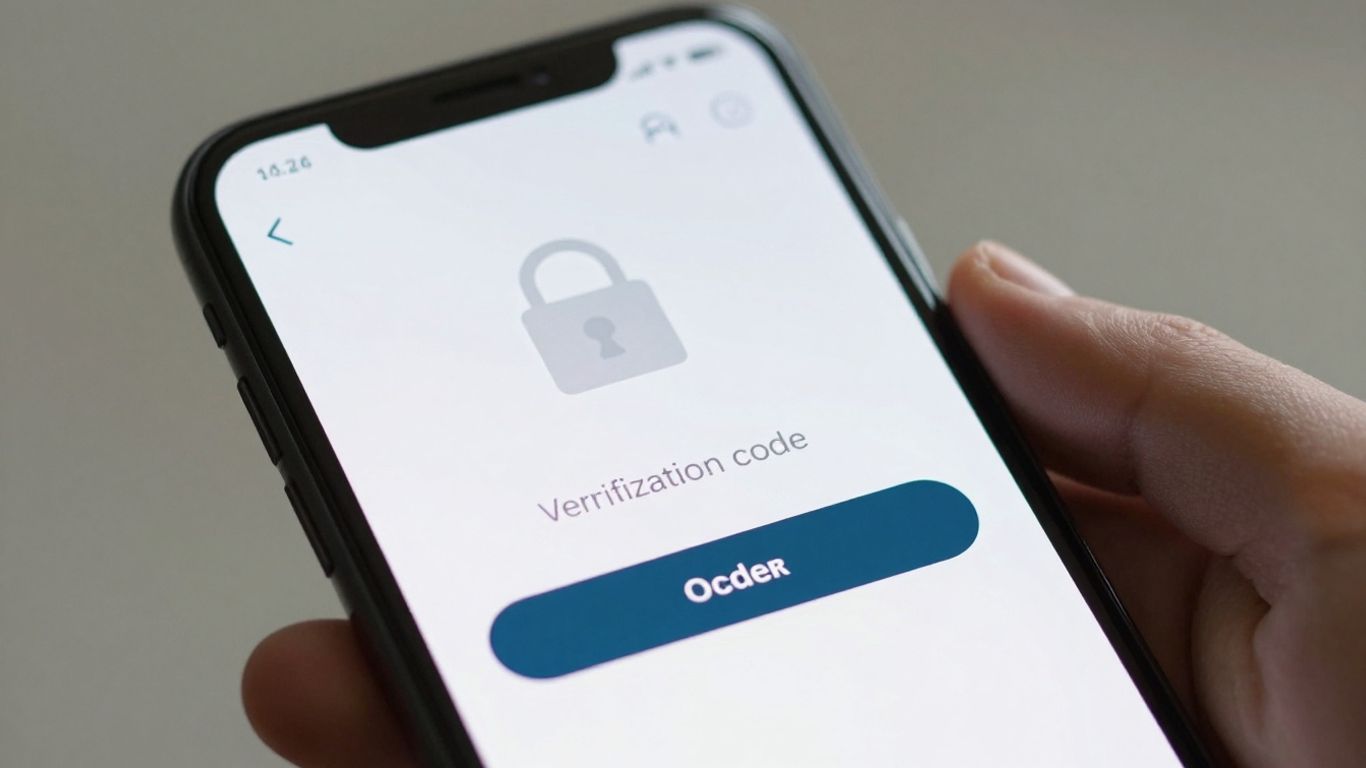
Passwords are good, but they’re not always enough on their own. That’s where multi-factor authentication, or MFA, comes in. Think of it as adding an extra lock to your digital door. Instead of just needing a key (your password), you also need something else to prove it’s really you. This could be a code sent to your phone, a fingerprint scan, or a special app.
Implementing MFA significantly boosts your store’s security. It makes it much harder for unauthorized people to get into your accounts, even if they somehow get their hands on your password. This is one of the most effective ways to stop account takeovers.
Here’s how it generally works:
- Something you know: Your password.
- Something you have: Your phone with an authenticator app, or a physical security key.
- Something you are: Your fingerprint or face scan (biometrics).
Most systems require at least two of these to log in. For your e-commerce site, this means enabling MFA for your admin accounts, your hosting provider, and even encouraging customers to use it for their accounts. Many platforms and plugins make this pretty straightforward to set up. For instance, you can often use apps like Google Authenticator or Authy. It’s a good idea to avoid SMS-based codes, as they can be less secure due to risks like SIM swapping. Instead, look for options that use authenticator apps or hardware tokens for better protection. Setting up MFA is a smart move for any online business looking to protect itself and its customers. You can find solutions that integrate quickly, streamlining the process for your business.
Adding MFA might seem like a hassle at first, but the peace of mind it provides is well worth the small effort. It’s a proactive step that can prevent major headaches down the road, protecting both your business data and your customers’ information from falling into the wrong hands.
3. Secure Your Website With An SSL Certificate
Okay, so you’ve got your online store up and running, which is awesome. But have you thought about making sure it’s actually safe for people to shop on? One of the first things you really need to do is get an SSL certificate. Think of it like a digital security guard for your website.
When a customer visits your site, an SSL certificate scrambles all the information they send over – like their credit card details or personal info. This scrambling, called encryption, makes it super hard for anyone snooping around to read that data. Without it, that information is basically sent in plain text, which is a big no-no.
So, how do you know if your site has one? Look at the web address. If it starts with https:// instead of just http://, that ‘S’ means it’s secure. Most web browsers will also show a little padlock icon next to the address, which is a good visual cue for shoppers that your site is legit and safe to use.
Here’s a quick rundown of why it matters:
- Protects Customer Data: It encrypts sensitive information, keeping it private.
- Builds Trust: That padlock icon and HTTPS address make customers feel more comfortable buying from you.
- Boosts SEO: Search engines like Google tend to favor websites that use HTTPS, so it can help you rank higher.
- Meets Compliance: For many businesses, especially those handling payments, having an SSL is a requirement.
Getting an SSL certificate is usually pretty straightforward. Many hosting providers offer them, sometimes even for free. You’ll want to make sure you pick the right type for your business needs, but honestly, just having one is a massive step up from not having one at all.
It’s not just about protecting your customers; it’s about protecting your business reputation too. A security breach can really damage how people see your brand, and that’s something nobody wants.
Seriously, don’t skip this step. It’s one of the most basic, yet important, ways to make your online store a safer place for everyone.
4. Implement Secure Payment Gateways
When customers hand over their credit card details on your site, they’re trusting you with sensitive information. That’s why picking the right payment gateway is a really big deal for your online store’s security. Think of it as the digital equivalent of a bank vault for your transactions.
A good payment gateway does more than just process payments; it actively protects your customers’ financial data from falling into the wrong hands. This involves several layers of security:
- Data Encryption: This scrambles the cardholder’s information so only authorized parties can read it. It’s like sending a secret message that only the intended recipient can decode.
- Tokenization: Instead of storing actual credit card numbers, the gateway replaces them with unique, random codes (tokens). If a hacker gets hold of these tokens, they’re pretty much useless without the original decryption key.
- PCI DSS Compliance: This is a set of security standards that all businesses handling credit card information must follow. Reputable gateways are fully compliant, meaning they meet strict security requirements.
- Fraud Detection: Advanced gateways use smart systems to spot suspicious transactions before they cause problems, helping to prevent chargebacks and protect your business.
Choosing a gateway that uses these security measures is non-negotiable for building customer trust and keeping your business safe.
The payment process is often the most vulnerable point in an e-commerce transaction. Investing in a secure, reputable payment gateway isn’t just about compliance; it’s about safeguarding your customers’ financial well-being and, by extension, your store’s reputation. Don’t cut corners here; it’s where trust is truly built or broken.
5. Regularly Update Your eCommerce Platform and Plugins
Think of your eCommerce platform and all the little bits and bobs that make it work, like plugins and themes, as a house. You wouldn’t leave the doors unlocked or windows open, right? Well, keeping your software updated is kind of like locking those doors and windows. Developers are constantly finding and fixing security holes, and if you’re not updating, you’re leaving those holes open for anyone to sneak through.
It’s not just about the main software, either. Those third-party plugins and themes you add? They can be a weak spot too. Hackers love to find outdated plugins because they’re often easier to exploit. So, make it a habit to check for updates for everything – your platform, your themes, and all your plugins. This regular maintenance is one of the most effective ways to keep your online store safe.
Here’s a quick rundown of what to do:
- Update your core eCommerce platform: Whether you’re on Shopify, WooCommerce, Magento, or something else, always run the latest version. Developers release patches for newly discovered vulnerabilities.
- Update themes and plugins: These add-ons are frequent targets. Check for updates regularly and install them promptly.
- Remove what you don’t use: Got old plugins or themes lying around that you never touch? Get rid of them. Even if they’re not active, they can sometimes still be a security risk.
- Consider automatic updates: For critical security patches, turning on automatic updates can save you time and prevent you from missing something important. Just be sure to test updates on a staging site first if possible, so you don’t break your live store.
Keeping your software current isn’t just a good idea; it’s a necessary step in protecting your business and your customers’ data from online threats. It’s like patching up your defenses before an attack even happens.
6. Scan For Malware and Ransomware
Keeping your online store safe means regularly checking for nasty software like malware and ransomware. Think of it like pest control for your digital shop. These malicious programs can sneak in through dodgy links, infected email attachments, or even by exploiting weaknesses in your website’s code. Once they’re in, they can steal customer data, lock up your files and demand money, or just generally mess with your site, making it slow or unusable.
Malware is a broad term for any software designed to cause harm. Ransomware is a specific, nasty type that holds your data hostage. It’s a big deal – these attacks can cost businesses millions and seriously damage your reputation. Customers might see warnings that your site is dangerous, or worse, their own computers could get infected.
Here are some common signs that malware might be lurking:
- Your website suddenly becomes super slow or keeps crashing.
- You’re seeing a lot more pop-up ads than usual, and they’re hard to get rid of.
- Customers report being redirected to weird, unrelated websites when they try to visit yours.
- New, unfamiliar icons or programs appear on your computer or server without you installing them.
- You start getting a lot of bounce-back messages for emails you sent out.
Regularly scanning your site with reputable security tools is non-negotiable. These scans act like a digital detective, looking for any suspicious code or unauthorized changes that could indicate an infection. Catching these issues early can save you a massive headache down the road.
There are many tools and plugins available that can help with this. Some are built right into eCommerce platforms, while others are third-party solutions you can install. It’s a good idea to set up automatic scans so you don’t have to remember to do it manually. If a scan does find something, act fast to remove the threat and figure out how it got there in the first place to prevent it from happening again.
7. Avoid Storing Confidential Data
Think about it: the less sensitive information you have lying around, the less there is to lose if something bad happens. This means only collecting what you absolutely need for a sale or for customer service. Do you really need a customer’s full social security number to sell them a t-shirt? Probably not.
The golden rule here is data minimization – collect only what’s necessary and nothing more.
When you do have to store data, even if it’s just names and addresses, make sure it’s locked down tight. This involves encrypting it both when it’s sitting on your servers (data at rest) and when it’s traveling across the internet (data in transit). Using secure payment gateways is a big part of this, as they handle a lot of the really sensitive financial stuff for you. Don’t try to be a hero and store credit card numbers yourself; leave that to the experts.
Here’s a quick rundown of what to keep in mind:
- Only collect what you need: If it’s not directly related to processing an order or providing support, skip it.
- Encrypt everything: Use strong encryption for data both stored and transmitted.
- Limit access: Make sure only the people who absolutely need to see certain data can access it. Role-based access is your friend here.
- Delete old data: Have a plan for how long you keep information and securely get rid of it when it’s no longer needed.
Storing less data means fewer headaches if a breach occurs. It’s like not keeping valuables in a house that’s easy to break into. If the bad guys get in, there’s less for them to steal.
Regularly checking who has access to what and deleting old, unnecessary records are also super important steps. It’s an ongoing process, not a one-and-done thing.
8. Educate Employees and Customers on Security Best Practices
Look, technology is great and all, but let’s be real, a lot of security problems happen because people make mistakes. It’s like leaving your front door unlocked – even if you have the best alarm system, someone can just walk in. That’s why teaching your team and your customers about security is super important.
For your employees, this means making sure they know how to spot a fake email trying to trick them into giving up passwords or sensitive info. We’re talking about phishing scams, you know, those emails that look like they’re from your bank or a supplier but are actually from some shady character. They also need to understand why using strong, unique passwords for everything matters, and how to handle customer data properly. Think of it as basic training for keeping the bad guys out. Regular little reminders help keep this stuff fresh in their minds.
Here’s a quick rundown for your staff:
- Spotting Phishing: Teach them to look for weird email addresses, bad grammar, urgent requests for personal info, or links that don’t look quite right.
- Password Power: Emphasize using different, strong passwords for different accounts. No more ‘password123’!
- Data Handling: Make sure they know the rules about who can see what customer information and how to store it safely.
Now, for your customers, it’s a bit different. You can’t force them to be super careful, but you can give them the info they need to protect themselves. Put clear messages on your site about how you protect their data and what they can do too. Tell them how to know if an email is really from you and give them tips like using strong passwords on their accounts with you and being wary of suspicious links they might get elsewhere. It builds trust when customers see you care about their security, and honestly, it helps them avoid becoming victims, which is good for everyone.
It’s easy to get caught up in the technical side of security, like firewalls and encryption. But we can’t forget the human element. A well-informed employee or customer is one of the strongest defenses you have against cyber threats. Think of it as building a community of security-aware individuals around your store.
So, don’t skip the training part. It might seem like a small thing, but it makes a big difference in keeping your online store and your customers safe.
9. Use A CDN (Content Delivery Network)
Think of a Content Delivery Network, or CDN, as a network of servers spread out all over the place. When someone visits your online store, the CDN figures out which server is closest to them and sends the website’s information from there. This is super helpful, especially if you have customers all over the world.
Online stores can get really busy, with lots of people trying to access them from different locations. If your site takes too long to load, people get impatient and might just leave. A good CDN helps speed things up by sending content faster and more efficiently. It can also handle sudden rushes of traffic without your server crashing, which is a lifesaver during busy shopping seasons. Plus, if you have a lot of images or videos, a CDN can help optimize them so your pages load even quicker.
A CDN isn’t just about speed, though. By distributing your content across multiple servers, it also adds a layer of resilience. If one server has an issue, others can pick up the slack, meaning your store stays available to customers.
Here’s why a CDN is a smart move:
- Faster Load Times: Customers get your pages quicker, leading to a better shopping experience.
- Improved Availability: Your site is less likely to go down, even with lots of visitors.
- Reduced Server Load: Your main server doesn’t have to work as hard, saving resources.
- Better Global Reach: Customers far away get a speed boost too.
10. Regulate User Roles and Permissions
Think about who needs access to what on your online store. Not everyone needs to be a super-admin, right? Assigning specific roles and permissions is like giving out keys to different rooms in your shop – only give out the keys for the rooms people actually need to be in. This stops accidental changes, like someone deleting important product listings or messing with your checkout settings.
It’s a smart move to limit the number of people who have full administrator access. Carefully consider if someone really needs that level of control, or if a lower-access role would do the job just fine. You can even customize these roles further. Many platforms let you tweak what each role can and can’t do, so you can get really granular with it.
Here’s a quick rundown of why this matters:
- Prevents Unauthorized Changes: Stops people from making changes they shouldn’t, whether by accident or on purpose.
- Minimizes Data Risk: If an account with limited permissions gets compromised, the damage is usually much smaller.
- Improves Accountability: It’s easier to track who did what when roles are clearly defined.
- Streamlines Operations: Employees can focus on their tasks without being overwhelmed by options they don’t need.
Setting up user roles isn’t just about security; it’s also about keeping your day-to-day operations running smoothly. When everyone knows their boundaries and has the right tools for their job, things just get done better and with fewer hiccups. It’s about building a system where trust is earned through defined responsibilities, not just handed out freely.
Wrapping Up: Keeping Your Online Store Safe
So, we’ve gone over a bunch of ways to keep your online shop secure. It might seem like a lot, but really, it boils down to staying on top of things. Keep your software updated, use strong passwords, and make sure your payment system is solid. Don’t forget that your team and even your customers play a part too – a little education goes a long way. Cyber threats aren’t going anywhere, but by putting these practices into place, you’re building a much stronger defense for your business and for everyone who shops with you. It’s all about making sure people feel good about buying from you, knowing their information is looked after.
Frequently Asked Questions
Why is keeping my online store secure so important?
Keeping your online store safe is super important because if someone hacks into it, they could steal your customers’ private information, like their credit card numbers. This can cost you a lot of money, ruin your store’s reputation, and make customers stop trusting you. It’s like locking your physical store at night to prevent theft.
What’s the deal with SSL certificates and ‘https://’?
An SSL certificate is like a digital security guard for your website. It scrambles the information sent between your store and your customers’ computers, making it unreadable to sneaky people. When you see ‘https://’ and a padlock in the web address, it means the connection is secure, and customer data is protected during its journey.
How do payment gateways help keep things safe?
Secure payment gateways are like special armored trucks for your customers’ money. They use advanced technology to protect credit card details and other payment info during transactions. This ensures that when someone buys something, their financial details are handled safely and aren’t easily snatched by bad guys.
Why should I update my website’s software and add-ons regularly?
Think of software updates like getting new locks for your doors and windows. Hackers are always looking for unlocked doors, and outdated software has weaknesses they can exploit. Updating your website’s platform and any extra tools (plugins) fixes these security holes, making it much harder for attackers to get in.
What is multi-factor authentication (MFA) and why use it?
Multi-factor authentication is like needing two keys to open a treasure chest instead of just one. It means logging into your store’s account requires more than just a password – maybe a code sent to your phone or a fingerprint scan. This makes it way harder for someone to get into your account even if they somehow steal your password.
Should I store customer information like credit card numbers?
It’s best not to store sensitive customer data like full credit card numbers on your website. This information is a big target for hackers. Instead, let secure payment gateways handle that sensitive data. Your job is to protect your store, and their job is to securely process payments.