
Running a small business is tough enough without worrying about cyber threats. It feels like every day there’s a new story about a company getting hacked, and it’s easy to think ‘that won’t happen to me.’ But honestly, cybercriminals are looking for any easy target, and small businesses can be just as appealing as the big guys. The good news? You don’t need a massive IT department or a bottomless budget to make your small business cyber security much stronger. We’re going to break down some simple, practical steps you can take right now to protect your business.
Key Takeaways
- Keep all your software and apps updated. Those updates often fix security holes that hackers could use.
- Make sure everyone uses strong, unique passwords and turns on extra security steps like two-factor authentication when possible.
- Train your team on what to look out for, like suspicious emails, and create a culture where security is everyone’s job.
- Regularly back up your important files and consider encrypting sensitive data, so it’s unreadable if it falls into the wrong hands.
- Understand what your business needs are and how cyber risks could mess with them. Also, get your team and bosses on board with security plans.
Strengthening Your Small Business Cyber Security Foundation

Building a solid cyber security setup for your small business doesn’t have to be complicated or break the bank. It’s about putting the right basics in place so you’re not an easy target. Think of it like locking your doors and windows at night – simple, but effective.
Regular Software And Patch Updates
Keeping your software up-to-date is like giving your digital tools a fresh coat of paint and reinforcing weak spots. Developers release updates, often called patches, to fix security holes that hackers could use to get into your systems. If you skip these updates, you’re basically leaving the door open for trouble. This applies to everything from your operating systems and web browsers to your printers and even your Wi-Fi router’s internal software (firmware).
- Check for updates regularly: Don’t wait for automatic prompts if they aren’t always reliable.
- Prioritize critical updates: Some updates are more important than others for security.
- Schedule updates: Set aside time each week or month to go through and apply them.
Ignoring software updates is a common mistake that leaves businesses exposed. Hackers actively look for systems running old software because they know exactly where the vulnerabilities lie.
Implement Strong Password And Authentication Practices
Passwords are the first line of defense for most accounts. Weak or reused passwords are a hacker’s dream. You need to make sure your passwords are tough to guess and that you’re using extra layers of security where possible.
- Use unique, complex passwords: Mix upper and lowercase letters, numbers, and symbols. Aim for at least 12 characters.
- Enable Multi-Factor Authentication (MFA): This means using more than just a password, like a code sent to your phone, to log in. It’s one of the most effective ways to stop unauthorized access.
- Don’t reuse passwords: A breach on one site shouldn’t compromise others.
Conduct Timely Risk Assessments
Knowing what you need to protect and where your weak spots are is key. A risk assessment helps you identify potential threats and figure out how likely they are to happen and what the impact would be if they did. This isn’t a one-time thing; threats change, and so does your business.
- Identify your sensitive data: What information is most important to protect (customer lists, financial records, etc.)?
- Pinpoint potential threats: What could go wrong (malware, phishing, employee mistakes)?
- Evaluate your current defenses: What security measures do you already have in place?
This process helps you focus your limited resources on the areas that need the most attention. It’s about being smart with your security efforts.
Empowering Your Team Against Cyber Threats
Your employees are often the first line of defense, but they can also be the weakest link if not properly prepared. Making sure your team knows what to look for and how to react is a big part of keeping your business safe.
Comprehensive Employee Training Programs
Think of training not as a one-off event, but as an ongoing process. Generic, check-the-box training just doesn’t cut it anymore. Instead, focus on practical, scenario-based learning that shows employees how cyber threats can actually affect their day-to-day work, both professionally and personally. This means explaining what phishing emails look like, how to spot suspicious links or attachments, and what to do if they think they’ve encountered a threat. It’s about building real awareness, not just ticking a box.
- Recognize Phishing Attempts: Train staff to identify suspicious emails, texts, or calls that try to trick them into revealing sensitive information or clicking malicious links. Look for odd sender addresses, urgent language, or requests for personal data.
- Secure Password Habits: Educate employees on creating strong, unique passwords for different accounts and the importance of not sharing them. Explain why using a password manager can be a good idea.
- Safe Internet Use: Cover best practices for browsing the web, especially on public Wi-Fi, and how to avoid downloading risky software.
- Reporting Incidents: Clearly define the process for reporting any suspected security issues immediately to the right person or department.
Foster A Cyber Safe Culture
Security shouldn’t just be an IT department problem; it needs to be part of your company’s DNA. This starts from the top. When leaders talk about security, make it a regular topic, and include security goals in overall business objectives, it signals its importance to everyone. It’s about making security a normal part of how business gets done every single day, not just something that’s dealt with when there’s a problem.
Building a security-conscious workplace means making it easy for people to do the right thing. When security measures are overly complicated or inconvenient, employees are more likely to find workarounds, which can create vulnerabilities. Simplicity and accessibility in security policies and tools are key to widespread adoption and effectiveness.
Encourage Open Communication And Reward Secure Behaviors
Create an environment where employees feel comfortable speaking up if they see something suspicious or make a mistake, without fear of punishment. This open dialogue is vital for catching threats early. You can also reinforce good security habits by acknowledging and rewarding employees who actively participate in security training, report potential issues, or consistently follow best practices. This positive reinforcement helps make security a shared responsibility and encourages everyone to be more vigilant.
| Behavior Rewarded | Example Action | Impact |
|---|---|---|
| Reporting Suspicious Activity | Employee flags a phishing email before clicking | Prevents potential data breach |
| Adhering to Password Policy | Consistently uses strong, unique passwords | Reduces account compromise risk |
| Completing Training | Actively participates and scores well on security quizzes | Increases overall team awareness |
Securing Your Digital Assets And Infrastructure
Protecting your business’s digital assets means putting up solid defenses for all the important stuff you store and use online. Think of it like fortifying your physical office, but for your computers, servers, and all the data they hold. It’s not just about having antivirus software; it’s a more involved process. This involves a layered approach to keep your information safe from prying eyes and malicious actors.
Utilize Virtual Private Networks For Secure Access
When employees need to access company resources from outside the office, like when they’re working from home or traveling, a Virtual Private Network (VPN) is your best friend. A VPN creates a secure, encrypted tunnel over the internet. This means that any data sent between the employee’s device and your company network is scrambled and unreadable to anyone trying to intercept it. It’s like sending a private message through a public postal service, but only the intended recipient has the key to read it. Make sure your VPN is set up correctly and that employees know how to use it properly. This is a key step in protecting your business’s digital assets.
Implement Regular File Backups
Imagine losing all your customer records, financial data, or project files overnight. It’s a scary thought, right? That’s where regular file backups come in. You need a solid plan to copy your important data and store it somewhere safe, separate from your main systems. This way, if something bad happens – like a ransomware attack, hardware failure, or even accidental deletion – you can get your data back. A good strategy follows the 3-2-1 rule: keep at least three copies of your data, store them on two different types of media, and keep one copy offsite. Testing your backups regularly is also super important to make sure they actually work when you need them.
Encrypt Sensitive Data At Rest And In Transit
Encryption is like putting your data into a secret code. When data is "at rest," it means it’s stored on a hard drive, server, or cloud storage. When it’s "in transit," it’s being sent over a network, like the internet. Encrypting sensitive information, such as customer details, financial reports, or employee personal information, makes it unreadable to unauthorized people, even if they manage to get their hands on it. This applies to data stored on laptops, phones, and any cloud services you use. It’s a vital step to keep private information private.
Keeping your digital assets secure isn’t a one-time fix. It requires ongoing attention and a commitment to using the right tools and practices. Think of it as regular maintenance for your business’s digital health.
Proactive Defense And Vulnerability Management
Keeping your business safe from cyber threats isn’t just about setting up defenses and forgetting about them. It’s an ongoing process, kind of like maintaining your car. You wouldn’t just ignore that check engine light, right? The same goes for your digital world. We need to be actively looking for weak spots before the bad guys do.
Perform Regular Penetration Testing
Think of penetration testing, or ‘pen testing’ as some call it, as hiring a friendly hacker to try and break into your systems. They’ll look for ways in that your own team might miss. This isn’t about finding fault; it’s about finding vulnerabilities so you can fix them. Regularly testing your defenses helps you stay ahead of real attackers. It’s a smart way to see where your security might be lacking before someone else exploits it.
Maintain Up-To-Date Systems And Applications
This is a big one. Software companies release updates, often called patches, for a reason. They fix security holes that have been discovered. If you’re not applying these updates, you’re basically leaving your digital doors unlocked. It’s easy to put off, especially when things are working fine, but unpatched systems are a prime target. Attackers know this and actively look for them. Make it a habit to check for and install updates for your operating systems, applications, and even your network devices. Automating this where possible can save a lot of headaches.
Understand Business Goals And Translate Cyber Risks
What are you trying to achieve with your business? Are you expanding into new markets, launching a new product, or focusing on customer service? Your cybersecurity efforts should support these goals, not hinder them. It’s about understanding what’s most important to your business and making sure it’s protected. For example, if customer data is key, then protecting that data becomes a top priority. Translating cyber risks into business terms – like potential loss of revenue or damage to your reputation – helps everyone understand why these security measures are so important. It’s not just an IT problem; it’s a business problem.
It’s easy to get overwhelmed by all the technical jargon around cybersecurity. The key is to focus on what actually matters for your specific business. Start with the basics, like keeping software updated and training your staff, and build from there. Don’t try to do everything at once; focus on the biggest risks first.
Establishing Clear Security Policies And Procedures
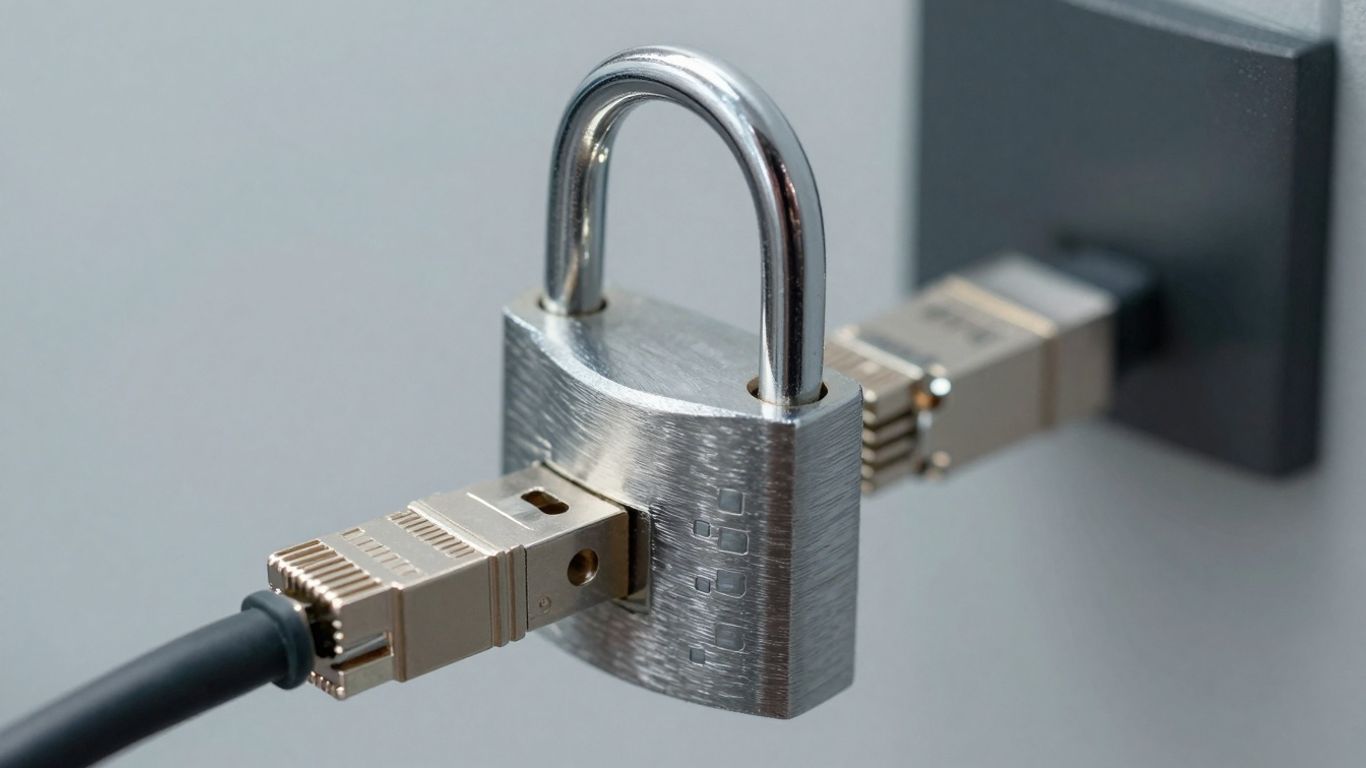
Think of security policies as the rulebook for your business’s digital life. Without them, it’s easy for people to get confused or just do things their own way, which can open the door to trouble. Having clear, written guidelines makes sure everyone is on the same page about how to handle sensitive information and protect company systems. It’s not about being overly strict; it’s about setting expectations so everyone knows their part in keeping things safe.
Create Overarching Security Policies
These policies are the big picture rules. They should cover the main areas of your security plan without getting bogged down in the tiny details of how to do something. The goal is to state what needs to be done. For example, a policy might say, "All employee accounts must use multi-factor authentication," or "Company data backups will be performed daily and tested monthly." This gives your team direction.
- Password Management: Rules for creating strong, unique passwords and how often they should be changed.
- Data Handling: Guidelines on how to store, share, and dispose of sensitive information.
- Incident Reporting: What employees should do if they suspect a security issue.
- Software Usage: Rules about installing approved software and avoiding unauthorized downloads.
Policies should be written in plain language that everyone can understand. Avoid technical jargon or legal terms that might confuse your staff. The easier they are to read, the more likely people are to follow them.
Define Role-Based Access Control
Not everyone in your business needs access to everything. Role-based access control, or RBAC, means you give people access to the systems and data they need for their specific job, and nothing more. This limits the potential damage if an account is compromised. For instance, your sales team might need access to customer relationship management (CRM) software, but they probably don’t need access to your accounting software.
Here’s a simple breakdown:
- Identify Roles: List out the different job functions within your company.
- Determine Access Needs: For each role, figure out what systems, files, and data are necessary.
- Assign Permissions: Grant access based on those needs. Regularly review these assignments to make sure they are still appropriate.
This approach helps prevent accidental data leaks and makes it harder for unauthorized individuals to access sensitive information. It’s a key part of protecting your digital assets and maintaining business operations.
Secure Cloud Storage Solutions
Many small businesses use cloud services for storing files and data. While convenient, these solutions need to be secured properly. This means more than just picking a provider; it involves configuring the service correctly and training your team on its safe use.
- Strong Authentication: Always use strong passwords and enable multi-factor authentication (MFA) for all cloud accounts. This is a big one.
- Access Management: Regularly check who has access to your cloud storage and remove access for former employees or those who no longer need it.
- Data Encryption: Make sure your cloud provider offers encryption for data both when it’s stored (at rest) and when it’s being transferred (in transit).
- Regular Audits: Periodically review access logs and activity within your cloud storage to spot any unusual behavior.
By taking these steps, you can make sure your cloud storage is a safe place for your important business information.
Gaining Stakeholder Support For Security Initiatives
Getting everyone on board with cybersecurity isn’t just about buying new software; it’s about getting people to care. This means talking to the folks who make decisions and those who actually do the work, explaining why this stuff matters to them and the business.
Secure Buy-In From Key Stakeholders
Think of your stakeholders as the people who have a real interest in the company’s success – your investors, department heads, maybe even long-term clients. You need to show them that cybersecurity isn’t just an IT problem, but a business problem. When you can connect security risks directly to their areas of concern, like lost revenue or damaged reputation, they’re more likely to listen. It’s about making them see that a cyber incident could hit their department hard, not just the tech team.
- Identify your key players: Who are the people whose support you absolutely need?
- Understand their priorities: What keeps them up at night? How does cyber risk tie into that?
- Tailor your message: Don’t use tech jargon. Explain the business impact in terms they understand.
Communicate The Impact Of Cyber Threats
It’s easy to talk about firewalls and encryption, but what does that actually mean for the sales team or the accounting department? You need to paint a picture. For example, a ransomware attack could mean your sales team can’t access customer records, or your finance department can’t process payments. That’s a direct hit to their daily work and the company’s bottom line.
A single phishing email, if clicked by the wrong person, can open the door for attackers to steal customer lists or financial data. This isn’t just a tech issue; it’s a business continuity issue that affects everyone’s job.
Develop A Concise Security Plan
Once you’ve got people listening, you need a clear plan. This doesn’t have to be a massive document. A one-page summary outlining the main security goals, the steps you plan to take, and what you need from them can be really effective. It shows you’ve thought it through and gives them something concrete to review and comment on.
Here’s a simple breakdown of what to include:
- The Problem: Briefly state the main cyber risks the business faces.
- The Goal: What are you trying to achieve (e.g., protect customer data, prevent downtime)?
- Key Actions: What are the top 2-3 things you’ll do (e.g., implement multi-factor authentication, conduct employee training)?
- What’s Needed: What support or resources do you need from stakeholders (e.g., budget approval, employee participation)?
- Benefits: How will this help the business and their specific areas?
Wrapping Up
Look, keeping your small business safe from online bad guys isn’t a one-time thing. It’s more like keeping your house tidy – you gotta do it regularly. We’ve gone over a bunch of ways to make your business tougher to hack, from updating your software to making sure your employees know what’s up. It might seem like a lot, but taking these steps seriously can save you a massive headache, not to mention a lot of money, down the road. Think of it as an investment in keeping your business running smoothly and your customers happy. Don’t wait until something bad happens; start making these changes today.
Frequently Asked Questions
Why is it important to update software regularly?
Think of software updates like getting new locks for your house. Old locks can have weaknesses that burglars can find. Software updates fix these weak spots, called vulnerabilities, so hackers can’t get in easily. This includes things like your computer programs, your phone apps, and even the software in your Wi-Fi router.
How can I make sure my passwords are safe?
You should use passwords that are long and tricky to guess, like using a mix of letters, numbers, and symbols. It’s also smart to use a different password for every important account. A password manager can help you keep track of all your strong, unique passwords without you having to memorize them all.
What is multi-factor authentication (MFA) and why should I use it?
Multi-factor authentication is like having two ways to prove you are who you say you are. For example, after you enter your password, you might also need to enter a code sent to your phone. This makes it much harder for someone to get into your account even if they steal your password.
How often should I back up my important files?
You should back up your important files regularly, like every day or at least every week. This means making copies of your data and storing them somewhere safe, like in the cloud or on an external hard drive. If something happens to your main files, you’ll have a backup to restore them from.
What is a VPN and when should I use it?
A VPN, or Virtual Private Network, is like a secret tunnel for your internet connection. When you use a VPN, especially when you’re on public Wi-Fi (like at a coffee shop), it makes your connection more private and secure. It helps protect your information from being seen by others.
Why is employee training important for cybersecurity?
Many cyber problems happen because of mistakes people make, like clicking on a bad link in an email. Training your employees helps them learn how to spot these dangers, like fake emails or suspicious websites. When your team knows what to look for, they become a strong defense for your business.